Every office door needs a lock, but the choice is no longer obvious. A traditional lock is a metal key and a cylinder: simple, cheap, and understood by every locksmith in town. A smart lock replaces the key with a code, a card, a phone, or a fingerprint, and it keeps a log of everyone who comes and goes. They differ in how staff get in, how access is taken away, and what happens when the power goes out.
For a small office, the decision is usually about convenience and cost. For a larger office with staff turnover, cleaners, contractors, and out-of-hours visitors, it is about control. A lost key means changing a lock or accepting the risk. A lost code can be deleted in seconds.
This guide compares smart locks and traditional locks for offices in 2027 on the things that matter day to day: staff access, security, costs, and power cuts. It gives a clear verdict by office size, so you can choose with confidence.
Key takeaways
- Smart locks win on staff access: codes and cards can be issued and revoked in seconds.
- Traditional locks win on simplicity and on working through a power cut with no batteries or software involved.
- A smart lock needs a battery plan and a manual override, or a flat battery can lock staff out.
- With frequent staff changes, rekeying costs often make smart locks cheaper over time.
- Small offices with few staff and one door can stay with a traditional lock and lose very little.
Smart locks: how they work
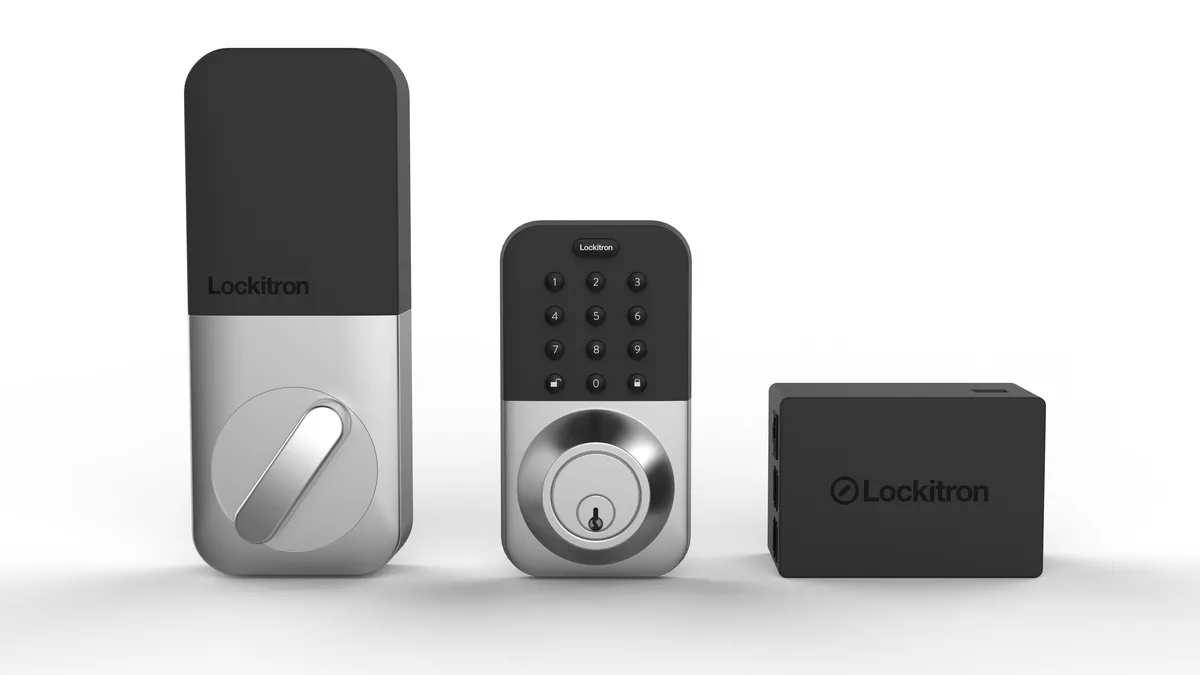
A smart lock for an office is usually a keypad, a card reader, or a fingerprint reader fitted to the door, with a motor that turns the bolt. Staff enter a personal code, tap a card, or press a finger, and the door opens. An administrator manages users from a phone app or a web dashboard, adding new starters and removing leavers without touching the lock itself. Most models also keep an audit log, so a manager can see who entered and when.
Many smart locks connect to Wi-Fi or Bluetooth, which allows remote locking and unlocking. A manager working from home can let a cleaner in at 7am and check that the door locked again at 8pm. The trade-off is that the lock needs power: usually batteries, sometimes mains power with a battery backup.
Staff access is where smart locks shine. A new starter gets a code on their first morning, a contractor gets a code that works only on Tuesday, and a leaver loses access the moment they leave. Access control pairs well with other modern checks, and passwordless logins and multi-factor authentication follow the same idea: prove who you are, then get in, with no shared secret to steal.
Traditional locks: how they work
A traditional office lock is a cylinder and a metal key. The key turns the cylinder, the bolt moves, and the door opens. There is no battery, no software, and no network connection. That simplicity is the whole appeal.

Staff access with a traditional lock is physical. Each person who needs entry gets a key, and the office keeps a list of who holds one. When someone leaves, the key should come back. In practice, keys go missing, get copied without permission, or sit in a drawer at a former employee’s home. The only certain fix is to change the cylinder, which means a locksmith visit and new keys for everyone.
Traditional locks are also easy to understand. There is no app to learn, no firmware to update, and no account that can be hacked. A good-quality deadbolt or mortice lock resists forced entry well, and a restricted key profile makes unauthorised copying harder, though not impossible.
Head to head: the comparison
| Factor | Smart lock | Traditional lock |
|---|---|---|
| Staff access | Codes, cards, or fingerprints; instant changes | Metal keys; changes need a locksmith |
| Revoking access | Seconds, from an app or dashboard | Key return, or change the cylinder |
| Audit trail | Log of who entered and when | None, unless someone watches the door |
| Power cut | Battery or backup needed | Works with no power at all |
| Upfront cost | About $150 to $400 per door | About $40 to $150 per door |
| Running cost | Batteries and occasional updates | Rekeying and replacement keys |
| Best for | Busy offices, high turnover | Small offices, few doors |
Managing staff access day to day
Day-to-day access is where the two locks feel most different. With a smart lock, the office manager controls entry from a desk. If a code leaks, it is changed in a minute and the new one is sent to staff by message. Nothing physical changes hands.
With a traditional lock, access is a physical object that has to be handed over, tracked, and collected. That works fine when the team is small and stable. It starts to fail when staff change often, when contractors come and go, or when the office has several doors with different keys. Most offices that switch to smart locks do so because key management, not the lock, became the problem.
Security: what each lock really protects
A lock only protects a door against two things: someone forcing it open, and someone opening it with the wrong credentials. On forced entry, a good traditional deadbolt and a good smart lock are roughly equal. Both rely on the strength of the bolt, the strike plate, and the door frame. A cheap door with a strong lock is still a weak door, whichever lock you fit.
On credentials, the smart lock has the edge. A code can be changed, a card can be cancelled, and a fingerprint cannot be lent to a colleague. A metal key can be copied in minutes at a hardware shop, and a restricted key profile only slows that down. A traditional lock leaves no trace at all.
The smart lock has one weakness the traditional lock does not: it can be attacked through software. A lock with weak security, an unpatched flaw, or a reused admin password is a risk. A network built on zero trust rather than a VPN alone treats every device, including a smart lock, as something to verify before it is trusted. Keep the lock’s firmware updated, use a strong unique admin password, and the software risk stays small.
What happens in a power cut
A traditional lock does not care about power. The lights can go out, the Wi-Fi can die, and the key still turns. That is a real advantage, and it is the main reason some offices keep a traditional lock on at least one door.
A smart lock runs on batteries, and a flat battery is the most common way a smart lock fails. Good models warn for weeks before the battery dies, and most have a backup: a USB port for emergency power, a physical key override, or a 9-volt battery contact on the outside. The rule is simple: check the battery every month, keep spares in the office, and make sure at least one person knows where the override key is kept.
There is a second power question: what does the lock do when the power fails? Most smart locks fail secure, meaning they stay locked, which is what you want for a front door. A few fail safe, meaning they unlock, which suits an emergency exit but not a main entrance.
Costs compared
A smart lock costs more to buy. A decent office-grade model runs from about $150 to $400 per door, including fitting, and a fingerprint model can cost more. A traditional lock runs from about $40 to $150 fitted. Prices vary by brand and by region, so check current pricing before budgeting.
The running costs tell a different story. A traditional lock costs little until someone loses a key or leaves. Then the office pays for a locksmith and new keys, often $80 to $200 a visit. A smart lock costs a few dollars a year in batteries and nothing to revoke access. Over three years, a busy office often spends less on smart locks than on rekeying, while a stable office with one door will spend less on the traditional lock.
The verdict
For a busy office with staff turnover, contractors, or several doors, the smart lock wins. The ability to issue and revoke access in seconds, plus the audit log, solves the real problems of office access. Choose a model with a battery warning, a USB emergency port, and a physical key override, and the power-cut worry disappears.
For a small office with a stable team, one or two doors, and no contractors, the traditional lock is still a sensible choice. It costs less, it never needs a battery, and it works through any power cut. Fit a good-quality deadbolt, keep a list of key holders, and change the cylinder when someone leaves with a key.
Checklist: before you choose
- Count your doors and your staff turnover, and price both options over three years, not just day one.
- Check the smart lock has a battery warning, an emergency power port, and a physical key override.
- Confirm whether the lock fails locked or unlocked when power is lost.
- Ask who can manage users, and make sure more than one person knows how.
- Test the lock with the people who will use it daily, including cleaners and visitors.
- Plan how access is reviewed each month, and who is responsible for it.
Frequently asked questions
Can a smart lock be hacked?
Any connected device can be attacked, but a good office smart lock with updated firmware and a strong unique admin password is a hard target. The bigger risk is usually a weak code or a shared admin login.
What happens if the smart lock battery dies?
Most models warn for weeks before the battery runs out, and most have a backup, such as a USB port for emergency power or a physical key override. Check the battery monthly, keep spares in the office, and make sure someone knows where the override key is kept.
Do smart locks work without Wi-Fi?
Yes, for the basics. Codes, cards, and fingerprints work locally on the lock itself. Wi-Fi is only needed for remote management, such as adding a user from home or checking the entry log. A lock that loses Wi-Fi still opens for valid users.
Are smart locks allowed in rented offices?
Usually, but check the lease first. A smart lock that fits over the existing cylinder is the easiest option for a rented office, because it can be removed without changing the door.
Is a smart lock better for compliance?
It can help, because the audit log shows who entered and when. For a wider view of office security tools, see our roundup of the best AI security platforms for business in 2027.
Should every office door have a smart lock?
No. Smart locks earn their cost on doors where access changes often or where an entry log matters, such as the main entrance and server rooms. Store cupboards and internal doors are usually fine with a traditional lock, and mixing the two keeps costs down.
The bottom line
A smart lock is the better choice for a busy office, because it turns access into something you manage in seconds rather than something you chase with keys. A traditional lock is the better choice for a small, stable office, because it is cheap, simple, and works through any power cut.
Whichever you choose, fit a good-quality lock, keep a list of who can enter, and review it every month. The lock on the door matters less than the habit of knowing who holds access and taking it away promptly when they no longer need it.