
A room can feel ready for a change long before you know which colors, furniture, or layout will work. You may have a look in mind but still need help picturing it in your own home. Seeing a possible design can help you weigh inspiration against your budget before moving furniture or starting a project.
Virtual staging means adding digital furniture and decor to an image of an empty room to help viewers picture it furnished. An AI interior design generator can help you explore ideas for a home, whether you rent, own, or work with properties. The visual gives you something concrete to react to, while your real needs still guide each choice.
Key Takeaways
- Start with a clear goal for the room.
- Use a room photo for visual inspiration or a floor plan for layout work.
- Compare generated designs with the real space and its fixed features.
- Check measurements and product details before making purchases.
- Bring in a designer when choices affect construction or safety.
Start with one space you want to rethink and a clear idea of what you want to feel different.
What Can an AI Interior Design Generator for Room Ideas Help You Create?
An online design generator can help you turn a broad idea into a visual direction for a real space. You can explore fresh looks for a furnished room, digitally furnish an empty room, or test how a sketch might look as a rendered design.
Use the image to explore a concept, not to confirm construction dimensions. An AI interior design generator for room ideas online should let you begin from an image or sketch, then explore a visual direction that suits your home.
Treat each image as a concept to review, not a construction-ready plan.
For a furnished room, you might compare a calmer color scheme with a bolder one. For an empty property, virtual staging can help buyers picture how living spaces might feel with furniture in place.
Sketch-to-render features can help you test an early idea before choosing details. Canva’s AI Interior Styler offers modes to restyle a furnished space, stage an empty room, or render a sketch.
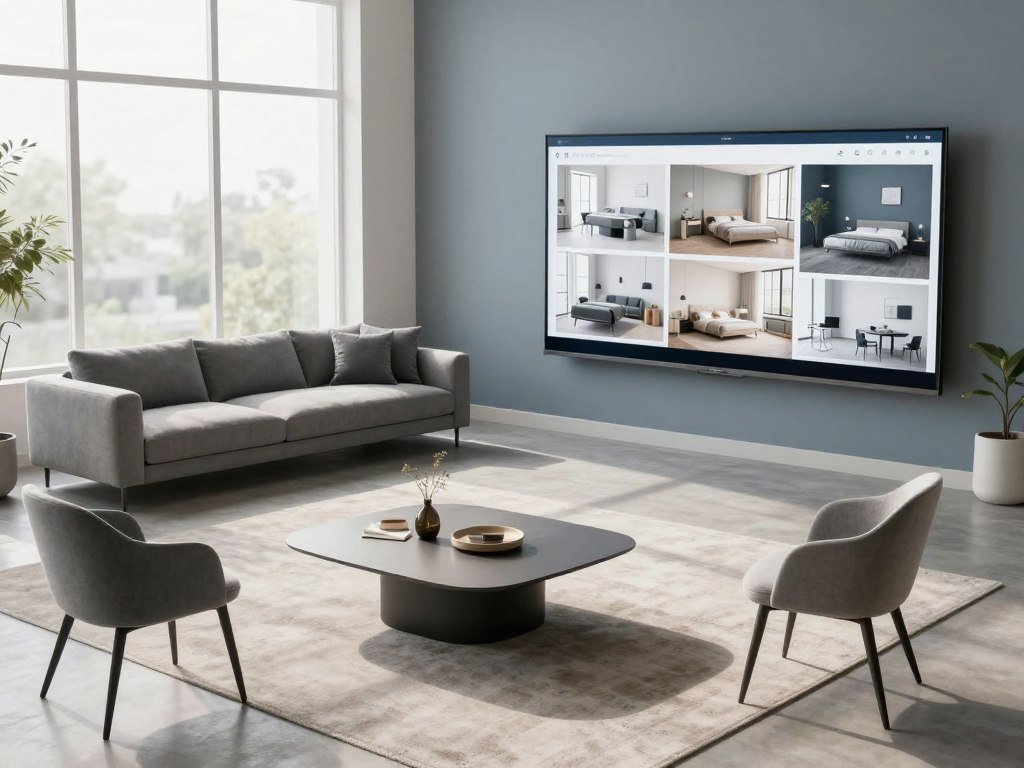
Planner 5D runs on the web, Windows, macOS, iOS, and Android. That range can suit you if you want to work across devices while exploring a room design.
An app can help you compare broad interior ideas, such as a warmer look or a lighter palette. It does not replace a measured floor plan when a project depends on exact dimensions.
A visual concept is useful for discussion with a household member, designer, or real estate client. The image can show what you like, even when it cannot prove that every object will fit.
Keep that distinction clear as you review each design. Treat each image as a concept to review, not a construction-ready plan.
How Do You Redesign a Room From a Photo?
A clear photo gives the generator a better visual starting point than a dark, cluttered image. An AI interior design from a photo uses the image as a visual reference, not a guarantee that every detail will stay exact.
Choose a well-lit view that shows the room’s main features. Then follow a simple workflow so you can compare the design with the space you actually have.
- Choose a clear, well-lit photo that shows the room from a useful angle.
- Upload the photo and select the correct room type.
- Set a style, plus any color or brightness preferences.
- Compare the result with the original before saving it.
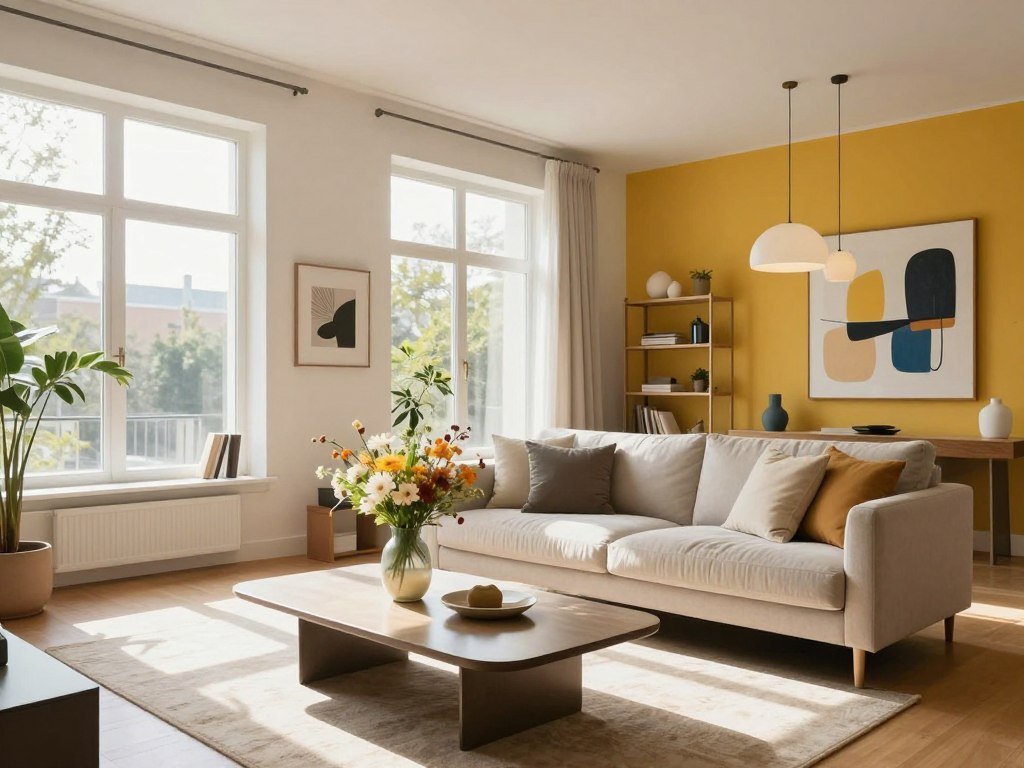
Check each app’s upload rules before you begin. Dehome accepts PNG, JPG, JPEG, and WEBP files up to 50MB, and lets users set room type, color scheme, brightness, and custom requirements.
Those settings can help you shape the visual direction without writing a long brief. Keep the room’s everyday use in mind when you choose a color or style.
GenRoom describes a photo redesign in about 30 seconds. That is a product-specific estimate, not a promise that every tool or design will finish at the same speed.
Once a design appears, look for changes beyond the decor. A photo-based result may shift a window, alter lighting, or make furniture seem smaller than it is.
Keep an untouched copy of the original photo so you can compare the design with the space you actually have.
For more beginner tips on making and reviewing generated visuals, see this guide to creating AI images.
What Should You Put in an Interior Design AI Prompt?
“Make this room Scandinavian” gives the generator less to work with than a brief that describes who uses the space and what it needs to do. A useful interior design AI prompt names the room’s needs and the changes you want to see.
Say what must stay and what can change. Style names can guide the look, but they do not explain how the room should work.
Describe the space, its users, style, materials, light, and view
A room brief can cover seven aspects: space, users, style, materials, light, view, and desired output. Include details that shape the design, such as the room’s size, the people who use it, and any limits.
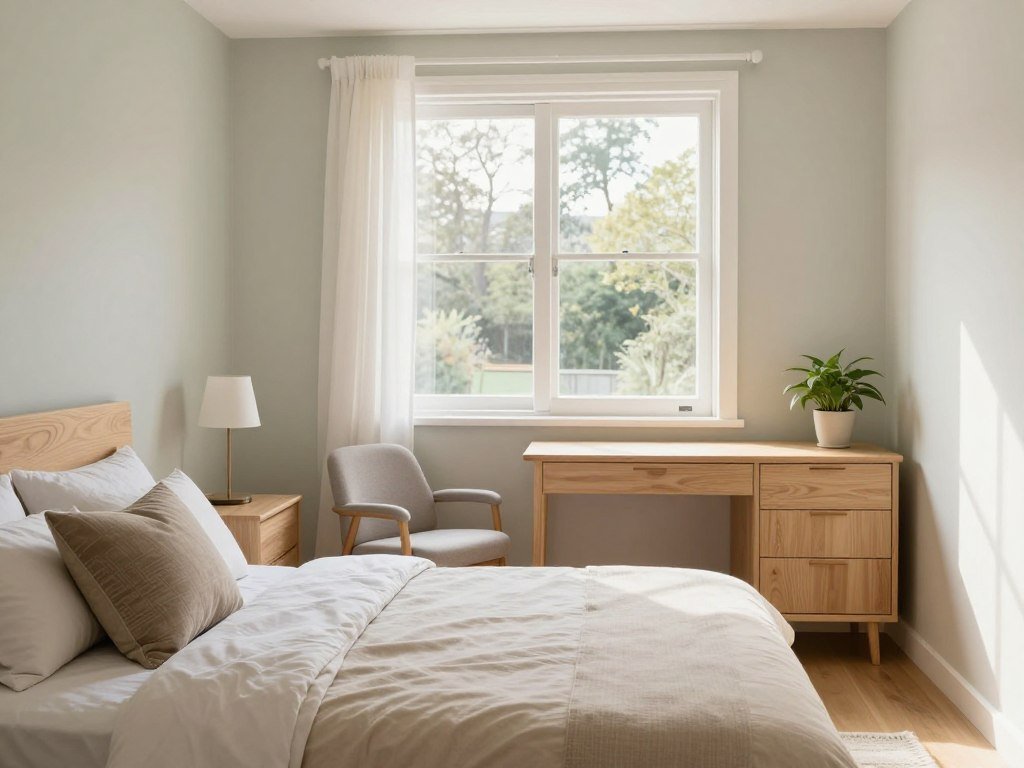
For example, describe a 12×14 ft bedroom with light wood flooring and one window. Say that it needs to support sleeping and remote work, with a budget-conscious furniture approach.
That compact model gives the generator more to work with than a style label alone. It names the room, its users, its fixed features, and its practical purpose.
For more targeted prompt ideas, this guide to reviewing AI output reinforces the value of a clear goal and a careful final check.
Set constraints and request a useful deliverable
Include four prompt elements: your design goal, fixed constraints, preferred palette or materials, and the output format. Together, they make the request easier to judge.
- Design goal: explain the change you want to explore.
- Fixed constraints: name the features or items that must remain.
- Palette or materials: list colors, finishes, or surfaces you prefer.
- Output format: state whether you want visual options, a palette, or another clear result.
A color request can ask for four palettes with three or four colors each, hex codes, and suggested surfaces. That gives you options you can compare against existing finishes.
Ask for a small number of clearly defined options, such as four palettes with hex codes and suggested surfaces, so the results are easy to compare.
Which AI Design Tool Fits Your Goal?
The right tool depends first on whether you need a quick visual variation or an editable plan. Photo restylers suit inspiration, while planners can give you more control over a room layout.
Match the app to the next decision you need to make. The best AI interior design generator for room ideas is the one that fits your task, not a universal winner.
Choose a photo restyler for fast visual concepts
A photo restyler can help when you want to compare colors, finishes, or styles without building a full digital model. MNML Interior AI accepts photos, sketches, and 3D exports, offers more than 20 preset styles, and supports free-form prompts.

MNML also supports reference-image uploads and furniture and decor variations from one photo. Its Render Enhancer offers output up to 8K, and a typical render takes about 15 seconds.
New MNML accounts receive free credits without a credit card. Those features can make it worth testing for style exploration, though they do not make the image a measured plan.
Canva’s AI Interior Styler offers modes for restyling furnished rooms, staging empty spaces, and rendering sketches. Both products can suit visual exploration from an image, while their exact controls differ.
Choose a planner when you need editable layouts
An editable planner is a better fit when you need to change a room model or work with dimensions. Homestyler can turn a 2D floor plan or sketch into an editable 3D house model, restyle a room photo, and create mood boards from an image.
Planner 5D works across web, Windows, macOS, iOS, and Android. It can support planning work beyond a single generated room image.
| Tool | Starting input | Output or feature | Best-fit task |
|---|---|---|---|
| Homestyler | 2D plan, sketch, or photo | Editable 3D model and mood boards | 3D room planning |
| MNML Interior AI | Photo, sketch, or 3D export | Preset styles and free-form prompts | Style exploration |
| Planner 5D | Room plan and dimensions | Web and mobile planning app | Editable layouts |
| Canva AI Interior Styler | Furnished room, empty room, or sketch | Restyle, stage, or render modes | Visual concepts |
| RoomGPT | Room photo | Restyled photo, not a floor plan | Simple photo refresh |
RoomGPT generates a restyled photo rather than a floor plan, and its designs do not include real, buyable products. Homestyler and Planner 5D better match editable 3D or measured planning.
You can compare realism, proportion fidelity, style variety, speed, ease of use, and free access by testing the same photo and style. A broader AI image generator comparison can help you weigh other image tools by task and workflow.
Compare two tools using the same photo and style, then judge whether the room’s proportions still look believable.
What Can Free AI Design Tools Do?
Free access is a practical way to test a workflow, but the number of usable designs can be capped. Free AI rendering for interior design often means limited generations or credits, and free output may have a watermark or resolution limit.
Use a free tier to test whether the result helps before relying on it for a larger project. Limits vary by app, and a trial does not always include ongoing use.
Some dedicated apps commonly offer three to five free generations before asking for payment. Other tools use credits or a set number of trial designs instead.
The AI interior design generator for room ideas free tier can help you see whether the result suits your taste and workflow. It may not provide enough use for repeated revisions or a whole-home project.
| Tool | Stated free allowance | Card requirement or watermark | Stated use |
|---|---|---|---|
| ArchiVinci | 3 free credits | Not stated | Render a photo, sketch, or 3D view |
| Spacely AI | 40 trial credits | Not stated | Connects with SketchUp, Revit, AutoCAD, and Rhino |
| Paintit AI | 30 free credits | Not stated | Visualize paint and furniture |
| ReimagineHome | 5 free designs | Not stated | Staging and makeovers |
| GenRoom | 6 free credits | No card required; watermark on free images | Designs and text or brush edits |
Spacely AI connects with design software such as SketchUp, Revit, AutoCAD, and Rhino. That may suit a professional who already works in those programs.
GenRoom’s free account includes six credits without a credit card, and free generated images carry a watermark. Its free AI Editor can refine results with text instructions or a brush selection.
Access terms can change the value of a free trial. Before uploading, check the credit limit, watermark, output resolution, and whether saved images remain available after the trial.
For a wider look at how image tools handle quotas and output limits, compare options in this free text-to-image tool guide.
Can You Shop the Furniture in an AI Design?
A sofa that looks right in a generated image may be a visual placeholder rather than a product you can order. Shoppable products come from a catalog with identifiable items, listings, and prices.
A render-only tool creates furniture as image pixels, not a verified product listing. A catalog-based tool connects the visual to items you may be able to shop.
Havenly AI lets users upload a room photo, describe a style, customize details, and shop the resulting design without a subscription or commitment. Its generated pieces are shoppable through a designer-curated marketplace and can be swapped in the app.
Ludwig by Fülhaus offers 20 free design credits, then pay-as-you-go credits at $20, with products from more than 300 vendors. Some ReimagineHome designs can also link to products through Amazon or Shopify.
These examples answer whether you can shop interior design AI free: some tools let users explore or shop designs without a subscription. Check item listings and terms before buying, since retailer checkout and product availability sit outside the visual itself.
A design can show a product that is no longer available, or a similar item from a different seller. Product prices, stock, shipping, and return rules belong to the retailer.
Even a shoppable result does not guarantee that a product will fit the room. Check the product’s dimensions against your own measurements before buying a piece shown in an AI design.
When Should You Use a Floor Plan Instead?
A photo is usually the easier starting point for exploring a look, while a floor plan is more useful for testing a layout. Measured dimensions matter when furniture placement or clear walking paths affect your decision.
Use a measured plan when the fit of the room matters. Free 2D and 3D planning options can help you begin, though paid features vary by app.
Use a photo for visual direction
A photo works well for exploring colors, finishes, or virtual staging. It can help you compare the mood of a room without asking whether every chair clears a doorway.
Photo-based concepts are also useful when an empty listing needs a visual suggestion. A real estate professional can use virtual furnishing to help viewers picture a room, while keeping the actual property in mind.
Use a measured plan for layout decisions
A measured floor plan helps when you need to place furniture or judge circulation. Planner 5D converts 2D floor plans to 3D models and offers an AR planner based on real room dimensions.
Its free version includes unlimited projects, 2D and 3D design, and access to half its furniture catalog. Premium unlocks a catalog of more than 10,000 items.
Capture these four details before planning:
- Room length and width.
- Door and window locations.
- Fixed features, such as built-ins or columns.
- Major furniture dimensions.
Planner 5D and Homestyler work to measured dimensions, which can make them more useful for an editable layout than a photo restyler. For kitchens and bathrooms, the NKBA planning guidelines cover clearances, fixture locations, and accessible design.
Measure the room and major furniture before treating a digital layout as a fit check.
How Do You Keep Generated Layouts Realistic?
A beautiful redesign can still be misleading if the window, doorway, or room proportions have shifted. Check fixed features against the original photo instead of judging only the decor.
Photo-based tools generate new images, so compare the room’s structure before trusting the layout. A new image can make a room appear larger, move an opening, or alter the camera view.
Look at the parts of the room that should not change. A prompt can ask the AI to preserve the window and door positions, ceiling height, floor, room proportions, camera angle, and natural light.
Review the result with this short check:
- Window and door positions.
- Ceiling height and floor.
- Room proportions.
- Camera angle and natural light.
Compare the edges of the room, not just the furniture in the middle. A wider camera view can make the same space seem larger, even when the decor looks plausible.
For real estate work, keep the original image available and make sure a staged design does not mislead viewers about the property. This practical AI guide for real estate also covers the value of checking generated property visuals.
If a fixed feature changes in the image, use the result as inspiration and verify the layout independently.
Which Rooms and Styles Can You Explore?
Start with the room’s everyday job, then choose a style direction that supports it. Room function helps you judge whether a visual idea suits the way you live.
Supported room types and preset styles differ by tool. A kitchen, bathroom, home office, and bedroom each have different needs, even when they share a color palette.
Match the room type to its practical needs
A home office needs a useful work area and lighting that supports long tasks. A kids’ room may need flexible space for sleep, play, and storage.
A bedroom should support rest and storage, while a kitchen must work around cooking and movement. A style image may look calm, but the room still needs to do its daily job.
MNML supports living rooms, bedrooms, kitchens, bathrooms, dining rooms, and home offices. Dehome supports those room types, plus offices and kids’ rooms.
Compare style families before choosing details
Dehome lists more than eight styles, including modern, Scandinavian, industrial, minimalist, bohemian, traditional, contemporary, and mid-century. Canva offers more than 30 room styles, including Scandinavian, Zen, Art Deco, and Coastal.
Use broad style families to see how your existing finishes might pair with a new look. A warm wood floor may feel different beside a simple modern palette than beside a patterned bohemian one.
Keep the room’s purpose in view as you compare styles. A dramatic look may suit a living room, while a quiet palette might better support a bedroom.
Compare a few styles using the same room photo so the visible differences come from the style choice, not a different starting image.
How Do You Turn an AI Idea Into a Real Project?
A useful AI concept becomes more actionable when you record the choices it helped you make. Keep the decisions that matter, not every image you generated.
Use the visual as a decision aid, then confirm real dimensions and product details independently. A saved design can help you explain your preferences to a housemate, contractor, or designer.
- Save the concepts worth comparing.
- Note which elements you want to keep or change.
- Confirm dimensions and product details independently.
- Use a mood board or editable plan to organize decisions.
Keep your notes specific. You might like the wall color but want to retain your current sofa, or prefer the lighting while changing the rug.
Image-editing features and export formats vary by tool. Canva’s Magic Edit and Magic Eraser are Pro features, while its exports include JPG, PNG, PDF, and PPTX.
Canva also offers 5GB of free storage. That may help you keep project files together, though a tool’s storage and editing features do not replace a measured plan.
A mood board can gather colors, finishes, and reference images in one place. An editable plan gives you a separate way to organize spatial choices.
Keep the original photo, the selected design, and your measurements together for the next planning conversation.
For a broader workflow on turning AI output into reviewed work, see this guide to AI and client projects.
What Should You Check Before Paying?
Compare the payment structure and the conditions attached to the feature you need, not just the headline price. Price alone does not show whether you pay monthly, yearly, per room, or by credit.
A price from one provider does not predict the cost of another. Check the billing period, included features, and rules for your intended use.
| Option | Stated price | Billing or allowance | Notable condition |
|---|---|---|---|
| Planner 5D Premium | $19.99 monthly or $59.99 yearly | Monthly or annual plan | Includes paid planning features |
| Planner 5D Professional | $49.99 monthly or $399.99 yearly | Monthly or annual plan | Professional plan tier |
| Havenly online design session | $199 per room | Per-room price | Online design service |
| Havenly in-person full-service design | $699 | Full-service design | In-person service |
| ReimagineHome paid plans | $14-$99 per month | Monthly plans after 5 free designs | Plan prices vary |
Planner 5D paid features include floor-plan recognition, photorealistic renders, and AI Studio credits. Its Professional and Premium prices use different billing options.
GenRoom sells credit packs at $9.99 for 36 credits, $19.99 for 100 credits, and $39.99 for 300 credits. Basic and Pro packs include free 4K output.
ArchiVinci requires an active plan for commercial or client use. Dehome accepts PNG, JPG, JPEG, and WEBP uploads up to 50MB, and says users can delete images that it does not share with third parties.
Before uploading a personal room photo, read the service’s image-retention and privacy terms.
Who Benefits Most From AI Room Design?
AI room design is most useful when you need a fast visual starting point, not a final answer to every design decision. Different projects call for different levels of review.
A visual concept can help you explain a direction, but it cannot settle every design choice. A renter, homeowner, real estate professional, and designer may each use the same image differently.
A renter can test removable decor ideas before buying paint-safe art or a new rug. A homeowner can gather renovation inspiration and compare looks before speaking with a contractor.
A real estate professional can stage a listing image to help viewers imagine an empty room furnished. Keep the visual honest about the property’s actual features.
A designer can use a generated visual to prepare an early direction for a client conversation. Canva presents AI interior design uses for homeowners, interior designers, and real estate professionals.
Havenly also offers a route from its AI design experience to a human designer. Professional review can help when a room has an awkward layout or a project includes costly choices.
Bring a human designer in when the project depends on detailed coordination, construction decisions, or a layout you cannot validate on your own.
Bring a human designer in when the project depends on detailed coordination, construction decisions, or a layout you cannot validate on your own.
Conclusion
A strong first design starts with one room, one goal, and a useful visual reference. A generated design can help you compare ideas, but real measurements and product checks still matter.
Choose a room that would benefit from a clear change, such as a crowded office or an empty living room. Decide what you want to feel or work better before testing a new style.
Use a photo for visual direction or prepare a measured floor plan when layout fit matters. Choose a space, upload a photo or prepare a measured plan, and try a design direction you can evaluate against your real needs.
FAQ
Can I use AI room design without uploading a photo?
Yes, some planners let you start with a room type, style, and layout selection instead of a photo. That workflow builds a room model from choices you enter, while photo restyling changes the look of an existing image. A planner can be helpful when you want to arrange a space from scratch. A photo restyler is more direct when you want to see a new look applied to your current room.
What photo formats can I upload for an AI room redesign?
Dehome accepts PNG, JPG, JPEG, and WEBP files up to 50MB. Upload rules differ by tool, so the same photo may not meet every app’s size or file requirements. Before you start, check the format and maximum size listed by the service you plan to use. A supported file type does not guarantee that every detail in the photo will remain unchanged in the result.
Can AI show furniture that I can actually buy?
Yes, some tools connect generated designs to product catalogs, while render-only tools may create furniture as image pixels. Look for an item listing with a product name, price, and seller before treating a chair or sofa as available to buy. Confirm the seller, dimensions, stock, and return terms before ordering. A catalog link can help you shop, but the item still needs to suit your room and budget.
Can AI room designs be used for client or commercial work?
Yes, some AI room designs can support client or commercial work, but each tool sets its own terms. ArchiVinci requires an active plan for commercial or client use. That rule may not match the license terms of another app, so check the rights attached to the images you make. For client work, confirm that your plan allows the intended use before sharing or selling a design.
How can I make an AI design more useful for a small room?
Give the tool actual room dimensions, door and window locations, and the size of major furniture. Then check walkways and furniture fit in a measured planner instead of relying only on a photo render. Small rooms leave less room for errors, so a chair that looks harmless in an image may block a door or path. Use the visual for style ideas and the measured layout for fit decisions.
Should I hire an interior designer after trying an AI generator?
Consider a designer when your project includes a complex renovation, an awkward layout, or high-stakes choices. AI concepts can help with a visual refresh, but they do not replace a person’s judgment about construction and detailed coordination. A designer can review the room, ask about your needs, and help turn a broad idea into a workable plan. For a simple decor change, you may only need the visual as a starting point.



