
A small business can use an AI tool to explore a brand direction quickly, but the best choice depends on what it needs to do with the finished mark. You may need ready-made brand assets, original concepts, or a vector file, a graphic made from paths that can scale to different sizes without losing sharpness.
A quick concept is not automatically a finished identity. Compare the creative freedom, export files, and usage rights you need before choosing a tool.
Some platforms arrange templates and matching assets; others make images from your written direction. Either route can give you a useful starting point, but production work may remain.
Treat the first attractive result as a starting point until it passes a small-size and file-format check.
Key Takeaways
- Choose Recraft V4 when real SVG output and brand-kit support matter.
- Consider Looka for a packaged logo and matching business templates.
- Wixel is a strong place to start if you want free downloads.
- Canva helps you edit a logo alongside other business materials.
- Check legibility, export types, and usage rights before you commit.
Template Tools and AI Image Models Make Different Tradeoffs
A template tool assembles design components, while an image model generates a picture from your description. The difference affects how much editing you may need before a logo works across business uses.
Template-combination tools arrange pre-designed icons, font pairings, and layouts. Image models create images from written prompts, so their output may look more original but can be harder to edit. An image model usually creates a logo image, not a complete production-ready identity system.
| Route | How it starts | Typical output | Main tradeoff |
|---|---|---|---|
| Template tool | Choose a style and adjust components | Arranged icon, type, and layout | Fast, but built from existing parts |
| Image model | Describe the logo in a prompt | Generated logo picture | Flexible, but may need cleanup |
| Designer-led refinement | Start with a concept or brief | Edited identity files | More human control and production work |
File format also changes what you can do with the output. SVG is a vector format, while PNG and JPEG are raster formats that store pixels. A raster file may blur when enlarged beyond its original size.
Choose the approach by the production work you are prepared to do after the first concept.
A template tool can help you set type and color quickly, but its parts may also appear in other users’ logos. An image model can make unusual shapes, yet it may distort letters or create details that are difficult to reproduce.
For a wider view of how AI image-generator tools compare by editing and output, consider how each model fits your design task. The same prompt can lead to very different results across tools.
Look at the amount of design control you need, not only the preview. Choose the approach by the production work you are prepared to do after the first concept.
Best AI Logo Generators for Business Branding
Recraft V4 is the strongest starting choice if you want a distinctive concept and a real SVG file to build on. That mix gives a small business room to explore a visual direction while keeping a scalable file.
For most small businesses, Recraft V4 is the overall pick when creative flexibility and SVG output matter. Other logo generators suit different needs, from beginner-friendly brand assets to free downloads and broader editing tools.
These options match common priorities:
- Recraft V4 for SVG output and brand-kit support.
- Looka for a beginner-friendly logo and matching assets.
- Wixel for free file downloads.
- Canva for editing a wider set of business materials.
Wixel is the strongest starting point for free downloads, while Canva can suit someone who prioritizes broader editing. A free result still needs a check for file quality and usage rights before it represents your business.
Looka is useful when you want a package of matching assets without building each item from scratch. Canva keeps logo editing close to other design work, such as social posts and business cards. Recraft V4 stands out if you want greater creative direction and a native vector file.
Choose based on the work you need to do after the first logo concepts appear. A brand kit can save time on repeat materials, while a vector file matters when the mark must scale cleanly.
Before committing to any pick, confirm that its final files suit your website, print, and merchandise needs.
How to Judge an AI Logo Before You Pay
A logo is worth comparing at the size and in the places where customers will actually see it. Real use can expose weak typography, crowded details, or a mark that depends too much on color.
A clean preview can still fail when reduced to a favicon or enlarged for print. A 16×16-pixel favicon is a useful small-size legibility test, even if your business does not use one today.
Start with the job the mark must do
A wordmark uses the business name as the main design, so typography carries the identity. An icon-only pictorial mark uses a picture or symbol without the name. A combination mark brings lettering and an icon together.
Test a wordmark at the width of a website header, then inspect the lettering at small sizes. Test an icon on a profile image or product label. A combination mark should work both together and, when needed, as a standalone icon.
Separate concept quality from production files
A strong design can still come in the wrong format. SVG paths scale without pixelation, while raster images can lose sharpness when enlarged. The W3C SVG specification describes how vector graphics use paths and shapes rather than fixed pixels.
| Check | How to test | Good sign | Problem signal |
|---|---|---|---|
| Originality | Compare with familiar marks | Distinctive shape and type | Looks like a known logo |
| Legibility | View at favicon size | Name or icon stays clear | Letters merge or vanish |
| Scalability | Enlarge for print use | Edges stay sharp | Pixels or jagged edges show |
| Consistency | Try one color and variations | Still feels like one brand | Meaning depends on effects |
Keep only concepts that remain recognizable in one color and at a very small size.
Looka: Best for a Fast Brand Kit
Looka suits a beginner who wants an edited logo package or a larger set of matching business templates without arranging every asset separately. The package choice matters because its lowest one-time option supplies fewer files than its higher tier.
Looka’s Basic Logo Package costs $20 one time in 2026 and includes one low-resolution PNG. That file may not suit every print or layout need, so do not treat it as the same deliverable as the Premium package.
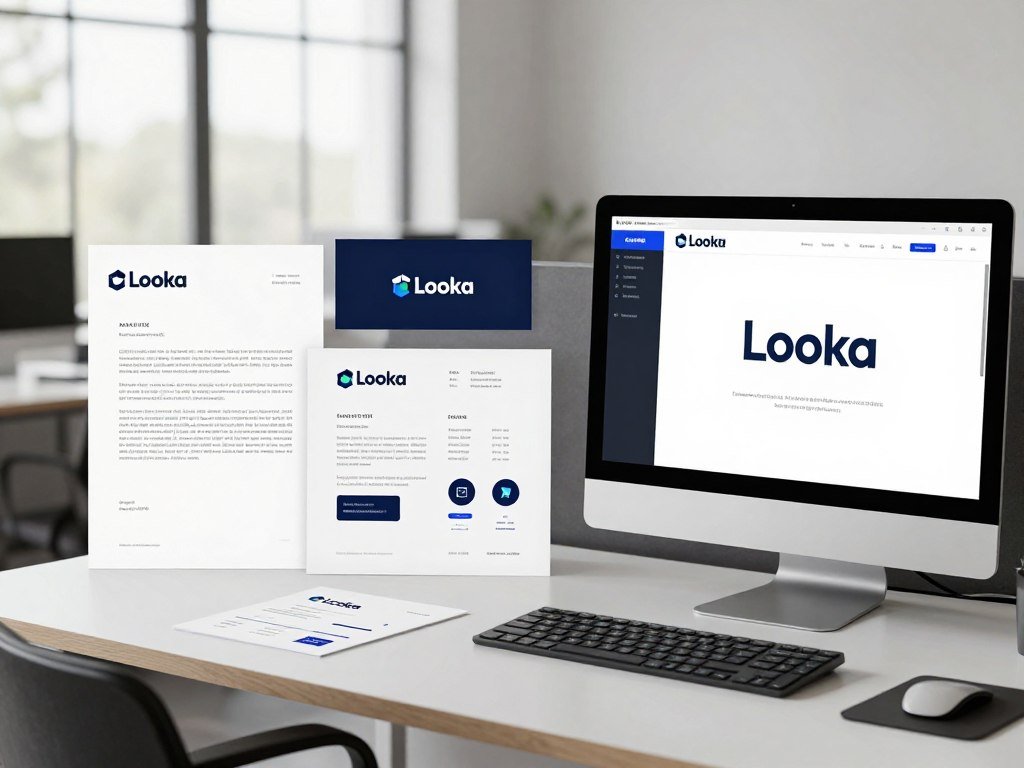
The Premium Logo Package costs $65 one time in 2026. It includes high-resolution PNG, SVG, EPS, and PDF files, plus color variations with transparent backgrounds. Buyers can make unlimited edits after purchase and receive full ownership.
The Brand Kit Subscription costs $96 per year in 2026. It includes the Premium package and more than 300 branded templates. That can help if you regularly need matching items for marketing, rather than a logo file alone.
Looka says buyers receive copyright to the logo as a whole, but not to individual elements such as symbols. That distinction matters if you expect to reuse a symbol apart from the complete logo.
The Basic package may work for a simple digital use, but it does not include the range of file types or color versions in Premium. The annual Brand Kit adds templates, so weigh those against how often you plan to use them.
Check that the exact package you choose includes the file types and edit access you need.
Wix Logo Maker: Best for One-Time Purchases
Wix Logo Maker’s Basic plan is the fit for PNG use, while Advanced is the option to consider when you need resizable SVG files. The key difference is whether you need raster files alone or a vector file for flexible sizing.
Basic includes eight high-resolution PNG files at 3000 x 3000 pixels, while Advanced adds resizable SVG files. Both plans include full commercial usage rights in 2026.
A vector file is made from paths, so you can resize it without the pixelation that can affect a raster image. That helps when one logo must fit a small digital space and a much larger print piece.
Wix logo plans are one-time purchases in 2026. They do not renew automatically, which can suit a business that wants a single payment rather than a subscription.
The plans are non-refundable in 2026. Review the file list and plan details before checkout, especially if a printer or sign maker asks for SVG.
Confirm the plan and export format before purchasing because the purchase is non-refundable.
Wixel: Best for Free File Access
Wixel’s paid plans are mainly worth weighing for additional AI credits, not for access to different download formats. File access stays the same across plans, so paying does not unlock a different export set.
Wixel icons and fonts are licensed for commercial use and available to every user. Its paid Basic plans start at $90 per year in 2026 and add AI credits.
Before using a design for a business, check how its parts fit your intended use. Commercial use terms for icons and fonts do not make those elements exclusive to your business.
- Check whether the chosen design uses Wixel’s available icons or fonts.
- Decide whether you need more AI credits to explore variations.
- Check whether the downloaded file suits its intended use.
More credits can help if you want to test extra logo concepts or refine a design through repeated generations. They do not change the file access included with the plan.
Review the platform’s current usage terms for the specific assets you plan to put into a commercial brand.
Canva Logo Maker: Best for Editing a Wider Brand Identity
Canva is most useful when you want to carry one visual direction into other business materials, not when a template’s exclusivity is essential. That broader workflow can keep a logo, social post, flyer, and other designs in one editing space.
Canva says template or stock-graphic logos are non-exclusive and cannot be registered as trademarks. A design made from scratch with basic lines, shapes, and fonts can be registered as a trademark under Canva’s stated terms.
The distinction is about the pieces used to build the mark. A logo assembled from a template or stock graphic draws on content that other users can also use. Editing its colors or layout does not make those elements exclusive.
Building from basic lines, shapes, and fonts gives you a different path. Canva says those scratch-built designs can be registered as trademarks. That does not remove the need to review the finished mark or consider similar designs.
Canva can be practical if you want to maintain a shared color and style across everyday business materials. Its wider design tools do not make every logo design exclusive, though, so consider how you create the mark.
If trademark registration matters, keep a record of the original design elements and check the finished mark before relying on it.
Logo Diffusion: Best for Iterative Logo Design
Logo Diffusion is a strong fit when you want several rounds of AI logo generation and control over the export process. Its credit system ties the number of options and some export choices to your plan allowance.
Text to Logo offers 11 styles. A paid generation returns four options, while the free plan returns two. One generated image costs two credits, so a paid generation with four options costs eight credits.
Text to Logo generations and credit use
Use the styles to test different visual directions, then check how many options a generation will return. The credit cost gives you a way to estimate how many rounds fit your allowance.
The free plan includes two standard Vectorizer exports per month. A standard export on a paid plan costs five credits, while an HQ export costs eight credits.
Paid plans, downloads, and cancellation
Basic costs $24 per month in 2026 and includes 1,000 credits, commercial use, unlimited watermark-free downloads, and PNG and layered SVG exports. Pro costs $49 monthly with 2,500 credits and up to 83 logo animations a month. Elite costs $99 monthly with 6,000 credits and up to 200 logo animations a month.
| Plan | Monthly price | Monthly credits | Notable allowance |
|---|---|---|---|
| Basic | $24 | 1,000 | Unlimited watermark-free downloads |
| Pro | $49 | 2,500 | Up to 83 logo animations |
| Elite | $99 | 6,000 | Up to 200 logo animations |
Annual plans cost $240 for Basic, $490 for Pro, and $990 for Elite in 2026, with two months free. The one-time Starter Pack costs $59 and includes 1,500 credits and six downloads usable within 90 days.
Paid-plan commercial licenses remain in effect after cancellation. That can matter if you stop a subscription after finishing your logo, but it does not change the credit rules while you use the platform.
Estimate the number of concepts and vector exports you expect to need before choosing a monthly, annual, or one-time option.
Leonardo AI: Best for Logo Concepts, Not Final Files
Leonardo AI can help develop visual logo concepts, but its tested JPEG-only logo output makes it a less direct route to finished vector files. The extra step matters if your business needs a mark that can resize cleanly.
Essential costs $12 per month before tax in 2026 and includes 8,500 tokens per month with private generation. Premium costs $30 monthly and includes 25,000 tokens. Ultimate costs $60 monthly and includes 60,000 tokens.
In a 2026 logo test, Leonardo AI results downloaded as JPEG images and offered no SVG export. A business that needs a scalable mark should plan for a separate refinement step after generation.
Users generating privately on a paid plan keep full ownership. Private generation may suit a business that does not want its design ideas to be public.
Leonardo AI can help you explore styles, shapes, and visual directions. It is less direct when the goal is a finished logo system with vector files ready for different sizes.
Decide whether concept exploration is worth an extra file-preparation step before using the tool.
Recraft: Best for Scalable Logo Files
Recraft stands out when the deliverable needs to be a real SVG rather than a picture of a logo. That format gives a business a scalable file for many sizes and uses.
Recraft V4 outputs real SVG files and supports brand kits in 2026. An SVG stores paths and shapes, while PNG or JPEG stores a fixed grid of pixels.
SVG paths can be enlarged or reduced without the pixelation associated with raster artwork. A logo preview may look sharp on screen, yet a raster export can lose detail when stretched for a large sign.
Recraft’s brand-kit support can help keep a palette and visual style consistent while you explore variations. That is useful when you want supporting assets to feel related to the main logo.
A real SVG does not guarantee that every concept is ready to publish. Inspect the paths, spacing, and letter shapes before treating the file as a final identity asset.
For more on the range of AI image generators for design work, consider whether a tool supports the kind of output your business needs. A model’s visual style and its export formats answer different questions.
Open the exported SVG at both small and large sizes to catch layout or detail issues before using it.
Which AI Models Handle Logo Typography Best?
For a text-led logo, start with a model that can render the business name accurately, then test its ability to follow specific design direction. Correct lettering matters when the name is the logo, not a small detail.
In 2026, GPT Image, Ideogram, Google’s Nano Banana, and Recraft render typography accurately and reliably. They handle short marks, full wordmarks, and stylized lettering, but accurate text does not create a complete identity by itself.
Ideogram for typography-led marks
Ideogram is a good fit for a wordmark or stylized lettering because the written name can lead the design. Check spelling and spacing in the final design, even when the first result looks right.
Typography can change the feel of a business name. A heavy type style may suit a bold concept, while fine lettering can become hard to read at small sizes.
GPT Image for conversational revisions
GPT Image supports a conversational revision approach. You can ask for a change to the layout, icon size, or type style without rewriting the entire design direction.
Change one detail at a time so you can judge what each revision does. A focused prompt can help you keep a useful part of the concept while adjusting another.
- Give the exact business name, including punctuation and capitalization.
- Name the intended mark type, such as a wordmark or combination mark.
- Describe the type style and the mood it should create.
- Explain how the icon should relate to the business name.
For more on free text-to-image tools, compare how they handle words and edits before settling on a workflow. A model that follows a prompt well can still need a separate design tool for final spacing or layout.
Zoom in on each letter and compare the rendered business name with the spelling you supplied.
Adobe Express: A Free Route to Basic Logo Exports
Adobe Express can be a practical starting point if you want to create a concept and export common image files without a vector workflow. For basic digital use, its free plan covers several familiar formats.
The free plan exports JPG, PNG, PDF, and transparent-background PNG files, but not SVG files. PNG and JPG are raster formats, while SVG is a vector format.
A simple editor can help you shape a first concept, adjust color, and prepare files for everyday digital placement. Transparent PNG can sit over a colored background without a visible box around the logo.
That transparent file is still a raster image. It may work for a website or social post at an appropriate size, but it does not replace a vector file across every application.
For notes on using AI to make and refine an image, see simple AI image creation steps. A logo still needs its own checks for lettering and layout after edits.
If the mark must scale cleanly for print or signage, do not treat a transparent PNG as a substitute for SVG.
Can a Free AI Logo Generator Make a Production-Ready Logo?
A free AI logo generator can be enough for a first concept, but usable business files depend on the format, visibility, and license. Free access does not mean every result is ready for commercial use.
Check each free plan’s download type and rights before putting its logo on business materials. Wixel provides 120 AI credits per month on its free plan and allows free downloads in any quality in 2026.
| Tool | Free allowance | Export or visibility condition | Practical limit |
|---|---|---|---|
| Wixel | 120 AI credits per month | SVG, PNG, transparent PNG, or JPG downloads | Free file access does not prove exclusivity |
| Canva | Free plan | JPG, PDF, or PNG with background | Transparent PNG and SVG need Pro or above |
| Leonardo AI | 150 fast tokens daily | Creations are public | Public output may not suit private concepts |
| Logo Diffusion | 24 credits monthly | 512×512-pixel watermarked downloads | No commercial license on free plan |
Canva Pro costs $144 per year for one person in the United States in 2026. That is a reference point if you need transparent PNG or SVG exports and prefer Canva’s wider editing tools.
A usable download is not automatically a commercial license or an exclusive mark. Leonardo AI’s public creations and Logo Diffusion’s missing free-plan commercial license show why a file alone does not settle the issue.
Free plans can help you test a direction before paying. They may also limit privacy, file use, or the quality of the download, so match the plan to the job.
Before using a free result publicly, check the plan’s rights and whether the file will hold up in its intended use.
How to Refine an AI Logo for Real-World Use
A raster concept can become a more flexible mark, but auto-tracing is the beginning of cleanup rather than the final design step. Tracing alone can turn pixels into paths without fixing awkward shapes or lettering.
Keep the original image while you work, since a traced version may need careful edits. Adobe Illustrator includes Image Trace, Inkscape provides Trace Bitmap, and Vectorizer.ai offers online vectorization.
A PNG-to-SVG trace usually needs path cleanup and separate typography refinement. Tracing can misread edges, turn smooth curves into uneven shapes, or create too many points to edit easily.
- Select a concept and save a copy of the original raster file.
- Vectorize it with Illustrator Image Trace, Inkscape Trace Bitmap, or Vectorizer.ai.
- Clean the paths and remove shapes the trace misread.
- Replace traced lettering with properly set type.
- Prepare full-color, single-color, reversed, icon-only, and horizontal or stacked versions.
SVG suits uses where the mark needs to scale cleanly. A high-resolution PNG can still serve many web and social placements, especially when the displayed size stays within the file’s limits.
Review each version against the places your business will use it. An icon-only file can fit a profile image, while a horizontal layout may suit a website header.
Keep the source image and the edited vector together so future changes do not depend on a single flattened export.
Can You Trademark an AI-Generated Logo?
An AI-generated logo can be considered for trademark registration, but it still has to meet the ordinary standards for a protectable mark. Trademark and copyright protect different things, so meeting one test does not settle the other.
The USPTO evaluates AI-generated logos by distinctiveness, use in commerce, and likelihood of confusion with existing marks. Human authorship is not required for trademark registration, but a fictional product mockup does not prove actual use.
Trademark registration focuses on the mark in commerce
A mark needs to identify your business in the marketplace. The USPTO asks for a specimen showing the mark on actual goods or services, not only a fictional product or website mockup.
If an examiner asks how you created the logo, give a truthful answer. Keep records of the design process and the ways you use the mark in your business.
Copyright depends on meaningful human authorship
U.S. copyright protection requires human authorship. The Copyright Office’s 2025 position says purely AI-generated work without meaningful human creative input cannot receive copyright registration.
In March 2025, a federal appeals court ruled that a copyright author must be human. The Supreme Court declined to take up the case in March 2026.
Before relying on a mark, search similar designs, document your own creative choices, and use the logo on actual goods or services.
- Search for similar marks before building your identity around one design.
- Document meaningful human design contributions and key creative choices.
- Use the mark on actual goods or services before relying on a specimen.
A truthful account of the design process matters if a USPTO examiner asks how the logo was made.
Search for more than an exact match. Similar names or designs in related business areas may still create a conflict, even when the images differ.
Ask a trademark attorney or the USPTO for guidance on a specific application before filing.
Conclusion
The best choice is the one that fits your brand’s real use, not just the one that produces the most appealing preview. A quick brand kit, free downloads, creative exploration, and native vector output each point toward different tools.
Start with a short brief that names your business, the mark type, your visual direction, and where the logo will appear. That gives you a fair way to compare concepts against real needs.
Draft your one-paragraph design brief and use it to generate and assess your first set of concepts.
FAQ
What should I include in a prompt for a business logo?
Include the exact business name, mark type, type style, color direction, and the icon’s relationship to the lettering. Those details give the model clear limits without forcing every small design choice. You can also name the mood you want, such as calm or energetic, and mention where the logo will appear. Check every letter in the result before using it.
Can I edit an AI-generated logo after downloading it?
Yes, but the file format affects how you edit it. An SVG can be opened as vector paths in compatible design software, so you can adjust shapes and colors. A flattened PNG or JPEG does not keep those paths. You may need to edit the image in another tool or vectorize it, then refine the lettering and shapes.
Do I need an SVG logo for a website?
No, a transparent PNG can work for many website placements. SVG is useful when the mark needs to resize cleanly across display sizes because it uses paths rather than a fixed pixel grid. A website may also have specific upload rules, so check the formats its editor accepts. Keep a high-quality copy of the logo for other uses.
How can I check whether an AI logo resembles an existing trademark?
Search the USPTO trademark database for similar names and designs, not only exact matches. Also consider common-law uses, which may not appear in the federal database. Compare marks used for related goods or services, since a close match in a similar business area can matter. A search can flag concerns, but it does not guarantee that a mark is clear.
How much human input is enough for copyright protection of an AI-assisted logo?
There is no percentage threshold for human input. Meaningful human choices in the design and records of those choices matter more than a simple count of edits. For example, keep notes on choices about the layout, shapes, lettering, and revisions you made. Copyright treatment can depend on the work itself, so speak with a qualified attorney about a specific logo.
Do I have to disclose how I made an AI-generated logo when applying for a trademark?
You must answer truthfully if a USPTO examiner asks how the logo design was created. Keep a clear record of the process, including the AI tools and the changes you made. A truthful response does not by itself decide whether the mark qualifies for registration. The USPTO still evaluates the mark under its standard trademark rules.



