

What happens when you put a moving screen in a room that lights itself differently every hour of the day? That question frames the smart display market heading into 2027. A new category of robotic, self-moving home displays is being pitched against fixed smart displays that have owned kitchen counters and bedside tables for years. The hardware gets the headlines. But the thing you actually notice, hour after hour, is light.
Room lighting does more to shape what you see on a screen than almost any spec sheet number. It decides whether blacks look black, whether colors look rich or washed out, and whether your eyes feel fine after an evening of watching or exhausted. This article breaks down how lighting changes the viewing experience, what separates a robotic display from a stationary rival, and the practical mistakes people make when they set one up.
Why room lighting matters more than screen specs
A display does not emit an image into a vacuum. It emits light into a room that already contains light, and your eyes judge the screen against that surrounding brightness. This is why the same panel can look stunning at night and flat at noon.
Two effects do most of the work. The first is glare, which is light bouncing off the screen surface and competing with the image. The second is contrast perception, which is how bright the screen’s whites look compared with its blacks relative to the room around it. Raise the room’s brightness and the screen’s darkest tones start to lift visually, even if the panel’s own black level has not changed at all.
A third factor is color temperature. A room lit by warm evening lamps pushes your perception of white toward the warm side. A screen set to a cool, daylight white will then look oddly blue by comparison. None of this shows up on a spec sheet, which is exactly why buyers get surprised.
The fixed smart display problem nobody talks about
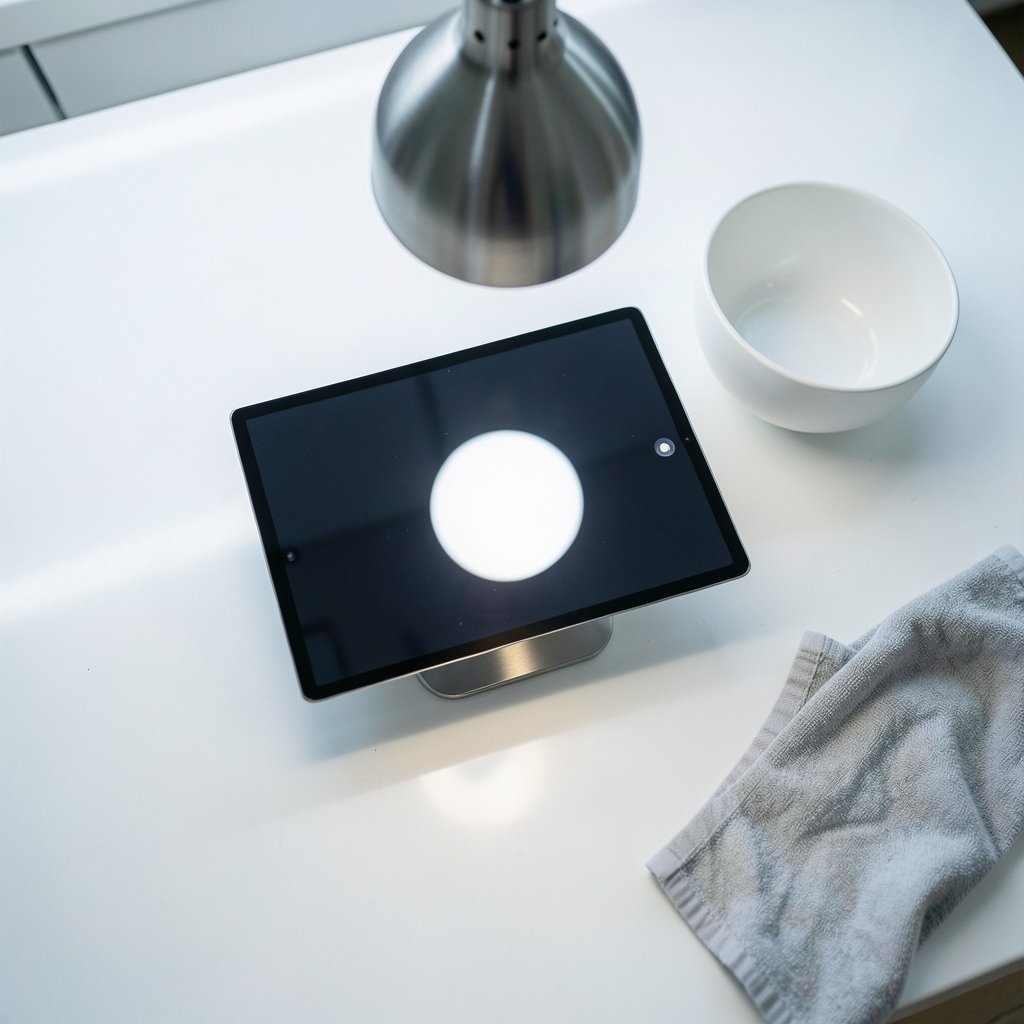
Fixed smart displays solved a lot of problems. They are always in the same place, always powered, always ready to answer a question or show a recipe. But that fixed position is also their weakness.
A screen bolted to a counter or mounted on a wall cannot escape the light falling on it. If a window sits behind the viewer, the display spends the afternoon fighting reflections. If a pendant lamp hangs above the counter, the screen picks up a bright hotspot at exactly the angle you look at it from. The owner’s only tools are curtains, lamp dimmers, and a brightness slider.
Most smart displays include an ambient light sensor that adjusts screen brightness automatically. That helps with comfort, but it does not fix geometry. The sensor can dim the panel; it cannot move the panel out of a reflection. That limitation is the opening that robotic displays are trying to exploit.
What a moving display changes about light
A display that can reposition itself changes the lighting equation in ways a fixed screen simply cannot. Instead of asking the viewer to move, it moves. That sounds like a small convenience. In practice it touches every lighting problem listed above.
Escaping glare instead of fighting it
The most obvious benefit is angle. A screen that can shift position or tilt can dodge a reflection rather than dimming itself to hide it. Anyone who has angled a laptop lid by five degrees to kill a glare band knows how effective a small geometric change can be. A robotic display automates that instinct.
Following the light through the day
Morning light comes in low and warm from one side. Midday light is bright and overhead. Evening light is dim and local. A fixed screen is stuck with one compromise setting for all three. A moving screen can, in principle, present itself differently at each stage. Whether the software is smart enough to do that well is the real test.
Changing distance and viewing angle
Distance affects perceived sharpness and how much of your field of view the screen fills. A display that comes closer for a video call and backs off for a movie uses position as a viewing-quality tool rather than a convenience. This is genuinely new territory for home displays.
Robotic display vs fixed smart display: a lighting comparison
| Lighting factor | Moving robotic display | Fixed smart display |
|---|---|---|
| Glare from windows | Can reposition or tilt to reduce it | Relies on curtains and dimming |
| Overhead lamp hotspots | Angle can be adjusted | Stuck with the hotspot |
| Brightness adaptation | Sensor plus position changes | Sensor-driven brightness only |
| Color temperature match | Can shift position toward or away from warm light | Fixed placement, fixed compromise |
| Evening viewing comfort | Can move closer and dim for low light | Manual brightness adjustment |
| Setup effort | Placement and motion-path planning | Simple placement |
The table is not a verdict. A well-placed fixed display in a room with controllable light can outperform a poorly placed moving one. Position and lighting control still beat raw capability.
Practical setup tips that actually work
Whether the screen moves or not, lighting discipline delivers most of the visible improvement. These steps are the ones that pay off fastest.
- Kill the window reflection first. Before touching any screen setting, stand where you normally sit and look for a bright rectangle on the panel. Move the screen, the lamp, or the curtain until it is gone.
- Light the wall behind the screen, not the screen itself. A soft bias light behind a display reduces the harsh contrast between a bright panel and a dark room, which eases eye strain during long evening sessions.
- Match color temperature across the room. If your lamps are warm, set the display to a warmer white point in the evening. The mismatch is what makes screens feel harsh.
- Avoid a lamp directly above or beside the screen. This is the single most common mistake. It creates a hotspot at the viewing angle and no brightness setting fixes it.
- Recheck at three times of day. Morning, afternoon, and night each expose different problems. A setup that looks perfect at 9 p.m. can be unusable at 3 p.m.
- Do not max out brightness to beat glare. It works briefly and then tires your eyes. Fix the light source instead.
The mistakes people make with moving displays
A screen that moves introduces new failure modes, and early adopters tend to repeat the same ones.
The biggest is ignoring the motion path. A robotic display needs clear space to move through. A lamp, a plant, or a chair leg in that path is both a hardware risk and a lighting risk, because the display may settle in a position you never intended. Map the space before you trust the automation.
The second is over-automation. Auto-brightness and auto-positioning can fight each other. If the screen keeps chasing the light, it may drift into worse angles. Set a preferred resting position and let automation make small corrections rather than large ones.
The third is forgetting the room’s own light sources change. A display that learned your room in winter will meet a very different sun in summer. Recalibrate seasonally, or at least when the light noticeably shifts.
How the rivals compare on the lighting question
The broader display market has been wrestling with the same problem, and the lessons transfer directly. Handheld and console screens face identical glare and contrast challenges in bright rooms, and the trade-offs are well documented in comparisons like this look at the gpd win 5 vs steam deck oled room lighting changes view 2027, where panel type and ambient light interact in ways buyers rarely anticipate.
Panel technology matters as much as position. The choice between emissive and backlit panels changes how a screen behaves under bright light, a subject covered in depth in this breakdown of oled vs mini led gaming monitors room lighting changes. Emissive panels tend to hold contrast better in dim rooms, while bright backlit panels can push through glare more effectively.
The same logic applies to televisions and monitors sitting in the same house. A display that looks superb in a dark den can disappoint in a sunlit living room, which is why the comparison between a gaming monitor vs tv room lighting changes viewing is really a conversation about room conditions rather than raw specs.
Portable rivals show the pattern just as clearly. The viewing differences between the switch 2 vs switch oled room lighting changes viewing come down to how each screen handles reflections and brightness in everyday spaces. The same is true when people weigh a rog ally x vs steam deck oled room lighting changes viewing, where the room often decides the winner more than the hardware does.
What this tells a smart display buyer is simple. Position and panel type are not separate decisions. They combine to determine what you actually see. A robotic display’s advantage is that it can change one of those variables on the fly. That advantage only matters if the panel underneath is good enough to benefit.
What to expect in 2027 and beyond
The direction of travel is clear even without a crystal ball. Displays are getting better at sensing their environment, and the next step is acting on what they sense. Ambient light sensing already adjusts brightness. The logical extension is a display that adjusts its position, angle, and white point together.
That raises a practical question for buyers: how much automation is genuinely useful? The answer depends on the room. A dedicated, light-controlled media room needs very little. A busy family kitchen with windows on two sides needs a lot. Matching the automation to the room is smarter than buying the most capable screen and hoping it adapts.
Expect three trends to define the next couple of years. First, better glare detection that identifies reflections rather than just measuring overall brightness. Second, smarter white point tracking that follows the room’s color temperature through the day. Third, quieter, less intrusive motion so that repositioning does not become its own distraction. A screen that moves constantly is worse than one that moves well and rarely.
The honest caveat is that moving parts add complexity, cost, and things that can fail. A fixed display with good lighting control remains a sensible choice for most households. The robotic category earns its place in rooms where light is unpredictable and the viewer cannot easily rearrange the furniture.
Conclusion
The contest between a moving home display and a fixed smart display is not really a contest about hardware. It is a contest about who controls the light. Fixed screens ask the owner to manage curtains, lamps, and angles. Moving screens try to manage those things themselves. Both approaches can work beautifully, and both fail in the same predictable ways when the room is ignored.
The practical takeaway is to treat lighting as a first-class part of any display purchase. Walk the room at three times of day. Find the reflections before you find the spec sheet. Match the screen’s white point to the lamps around it. Then decide whether you need a display that moves or simply a display that sits in the right place. Get the light right, and almost any screen looks better than you expected.
FAQ
What is the biggest lighting mistake people make with smart displays?
Placing a lamp directly above or beside the screen. It creates a bright hotspot at the viewing angle that no brightness setting can remove. Move the lamp or the screen, and the image improves immediately.
Does a moving display actually reduce eye strain?
It can help by dodging glare and adjusting distance, but the bigger factors are room brightness and contrast between the screen and its surroundings. A soft light behind the display often does more for comfort than repositioning does.
Should I set screen brightness to maximum to beat daytime glare?
No. Maxing brightness works briefly and then tires your eyes. Fix the light source instead by closing a curtain, moving a lamp, or angling the screen away from the reflection.
Why does my screen look washed out in the afternoon but fine at night?
Daytime room light lifts the screen’s perceived black levels and competes with the image. The panel has not changed; the surrounding brightness has. Reducing ambient light or repositioning the screen restores the contrast you see at night.
Do I need to recalibrate when the seasons change?
It helps. Sun angle and daylight hours shift through the year, so a setup tuned in winter can struggle in summer. Recheck reflections and brightness at the start of each season.
Is a fixed smart display still a good choice?
For most homes, yes. A fixed display in a room with controllable light and no direct reflections performs excellently. A moving display makes more sense in bright, busy rooms where the viewer cannot easily rearrange the light.



