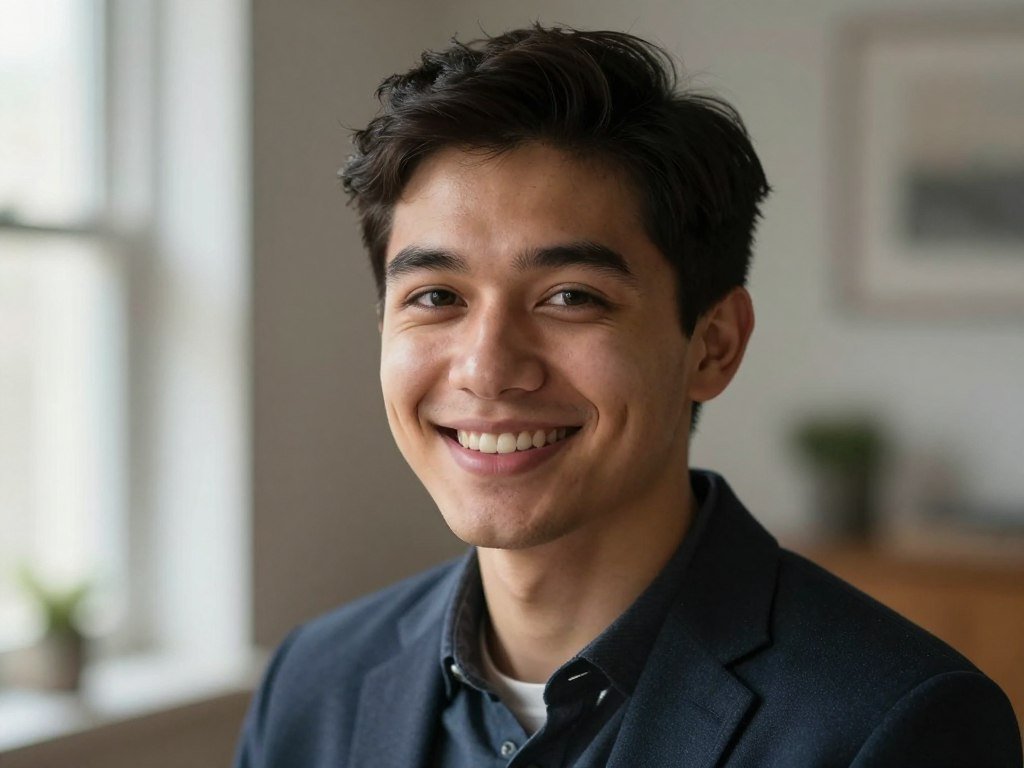
A portrait that looks convincing on a screen can still reveal waxy skin, mismatched shadows, or an odd detail when enlarged. The Best AI Photo Generators for Realistic Portraits can help you create fictional people, edit a real photo, or keep a subject steady across a series. Each job calls for different strengths.
Skin texture, hair, lighting, and small details shape whether an image feels like a photograph. A tool that excels at dramatic portraits may struggle with careful edits or consistent faces. Choose based on the work you need, then inspect results at full size before you use them.
Key Takeaways
- Start with ChatGPT for a detailed portrait brief and natural-language revisions.
- Choose Midjourney when mood, composition, and cinematic lighting matter most.
- Use Gemini Nano Banana 2.1 to edit an existing portrait.
- Consider FLUX 3 for visible texture and technical control.
- Compare full-size results, not just small previews or showcase images.
- The right first pick depends on whether you are creating a new subject, changing an existing image, or building a repeatable visual series.
Best AI Photo Generators for Realistic Portraits by Use Case
ChatGPT’s GPT Image 2.5 is the best first try for most readers, while the better specialist pick changes with the job. An AI image generator for a realistic person should match your task: creation, editing, or consistency.
A realistic AI photo generator can show different strengths across portrait jobs. An Elo score is a rating used to rank models by the outcomes of head-to-head preference votes, not a portrait-only score or a promise of realism.
| Tool and current model | Strongest use case | October 2026 Elo | Access route |
|---|---|---|---|
| ChatGPT, GPT Image 2.5 | Detailed all-round portraits | 1222, #1 | ChatGPT app and web |
| Gemini, Nano Banana 2.1 | Editing an existing photo | 1176, #4 | Gemini app and API |
| FLUX 3 Image | Skin texture and control | 1117, #13 | API and partner tools |
| Ideogram 4.5 High | Portraits with readable text | 1015 | Ideogram app and web |
| Leonardo Lucid Origin Ultra | Comparing portrait models | 877 | Leonardo app and web |
Artificial Analysis uses blind preference votes for its text-to-image Elo leaderboard. The results rank general image models, not portrait accuracy alone.
Use model scores to narrow your choices, not to predict whether one portrait will look real.
GPT Image 2.5 leads this group by the listed score, while Nano Banana 2.1 offers a different fit for editing. The broader 2026 image tool comparison also shows why workflow can matter as much as a rank.
Use the shortlist to narrow the field, then judge candidates on the same portrait brief rather than on showcase images.
What Makes an AI Portrait Look Like a Photograph?
A realistic portrait depends on several details agreeing, not just a sharp face or attractive lighting. Photorealism comes from texture, anatomy, light, and a scene that makes sense together.
One striking flaw can weaken an otherwise convincing image. Check the image at full size, where small errors in skin, hands, and reflections become easier to spot.
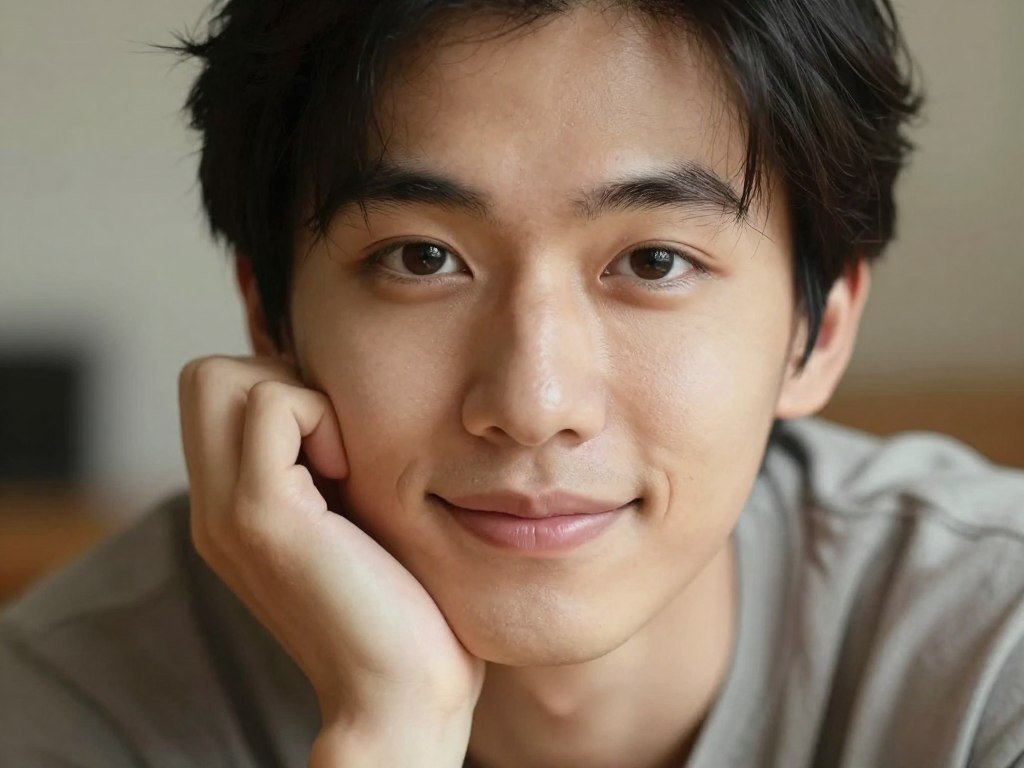
Skin, hair, and small surface details
Real skin has pores, fine hair, freckles, and slight changes in tone. Waxy smoothing removes those small signs and makes faces seem plastic.
Hair should show strands and believable edges, not a solid, painted shape. Fabric also needs folds, seams, and texture that suit its material.
Light, anatomy, and background coherence
Hands need plausible fingers and joints, while teeth should fit the mouth. Catchlights should match the eyes, and shadows should point in a consistent direction.
Reflections can expose a scene that does not add up. Background objects should have sensible shapes and positions, rather than bending or merging without cause.
Prompt fidelity and full-size image quality
A model should follow the requested subject and scene, not just produce an attractive face. Crisp detail should hold up when you inspect the full image.
A 2025 study of 1,276 participants found roughly 50% accuracy when people tried to distinguish AI content from authentic media. Another study found 63.7% overall correct identification, but only 29% for FLUX.1-dev images. The basic image creation steps also include reviewing details after generation.
Those AI image model comparisons can help explain the range of results. Detection accuracy varies by study and model, so it should not replace a visual review.
- Skin and hair
- Hands and teeth
- Light and shadows
- Eyes and reflections
- Background and object geometry
Inspect the eyes and hands at full size, since those small areas can expose flaws a thumbnail hides.
ChatGPT: Best for a Detailed Portrait Brief
Choose ChatGPT first when you want to describe a portrait in ordinary language and refine it through follow-up edits. GPT Image 2.5 supports image creation and conversational editing.
Its main advantage is how easily you can revise a result in chat. GPT Image 2 also supports precise prompts, text rendering, and product shots.
Start with a clear description of the person, setting, and mood. Then review the image and request one change, such as softer window light or a darker jacket.
Check whether the face and other named details stay steady after each revision. A polished result can still soften skin or miss a subtle instruction, so compare it with your brief.
ChatGPT can be a practical first stop among image generators for different creative tasks. Its text rendering can help when a portrait includes a short sign or label.
Some requests involving real people may be restricted by content filters. Manual controls are also limited, and a chat edit does not provide a pixel-precise mask.
Ask for one named change at a time so it is easier to see whether the edit preserved the details you wanted.
Midjourney: Best for Cinematic Portrait Lighting
For an editorial portrait where mood and composition matter most, Midjourney is the strongest stylistic pick. It suits fashion images and cinematic scenes more than strict, literal briefs.
Midjourney V8.2 became the default version on July 24, 2026. V8.1 added HD 2K output and Raw mode in April 2026.
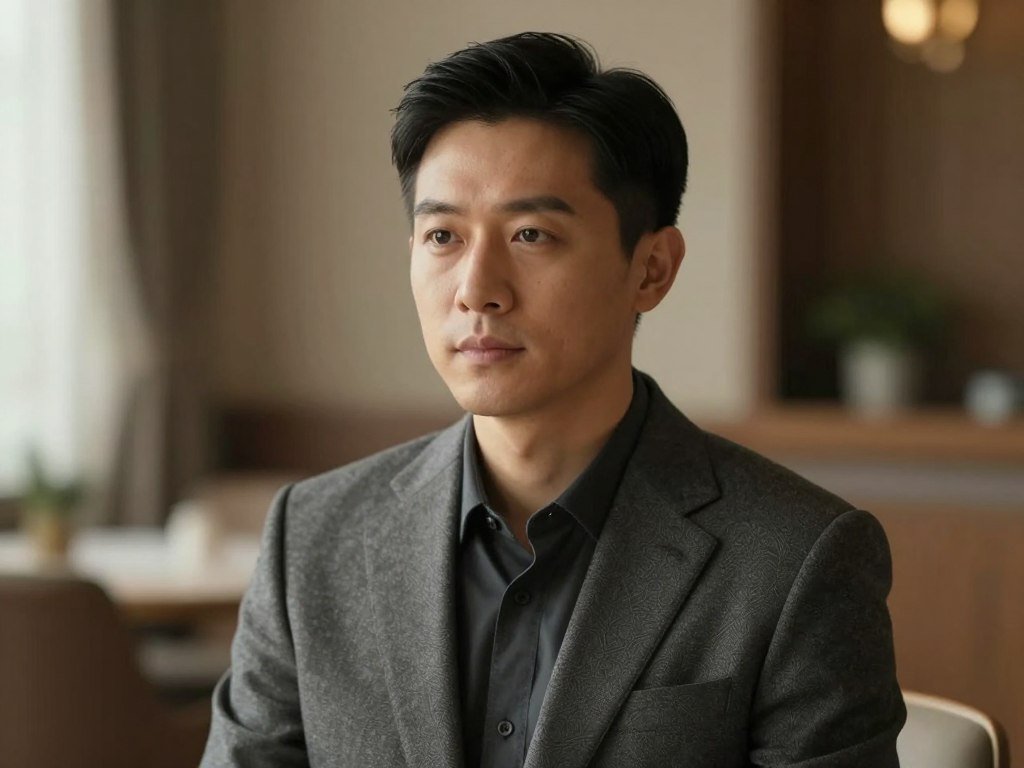
The model can shape ambient light, composition, skin, and fabric into a polished image. It can make a portrait feel like a planned photography shoot, with a clear camera angle and shallow depth field.
Raw mode can reduce the default styling and create a plainer look. That helps when you want less art direction, though the result still needs a close review.
Highly cinematic images can feel too perfect for documentary-style work. Exact lettering and small details from a loosely specified prompt may drift.
Think about whether the image should feel like a fashion spread or a candid moment. A posed portrait with dramatic light may work well for editorial art, while an everyday setting calls for restraint.
Use a restrained style brief when the goal is a believable everyday photograph rather than a fashion spread.
Gemini Nano Banana 2.1: Best for Editing a Real Portrait
Start with Nano Banana 2.1 when you already have a portrait and want to change its setting without rebuilding the whole image. It fits the realistic AI photo editor task of changing a scene while keeping the person recognizable.
Multi-reference editing can guide changes with more than one image. Raphael AI lists Nano Banana 2.1 as supporting output up to 4K resolution and multi-reference editing.
For example, ask the model to replace a plain wall with a garden while keeping the subject’s face and clothing consistent. A reference image can help guide a new generation or edit.
Real-world edits can still smooth facial features or shift identity details. Editing another person’s likeness also calls for care, permission, and a clear reason.
Nano Banana Pro is a separate high-resolution option. It is noted for portrait details such as pores, eye catchlights, and individual hair strands.
Keep the original beside every edited version so subtle changes to the face are easy to catch.
FLUX 3: Best for Skin Texture and Technical Control
Choose FLUX 3 when visible skin and fabric texture matter and you are comfortable with a more technical workflow. Black Forest Labs makes the model family.
FLUX 3 Image supports both text-to-image and image-to-image generation. Open-weight versions can allow customization, depending on the exact model and its license.
Text-to-image starts with a written brief, while image-to-image uses an existing picture as a guide. Those options suit creators who want more control over the source and output.
FLUX 3 Image Klein has 5.6 billion parameters and can run on a single consumer GPU. Local setup still takes technical work, and the hardware must support the chosen model.
Not every FLUX model is open-weight, and local use does not mean setup-free generation. Black Forest Labs also offers hosted API access, which can suit an automated workflow.
The API’s 4K image generation costs $0.607 per image, a high charge for frequent trials. Other versions and access routes may fit a different budget.
Check the license for the exact model version before building a paid workflow around it.
Leonardo AI: Best for Testing Portrait Models in One Workspace
Leonardo is a practical choice when you want to compare different portrait models without switching between several services. One workspace can make repeated tests easier to manage.
Its catalog includes models from Leonardo and other providers. The best result depends on which model you select, not just on the Leonardo name.
Run a similar portrait brief through different models, then compare how each handles the subject and scene. This gives you a clearer view of which model suits recurring work.
Leonardo includes a Canvas Editor for refining an image, image-to-image editing, and a Universal Upscaler. Its maximum listed resolution is 2048×2048.
The catalog includes GPT Image 2.5 Flare and Sunburst, Nano Banana 2, FLUX.2 Pro, Ideogram 4.5, and Seedream 5.0 Pro. Leonardo’s own models and partner models are distinct choices.
Free generations are not necessarily private, so review the service’s terms before uploading sensitive source images. The available model can also change the result more than a small prompt tweak.
Compare the same subject and brief across models before settling on a recurring style.
Ideogram 4.5: Best When Portraits Need Readable Text
Ideogram is the specialist choice when a realistic portrait needs a sign, poster, or product label that people can read. Text in the scene is its key strength.
Ideogram 4.5 accepts up to five reference images and offers masked inpainting through Precise Edit. Those controls can help guide a new image or target a specific change.
A shopfront portrait may lose its realism if the sign contains scrambled letters. The same problem can spoil a portrait beside a product label or a poster with a short message.
Reference images can help guide the scene, while Precise Edit can target part of an image. Check the changed area against the rest of the portrait after each edit.
Pure facial realism is not Ideogram’s main advantage. Generated wording can still contain errors, so inspect the message before using it in a finished design.
Free-plan images are not automatically private. Consider how the service handles uploads and generated work before using sensitive material.
Recheck every letter at full size before using generated wording in a finished design.
Adobe Firefly: Best for Portrait Edits Inside Creative Apps
Firefly makes most sense when portrait generation is part of a broader Adobe editing workflow. Integrated tools can help if you already use Photoshop or Express.
Adobe Firefly Image Model 5 includes controls for lighting, camera angle, and depth of field. These choices can shape the look of a portrait before you refine it.
Lighting controls can help set a softer or more dramatic scene. Camera angle and depth of field can also affect how a face and background read together.
Firefly is available through Photoshop and Express workflows. That can make it useful when you want to adjust a real photograph alongside generated content.
Commercial use depends on the applicable terms and the intended use, not only on the tool. Permission to use an image and copyright protection are separate questions.
The U.S. Copyright Office’s AI copyrightability report says purely AI-generated material is not copyrightable. Human creative selection, arrangement, or changes may qualify, based on the details.
Review the usage terms for the specific image and use case before putting an edited portrait into an advertisement.
Can Local and Free Tools Make Realistic Portraits?
Local generation is the closest fit for repeated image-making without a per-generation cap, but it requires compatible hardware and setup. Unlimited local output still has real costs.
Stable Diffusion 3.5 can generate unlimited images locally, with output size limited by available VRAM. A GPU capacity of 12GB or more is recommended.
Stable Diffusion 3.5 offers a flexible local route when your computer can run it. Setup and hardware can take time, and the available memory affects image size.
Flux Schnell can run locally with unlimited generations at about 2 megapixels. Perchance offers a quick no-account option, but its maximum image size is 512×768.
A free image generator comparison can help you weigh hosted limits against local setup. A free unlimited realistic AI image generator may still involve hardware, setup, or resolution compromises.
- Local Stable Diffusion 3.5
- Local Flux Schnell
- Perchance without an account
Small output can work for a quick concept, but it may not suit a large profile image or print. Pick based on the final size you need.
Choose a no-login option only when its image size and control are enough for the intended use.
How Do You Prompt and Inspect a Realistic AI Portrait?
A useful portrait prompt names the subject, the photographic setup, and the details that should remain natural. Specific choices help a model make an image closer to your brief.
Name the subject, setting, camera position, lighting, skin or material detail, aspect ratio, and style limits. A brief can include lens, aperture, texture, and mood.
Build the brief around subject, camera, and light
Camera terms can make your intended framing clearer. The examples below pair a lens and crop with lighting and subject details.
| Portrait situation | Lens and framing | Lighting | Texture or subject detail |
|---|---|---|---|
| Natural window-light portrait | 85mm f/1.8, 4:5 | Soft window light from camera left | Pores and catchlights |
| Dramatic portrait | 50mm f/1.4, 16:9 | Side light from camera right | Clear facial detail |
| Three-point studio portrait | Studio framing | Warm key, cool fill, rear rim light | Natural skin texture |
| Golden-hour portrait | 85mm f/2.8, 16:9 | Sunset backlight | Freckles and fine detail |
For example, describe a portrait subject, the place, camera position, and the direction of light. Add the skin or fabric texture you want, then state the crop and style limits.
Inspect detail, consistency, and resolution before use
At full size, check anatomy, eyes, hair edges, reflections, background shapes, and text. A small preview can hide a stray finger or broken letter.
Typical image-generator output is 1024×1024. Nano Banana Pro, Nano Banana 2, and Seedream 4.0 and newer support native 4K output up to about 4096 pixels.
Native resolution is the size a model creates directly. Upscaling enlarges an existing image, but it cannot fix wrong anatomy, text, or facial identity.
OpenArt’s Skin Enhancer includes a texture slider and 2K, 4K, or 8K exports. Its upscaling modes are Precise, Refined, and Creative.
Seedream 4.5 supports multi-image consistency for a product across a set. Seedream 3.5 Pro is noted for consistent portraits and brand visuals.
Reject an image with incorrect anatomy or facial details before spending time enlarging it.
What Do Realistic AI Portrait Generators Cost?
Free access is useful for comparing portrait styles, while regular production may call for a paid plan or per-image API. Start with the free allowance if you only need a few trials.
“Free” does not always mean private, high-resolution, or unlimited. A free realistic AI image generator may be a local model, limited hosted plan, or no-login service such as Raphael AI Basic.
| Tool | Free access | Paid starting point | Usage or key condition |
|---|---|---|---|
| ChatGPT | Limited image creation | Go, $8/month | Plus $20/month; Pro $100/month |
| Gemini | Free access with limits | AI Plus, $4.99/month | Nano Banana 2.1 API, $0.034/image |
| Midjourney | No free plan listed | $10/month | Standard and above include unlimited slower Relax Mode |
| Leonardo | 150 free tokens per day | $12/month | Token use depends on model and task |
| Ideogram | 30 free credits per week | Plus, $20/month | Credits limit generations |
ChatGPT Plus starts at $20 per month, while Pro costs $100 per month and includes unlimited, faster image creation. Go starts at $8 monthly.
Adobe Firefly offers daily free generations and paid plans from $9.99 per month. FLUX 3 Image API generation costs $0.048 per 1K image.
Raphael AI Basic offers unlimited free generations without login, returns an image in about eight seconds, and allows up to four images per prompt. Signed-in users can use Basic without a generation-count limit, while Fast Mode and higher-resolution models use daily credits or paid plans.
- Free allowance
- Output resolution or model access
- Renewal or usage basis
The free text-to-image options differ in quotas and access rules. A paid tier may unlock a model or larger output, while local generation shifts costs to hardware and setup.
Check the current allowance and billing terms before starting a recurring plan.
Conclusion
Start with the tool that matches the image you need to make, not the one with the most features. ChatGPT suits a detailed all-round portrait, Gemini fits edits to a real photo, Midjourney favors editorial mood, and FLUX offers texture and technical control.
Run one representative brief through two suitable options, then inspect both full-size results. This direct test shows which model handles your subject and details more reliably.
Save the strongest result and the exact brief that produced it, then use that pairing for your next comparison.
FAQ
Can I use an AI portrait as a professional headshot?
Yes, an AI portrait can work for some professional profiles. Check that the face still looks like you and that the image presents you in a way that fits your role. Some employers or platforms may expect a real photograph, so review their rules before posting. Avoid using a generated portrait to suggest credentials or experience you do not have.
Can I upload selfies to make a consistent portrait model?
Yes, some tools accept selfies or reference images to guide a portrait series. Use your own photos or images you have permission to use. Before uploading, read the service’s storage and deletion terms, especially if the images show other people or private settings. Keep copies of your originals, since edits can change facial details in ways that are hard to reverse.
Will AI portrait images pass AI detectors?
No result is guaranteed to pass an AI detector. Detection varies by system, image model, and the changes made after generation. A portrait that looks realistic is not proof that it came from a camera, and a detector result does not prove how an image was made. Do not rely on a detector as the only way to judge an image’s origin.
Which aspect ratio works best for a profile portrait?
A square crop is a safe starting point for many profile slots. It keeps the face centered and leaves room for common circular or square displays. Check the platform’s crop before generating a batch, since some services show a tall preview or trim the edges. Leave space around the head so the final crop does not cut off hair or shoulders.
Can a free AI generator make a 4K portrait?
Yes, some models support native 4K output, but free access depends on the tool, plan, model, and generation limits. A free tier may restrict high-resolution models or offer only a few uses. Upscaling can make an image larger, but it does not create correct facial features or repair a flawed portrait. Check the actual export size before relying on it.
How do I keep the same subject recognizable across a portrait series?
Reuse reference images and keep identity details consistent in each brief. State stable features, clothing, and other details that should remain the same, then review each result against the reference. Facial consistency is not guaranteed, even when a tool supports reference images or multi-image editing. Keep the original files so you can compare later versions and spot subtle shifts.



