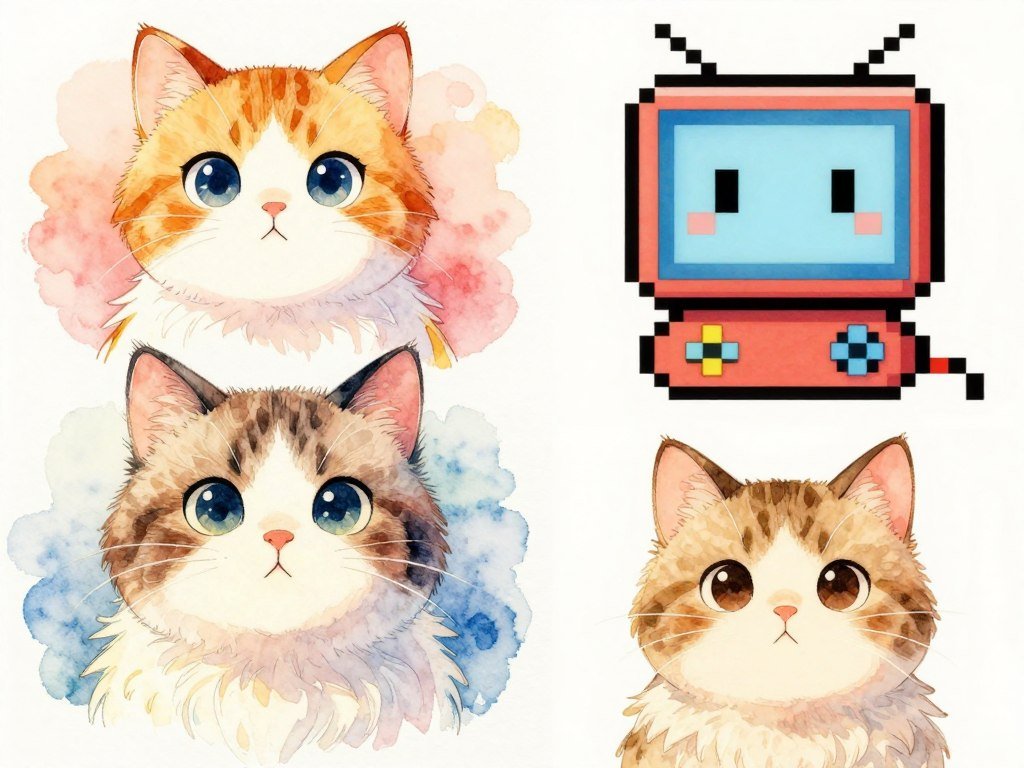
A watercolor wash, crisp anime linework and blocky pixel art can turn the same subject into three very different illustrations. A style descriptor is a word or phrase that tells an image generator how to render a subject, such as watercolor, pixel art or neon lighting.
That choice shapes the image’s look, but it does not decide what the image shows. Your best starting point depends on the project, the mood you want and how closely several images must match. A style that suits a storybook may not fit a tiny app icon.
When a result feels off, the style wording can be the reason. A clear choice gives your prompts a stronger direction and makes it easier to judge what to adjust. You can also test the same idea in different tools, since image generators may read the same words in different ways.
This guide offers practical style examples, prompt guidance and ways to check your results. Start with one visual goal, such as warmth, clarity or nostalgia, before choosing a style phrase.
Key Takeaways
- Choose a look that suits the project and audience.
- Describe visible qualities instead of relying on a broad style label.
- Keep the main style wording steady across a series.
- Make focused changes when a result misses the mark.
- Check small graphics at their real viewing size.
What does an AI art style change?
Add “watercolor” to a prompt for a cat and the subject stays the same while the image’s edges, color handling and texture shift. The treatment changes, not the cat’s identity or basic action.
The subject says what appears; the style guides how it looks. Medium, line, color, texture and lighting shape the visible result. A cat in pixel art may have hard edges and a small palette, while a watercolor cat may have soft edges and blended color.
A broad label like digital art may offer little direction. A more specific medium or rendering choice gives the image generator clearer visual cues. Models can still interpret the same art style in different ways, so one word rarely guarantees a fixed result.
A study of Stable Diffusion XL used 16,000 prompts to examine how subject and style terms affect image regions. The study of style-word interpretation found that those influences often differed by region, though their separation changed with the prompt.
Choose descriptors for visible qualities, not just a broad genre label.
That rule helps you describe a look in terms you can see and judge. You can name soft edges, thin outlines or a limited palette instead of hoping one general term carries every detail.
Best AI Art Styles for Digital Illustrations: How to Choose
A children’s book, a brand mascot and an educational worksheet ask for different levels of detail, even when they share a subject. Choose for the job the illustration needs to do, then check how it reads in its final format.
Your audience and placement should guide the design priority. Digital illustration appears in books, packaging, brand campaigns and magazine covers. Each format gives you a different amount of space and attention.
Match the style to the project
Use this table to choose a starting family for common graphics and story work. The suggestions are starting points, not fixed rules.
| Project | Starting style families | Main design priority |
|---|---|---|
| Picture book | Watercolor, gouache or cartoon | Readable character and scene |
| Educational graphic | Line art or flat vector | Clarity |
| Comic or graphic novel | Anime, manga or comic | Consistent panels and characters |
| Brand mascot | Flat vector or chibi | Recognizable silhouette |
| Social graphic | Pop art or minimal illustration | Quick readability |
For a picture book, keep the character easy to find against the scene. An educational graphic may need clear lines and fewer extra details. A comic needs characters and panels that feel related across the page.
Balance detail with readability
The audience, viewing size and message affect how much detail and contrast will work. A small icon has less room for fine texture than a full-page illustration. A dense instructional graphic also needs open space around its key labels.
Check whether the main subject stands out at the size people will see. Strong contrast can help a small design read, while too many textures may compete with its message. A magazine cover can hold more visual detail than a thumbnail.
Use the smallest viewing size as a readability test before settling on a highly detailed direction.
Which 10 AI art styles fit different digital illustration projects?
For character-led stories, anime is a useful starting point; for a print-like handmade feel, try watercolor or gouache. These are starting directions, not guaranteed outputs, because each image generator reads style words in its own way.
Pick a style by its visible cues and the job you need it to do. Use the prompt fragments as short seeds, then add the subject and action that matter to your project.
-
Anime and manga. Crisp 2D linework, expressive faces and clear poses suit character stories and comic scenes. Try: “expressive character, crisp linework, cel-style shading.”
-
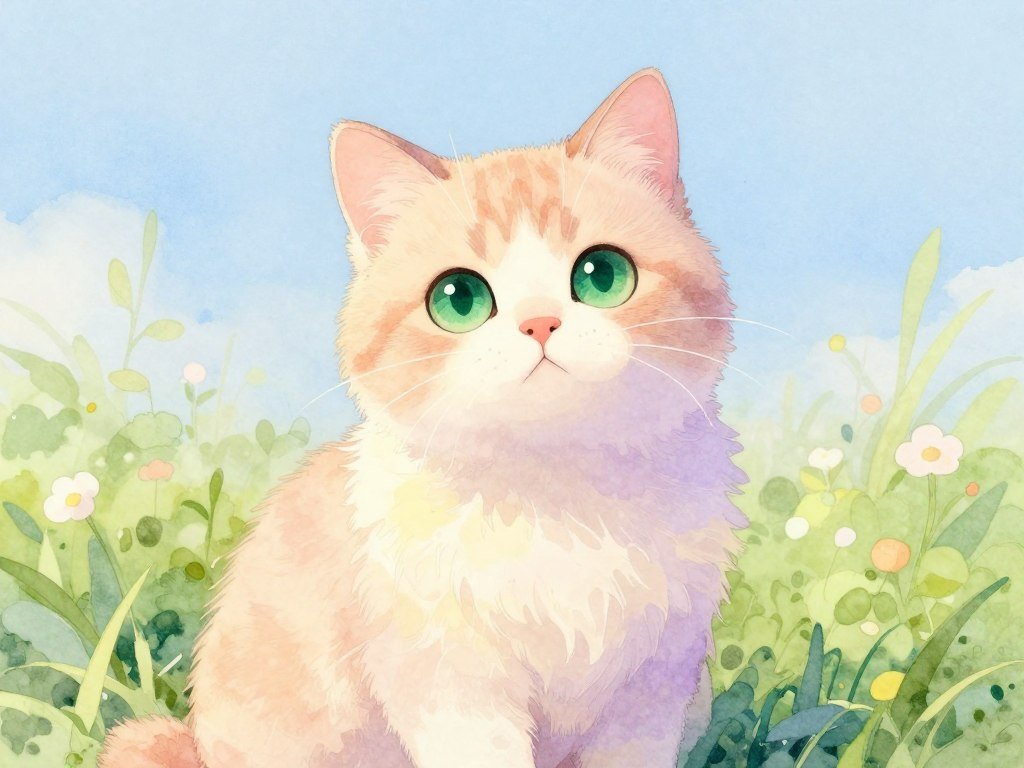
Watercolor. Soft washes, paper grain and feathered edges create a gentle, handmade feel. Try: “soft watercolor washes, visible paper grain, feathered edges.”
-
Gouache and oil-inspired painting. Gouache suggests opaque color and strong shapes; oil-inspired work can use layered strokes, deep shadows and rich highlights. Try: “opaque gouache shapes, layered paint strokes.”
-
Comic and pop art. Bold outlines, flat fills and halftone patterns give scenes strong graphic impact. Classic comic art often uses black outlines and simple fills. Try: “bold black outlines, flat fills, halftone dots.”
-
Pixel and retro. Visible grids, limited palettes and stepped color changes create a blocky look. Pixel art uses individual pixels on a grid. Retro illustration can draw on 1940s and 1950s looks. Try: “visible pixel grid, hard edges, stepped colors.”
-
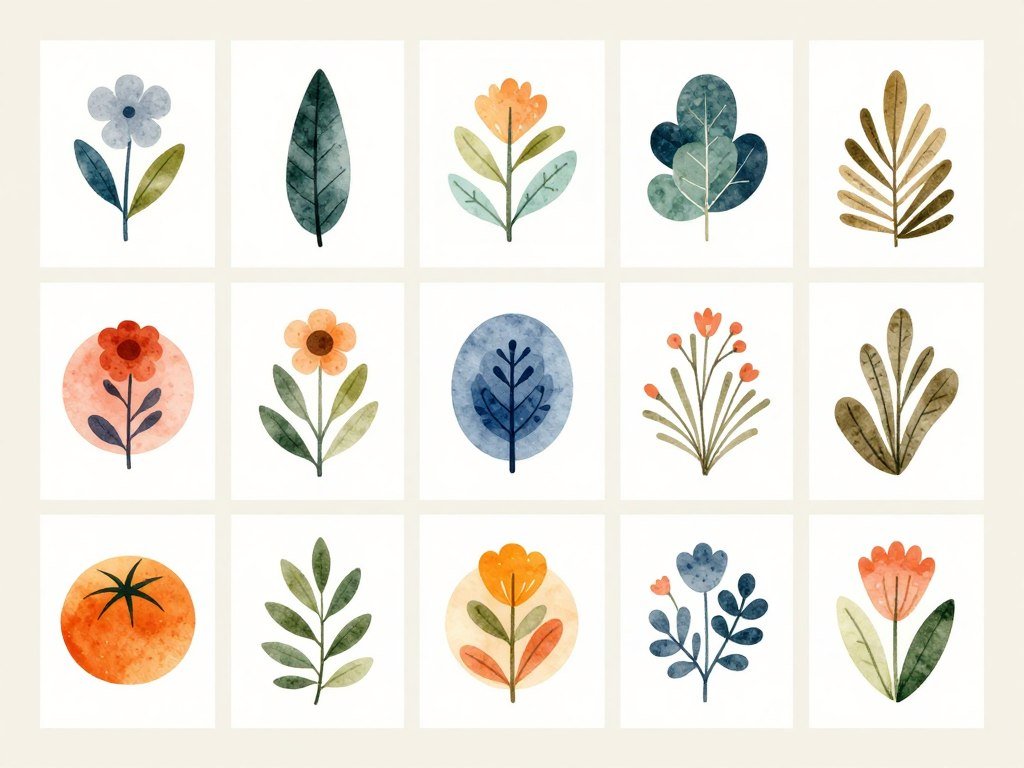
Vector and minimal illustration. Simplified forms and open space keep a design clean and easy to scan. Try: “flat vector shapes, few objects, open background.”
-
Art Nouveau and Art Deco. Art Nouveau uses flowing, ornate lines and plant forms; Art Deco favors symmetry and geometric patterns. Try: “organic ornament and flowing lines” or “symmetrical stepped geometry.”
-
Photorealistic illustration. Camera-like detail and natural lighting can give an illustration a lifelike finish. Try: “realistic surface detail, natural camera lighting.”
-
Cyberpunk and science fiction. Neon color and futuristic settings bring energy to imagined cities and technology. Try: “neon-lit future city, glowing signs, deep shadows.”
-
Surreal and isometric 3D. Surrealism bends scale and logic; isometric 3D gives forms structured depth. Try: “dreamlike scale and floating objects” or “isometric scene, clear depth.”
Even a precise fragment can lead to varied results. Some generators may soften hard pixel edges or add detail to a minimal scene. Keep the prompt fragment that gives the most useful result, then vary the subject rather than changing every style cue.
How do you build a prompt that controls the look?
A useful prompt gives the generator a subject first, then a small set of visual decisions. Clear wording helps you see which instruction shapes the image.
A practical prompt combines a subject, a medium and a lighting choice. Add only the details that help the image fit its use, rather than stacking adjectives that compete.
Name the subject and intended use
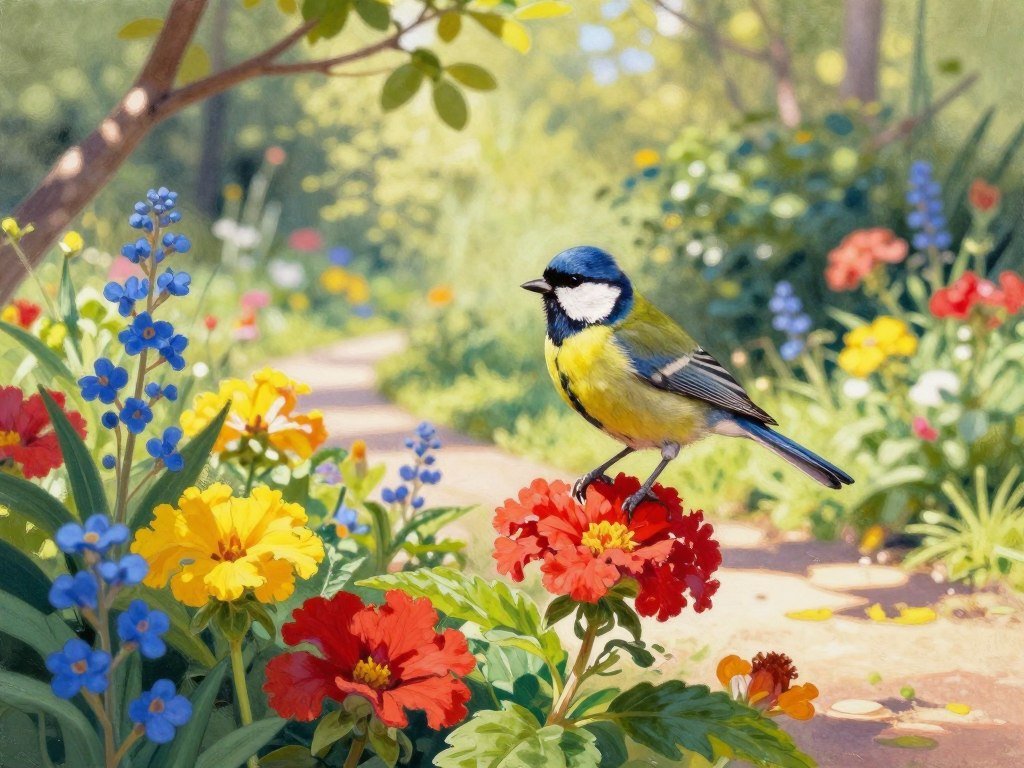
Start with the main subject and its action, then name the setting if it matters. “A small bird perched beside a garden flower” gives more direction than “a pretty bird.” You can also state whether you need a book illustration, a social graphic or a mascot.
Intended use affects framing. A character for a profile icon may need a close crop, while a story scene may need space around the figures.
Choose a medium and rendering treatment
Choose a medium such as watercolor, gouache, pencil or digital render. Then specify the line or shading treatment: thin outlines, loose marks, flat shading or layered brushwork.
A short, coherent set of descriptors is easier to control than a pile of conflicting adjectives. “Flat vector shapes” and “loose painterly strokes” may pull the image in different directions.
Set the lighting, palette and composition
Add a lighting cue and a palette that fit the mood. Then state the composition, such as close framing, a centered subject or open space around the figure.
A reusable pattern is: subject and action, medium, line or shading, palette and texture, lighting, composition. For example: “A small bird in a garden, gouache illustration, simplified shapes, warm palette, soft daylight, uncluttered framing.”
For more prompt ideas, see this simple prompt-writing guide. A study of PromptCharm, an interactive prompt-refinement system, found that 24 participants made images that better matched their expectations with its tools.
Change one major visual instruction at a time so you can tell which wording shifts the result.
How can you keep a style consistent across images?
A series looks more cohesive when its core style wording stays unchanged from image to image. Save the key line for medium, linework, shading, palette and texture.
Keep those style cues fixed while changing the scene details. Rotating synonyms between generations can shift the result, even when the words seem close in meaning.
Keep a fixed style line
Save one short style line and reuse it as written. It might name a medium, a type of linework, a shading method and two palette cues. Avoid swapping “soft,” “muted” and “faded” without testing them first.
Midjourney offers style references through --sref, along with personalization and moodboards. These features can support a shared look across images. Your written style line remains useful when those options are unavailable.
Test the style across different scenes
Check the same treatment on a close-up, a full figure, a changed pose and a simple background. A style that works on a portrait may lose its shape when the character moves or the scene gets wider.
Compare the images side by side. Look for changes in line weight, texture and color handling, not just the subject. Approve a style only after it holds up on more than one pose and background.
What should you change when a generated style misses?
If an image looks too polished for a hand-drawn brief, change the rendering cues before replacing the whole prompt. Small edits make it easier to spot what caused the shift.
Keep the parts that work and revise only the cue that misses. The same style wording can also produce different results across image generators.
- Simplify conflicting style words so the generator has fewer competing directions.
- Name the missing quality, such as hard pixel edges or softer color washes.
- Add a negative prompt for a clearly unwanted element, such as text or a border.
- Test the same wording in another generator if the result seems model-specific.
A negative prompt names content or features you want excluded. Use it for a clear unwanted element, not as a second style brief. Asking for “no text” is more focused than adding another visual treatment that clashes with the main one.
If the image still misses, compare the output with the exact wording you used. Save one version before testing a new one. Keep a copy of the last successful version so a new test never erases a usable direction.
For a broader set of image-making steps, this beginner image-generation guide covers drafting, testing and reviewing an image.
Which styles work well for characters and stories?
A story scene needs a style that keeps the character’s expression legible as well as setting its mood. Clear faces and actions help readers follow what happens, whether the image sits in a book or a comic panel.
Anime and manga are strong starting points for expressive character work. Watercolor or gouache can suit softer story scenes, while bold cartoon or comic treatments can make action easier to read.
Anime prompts work best when they name visible traits, not only a broad label. Try crisp linework, cel-style shading and expressive features. These cues tell the image generator more about the finish you want.
Children’s books, comic panels and story scenes rely on faces that read at a glance. A character can have a strong mood without a crowded background. Keep the pose and action clear enough to understand at the size of the page or panel.
Character likeness and style consistency are separate concerns. A steady character description helps preserve identifying traits, while pose and setting can change from scene to scene.
For a mascot, keep its defining shape and face easy to spot. Write the character’s identifying traits separately from the style words so each can be adjusted without disturbing the other.
How do color and lighting change the mood?
A warm palette and soft light can make the same setting feel more inviting than cool color and deep shadows. Color and light work together, but they guide different parts of the image.
Choose a palette for the overall color feeling and a light source for highlights and shadows. A palette can stay warm even when the light comes from a cool window.
- Warm tones often give a scene an inviting feel.
- Cool tones can make the image feel calmer.
- Pastels create softer color and a gentler mood.
- Saturated or neon colors add stronger energy.
High-key lighting uses brighter illumination and fewer sharp shadows. Low-key lighting uses stronger shadows and a darker mood. These terms describe the lighting contrast, not the color palette itself.
A bright palette can still include deep shadows, while muted colors can sit in clear daylight. Pick one dominant palette and one lighting direction before adding accent colors.
Which image generator fits your illustration workflow?
The best first test is the generator that lets you compare visual results without changing the project brief. Use the same prompt to see how each tool handles the style you want.
Style words can produce different results in different image generators. Do not assume that a phrase will transfer in the same way from one model to another.
Compare how the generators handle visual direction
Run a small same-prompt comparison instead of rewriting the brief for each tool. Note whether the line, color, texture and framing match your needs. This test gives you a better sense of the tool than a style label alone.
For other tool comparisons, see image generators for different workflows. The best match depends on the changes you need to make and the results you can use.
Match tool features to the work
An AI art style generator turns written or visual direction into an image, but each workflow offers different controls. Adobe Firefly is a multi-model hub with Adobe models and partner models, including models from Google and OpenAI.
| Generator | Access or workflow distinction | Best reason to test it |
|---|---|---|
| Midjourney | Image generation with style-oriented controls | Test for a desired stylized look |
| ChatGPT | Conversational image generation | Test whether prompt revisions suit the workflow |
| Adobe Firefly | Adobe and partner models in one hub | Test first-party and partner options |
Adobe’s commercial-safety training claim applies to its own Firefly models, not partner models. The model choice matters when a project has use limits.
Run the same short prompt through a few options before committing to a tool-specific workflow.
When should you add texture or handmade cues?
A subtle paper grain can make a digital illustration feel less sterile without changing its main shapes. Light texture suggests a made-by-hand surface while keeping the subject clear.
Use texture when it adds mood without competing with important detail. Paper grain, canvas-like marks and visible brushwork can make an image feel more tactile.
A clean flat finish may suit a simple icon or a graphic with small labels. A few brush marks can add warmth to a large story scene. The right choice depends on how much visual noise the image can hold.
Fine grain may disappear when an image shrinks, or turn into clutter around small shapes. A bold brush mark can remain visible, but it may change the balance of the design.
For a tiny graphic, a smooth color field often keeps edges easier to read. Add texture only when it strengthens the subject or mood at the intended viewing size.
How do style references help, and what can go wrong?
A reference image can transfer more than its palette, so choose one that makes the wanted visual treatment easy to isolate. A focused reference can guide color, texture, lighting and composition.
A style reference should guide treatment, not replace your description of the subject. The result can pick up unwanted subject or layout details if the reference shows too much.
Use a reference for treatment, not content
A style reference guides the way an image looks. A character reference guides who or what appears. If you only want the visual treatment, choose a reference with a different subject from your planned image.
This separation gives the image generator less reason to copy the reference’s content. A close-up of a painted surface may guide texture without suggesting a whole new scene.
Keep the reference simple and focused
Crop toward the detail you want, such as a palette, brush marks or a lighting effect. Then change one major variable at a time so you can tell what the reference affects.
A whole-scene reference can influence layout and subject placement without you intending it. Compare the result against the original brief to catch borrowed composition details before reusing the reference.
A CVPR 2026 paper on reference-based style transfer discusses the risk of mismatched reference and content cues.
What should you check before using generated art commercially?
Before using a generated image in a campaign, check the use terms and the image’s visibility settings. Commercial use depends on the tool, account plan and model involved.
In 2026, companies with more than $1 million in gross annual revenue must use Midjourney Pro or Mega for commercial use under its terms. Midjourney images are public by default, and Stealth Mode is available on Pro and Mega.
- Check the generator’s current terms for your intended use.
- Check who can see the image and whether it is public or private.
- For Firefly, identify whether the output used an Adobe first-party or partner model.
- Keep and review Content Credentials when they appear with an image.
ChatGPT images are private by default. That differs from Midjourney’s public-by-default images, though settings and plan details matter for your workflow.
Adobe says its first-party Firefly models train on licensed Adobe Stock and expired-copyright public-domain content. Adobe attaches Content Credentials to outputs from those models. The first-party training and credential claims do not automatically describe partner-model outputs.
Midjourney’s 2026 commercial-use rule sets the revenue threshold and plan requirement. Recheck the applicable terms when the intended use or the generator’s model changes.
How much do popular AI image generators cost?
Free access is available through ChatGPT and Adobe Firefly, while paid plans differ in their limits and included features. Free allowances vary: ChatGPT offers a few images per day, with a cap that changes with demand, and Firefly refreshes daily on a curated set of models.
Compare the plan’s included access, not price alone. These monthly prices and access details show how several common plans differ.
| Plan | Monthly price | Included access |
|---|---|---|
| Midjourney Basic | $10 | About 3.3 fast GPU hours, or roughly 200 images |
| ChatGPT Go | $8 | Higher image and message limits than free |
| ChatGPT Plus | $20 | Higher usage caps than free |
| Adobe Firefly Standard | $9.99 | 2,000 generative credits |
| Adobe Firefly Pro | $19.99 | 4,000 credits, Adobe Express Premium, Photoshop web and mobile |
Midjourney Standard costs $30 per month and includes 15 fast GPU hours plus unlimited Relax generations. Pro costs $60 monthly with 30 fast hours and Stealth Mode. Mega costs $120 monthly with 60 fast hours and Stealth Mode.
Adobe Firefly Pro Plus costs $49.99 per month and includes 10,000 generative credits and unlimited 1K/2K image generations. Premium costs $199.99 monthly and includes 50,000 credits. Firefly Standard’s $9.99 plan includes 2,000 generative credits.
Adobe generative credits reset monthly and unused credits do not roll over. They are different from Adobe Stock credits, which license Stock assets. Paid Firefly tiers have unlimited standard image generations; credits meter premium generations such as video, audio and partner-model use.
For more free-plan comparisons, see free text-to-image generators and this guide to free image generator options. Compare the included generation types and reset rules, not just the monthly price.
Which styles hold up in print, branding and small graphics?
A style that looks rich on a large screen can become hard to read when reduced to an icon. Test at the real size before sending a graphic to print or placing it in a small digital space.
Simple shapes and clear contrast usually hold up best in compact placements. A busy image can still work at larger sizes, where fine detail has room to show.
| Placement | Suitable treatment | Check before delivery |
|---|---|---|
| Small icon | Simple vector or line art | Keep strokes and shapes legible |
| Book illustration | Watercolor, gouache or digital painting | Inspect detail at intended print size |
| Packaging | Bold flat or textured illustration | Preserve clear subject-background separation |
| Social thumbnail | Minimal, comic or pixel style | Test recognition when reduced |
Vector art uses mathematical formulas rather than pixels, so it can scale without losing sharpness or quality. Pixel art uses a visible grid on purpose, so scaling it may change the intended look.
Check edges and shapes in the actual layout, not just in a full-size preview. A package needs the main subject to stand apart from its background, while a thumbnail needs a fast, clear silhouette.
Check the final layout at the actual size and crop where people will see it.
How can you combine styles without muddying the result?
A successful blend lets one descriptor shape the medium while another adds a distinct visual cue. Give each word a job, such as setting the surface, palette or camera view.
Style combinations work best when their descriptors control different visual choices. Clean vector shapes and loose painterly brushwork may pull in opposite directions.
- Watercolor with soft paper grain.
- Line art with a limited palette.
- Ink wash with a crystal-like material.
- Risograph texture with an extreme close-up composition.
Each pairing gives the generator a main treatment and a separate cue. An ink wash can set the medium, while a crystal-like material changes the subject’s surface. An extreme close-up describes framing, while risograph texture guides the finish.
When two instructions compete, the result may lose a clear look. Keep the pairing only if the subject remains easy to recognize.
Let one treatment lead, and use the second descriptor for a separate visual choice.
That limit helps preserve the main form, even when the surface or framing adds a twist. Remove the weaker cue if it hides the subject’s outline.
Conclusion
Choose a look for the job the illustration needs to do, not just for its novelty. Purpose comes first: the image should fit its audience and remain clear in its final format.
A style earns its place when it helps the image work. Keep the first test simple, so you can judge the medium and mood without sorting through too many effects.
Write a short prompt with a subject, a medium and one lighting or color cue. Generate a test image, then decide whether the result reads well at its intended size. Draft one compact prompt and make a test image before building a full set.
FAQ
Which AI model is best for creating illustrations?
Midjourney is a strong first choice for style-led work because it offers style references, personalization and moodboards. ChatGPT suits a workflow where private-by-default images matter. Adobe Firefly may fit when information about first-party model training is important. Test the same prompt in your likely tools, since each model can interpret visual wording differently.
What are some good image styles for AI?
Watercolor works well when you want soft washes and edges, while pixel art suits grid-based forms and stepped color. Comic art can give you bold outlines and halftone patterns. Choose based on the image’s purpose: a calm story scene may need a softer treatment than a punchy social graphic or a game character.
What are some popular digital illustration styles?
Popular choices include anime with expressive faces, watercolor with soft washes, gouache with opaque color and oil painting with layered strokes. Pixel art uses a visible grid, while line art relies on outlines. Comic art often uses heavy edges and halftone, Art Nouveau favors flowing plant forms, and minimal illustration uses fewer objects and open space.
What are the top 10 digital art styles?
Ten practical starting families are anime, traditional-media painting, comic and pop art, pixel and retro, vector and minimal, Art Nouveau and Art Deco, photorealism, cyberpunk, surrealism and 3D. Each gives you a different way to shape the image. Choose by subject, mood and format, then test whether the style stays clear at its final size.
What type of digital art sells the best?
No one type of digital art sells best for every buyer or project. Adaptable vector illustration is a practical starting point for broad branding and packaging because clear shapes can work across sizes. Editorial and book work may need stronger storytelling or a painterly treatment. Match the art to the client, audience and use rather than chasing one supposed winner.
What is the 70/30 rule in art?
The 70/30 rule is a flexible guide for dividing attention, not a fixed art standard. You might let one treatment or color family cover roughly 70% of the image, then use the other 30% for accents. The split can help a design feel organized, but the subject and message should decide the final balance.
What are the three C’s in art?
Color, composition and contrast make a useful three-part critique checklist, though people use the phrase in different ways. Color covers palette and mood. Composition describes where the forms sit in the frame. Contrast helps important shapes stand out. Review all three, then judge whether the image communicates clearly at its intended size.



