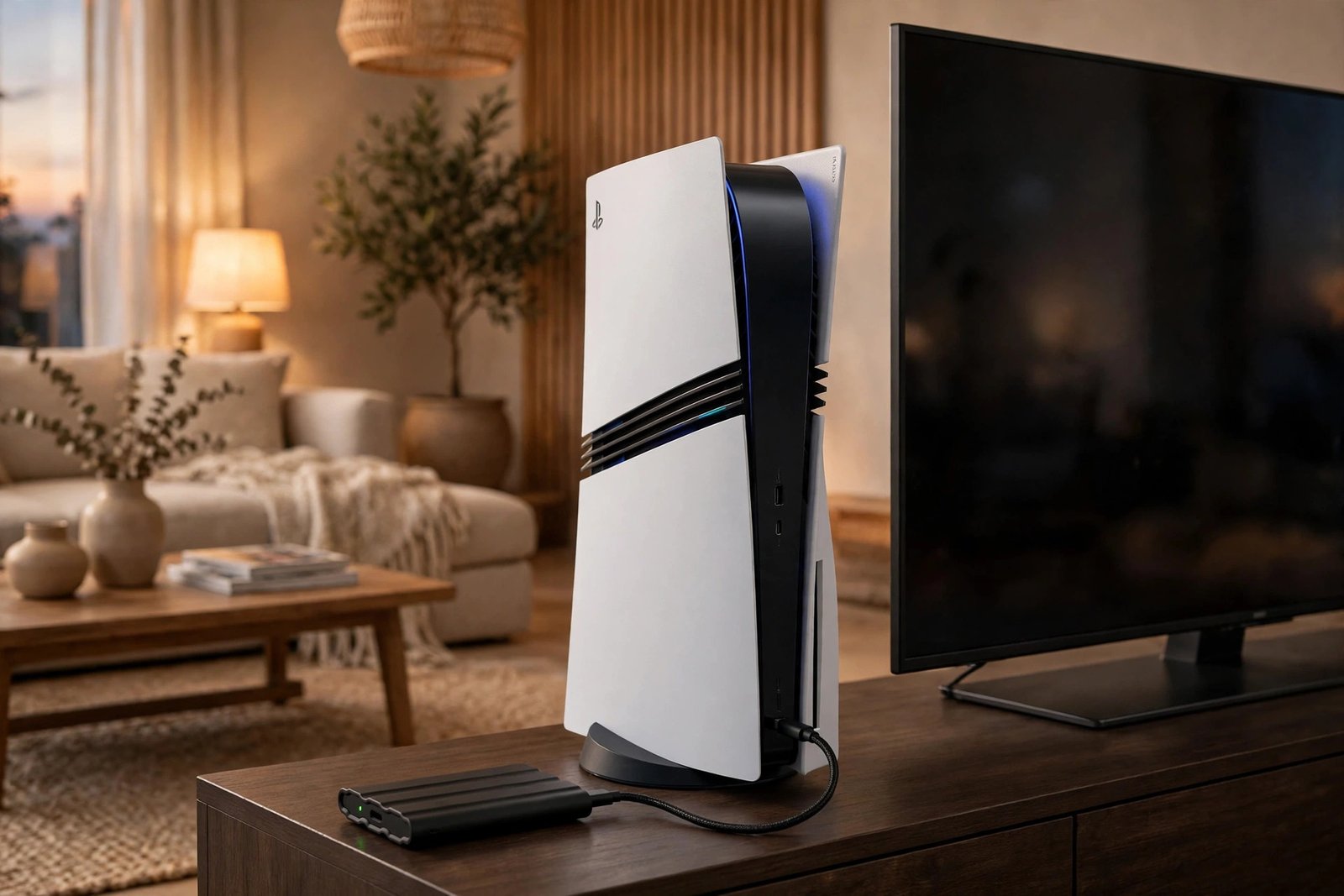
The best external SSDs for PS5 Pro in 2027 solve one problem: a 2TB console fills up fast when modern games weigh 100GB or more. The right drive archives PS5 games you are not playing, plays PS4 games directly, and frees internal space.
So which drive should you buy? For most owners, the Samsung T7 Shield is the strongest choice: rugged, fast enough and fairly priced. The SanDisk Extreme Pro suits anyone who also uses a fast PC. One rule shapes every recommendation below: no external drive lets you play PS5 games directly from it.
Key takeaways
- PS5 games can be stored on an external USB drive but must be copied back to internal storage or an M.2 SSD before you can play them.
- PS4 games are different: they install to USB extended storage and play directly from the drive.
- Sony requires a SuperSpeed USB connection of 5 Gbps or faster and a capacity between 250GB and 8TB.
- The PS5 Pro’s USB ports top out at 10 Gbps, so drives rated above 1,050 MB/s cannot reach their headline speed.
- Use a rear USB-A port, connect the drive directly, and never use a USB hub.
What an external SSD can (and cannot) do on PS5 Pro
USB extended storage is Sony’s name for using an external drive with a PS5 console, and it works the same way on PS5 Pro. You connect a compatible drive, format it, and move games onto it. It is a parking space for your library, not a second playable SSD. A PS5 game moved to the drive frees internal space, and you copy it back to play it again — far faster than re-downloading a 100GB game. But the game will not launch while it sits on the external drive: Sony states plainly that PS5 games cannot be played directly from USB extended storage.
PS4 games follow different rules: they install to USB extended storage and play directly from the drive. Save data cannot go on USB extended storage, so keep saves on the console or in the cloud with PlayStation Plus. An external SSD is worth buying if your library is large, your broadband is slow, or you play PS4 games. If you only play a handful of PS5 games, an internal M.2 SSD may serve you better. Our guide to the best internal SSDs for PS5 explains that option in detail.
What to look for in an external SSD for PS5 Pro
Speed is the first specification to check, but it is easy to overpay for speed the console cannot use. Sony requires a SuperSpeed USB connection of 5 Gbps or faster, and the PS5 Pro’s fastest USB ports run at 10 Gbps. A drive rated at 1,050 MB/s uses that connection well, while a 2,000 MB/s drive will never reach its headline speed on PS5 Pro. That extra speed only pays off with a PC that has a faster USB port.
Capacity is the second decision. Drives must be between 250GB and 8TB, and Sony warns that not every drive is guaranteed to work. A 1TB drive holds roughly eight to ten large PS5 games, 2TB is the sweet spot for a big library, and 4TB suits collectors and anyone with slow broadband. Durability matters too: a rugged drive with an IP65 or IP55 rating resists dust and water. Check the drive ships with a USB-C to USB-A cable for the console’s rear USB-A ports, and connect it directly: Sony is explicit that USB hubs are not supported.
The best external SSDs for PS5 Pro in 2027
1. Samsung T7 Shield
Best for: most PS5 Pro owners who want a tough, reliable all-round drive.
The T7 Shield reads at up to 1,050 MB/s over USB 3.2 Gen 2, which matches the PS5 Pro’s 10 Gbps ports, and it comes in 1TB, 2TB and 4TB capacities. Its rubberised shell carries an IP65 rating, and Samsung rates it to survive drops of up to three metres. It is small enough to sit behind the console, and it works with a PC or Mac too. Check the current price before you buy.
2. SanDisk Extreme Pro Portable SSD
Best for: the fastest transfers the PS5 Pro allows.
The SanDisk Extreme Pro is rated at up to 2,000 MB/s, the fastest headline speed on this list. On PS5 Pro it will be limited by the console’s 10 Gbps USB ports, so expect real-world speeds closer to 1,000 MB/s. The extra speed pays off with a PC that has a 20 Gbps USB port. It carries an IP65 rating, a rugged silicon shell and a carabiner loop, and capacities run from 1TB to 4TB. The standard SanDisk Extreme, rated at up to 1,050 MB/s, is a cheaper alternative that performs identically on PS5 Pro. Check the current price before you buy.
3. WD Black P40 Game Drive
Best for: players who want a drive designed for gaming.
Western Digital built the P40 specifically for gamers. It reads at up to 2,000 MB/s, carries RGB lighting customisable through WD’s software on PC, and comes in 500GB, 1TB and 2TB capacities. The 2TB model is the one to buy for PS5 Pro: the 500GB model is too small for a modern library. The P40’s headline speed exceeds what the PS5 Pro’s USB ports can deliver, so you will see around 1,000 MB/s in practice. It ships with a USB-C cable, so check you have a USB-C to USB-A cable or adapter for the console’s rear ports. Check the current price before you buy.
4. Crucial X9 Pro
Best for: a compact, durable drive at a fair price.
The Crucial X9 Pro is one of the smallest drives on this list, roughly the size of a credit card. It reads at up to 1,050 MB/s, exactly the speed the PS5 Pro can use, and comes in 1TB, 2TB and 4TB capacities. An IP55 rating covers dust and water, and the aluminium unibody feels more premium than its price suggests. It has no software extras and no RGB lighting. The included USB-C cable is short, so measure the distance from your console’s rear ports to where the drive will sit. Check the current price before you buy.
5. Kingston XS1000
Best for: a small, light drive on a lower budget.
The Kingston XS1000 is the most portable drive here, weighing under 30 grams and smaller than a matchbox. It reads at up to 1,050 MB/s over USB 3.2 Gen 2 and comes in 1TB and 2TB capacities. The 2TB model is the sensible choice for PS5 Pro: 1TB disappears quickly with modern game sizes. There is no rugged rating and no rubberised shell, so this is not the drive to toss into a bag unprotected. But for a drive that lives behind the console, that does not matter. Check the current price before you buy.
Comparison table
| Drive | Read speed | Capacities | Rugged rating | Best for |
|---|---|---|---|---|
| Samsung T7 Shield | Up to 1,050 MB/s | 1TB, 2TB, 4TB | IP65 | Most PS5 Pro owners |
| SanDisk Extreme Pro | Up to 2,000 MB/s | 1TB, 2TB, 4TB | IP65 | Fastest transfers |
| WD Black P40 | Up to 2,000 MB/s | 500GB, 1TB, 2TB | Not rated | Gaming design |
| Crucial X9 Pro | Up to 1,050 MB/s | 1TB, 2TB, 4TB | IP55 | Compact value |
| Kingston XS1000 | Up to 1,050 MB/s | 1TB, 2TB | Not rated | Small and cheap |
Caption: The five best external SSDs for PS5 Pro compared on speed, capacity and ruggedness. Speeds are manufacturer ratings; on PS5 Pro, 2,000 MB/s models run at around 1,000 MB/s.
Headline speed matters less than capacity and durability here: on PS5 Pro, every drive transfers games at a similar real-world speed.

How to choose: a five-minute decision framework
Work through these questions before you spend anything. They stop the most common mistake: buying the fastest drive on the shelf.
- How many games do you rotate? Fewer than ten large games: 1TB is enough. A big library or a shared console: buy 2TB.
- Do you still play PS4 games? If yes, the drive earns its keep as playable storage. If no, it is purely an archive.
- Will the drive travel? If it goes in a bag, pick an IP65-rated drive such as the T7 Shield. If it stays behind the console, a cheaper drive is fine.
- Do you also use a PC? If your PC has a 20 Gbps USB port, a 2,000 MB/s drive is worth the premium. If not, a 1,050 MB/s drive performs identically.
- Do you need playable PS5 storage? If yes, an external drive cannot do that job. Budget for an internal M.2 SSD instead.
Setting up USB extended storage on PS5 Pro
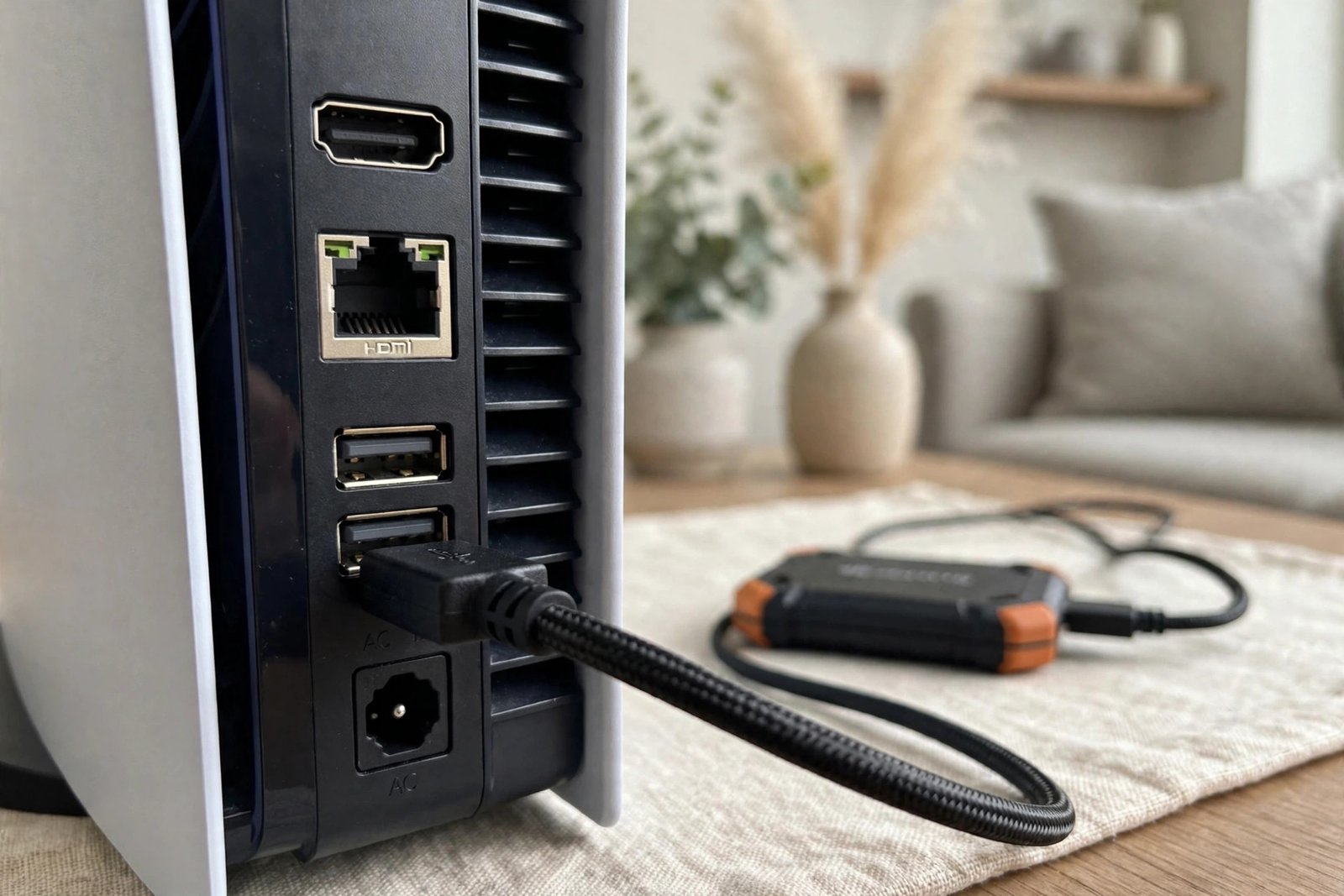
Connect the drive directly to one of the PS5 Pro’s rear USB-A ports, which run at SuperSpeed USB 10 Gbps. Avoid the front ports: one is a slower Hi-Speed port that does not meet Sony’s requirements. Go to Settings, then Storage, then USB Extended Storage, and choose Format as USB Extended Storage. Formatting erases everything on the drive.
Once formatted, the drive is dedicated to the console. To move a game, open Settings, then Storage, then Games and Apps, and choose Move to USB Extended Storage. To play it again, copy it back the same way — a 100GB game typically takes a few minutes. Only one USB extended storage drive can be connected at a time, and do not disconnect it while the console is on without using safe removal in Settings. If you are building out the rest of your setup, our guide to the best PS5 accessories covers headsets and charging docks.
Frequently asked questions
Can I play PS5 games directly from an external SSD?
No. PS5 games stored on USB extended storage must be copied back to internal storage or an M.2 SSD before you can play them.
Can I play PS4 games from an external SSD on PS5 Pro?
Yes. PS4 games can be installed to USB extended storage and played directly from the drive.
Which USB port should I use on PS5 Pro?
Use one of the two rear USB-A ports, which run at SuperSpeed USB 10 Gbps. Avoid the front Hi-Speed port, and never connect through a USB hub.
What size external SSD do I need for PS5 Pro?
A 1TB drive holds roughly eight to ten large PS5 games. A 2TB drive is the sweet spot for a large library, and 4TB suits collectors or anyone with slow broadband.
Is an external SSD or an internal M.2 SSD better for PS5 Pro?
An external SSD is cheaper per gigabyte and ideal for archiving games and playing PS4 titles, while an internal M.2 SSD costs more but lets you play PS5 games directly.
The bottom line
The best external SSDs for PS5 Pro in 2027 match how you actually play, not the biggest number on the box. Every drive here archives PS5 games and plays PS4 games well, and on the console’s 10 Gbps ports they all transfer at a similar speed.
For most players, that means the Samsung T7 Shield: tough, fast enough, and fairly priced. Buy the SanDisk Extreme Pro if you also use a fast PC, the WD Black P40 for a gaming-focused design, and the Kingston XS1000 for the cheapest way to add storage.
Your next step is simple: check how much free space your PS5 Pro has left, pick the capacity that covers the games you return to, and format the drive through Settings before you move anything. If the display is next, our guide to the best gaming monitors for PS5 covers the screens that make the most of the Pro’s power.