The best internal SSDs for PS5 in 2027 are fast PCIe Gen4 drives that meet Sony’s specification exactly and arrive with a heatsink that fits the console’s expansion bay. The PS5’s built-in storage fills quickly once a few large games are installed, and deleting titles to make room gets old fast. Which SSD should you buy? For most owners, a 2TB WD Black SN850X with a heatsink: it clears Sony’s speed requirement with room to spare and holds a large library at a sensible cost per terabyte.
Our short answer: the SN850X is the best all-round pick, the 990 Pro the best premium alternative, and the SN850P the easiest officially licensed choice.
Key takeaways
- Sony requires a PCIe Gen4 x4 M.2 NVMe drive with a sequential read speed of 5,500 MB/s or faster, a capacity of 250GB to 8TB, and a cooling structure such as a heatsink.
- The drive and heatsink together must be no thicker than 11.25mm, or the expansion bay cover will not close.
- An internal SSD is the only expansion that lets you play PS5 games directly from the added storage.
- Buy the heatsink version of your chosen drive, and check the exact model number before ordering.
What Sony requires from a PS5 internal SSD
Sony publishes clear requirements for the PS5’s M.2 expansion slot. The drive must be a PCIe Gen4 x4 M.2 NVMe SSD, Socket 3 Key M, in form factor 2230, 2242, 2260, 2280 or 22110. In practice, almost every drive worth buying is the common 2280 size (22mm by 80mm). SATA and PCIe Gen3 drives are not supported, even though they may physically fit.
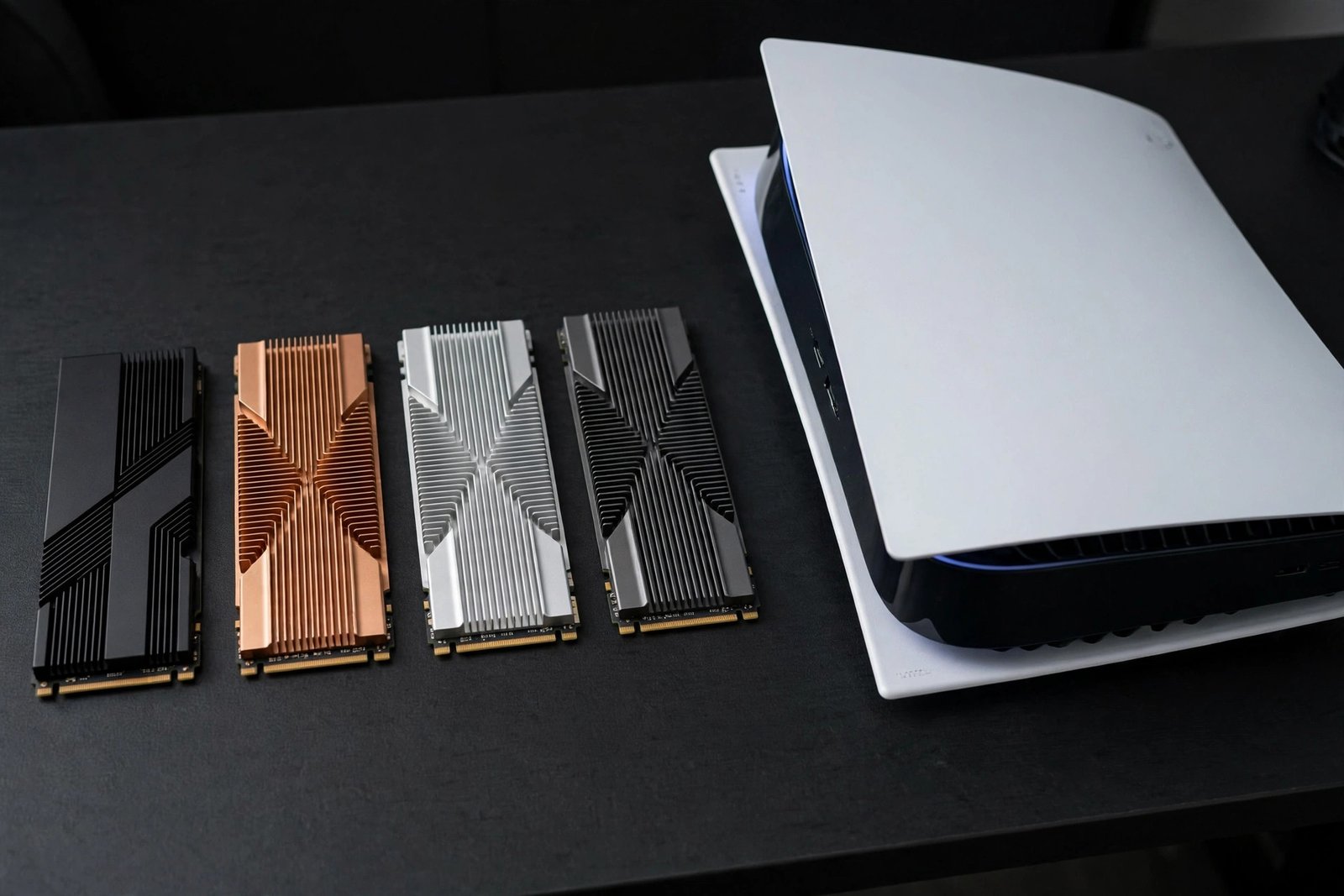
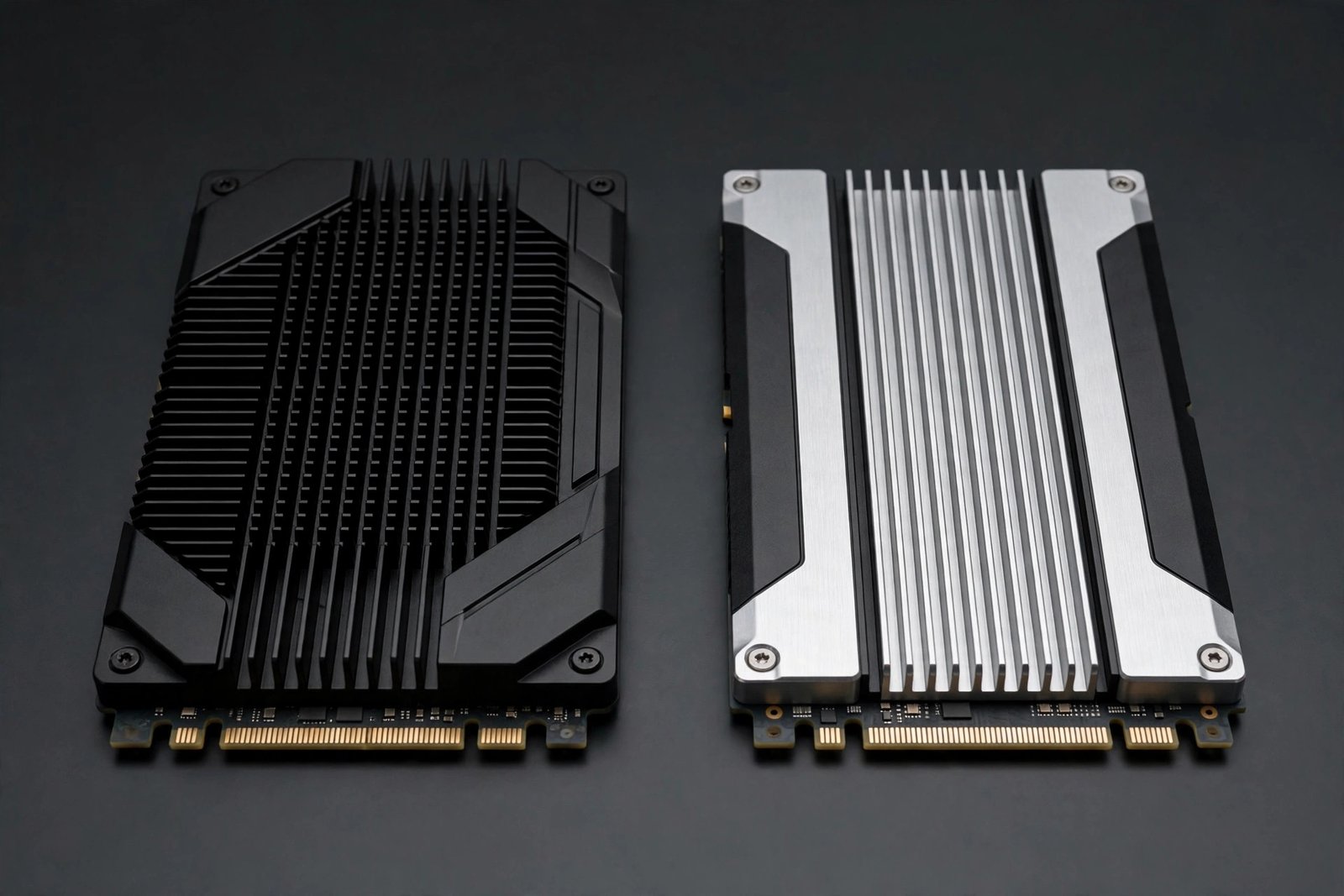
Sony recommends a sequential read speed of 5,500 MB/s or faster, and every drive here is rated well above that by its manufacturer, so speed alone will not separate them. Cooling causes the most returns. Sony requires a cooling structure, such as a heatsink, because the expansion bay has little airflow and a fast Gen4 drive generates substantial heat under sustained writes. The total thickness of the drive plus its heatsink must stay under 11.25mm, with no more than 8.0mm above the drive’s circuit board and 2.45mm below it. A heatsink that looks slim in a photo can still stop the bay cover closing, so buy a drive sold with a PS5-designed heatsink.
How to choose the best internal SSD for PS5
Start with capacity, because it is the choice you will live with longest. Count the games you keep installed and add room for updates, which can be large. If that total is near 1TB, buy 2TB: the cost per terabyte is usually lower, and a nearly full drive needs managing again within a year.
Next, check the heatsink before the headline speed. A drive sold without a heatsink is not a finished PS5 purchase. The heatsink version usually costs more than the bare version, and retailer listings can blur the two, so confirm the exact model number and look for the words “with heatsink” before you pay. Then weigh endurance, measured in terabytes written (TBW).
The best internal SSDs for PS5 in 2027 at a glance
WD Black SN850X with Heatsink — the best internal SSD for PS5 overall
Best for: most PS5 owners who want a fast, well-fitting 2TB drive with no fuss.
The WD Black SN850X with heatsink is the easiest recommendation in this guide. It is rated at up to 7,300 MB/s reads and 6,300 MB/s writes, well above Sony’s 5,500 MB/s recommendation. The heatsink version is designed to fit the PS5 expansion bay, and the family extends to 8TB. Watch the model number: the bare SN850X is a different listing from the heatsink version.
Samsung 990 Pro with Heatsink — the best premium internal SSD for PS5
Best for: players who want a top-tier Gen4 drive from a leading SSD brand, possibly for later use in a PC.
The Samsung 990 Pro with heatsink is the fastest drive in this guide on manufacturer-rated specifications, at up to 7,450 MB/s sequential reads, and it is available in capacities up to 4TB. For PS5-only play, its extra headline speed will not produce a loading-time difference you can feel. It often costs more than the SN850X at the same capacity, and that premium buys reassurance and PC versatility rather than faster PS5 loading.
WD Black SN850P with Heatsink — the best officially licensed SSD for PS5
Best for: buyers who want an officially licensed PlayStation drive with a heatsink designed for the console.
The WD Black SN850P is officially licensed for PlayStation, and its heatsink is designed specifically for the PS5’s M.2 bay, which removes the fit question entirely. It is rated at up to 7,300 MB/s, the same headline figure as the SN850X. Licensing carries a cost: the SN850P can be poor value at lower capacities.
Seagate FireCuda 530 with Heatsink — the best internal SSD for PS5 endurance
Best for: heavy downloaders, frequent reinstallers and players who capture a lot of gameplay.
The Seagate FireCuda 530 stands out on endurance, which is its reason to exist in this guide. It is rated at up to 7,300 MB/s reads, with high total bytes written across its capacities, suiting owners who delete, redownload and move large files often. Endurance beyond what you need is money spent on a specification you will never use. If your library is stable, the SN850X or 990 Pro will serve you as well for less.
Crucial T500 with Heatsink — the best value internal SSD for PS5
Best for: value-focused buyers who want flagship-class Gen4 numbers without paying for performance the PS5 cannot use.
The Crucial T500 with heatsink is rated at up to 7,400 MB/s reads, among the fastest drives here on paper, at a price that often undercuts the premium names. Performance can vary by capacity, so check the rated speed for the exact size you buy. Confirm the heatsink version explicitly: the bare T500 needs a separate cooler.
Best internal SSDs for PS5 2027: comparison table
| SSD | Best for | Rated sequential read | Heatsink | Capacities |
|---|---|---|---|---|
| WD Black SN850X | Most owners | Up to 7,300 MB/s | Heatsink version | Up to 8TB |
| Samsung 990 Pro | Premium | Up to 7,450 MB/s | Included version available | Up to 4TB |
| WD Black SN850P | Officially licensed | Up to 7,300 MB/s | PS5-designed | Up to 4TB |
| Seagate FireCuda 530 | Endurance | Up to 7,300 MB/s | Included version available | Up to 4TB |
| Crucial T500 | Value | Up to 7,400 MB/s | Included version available | Up to 4TB |
Table: the leading internal SSDs for PS5 compared on rated read speed, heatsink availability and capacity range. Speeds are manufacturer ratings, not console measurements.
Use this table as a shortlist, not a ranking by speed alone.
How to install an internal SSD in your PS5
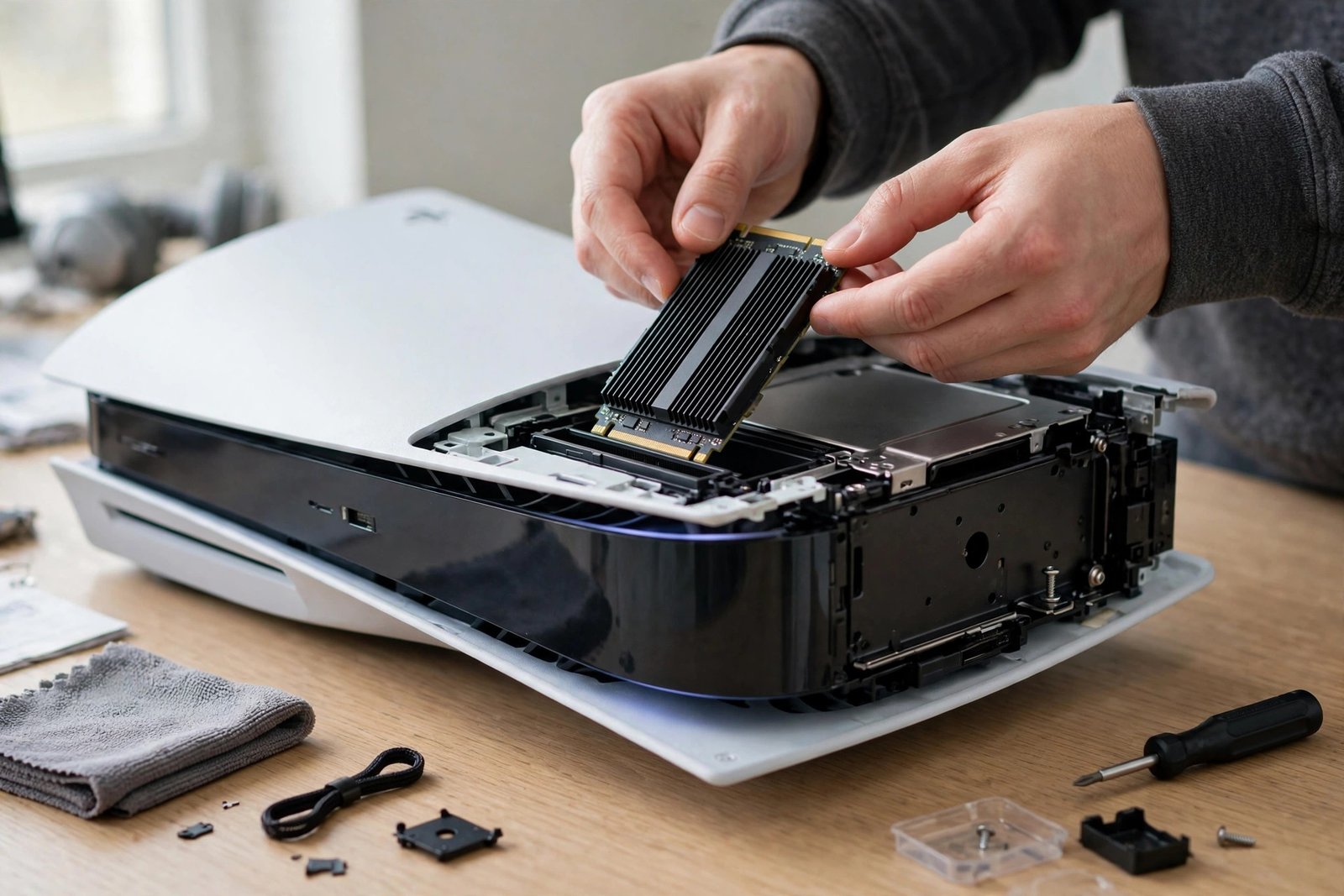
Installation takes about ten minutes with a Phillips screwdriver. Update the system software, then switch the console off fully and unplug it. Remove the side cover, take out the screw and spacer inside the bay, and set them somewhere safe. Slot the SSD into the M.2 connector at a slight angle, press it flat, move the spacer to match the drive’s length, and fasten the screw. Replace both covers, plug the console back in and switch it on.
The console will recognise the drive and offer to format it, which erases anything on it, so do not install a drive holding files you need. After formatting, the PS5 runs a read-speed check and confirms the drive is ready. You can then choose where new games install, and move existing games to the new drive. Two mistakes cause most problems: a drive without a heatsink, or one too thick for the 11.25mm limit, and a Gen3 or SATA drive that physically fits but does not meet the specification.
Internal SSD vs external USB storage for PS5
An internal SSD and an external USB drive solve different problems. The internal SSD behaves like extra built-in storage: PS5 games install there and play directly from it, It is the only expansion that works this way.
An external USB drive is cheaper per terabyte and useful for two jobs: playing PS4 games directly, and storing PS5 games you are not playing so you can copy them back instead of redownloading. Copying a game back takes minutes rather than the hours a fresh download can take. Our guide to the best external SSDs for PS5 Pro compares the leading USB options for that job.
A practical checklist before you buy an internal SSD for PS5
- Confirm the specification: PCIe Gen4 x4 M.2 NVMe, 5,500 MB/s or faster, 250GB to 8TB, 2280 form factor.
- Buy the heatsink version: check the model number and confirm the total stays under 11.25mm.
- Choose 2TB unless you have a reason not to: 1TB fills quickly and 4TB suits very large libraries.
- Compare cost per terabyte: a larger drive is often cheaper per terabyte than a smaller one.
- Check warranty and endurance: a five-year warranty is standard here, and a higher TBW suits heavy downloaders.
- Keep the packaging until it works: fit the drive, format it and run the speed check before the return window closes.
If you are torn between two drives, choose the heatsink version in stock at the better cost per terabyte. For the rest of your setup, our guide to the best PS5 accessories covers the controllers, headsets and extras that pair with the extra storage.
Frequently asked questions
What SSD speed do I need for PS5?
Sony recommends a sequential read speed of 5,500 MB/s or faster for the M.2 expansion slot. Every drive here is rated above that figure. Paying for a higher headline speed will not produce a loading difference you can feel.
Do I need a heatsink for a PS5 SSD?
Yes. Sony requires a cooling structure, such as a heatsink, because the expansion bay has little airflow and a fast Gen4 drive generates substantial heat. The drive and heatsink together must be no thicker than 11.25mm. Buy the heatsink version of your chosen drive.
What size SSD should I buy for PS5?
A 2TB drive suits most owners. A 1TB drive fills quickly once several large games are installed, while 4TB suits very large libraries or households sharing one console. A 250GB drive is poor value.
Can I play PS5 games from an external hard drive?
No. PS5 games must be stored on the console’s internal storage or a compatible internal M.2 SSD to run. An external USB drive can play PS4 games and store PS5 games, but those titles must be copied back before they will run.
Will a faster SSD make my PS5 games run better?
No, not in any way you will notice. A compatible SSD gives you more space and loading that matches the console’s internal drive in normal use. It will not raise frame rates or improve graphics. If display quality is your concern, our guide to the best gaming monitors for PS5 is the place to look.
The bottom line
The best internal SSD for PS5 in 2027 is the 2TB WD Black SN850X with a heatsink: it meets Sony’s specification with room to spare, fits the bay, and holds a large library at a sensible cost per terabyte. The 990 Pro is the best premium alternative, the SN850P the easiest licensed choice, and the T500 covers value buyers. Check the specification, confirm the heatsink version and model number, compare cost per terabyte, and check the current price before you order.