
The best laptop cooling stands in 2027 are the ones that match the way your laptop actually gets hot. A cooling stand can help, but it is not magic, and the honest answer to the central question is that results vary widely.
If your laptop runs warm during long work sessions, a stand that lifts it off the desk and lets air move underneath will usually help a little. If you game or edit video for hours, a fan-assisted pad such as the Klim Wind or the Thermaltake Massive 20 RGB can move more air and may help more. But no stand will turn a hot-running laptop into a cool one.
Key takeaways
- Elevation alone helps: lifting a laptop off the desk lets hot air escape instead of pooling underneath.
- Fan-assisted stands move more air than passive stands, but the benefit depends on where your laptop’s vents sit.
- Evidence for large temperature drops is mixed. Treat big cooling claims with scepticism.
- Match the stand to your laptop’s size, vent layout and weight, and check noise levels before you buy.
- A cooling stand works best alongside simple habits: clean vents, a hard flat surface and realistic performance settings.
Why laptops get hot, and what a stand can do about it
Laptops pack powerful parts into a thin case with little room for air. When the processor and graphics chip work hard, they generate heat, and the laptop’s fans push that heat out through vents. If those vents sit on the underside, or the laptop sits flat on a soft surface, the hot air has nowhere to go.
A cooling stand changes the airflow in two ways. First, it lifts the laptop off the desk, creating a gap underneath where air can circulate. Second, if it has fans, it pushes extra air towards the underside of the laptop. The first effect is reliable and applies to almost any laptop. The second depends on your machine.
That distinction matters because marketing often blurs it. A mesh riser with no fans and a pad with five fans are sold under the same broad label, but they do different jobs. The riser improves airflow passively. The fan pad adds active airflow, at the cost of noise, a power cable and extra bulk.
How to choose a laptop cooling stand
Start with your laptop’s vents. Note where air comes in and where it goes out. A fan pad works best when its fans line up with the intake vents. If the fans blow at a solid panel while the real vents sit elsewhere, much of the benefit is lost.
Next, check size. Cooling stands are built for a range of laptop sizes, usually up to 15.6 inches or 17 inches. A stand that is too small leaves the laptop overhanging the edges, which is unstable. Measure your laptop and compare it with the manufacturer’s stated size range.
Noise is the factor people forget until the first video call. Fan-assisted stands add their own fans to the laptop’s fans, and some are noticeably louder than others. If you work in a quiet room or take calls at your desk, look for a stand with adjustable fan speed. Passive mesh stands are silent by definition.
Power matters too. Most fan stands draw power through USB, which means they need a spare port and a cable running to your laptop. Some include a USB pass-through port so you do not lose a port entirely. Check this before you buy.
Finally, think about angle and ergonomics. Many cooling stands tilt the laptop, which raises the screen and can improve your posture, much like a regular stand. If that matters to you, our guide to the best laptop stands for standing desks covers risers designed for exactly that job.
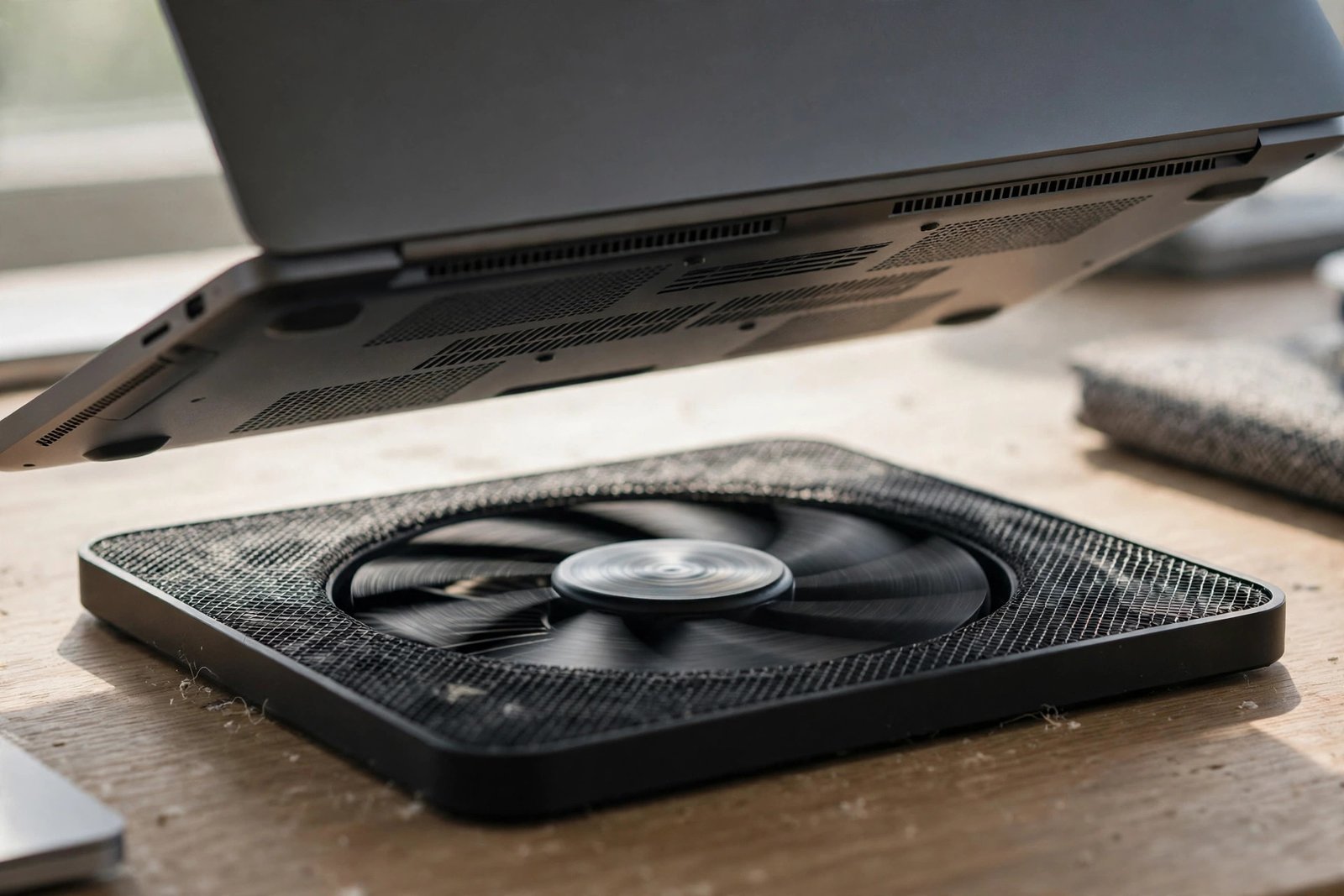
The best laptop cooling stands in 2027 at a glance
| Stand | Type | Fans | Best for |
|---|---|---|---|
| Klim Wind | Fan pad | Large central fan | Everyday cooling on a budget |
| Havit HV-F2056 | Fan pad | Three fans | Slim, quiet everyday use |
| Targus Chill Mat | Fan pad | Dual fans | Work laptops and dual-purpose use |
| Thermaltake Massive 20 RGB | Fan pad | Large fan, RGB lighting | Gaming laptops |
| Llano Laptop Cooling Pad | Fan pad | High-airflow fans | Hot-running laptops |
Caption: Fan pads differ mainly in fan size, noise and build. Match the stand to your laptop’s vents and your tolerance for noise.
The best laptop cooling stands in 2027
Klim Wind
The Klim Wind is a popular fan-assisted pad built around a large central fan, with a mesh surface that lets air through to the laptop above. It is a mid-range option that suits everyday laptops used for work, study and general use.
The large fan moves a good volume of air at modest speeds, which keeps noise down compared with smaller, faster fans. The stand tilts to a few angles, so it doubles as a basic ergonomic riser, and it includes a USB pass-through port. At low or medium settings it is unobtrusive. For a first cooling stand, it is a sensible place to start.
Best for: everyday laptops that run warm during long work sessions, at a mid-range price.
Havit HV-F2056
The Havit HV-F2056 is a slim, lightweight cooling pad with three fans set into a mesh surface. It is one of the more portable fan pads, and it suits people who want cooling without a bulky base taking over the desk.
The three smaller fans spread airflow across the underside of the laptop rather than concentrating it in one spot, which can suit laptops with vents spread along the base. Noise is modest at normal settings, and the slim profile packs into a bag more easily than larger gaming pads. It is a budget-friendly option, solid enough for daily use, but not as substantial as heavier metal stands.
Best for: slim ultrabooks and work laptops where portability and low noise matter.
Targus Chill Mat
The Targus Chill Mat is a dual-fan cooling pad aimed squarely at work laptops. It is built to sit on a desk, or on your lap, with a design that keeps the fans clear even when the pad rests on a soft surface. That lap-friendly design is its distinguishing feature.
With two fans and an adjustable tilt, it covers the basics well: airflow, elevation and a more comfortable typing angle. It is a mid-range option from a long-established accessories brand. It will not match a large gaming pad for raw airflow, but for office work, browsing and video calls it is a practical choice.
Best for: work laptops used on desks and laps, especially in shared or flexible workspaces.
Thermaltake Massive 20 RGB
The Thermaltake Massive 20 RGB is built for gaming laptops. It uses a single large fan, RGB lighting and a broad platform designed for larger 17-inch machines, with adjustable height and fan speed controls.
The large fan can move a lot of air at lower speeds than several small fans, which helps keep noise manageable for its size. The platform is wide and sturdy, which suits heavier gaming laptops that would overwhelm a slim pad. The RGB lighting can be turned down or off. This is a premium option in size and price, and it takes up a fair amount of desk space, so it suits a permanent gaming setup rather than a bag.
Best for: larger gaming laptops in a permanent desk setup where airflow matters most.
Llano Laptop Cooling Pad
Llano makes cooling pads aimed at laptops that run genuinely hot, including gaming laptops and machines used for video editing or other heavy work. Its pads use high-airflow fans and a mesh surface, with adjustable speeds and a sturdy frame.
The emphasis here is on moving air rather than on looks. The fans are more powerful than those on slim everyday pads, which means more airflow and, at full speed, more noise. You can run the fans hard during a gaming session and turn them down for quiet work. It is a mid-range to premium option depending on the model, and it suits people who have already tried a basic pad and want something stronger.
Best for: hot-running gaming and creator laptops where a basic pad is not enough.
Passive stands: the quiet alternative
Not every laptop needs fans. A passive stand, a raised mesh or open frame with no powered parts, lifts the laptop off the desk and lets air circulate underneath. It is silent and needs no cable.
A passive stand also doubles as an ergonomic riser. If your main complaints are a low screen and a warm base, a good passive stand may solve both at once. If your laptop throttles, slowing down because it is too hot, during games or renders, a fan pad is the better bet.

A checklist for getting real results from a cooling stand
A stand helps most when the rest of the setup is sound. Work through this checklist before deciding the stand is not working.
- Clean the vents and fans every few months.
- Use the stand’s fan speed controls. Full speed is rarely needed for email and documents.
- Check your laptop’s power settings. A high-performance mode generates more heat than a balanced mode.
- Update the laptop’s firmware and drivers when the manufacturer releases them. Cooling and fan behaviour is sometimes improved in updates.
If the laptop still runs very hot after all of this, the cause may be internal: dried thermal paste, a failing fan or a heavy background task. A stand cannot fix those, and a repair or service is the better next step.
If long sessions leave you juggling documents and spreadsheets, our guide to using AI in Google Docs and Sheets shows how to cut repetitive work. And if your cooling stand sits on the same desk where you write long Word documents, using Copilot in Excel and Word can take some of the drafting load off your day.
Frequently asked questions
Do laptop cooling stands actually work?
They can help, but the effect is modest for most laptops. Elevation improves airflow, and fans add extra air movement, but the benefit depends on your laptop’s vent layout and workload. Evidence for large temperature drops is mixed.
Are cooling stands better than regular laptop stands?
For cooling, yes, because they add fans and a mesh surface designed for airflow. For ergonomics, a regular stand often lifts the screen higher and is more stable. Choose based on your main problem: heat or posture.
Do cooling stands make laptops quieter?
Sometimes. If the extra airflow lets the laptop’s own fans run more slowly, the total noise can fall. But the stand’s fans add their own noise, so the net result depends on the stand.
Will a cooling pad fit a 17-inch gaming laptop?
Many gaming pads are built for 17-inch laptops, but check the manufacturer’s stated size range before buying. A pad that is too small will leave the laptop overhanging, which is unstable and blocks airflow at the edges.
The bottom line
The best laptop cooling stand in 2027 fits your laptop’s vents, your noise tolerance and the way you work. For everyday use, a mid-range fan pad such as the Klim Wind or the Havit HV-F2056 is a sensible start. For larger gaming laptops, a bigger pad such as the Thermaltake Massive 20 RGB or a high-airflow Llano pad makes more sense. If your laptop only gets warm during ordinary work, a simple passive stand may do the job silently and for less money.
Keep expectations honest: a stand improves airflow, it does not redesign your laptop’s cooling. Pair it with clean vents, a hard flat surface and sensible power settings.