AI development pushes a laptop harder than almost any other kind of software work. Training a model, running a local large language model, or fine-tuning a checkpoint all demand a strong GPU, plenty of unified or system memory, and fast storage — and the best laptops for AI development in 2027 balance those three things without turning into a desktop that happens to have a keyboard.
The machines in this guide were chosen for the work AI developers actually do: running PyTorch and TensorFlow locally, experimenting with small and mid-size models, using GPU-accelerated notebooks, and shipping code to the cloud when a job outgrows the machine. Every pick here can run a 7B-parameter model locally, and the top picks handle 13B and larger models with quantization.
Prices below are approximate starting prices — check current pricing before buying. The shortlist runs from a $1,099 budget GPU laptop to a $3,499 workstation.
Key takeaways
- Best overall: MacBook Pro 16-inch with M4 Max — the strongest local model runner in a laptop, with up to 128GB of unified memory.
- Best GPU value: ASUS ROG Zephyrus G16 — a full RTX 5070 Ti at a price that undercuts most workstations.
- Best budget pick: HP Omen 16 — real NVIDIA GPU power from around $1,099.
- Memory matters more than clock speed: aim for at least 32GB of RAM, and 64GB or more if you plan to run local models.
- Avoid thin ultrabooks with no discrete GPU for serious local training — they are fine for cloud work, but they will stall on local jobs.
At a glance: the shortlist
| Product | Best for | Starting price | Standout limit |
|---|---|---|---|
| MacBook Pro 16-inch (M4 Max) | Local models, overall | $3,499 | Up to 128GB unified memory |
| Dell XPS 16 | Windows all-rounder | $2,199 | RTX 5070, 64GB max |
| Lenovo ThinkPad P16 Gen 2 | Workstation reliability | $2,899 | ISV-certified, 128GB max |
| ASUS ROG Zephyrus G16 | GPU value | $1,899 | RTX 5070 Ti |
| HP Omen 16 | Budget GPU power | $1,099 | RTX 5060, 16GB base RAM |
| Razer Blade 16 | Portable power | $2,799 | Thin chassis, runs warm |
| Framework Laptop 16 | Upgradeability | $1,699 | Modular GPU, DIY options |
MacBook Pro 16-inch (M4 Max) — Best overall
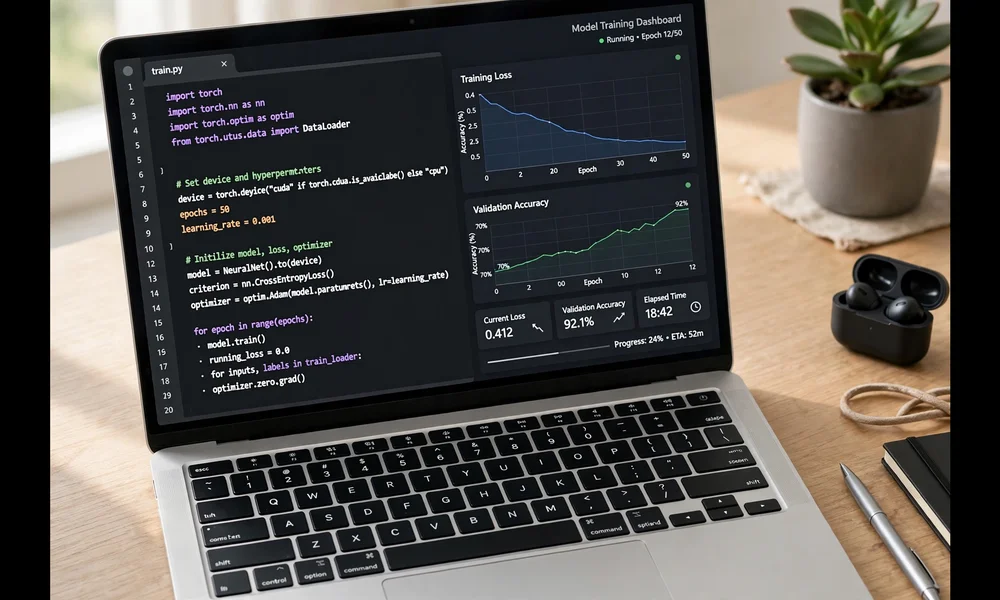
The MacBook Pro 16-inch with the M4 Max is the most capable AI development laptop you can buy in 2027. Its unified memory architecture is the reason: with up to 128GB shared between CPU and GPU, it can load large models that would need a desktop GPU with far more VRAM on a Windows machine. A 70B-parameter model quantized to 4-bit fits comfortably.
Battery life is another genuine advantage: in real development use — notebooks, a local model server, and a browser full of documentation — it lasts a full working day away from the wall. The 16.2-inch Liquid Retina XDR display is bright, accurate, and easy on the eyes during long sessions. For developers who also work with heavy GPU workloads in other fields, our guide to the best laptops for VR development covers machines with similar graphics demands.
Pros: Up to 128GB unified memory for large local models; excellent battery life; superb display and speakers; quiet under most loads.
Cons: Expensive, especially at higher memory tiers; no NVIDIA CUDA support, so some frameworks need Apple-specific builds; limited upgradeability after purchase.
Dell XPS 16 — Best Windows all-rounder
The Dell XPS 16 is the best Windows option for AI developers who want CUDA without a gaming laptop’s styling. It pairs Intel Core Ultra processors with up to an RTX 5070 GPU and 64GB of RAM, which covers local inference, fine-tuning small models, and heavy data work. The 16.3-inch display is available in OLED.
Where the XPS 16 earns its place is versatility: it runs the full NVIDIA stack natively — CUDA, cuDNN, and TensorRT — so almost every AI framework works out of the box. The keyboard is comfortable, the trackpad is large, and the speakers are strong. The main compromise is thermals; sustained training runs push the fans hard, and the chassis gets warm.
Pros: Full NVIDIA CUDA support; clean, professional design; excellent OLED display option; strong all-round performance.
Cons: Gets loud and warm under sustained GPU load; 64GB memory ceiling; premium pricing for higher configurations.
Lenovo ThinkPad P16 Gen 2 — Best workstation
The ThinkPad P16 Gen 2 is a mobile workstation built for people who run long jobs and cannot afford crashes. It offers up to 128GB of ECC memory, professional NVIDIA RTX Ada graphics, and ISV certification for engineering and data science tools. The keyboard is the best on any laptop in this guide.
Reliability is the selling point. The P16 is serviceable — memory and storage can be upgraded after purchase, which is rare in 2027. It is heavy at around 2.9kg and plain-looking, but for a machine that runs experiments overnight, that trade is easy to accept.
Pros: Up to 128GB ECC memory; upgradeable RAM and storage; outstanding keyboard; certified for professional software.
Cons: Heavy and bulky; plain design; expensive at workstation GPU tiers.
ASUS ROG Zephyrus G16 — Best GPU value
The Zephyrus G16 gives you more GPU per dollar than any other laptop here. With up to an RTX 5070 Ti, 32GB of RAM, and a fast 240Hz OLED display, it runs local models and trains small networks. At around $1,899, it undercuts the workstation class by a wide margin while delivering comparable CUDA performance.
The G16 is also surprisingly portable at under 2kg and less than 2cm thick. The trade-offs are the usual gaming-laptop ones: battery life is modest at around six hours of light use, and the fans are audible under load.
Pros: RTX 5070 Ti at a mid-range price; light and thin for its power; superb OLED display; strong cooling for its size.
Cons: Short battery life; fans are loud under load; 32GB RAM in the base configuration.
HP Omen 16 — Best budget GPU laptop
The HP Omen 16 is the cheapest way into serious local AI work. Starting around $1,099 with an RTX 5060, it runs PyTorch, Ollama, and local inference without complaint, and its 16.1-inch 165Hz display is a bonus at this price. The base 16GB of RAM is the main limitation, so budget for 32GB if you plan to run larger models.
Build quality is solid rather than luxurious and the cooling system is effective. For students and developers building their first AI workstation on a tight budget, it is the sensible starting point — and a good keyboard makes long coding sessions far easier, as our roundup of the best mechanical keyboards for programming explains.
Pros: Lowest price for a real NVIDIA GPU; effective cooling; good high-refresh display; easy to upgrade RAM and storage.
Cons: Base 16GB RAM is tight for local models; heavier than premium laptops; plastic-heavy build.
Razer Blade 16 — Best portable power
The Razer Blade 16 packs up to an RTX 5080 into a 1.9cm aluminium chassis, making it the most powerful thin laptop in this guide. It is the pick for developers who travel and still want desktop-class GPU performance in their bag. The 16-inch QHD+ display runs at 240Hz.
That density comes with heat: the Blade 16 runs warm under sustained training, and the fans are noticeable, though vapour chamber cooling keeps throttling in check. Battery life is around six hours of light work. If you want the thinnest machine that can still train models locally, this is it — but the Zephyrus G16 offers similar performance for less money.
Pros: RTX 5080 in an ultra-thin chassis; premium build quality; excellent display; strong sustained performance.
Cons: Expensive; runs warm and loud under load; limited upgradeability.
Framework Laptop 16 — Best upgradeable
The Framework Laptop 16 is the only laptop here you can meaningfully upgrade over time. Its modular design lets you swap the GPU module, replace the keyboard, and upgrade memory and storage yourself. Starting around $1,699, it ships with AMD Ryzen processors and an optional Radeon RX 7700S graphics module.
The trade-off is the GPU ecosystem: AMD’s ROCm stack has improved, but CUDA still has broader framework support, so check that your tools run well on ROCm before committing. For developers who value repairability and the freedom to upgrade rather than replace, nothing else comes close. Security matters too when your machine holds training data and API keys, so the hardened setups in our guide to the best laptops for cybersecurity are worth a look.
Pros: Fully upgradeable GPU, RAM, and storage; user-repairable; excellent keyboard; long usable life.
Cons: AMD GPU means ROCm, not CUDA; fewer configuration options; bulkier than premium ultrabooks.
How to choose
Start with memory. For local model work, RAM is the first bottleneck: 32GB is the minimum, 64GB is the sweet spot, and 128GB is worth it for large models. On Apple Silicon, unified memory counts as both RAM and VRAM, which is why the MacBook Pro punches above its weight.
Next, decide between CUDA and Apple Silicon. If your workflow depends on CUDA-specific tools, buy an NVIDIA laptop; if you mostly use PyTorch, Ollama, or cloud training, the MacBook Pro’s memory advantage often wins. Finally, be honest about portability: if you travel, a 2kg laptop with six hours of battery beats a 3kg machine with three.
Checklist: before you pay
- Confirm your core frameworks run on the laptop’s GPU stack — CUDA on NVIDIA, Metal on Apple Silicon, ROCm on AMD.
- Buy at least 32GB of memory; check whether it can be upgraded later before you settle for less.
- Choose 1TB of SSD storage as a minimum — models, datasets, and checkpoints fill drives fast.
- Check the warranty and on-site service options if the laptop will run overnight jobs.
- Test your heaviest local model on a friend’s machine or a short cloud rental before committing to a configuration.
- Budget for a cooling stand or a quiet workspace if you pick a thin performance laptop.
Frequently asked questions
How much RAM do I need for AI development?
At least 32GB for comfortable work with local models and large datasets. 64GB is the sweet spot, and 128GB is worth it if you run 30B-plus parameter models locally.
Is a MacBook good for AI development?
Yes. Apple Silicon Macs run PyTorch, TensorFlow, and Ollama well, and their large unified memory lets them load bigger models than most Windows laptops at the same price. The main gap is CUDA-only tooling.
Do I need an NVIDIA GPU for machine learning?
Not always, but it helps. CUDA is the best-supported GPU stack for training, and most tutorials and frameworks assume it. For local training, NVIDIA is still the safest choice.
Can I train models on a laptop, or do I need the cloud?
You can train small and mid-size models locally and fine-tune with techniques like LoRA. Full training of large models still belongs in the cloud, but a good laptop handles prototyping, inference, and fine-tuning.
What is the best budget laptop for AI development?
The HP Omen 16, starting around $1,099 with an RTX 5060. Upgrade it to 32GB of RAM and it covers local inference, small-model training, and everyday development work.
How important is the display for AI work?
Less than memory and GPU, but a sharp, bright 16-inch display makes long notebook sessions far more comfortable. A 2560 x 1600 or higher resolution is worth paying for if you spend all day in front of it.
The bottom line
For most AI developers, the MacBook Pro 16-inch with M4 Max is the best laptop for AI development in 2027: its huge unified memory runs larger models locally than any Windows laptop near its price, and it lasts all day on battery. If you need CUDA, the ASUS ROG Zephyrus G16 is the value pick and the HP Omen 16 is the budget pick.
Whatever you buy, spend your money on memory first and GPU second — that is the order the bottlenecks actually appear in real AI work.