The best laptops for developers in 2027 combine a fast multi-core processor with plenty of memory, a sharp screen for long coding sessions, and a keyboard you can type on all day. Developers compile code, run virtual machines, spin up Docker containers, and keep dozens of browser tabs open, so memory and sustained performance matter far more than thinness or a flashy design. This guide compares seven current machines for web, app, and systems development.
Every price below is an approximate starting price for the base configuration, and prices change often with sales, student discounts, and new chip generations. Check current pricing before you buy, and treat the listed figure as a floor rather than the price of the configuration most developers actually need. In most cases, stepping up to 32GB of memory adds a few hundred dollars to the starting figure.
The shortlist is led by the 14-inch MacBook Pro for all-round development, the ThinkPad X1 Carbon for the best keyboard and Linux support, and the Framework Laptop 13 for repairability. The Dell XPS 14, Asus ROG Zephyrus G14, Surface Laptop 7, and Acer Swift Go 14 cover Windows, GPU work, and budget needs.
Key takeaways
- The MacBook Pro 14 is the best overall laptop for developers, with fast compiles and excellent battery life.
- Buy 32GB of memory if you run Docker, virtual machines, or large projects; 16GB is the minimum.
- The ThinkPad X1 Carbon has the best keyboard in this guide and strong Linux support.
- The Framework Laptop 13 is the only pick you can fully repair and upgrade yourself.
- The Acer Swift Go 14 is the best budget pick, offering solid everyday development performance from $749.
At a glance: the shortlist
| Laptop | Best for | Starting price | Standout spec |
|---|---|---|---|
| Apple MacBook Pro 14 (M4 Pro) | Overall development | From $1,999 | Fast compiles, long battery |
| Lenovo ThinkPad X1 Carbon Gen 13 | Keyboard and Linux | From $1,799 | Best-in-class keyboard |
| Dell XPS 14 | Windows ultrabook | From $1,699 | OLED display option |
| Asus ROG Zephyrus G14 | Dev plus GPU work | From $1,999 | RTX 4060 graphics |
| Framework Laptop 13 | Repairability | From $1,099 | Modular, user-upgradeable |
| Microsoft Surface Laptop 7 | Windows on ARM | From $999 | Snapdragon X Elite chip |
| Acer Swift Go 14 | Budget development | From $749 | OLED display under $800 |
Apple MacBook Pro 14 (M4 Pro) — Best overall
The 14-inch MacBook Pro is the best development laptop for most people in 2027. The M4 Pro chip compiles large projects quickly and runs Docker containers and local servers without breaking a sweat. Battery life regularly reaches 18 hours of mixed use, which means a full day of coding, meetings, and testing without hunting for a charger.
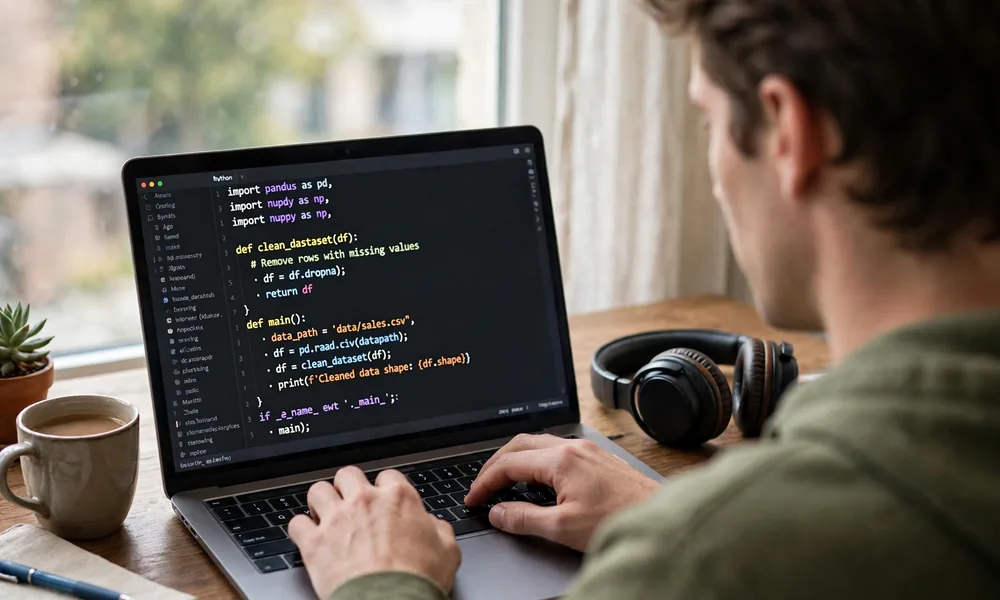
The 14-inch Liquid Retina XDR display is sharp and bright enough for long sessions, and the keyboard is comfortable for all-day typing. macOS is built on Unix, so most development tools, shells, and package managers work exactly as expected. Developers running heavy virtual machines should budget for 32GB or more of memory. Ports are generous, with three Thunderbolt 4 ports, HDMI, and an SD card slot.
Pros: Very fast compiles; outstanding battery life; quiet under load; Unix-based macOS. Cons: Expensive with more memory; some Windows-only tools need workarounds; heavier than the Air.
Lenovo ThinkPad X1 Carbon Gen 13 — Best keyboard and Linux
The ThinkPad X1 Carbon has been the developer favourite for years, and the Gen 13 keeps that reputation. Its keyboard is still the best on any laptop: deep, tactile keys that make long coding sessions comfortable, At just under 1kg it is also one of the lightest 14-inch laptops you can buy.
Intel Core Ultra processors with up to 32GB of memory handle web development, backend work, and light virtualisation well, and Lenovo offers the X1 Carbon with Linux preinstalled, which removes the usual driver headaches. Battery life is solid at around 12 hours. If you type all day and want a machine that simply works with Linux, this is the pick.
Pros: Best keyboard available; very light; excellent Linux support; durable build. Cons: Premium price; integrated graphics only; OLED display costs extra.
Dell XPS 14 — Best Windows ultrabook
The Dell XPS 14 is the cleanest Windows ultrabook for developers who want a premium machine without gamer styling. The aluminium chassis is slim and rigid, the optional 3.2K OLED display is excellent for reading code, and Intel Core Ultra chips with optional RTX graphics cover everything from web development to light machine learning work.
The invisible touchpad and capacitive function row are the main quirks, and some developers will miss physical function keys. Battery life is good at around 10 to 12 hours of mixed use, though not in MacBook territory. For Windows-first developers who want a polished ultrabook, the XPS 14 is a strong choice.
Pros: Premium build; sharp OLED option; good Windows and WSL support; frequent discounts. Cons: Divisive touchpad and function row; battery behind MacBooks; RAM is soldered.
Asus ROG Zephyrus G14 — Best for dev plus GPU work
The Zephyrus G14 is the laptop for developers whose work also needs a GPU: machine learning, game development, 3D, and CUDA workloads. It pairs a fast AMD Ryzen processor with RTX 4060 graphics in a 14-inch chassis that weighs about 1.5kg, far lighter than most gaming laptops. The 3K OLED display runs at 120Hz and is bright and colour-accurate.
Despite the gaming badge, the G14 looks restrained enough for an office, and it runs quiet in silent mode for everyday coding. Fan noise does rise under heavy GPU loads, and battery life drops to around 8 hours in real use. For developers who train models locally or build games, the G14 offers GPU power no ultrabook can match.
Pros: Strong RTX graphics; fast AMD processor; excellent OLED display; portable for a GPU laptop. Cons: Fan noise under heavy loads; shorter battery life; gaming brand styling.
Framework Laptop 13 — Best for repairability
The Framework Laptop 13 is the only laptop in this guide you can fully repair and upgrade yourself. Every part, from the memory and storage to the screen, battery, and ports, is replaceable with a screwdriver and a guide. Expansion cards let you swap USB-C, USB-A, HDMI, and Ethernet ports in seconds,
Performance is solid for everyday development: current Intel Core Ultra or AMD Ryzen options with up to 64GB of memory handle web, backend, and app work comfortably. The trade-off is polish: the chassis is slightly thicker than rivals, and the speakers are average. For developers who hate disposable hardware, Framework is in a class of its own.
Pros: Fully repairable and upgradeable; swappable ports; up to 64GB of memory. Cons: Less polished than rivals; average speakers; no dedicated GPU option.
Microsoft Surface Laptop 7 — Best for Windows on ARM
The Surface Laptop 7 runs on Qualcomm’s Snapdragon X Elite chip, and it is the best Windows on ARM laptop for developers in 2027. It is fast, completely silent, and lasts up to 20 hours on battery. Visual Studio, VS Code, and most modern development tools now run natively on ARM, and the touchscreen adds a useful way to test touch interfaces.
Compatibility is the question to check before buying. Most tools work natively now, but some older x86-only software runs through emulation, which is slower, and a few niche drivers still do not support ARM. Check your toolchain first. For developers whose stack is already ARM-ready, the Surface Laptop 7 offers MacBook-like battery life on Windows.
Pros: Excellent battery life; silent operation; good keyboard and touchscreen; premium build. Cons: Some x86 tools still need emulation; no dedicated GPU; limited port selection.
Acer Swift Go 14 — Best budget pick
The Acer Swift Go 14 is the best budget laptop for developers who need a capable machine without spending four figures. It pairs an Intel Core Ultra processor with 16GB of memory and a sharp 2.8K OLED display, a combination that handles web development, scripting, and learning to code comfortably.
Expect compromises at this price: the build is mostly plastic, the speakers are weak, and the battery lasts around 8 hours. The base storage is 512GB, which is enough to start but fills up fast with projects and containers. For students, bootcamp learners, and junior developers, the Swift Go 14 is the best value in this guide. If your budget stretches a little further, our guide to the best budget laptops under $500 covers even cheaper options for getting started.
Pros: Very affordable; sharp OLED display; light and portable; enough power for web development. Cons: Plastic build; average battery life; 512GB storage fills up fast.
How to choose
Start with memory. Development work eats RAM: your editor, browser, local server, database, and containers all compete for it. 16GB is the minimum in 2027, and 32GB is the right choice if you run Docker, virtual machines, or large monorepos. Memory is soldered on most modern laptops, so buy what you need now.
Then consider the screen and keyboard, since you will stare at one and type on the other for hours. A sharp 2.8K or higher display with good brightness reduces eye strain, and a comfortable keyboard with decent key travel matters more than a thin chassis. A good desk setup completes the picture: our guide to the best 2-in-1 laptops in 2027 is worth a look if you also want tablet mode for notes and diagrams,
Checklist: before you buy
- Choose 32GB of memory if you run Docker, virtual machines, or large projects.
- Check that your editor, toolchain, and drivers support the chip and operating system.
- Pick at least 1TB of storage if you keep multiple projects and containers locally.
- Test the keyboard feel and check the screen brightness before committing.
- Confirm the port selection covers your monitor, peripherals, and charging needs.
- Check the warranty, return policy, and the current price before ordering.
Frequently asked questions
How much RAM do developers need in 2027?
16GB is the minimum for professional development, and 32GB is the safer choice if you run Docker, virtual machines, or large projects. Memory is soldered on most laptops now, so choose the right amount at purchase rather than planning an upgrade.
Is a MacBook or a Windows laptop better for developers?
Both work well. MacBooks lead on battery life, build quality, and Unix-based tooling, while Windows laptops offer more hardware choice, better Linux dual-boot options, and dedicated GPUs.
Do developers need a dedicated graphics card?
Most developers do not. Web, mobile, and backend work run fine on integrated graphics. A dedicated GPU matters for machine learning, game development, 3D, and CUDA work,
Is ARM good for development now?
Yes, for most stacks. Apple silicon and Snapdragon X Elite machines run modern editors, compilers, and runtimes natively. Check niche tools and drivers first, since a few older x86-only programs still rely on emulation.
What is the best laptop for a beginner programmer?
A mid-range ultrabook with 16GB of memory and a sharp screen is the best starting point. The Acer Swift Go 14 in this guide is a strong budget choice,
Should developers use a docking station?
Yes, if you work at a desk. A dock connects your laptop to a monitor, keyboard, and network with one cable, which keeps your setup tidy and makes switching between desk and travel painless. Our guide to the best docking stations for laptops covers the best options for a development desk.
The bottom line
For most developers, the MacBook Pro 14 is the best laptop to buy in 2027, with the ThinkPad X1 Carbon as the best Windows and Linux choice and the Framework Laptop 13 for anyone who values repairability. Developers who need GPU power should look at the Asus ROG Zephyrus G14, while the Acer Swift Go 14 is the best budget starting point.
Whatever you choose, spend your money on memory and a good screen before chasing the fastest processor. Enough RAM and a comfortable screen will improve your daily work far more than a slightly higher benchmark score.