A clever network name can make the familiar Wi-Fi list a little more fun for everyone in the house. Friends visiting for dinner may notice it while connecting, and neighbors may spot it from nearby. That small detail can give people a quick smile without changing how your internet works.
Maybe you want a playful label that suits your family, or a sharp one-liner that makes guests laugh. The 100 ideas ahead range from quick puns to pop-culture jokes and polished names. You can pick one as written or use it to spark a name of your own.
Key Takeaways
- Choose a name your household can recognize.
- Keep personal details out of the Wi-Fi list.
- Pick a style that suits your home.
- Use the router settings to change the label.
- Choose a favorite that feels like your household, not a detail that identifies it.
How to Choose the Best Name WiFi for Your Home
The best name is recognizable to your household and gives strangers no personal details to work with. An SSID is the name a wireless network broadcasts so people can identify it in a device’s Wi-Fi list. Keep it simple, since guests may need to find it among nearby networks.
An SSID can contain up to 32 characters. The Fuchsia guide to the SSID length limit describes that cap in bytes. Avoid an address, birthday, phone number, full name, or password hint.
Keep the name private and easy to recognize
Changing the SSID alone does not improve security. Use a strong Wi-Fi password and keep router firmware updated, as CISA’s home Wi-Fi guidance advises. A VPN can encrypt traffic, but it does not replace those basic steps.
A router’s best Wi-Fi name is easy for household members to recognize and reveals no personal information. The name will appear in the wireless-network list on phones, tablets, and computers. A clear label can save guests from guessing which connection is yours.
Match the joke to your household
If you’re looking for the best Wi-Fi name for a router, pick a label that is easy to spot. A gaming household can choose a gaming theme, but “Pixel Pit” will not lower latency or improve connection quality. Wi-Fi 7 is the Wi-Fi Alliance designation for IEEE 802.11be, approved September 26, 2024, and published July 22, 2025.
| Style | Example | Feel | Works well for |
|---|---|---|---|
| Simple | Maple House | Calm | Family homes |
| Playful | Buffering Again | Light | Friends and guests |
| Gaming | Pixel Pit | Game-themed | Gaming households |
| Professional | Guest Network | Neutral | Work or visitors |
Keep the label under 32 characters so it fits the SSID limit.
Funny Wi-Fi Names for Home
A quick tech pun is an easy way to make a network name memorable without making it personal. Small jokes work well because people can read them quickly in a Wi-Fi list. These funny Wi-Fi names for home mix familiar wordplay with a few silly internet jokes.
“Winter WonderLAN” is a cool Wi-Fi name if you like a seasonal pun that still feels easy to read. LAN means local area network, the network that connects devices in one place. That makes LAN a handy sound-alike for a range of jokes.
- No More Mr. Wi-Fi; Wi Believe I Can Fi; No Wi-Fi for You!; Look Ma, No Wires; Keep It on the Download
- Winter WonderLAN; The LAN of the Free; IP Frequently; No Laughing Router; Wi Oh Wi
- Caught in the Interweb; Wi-Finders Keepers; Smooth as Buffer; Just One Byte; The Web of Lies
- That’s One Hotspot; Ask Me Out on a Data; Tear Down This Firewall; Can You See Where IP?; Feed Me
- Leaky Sync; Putting in the Network; Hide Yo Kids, Hide Yo Wi-Fi; We’ve Been Trying to Reach You About Your Car’s Extended Warranty; Feeling Routy
Some names make sense right away, while others reward a second look. “That’s One Hotspot” is short enough to scan, and “Just One Byte” keeps the joke low-key. A longer gag can still work if your guests have time to read the whole line.
Choose a joke that matches how your household talks. A quiet pun may suit a shared home better than a line that fills the entire screen. The internet connection stays the same; only the label gets a laugh.
Pick the joke that still makes you smile when you see it in the connection list.
Clever, Stylish, and Unique Wi-Fi Names
A clean, distinctive name can feel stylish without drawing attention to your household. Simple can still stand out when a name is short and easy to spot. These Wi-Fi names suit people who want something polished rather than a loud joke.
Professional Wi-Fi names work best when they are clear and neutral. “Home Network” and “Guest Network” tell visitors what to choose without adding a joke or personal identifier. An SSID is a label, not a way to change what your network can do.
- All Systems Go; In Sync; Down to the Wire; Cut the Cord; Boosted
- Nothing but Net; Smooth LANding; Link Up; Life in the Fast LANe; No Wires Attached
- Instant Connection; Ping Me; When in Roam; Reservation Required; Say It Router
- Let’s Connect; URLY Cool; Exactly What You’re Looking For; The Access Point; Signal & Co.
- Home Network; Guest Network; The Green Room; Northstar Network; The Quiet Connection
“Link Up” feels crisp and direct, while “The Quiet Connection” has a softer tone. “Nothing but Net” adds a little wordplay without sounding like a message aimed at your neighbors. Each option stays readable in the list of nearby connections.
A name can be unique without being strange. Try saying your choice aloud, then picture a friend looking for it while standing in your entryway. The right one should be easy to repeat and hard to mistake for another connection.
For a shared or work-from-home space, choose a name guests can identify without asking which network to join.
Pop-Culture and Nerdy Wi-Fi Names
A favorite fictional world can turn a basic network label into an inside joke. Fans spot the wink in a name built around a familiar character, place, or line. These pop-culture Wi-Fi names draw from fantasy, science fiction, film, and television.
A familiar reference makes a name easier to recognize for fans, but the SSID remains only the network’s displayed label. It will not give your internet connection a new power, even if the name promises warp speed. Pick a reference your household enjoys hearing more than once.

- LAN Solo; Lord of the Pings; Hogwarts Great Hall Wi-Fi; Lord Voldemodem; The Wi-Fi That Shall Not Be Spoken
- Bill Wi the Science Fi; Return of the Wi-Fi; Luke, I Am Your Router; Live Long and Router; Dungeon Masters Only
- My Precious Wi-Fi; The Goblet of Router; Winternet Is Coming; Darth Router; You’re a Wi-Fi, Harry
- Warp Internet Speed; Yoda Only Connection I Need; The Prisoner of Broadband; Routers of the Lost Ark; Wu-Tang LAN
- The Ping of the North; May the Wi-Force Be With You; Floo Network; The Fellowship of the Wi-Fi; TARDIS Transmission
“LAN Solo” is brief enough for a quick grin, while “Hogwarts Great Hall Wi-Fi” is a more obvious nod. Some options fit a science-fiction fan, and others lean into fantasy or games. Choose a line people in your home will actually understand.
It can help to match the reference to the person who will connect most often. A name that makes one person laugh but confuses everyone else may be less useful. Familiarity is the fun part, not a test of fan knowledge.
Choose a reference your household will recognize, rather than one that needs a long explanation.
Savage and Sarcastic Wi-Fi Names
A little attitude can be funny, but the best jab is one that does not reveal who lives there. Keep the joke playful so neighbors and visitors read it as humor, not a real warning. These sarcastic Wi-Fi names tease without needing a personal target.
Keep the joke suitable for guests, and avoid names that impersonate emergency services or suggest the network is unsecured. A sharp line can still be friendly when it pokes fun at sharing or slow internet. Think about how it will sound to someone who does not know your sense of humor.
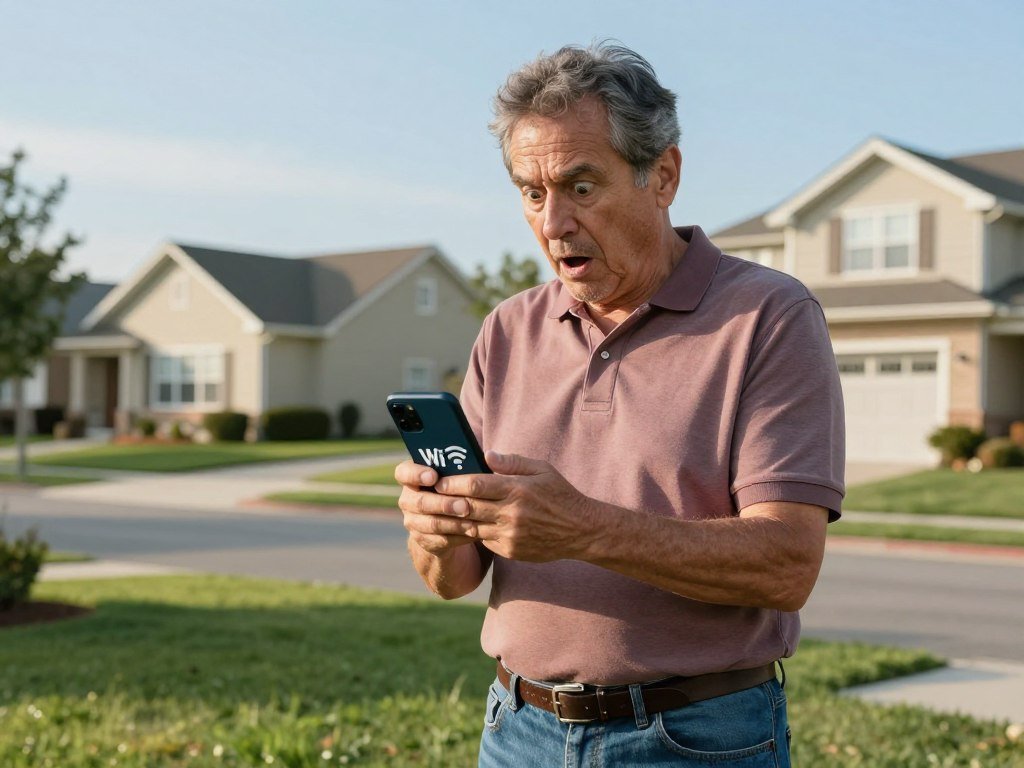
- Get Off My LAN!; Nacho Wi-Fi; No Internet Access; Stop Being a Mooch; Hey, Get Your Own Wi-Fi
- Thou Shalt Not Covet Thy Neighbor’s Wi-Fi; Not the Wi-Fi You’re Looking For; I Heard the Neighbor’s Wi-Fi Is Better; Click Here for Viruses; Gone Phishing
- Byte Me; Extremely Slow Wi-Fi You Don’t Want to Use; Will Exchange Food for Password; Help, I’m Trapped in This Router; You Won’t Get Hacked Here
- No, This Is Not Yours; Stop Being Nosy; Your Favorite Neighbor’s Wi-Fi; No Free Internet Here; This Network Is Busy
- Please Try the Other Network; Connection Denied; Not Your Network; The Neighbor’s Network; Definitely Not Free Wi-Fi
“Get Off My LAN!” and “Stop Being a Mooch” deliver a clear bit of attitude. “Please Try the Other Network” sounds less pointed, which may suit an apartment building or a close-knit block. Your Wi-Fi name can be funny without starting a feud.
Some sarcasm can read as a real warning when someone sees it out of context. Avoid lines that hint at surveillance or make visitors question whether the network is safe to use. Keep the wit aimed at the situation, not at a specific person next door.
Skip a name that could alarm a neighbor or make guests think the network is genuinely open.
How to Change Your Wi-Fi Name
The network name is usually changed in the router’s administrator settings, not in the screen where you enter the Wi-Fi password. Those are separate logins: the administrator account manages router settings, while the Wi-Fi password connects your devices.
Look for a field labeled “Wi-Fi Name” or “SSID.” You can often open the router’s administrator page by entering its IP address in a browser. The administrator username and password may be printed on the router or listed in its manual.
Find the name setting in router administration
Sign in to the router page, then open its wireless or Wi-Fi settings. The exact menu name can differ by router, but the network-name field should be near other wireless options. Do not enter the new name in the box used to join a network.
A router or provider app may offer the same controls in a simpler layout. Check for Wi-Fi settings or network details, then select the name field. This method works only when your router or internet provider offers an app with that setting.
| Method | Where the name is changed | Access needed | Applies to |
|---|---|---|---|
| Router browser page | Administrator settings | Router login | Home router |
| Router or provider app | Wi-Fi settings | App account | Supported router |
| Phone hotspot settings | Hotspot menu | Phone access | Phone hotspot |
Save the change and reconnect devices
Enter your chosen name, then select save or apply. Some devices may disconnect because they remember the old SSID. Reconnect them by choosing the new name and entering the Wi-Fi password again if asked.
Smartphones and laptops can also broadcast their own hotspot names. Change those labels in the device’s hotspot settings, rather than in your home router. This is useful when friends connect to your phone while you are away from home.
After saving, check the new name on a phone and reconnect household devices if prompted.
Conclusion
The right Wi-Fi name is the one your household can spot and enjoy without sharing private details. A funny line can suit a lively home, while a plain label may work better for guests or a work space.
Choose a favorite that feels natural when you say it aloud. Then check the words for details that could identify your household before saving the change.
Pick your favorite, give it a quick privacy check, and save it as your new network name.
FAQ
Which Wi-Fi is best?
The best network name is one your household can recognize without identifying the home or its occupants. A short label such as “Maple House” is easy to find among nearby connections. Your name choice does not improve speed or coverage, so choose it for clarity and personality. Keep the password separate and private.
How often should I change my Wi-Fi password?
Change your Wi-Fi password if it may have been exposed or shared with someone who should no longer have access. Choose a strong, unique password that you do not use for other accounts. You do not need to change it just to refresh the network name. Reconnect devices with the new password after you update it.
What is WiFi 7 called?
Wi-Fi 7 is the Wi-Fi Alliance designation for IEEE 802.11be. IEEE approved the standard on September 26, 2024, and published it on July 22, 2025. The name describes a wireless technology standard, not a network label or router setting. A Wi-Fi name cannot turn older equipment into Wi-Fi 7 gear.
What are the recommended naming conventions for Wi-Fi SSIDs?
Keep the SSID within its 32-character limit and leave out names, addresses, birthdays, phone numbers, and password hints. Choose a label that household members can spot in a list of nearby networks. Plain names work well for visitors, while a light joke can suit a family network. Avoid details that point to a specific person or home.
What are some savage Wi-Fi names?
“Get Off My LAN!” and “Stop Being a Mooch” are playful choices with a little bite. “Please Try the Other Network” is a milder option for close neighbors or shared buildings. Keep the joke suitable for guests, and avoid threats or personal details. A name should sound funny out of context, not like a real warning.
What are some of the best Wi-Fi names for 2026?
“Winter WonderLAN,” “LAN Solo,” and “Link Up” are strong picks across playful, fan-based, and polished styles. Each is easy to read in a connection list and does not depend on a trend. A timeless name can stay enjoyable after a favorite show or game has left the spotlight.
What not to name Wi-Fi?
Do not use personal information, password clues, or wording that falsely suggests an emergency service or an unsecured network. A name such as a home address can help strangers connect the network to its location. Sarcastic jokes can also confuse guests when they read like a real threat. Choose wording that remains clear to people who do not know you.
What are some stylish Wi-Fi names?
“Northstar Network,” “The Quiet Connection,” and “Home Network” are concise, neutral choices. They look clear in a device list and suit homes where guests need an easy label. “Northstar Network” has a little character, while “Home Network” is direct. Pick the style that feels right for your space.



