

What if the scan report sitting on your desk right now is quietly lying to you? Not because the tool is broken, but because of how it was set up, run, and read. Vulnerability scanners are among the most trusted instruments in a security team’s kit, and that trust is exactly what makes their blind spots so dangerous. A scan that returns “all clear” feels like proof of safety. Often it’s proof of nothing at all.
The uncomfortable truth is that most organizations run scanners competently enough to satisfy an auditor and poorly enough to miss the vulnerabilities that attackers actually exploit. The mistakes are rarely dramatic. They’re small, habitual, and easy to defend in a meeting. This article walks through the ones that show up again and again, why they persist, and what fixing them looks like in practice.
Why Good Teams Still Get Scanning Wrong
Vulnerability scanning sits at an awkward intersection. It’s technical enough that engineers own it, but routine enough that leadership treats it as a checkbox. The result is a process that runs on autopilot. Someone schedules the scan, someone exports the CSV, someone emails the high-severity findings to a ticket queue, and everyone moves on.
Security frameworks have long warned that scanning is a means, not an end. The NIST Computer Security Resource Center publishes guidance on patch management and security testing that repeatedly stresses context and prioritization over raw finding counts. Yet the operational culture in many teams still rewards volume: more scans, more findings, more tickets closed. None of that maps cleanly to reduced risk.
There’s also a human factor. Scanners produce noise, and noise breeds fatigue. After the fiftieth “critical” finding that turns out to be a false positive, people start skimming. That’s when the real issues slip through.
Mistake 1: Scanning Only What the Internet Can See
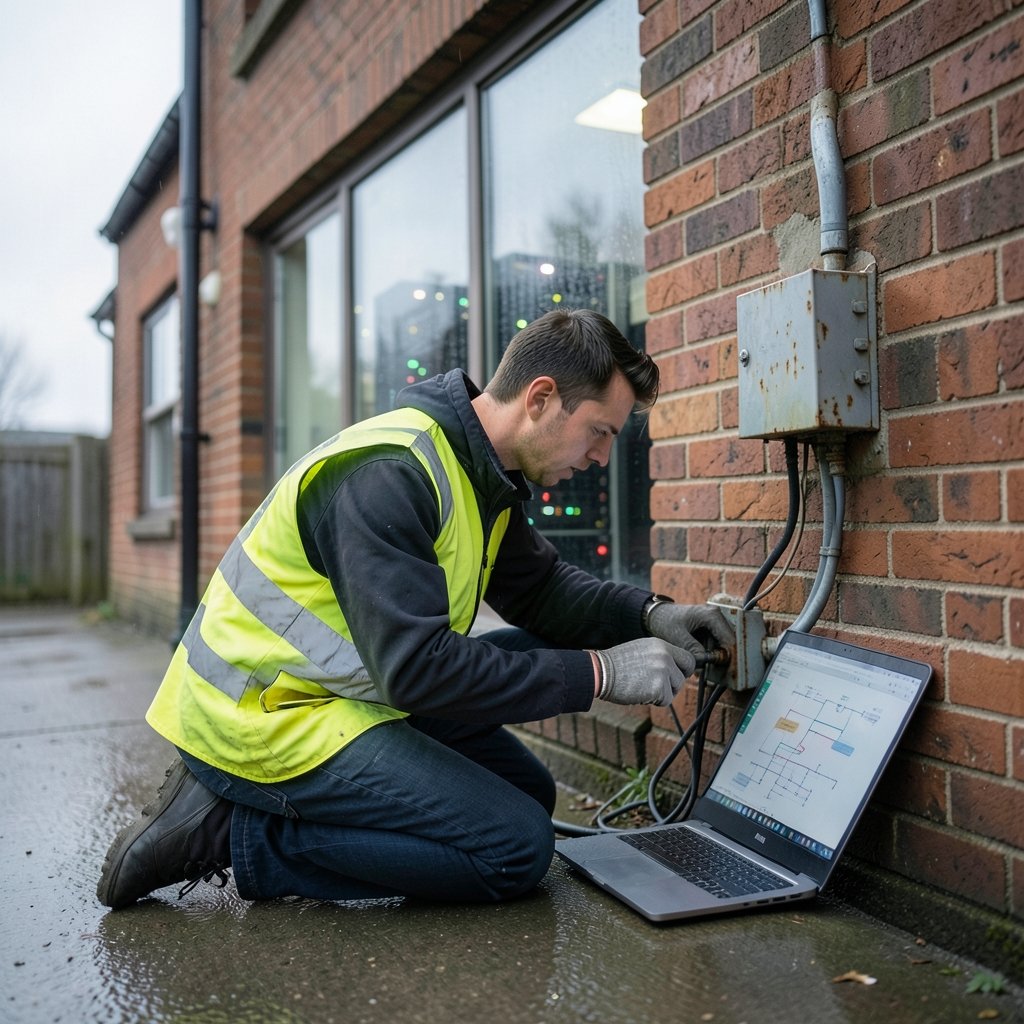
The most common and most consequential mistake is treating “external-facing” as synonymous with “all that matters.” Teams scan their public web servers diligently and ignore the internal network, the cloud accounts nobody documented, the developer laptops, and the operational technology sitting in a warehouse.
Attackers don’t share that blind spot. Once inside, they move laterally through exactly the assets nobody scanned. An unpatched internal server with a known remote code execution flaw is a gift to anyone who’s already past the perimeter.
What actually works: build the scan scope from an authoritative asset inventory, not from a list someone remembered to write down. If the inventory is incomplete, fixing that is the real project. Cloud environments make this harder because resources spin up and down constantly, so discovery scanning needs to run continuously rather than quarterly.
A useful sanity check: if your scan report and your asset database disagree on how many hosts exist, you have a scanning problem and an inventory problem, and the second one is worse.
Mistake 2: Trusting Unauthenticated Scans
An unauthenticated scan is a stranger rattling the doorknobs of your house. It shows which doors are visible from the street. It does not show what is inside, which windows are open, or which software is running three versions behind.
Authenticated scanning, where the scanner logs in with read-only credentials, produces dramatically more accurate results. It can read installed package versions, registry keys, and configuration files directly instead of inferring them from network responses. Unauthenticated scans routinely miss missing patches, misconfigurations, and locally installed software entirely.
Many teams skip credentialed scans because they’re fiddly to set up. Credentials rotate, agents break, service accounts get locked out by policy. The friction is real. But the trade-off is scanning a fraction of your actual attack surface while believing you’ve covered it.
Practical tip: start credentialed scanning on a small, well-understood group of servers, prove the value with a side-by-side comparison of authenticated versus unauthenticated results, and use that gap as the argument for expanding coverage.
Mistake 3: Chasing CVSS Scores Instead of Exploitability
The Common Vulnerability Scoring System was designed to describe the severity of a vulnerability in isolation. It was never designed to tell you what to fix first in your specific environment. Treating a 9.8 as automatically more urgent than a 7.5 is one of the most widespread errors in the field. (What is a zero day vulnerability) (Vulnerability scanner)
Two things get ignored in that math. First, exploitability: whether a working exploit exists in the wild, whether it’s being actively used, and whether it requires authentication or user interaction. Second, asset context: whether the vulnerable system holds regulated data, faces the internet, or sits behind three layers of segmentation.
| Prioritization approach | What it captures | What it misses |
|---|---|---|
| CVSS base score only | Inherent severity | Exploit availability, asset value, exposure |
| Threat intelligence overlay | Known exploitation in the wild | Your specific business context |
| Risk-based scoring | Severity, exploitability, asset criticality, exposure | Requires mature inventory and ownership data |
The CISA Known Exploited Vulnerabilities catalog exists precisely because severity scores alone don’t reflect real-world threat. A moderate-scoring vulnerability under active exploitation deserves more attention than a critical one nobody has weaponized. The FIRST CVSS specification itself notes that environmental and temporal metrics exist for a reason; skipping them is a choice, not a default.
Common mistake in practice: teams build a remediation SLA around CVSS bands, then wonder why incidents keep involving “low” and “medium” findings. The fix is to add an exploitability flag and an asset-criticality weight to the same ticket, so engineers see one prioritized list instead of three competing ones.
Mistake 4: Scanning on a Fixed Calendar Instead of on Change
Quarterly scans feel responsible. They’re also frequently irrelevant. A quarterly scan tells you what your environment looked like on the day it ran. If you deployed forty new containers the following week, the report is already stale.
The cadence problem shows up in two directions. Too infrequent, and you’re flying blind between scans. Too frequent without change awareness, and you generate duplicate tickets that nobody closes because the underlying asset was decommissioned two cycles ago.
What works better: scan continuously or at least weekly for internet-facing assets, and trigger additional scans after significant changes such as major deployments, new cloud accounts, network reconfigurations, or the onboarding of acquired infrastructure. Change-triggered scanning catches the exact moment new risk enters the environment.
There’s a related trap here: scanning during business hours and saturating production bandwidth, then getting told to reduce scan frequency. Schedule heavy scans off-peak, throttle them, and coordinate with operations before the first run rather than after the complaints arrive.
Mistake 5: Ignoring False Positives and False Negatives Alike
Every scanner produces false positives, findings that aren’t actually exploitable in your configuration. Every scanner also produces false negatives, real vulnerabilities it failed to detect. Teams tend to fixate on the first and forget the second exists.
The false positive problem is visible: engineers waste hours verifying findings that turn out to be version-string mismatches or backported patches the scanner didn’t recognize. The false negative problem is invisible, which makes it more dangerous. If your scanner can’t see a class of asset, such as container images, embedded firmware, or software installed outside the package manager, those vulnerabilities simply never appear in the report.
Practical approach: maintain a documented exception list for confirmed false positives, with an owner and a review date, so the same finding doesn’t get re-triaged every cycle. Then separately ask what your scanner can’t see. Compare its coverage against your asset inventory and against a manual review of a sample host. If the scanner reports a clean bill of health on a machine you know is behind on patches, you’ve found a coverage gap worth fixing.
Mistake 6: No Ownership, No SLAs, No Closure
A finding without an owner is a finding that doesn’t get fixed. This sounds obvious and is violated constantly.
The pattern looks like this: the security team runs the scan, exports the results, and sends a report to IT. IT has no context on which systems matter, no authority to schedule downtime for patching, and no clear deadline. The finding ages. Three months later it appears again, now with a red “overdue” label, and everyone feels bad about it without changing anything.
What actually works: every finding gets a named owner at the moment it’s created, a remediation deadline tied to risk tier rather than raw severity, and a defined path for accepted risk. Exceptions should be explicit and time-limited, not silent.
A simple tiering that holds up in practice:
- Critical, internet-facing, actively exploited: patch or mitigate within days, with an incident-style response.
- High, internal, exploit available: remediate within a defined sprint cycle.
- Medium and low: batch into regular maintenance windows, but track them so they don’t disappear.
- Accepted risk: documented, approved by someone with authority, reviewed on a schedule.
The key discipline is that “accepted risk” is a decision, not a default. Findings that nobody decided about are not accepted; they’re forgotten.
Mistake 7: Treating the Report as the Deliverable
This is the quiet cultural mistake underneath all the others. When the output of vulnerability management is a report rather than a measurable reduction in exploitable exposure, the process has drifted away from its purpose.
Metrics matter here, and the wrong ones are seductive. “Number of vulnerabilities found” rewards finding more problems, not fixing them. “Percentage of criticals remediated” is better but still ignores whether the right criticals were chosen. More useful measures include mean time to remediate by risk tier, the percentage of assets with current scan coverage, and the count of findings past their remediation deadline.
There’s a parallel in how teams handle evidence and documentation. Just as a screenshot taken correctly proves what was on screen at a given moment, a scan record only proves something if it’s captured with the right scope and timestamp. Teams that save raw scan outputs, configuration snapshots, and exception approvals build an audit trail that actually holds up. Those that save a summary PDF often can’t answer basic questions later.
Mistake 8: Forgetting the Human and Process Layer
Scanners find technical flaws. Many of the worst breaches start with something no scanner will ever flag: a reused password, an over-permissive service account, a phishing-resistant control that was never enabled.
Vulnerability scanning is one input into a broader security program, not a substitute for it. Teams that treat a clean scan as comprehensive assurance tend to underinvest in identity controls, logging, and detection. The OWASP Top Ten is a useful reminder that broken access control and identification failures consistently rank among the most serious web application risks, and many of those issues require application-layer testing rather than infrastructure scanning. (Best photo scanning services)
Practical takeaway: pair infrastructure scanning with application security testing, configuration benchmarks, and identity review. Each covers ground the others miss.
Conclusion
The gap between a scanner that runs and a vulnerability management program that works comes down to a handful of unglamorous decisions. Scan everything you own, including assets that do not face the internet. Authenticate your scans so they see what is actually installed. Prioritize by exploitability and business context rather than a single severity number. Scan when systems change, rather than only when the calendar says so. Give every finding an owner and a deadline. And measure remediation, not report volume.
None of these fixes require a bigger budget or a new tool. They require someone to look at the existing process and ask the uncomfortable question: what is this scan actually missing? Teams that ask it regularly tend to find that their real exposure was never in the report at all.
Frequently Asked Questions
How often should vulnerability scans run?
Internet-facing assets should be scanned at least weekly, ideally continuously. Internal systems can run less often, but any significant change such as a major deployment or new cloud environment should trigger an additional scan. Fixed quarterly cycles leave long blind spots.
Are authenticated scans really worth the setup effort?
Yes. Credentialed scans read installed software and configuration directly, so they catch missing patches and misconfigurations that unauthenticated scans infer poorly or miss entirely. The setup friction is real, but the coverage difference is usually dramatic.
Why do so many scan findings turn out to be false positives?
Scanners often rely on version strings and can’t always detect backported patches or compensating controls. Documented exception lists with owners and review dates prevent the same false positive from being re-triaged every cycle.
Should I fix every critical vulnerability first?
Not automatically. A critical finding on an isolated, low-value system may matter less than a medium finding under active exploitation on an internet-facing server. Weigh exploitability and asset criticality alongside severity.
What is the biggest sign that a vulnerability management program is failing?
Findings that reappear scan after scan with no owner and no decision. If the same issues recur without remediation or a documented, time-limited risk acceptance, the process is producing reports rather than reducing risk.
Can vulnerability scanning replace penetration testing?
No. Scanners find known signatures and misconfigurations at scale. Penetration testing finds chained exploits and logic flaws that scanners can’t reason about. The two complement each other and cover different ground.



