What if the loudest thing in your PC case could just… disappear? That is the promise that pulls people toward custom water cooling hardware. Instead of a fan howling over a hot GPU, you get a quiet pump, a few tubes, and metal blocks doing the work. But between the water blocks, radiators, pumps, reservoirs, fittings, and coolant, a custom loop is a real project, not a plug-and-play upgrade. This guide walks through what each piece does, where beginners get burned, and what to buy first. (Humidifier hard water stop white dust good)
What Custom Water Cooling Hardware Actually Is
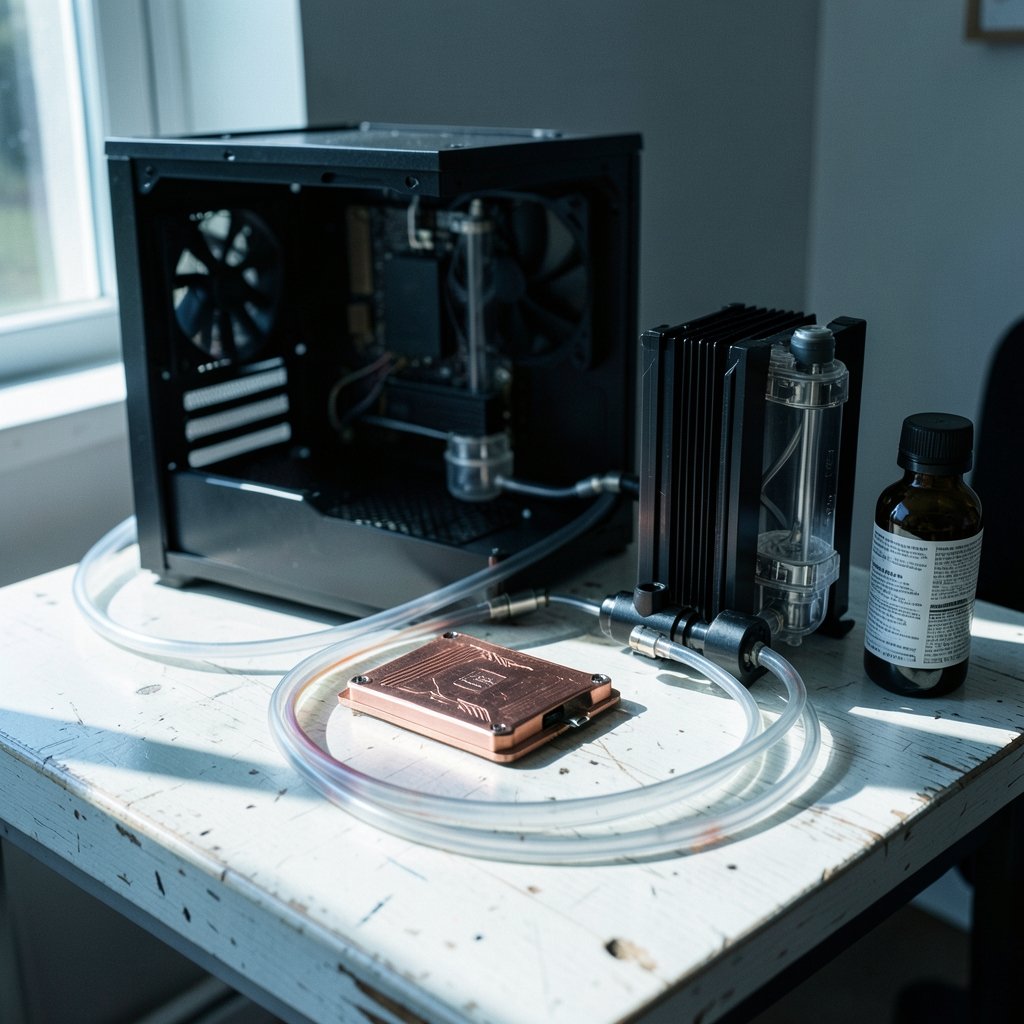
Custom water cooling is a loop you assemble yourself. Coolant moves heat from a water block mounted on the CPU or GPU to a radiator, where fans push the heat into the room air. A pump moves the liquid, and a reservoir gives the loop a place to breathe and refill. Unlike an all-in-one cooler, you pick every part. That means you control layout, capacity, and looks, but you also own every leak and every bubble.
The core parts of any loop:
| Component | Job | What to watch |
|---|---|---|
| Water block | Pulls heat off the chip | Socket or GPU model compatibility |
| Radiator | Dumps heat into the air | Size versus case space |
| Pump | Moves coolant | Flow rate and noise |
| Reservoir | Holds coolant, bleeds air | Placement above the pump |
| Tubing and fittings | Connects everything | Soft versus hard tube, fitting size |
| Coolant | Carries heat, fights corrosion | Premix versus distilled plus additives |
A standalone block is only one piece of a system. An AIO cooler ships with the block, pump, radiator, tubing, and coolant already assembled. A custom loop is the opposite: every connection is yours to seal.
Water Blocks: The Heart of the Loop
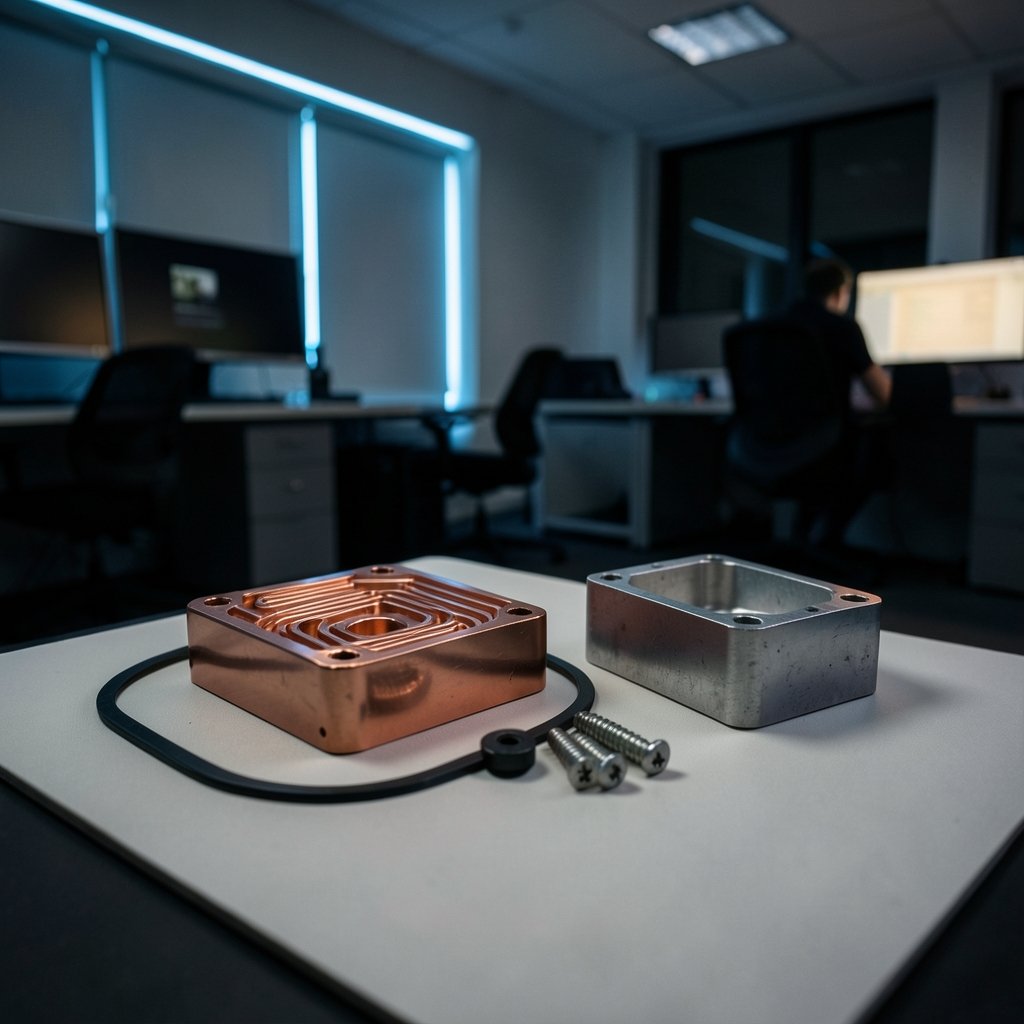
A water block is a chunk of metal with fine channels machined into it. Coolant runs through those channels and picks up heat from the chip. Copper blocks with fine channels and precision sealing surfaces cost more to make than simple aluminum parts, and that shows up in the price. Cheaper blocks tend to have wider channels and rougher surfaces.
Materials matter more than most beginners expect. Mixing aluminum and copper in one loop invites galvanic corrosion, which eats the weaker metal over time. Stick to one metal family, or use a corrosion inhibitor and accept the risk.
Block choice also depends on what you cool:
- CPU blocks are the standard starting point. They are the easiest to fit and the cheapest way to test the waters.
- GPU blocks usually come as full-cover plates made for one exact card model. Buy the wrong one and it will not fit.
- Workstation and server blocks target bigger sockets and heavier loads.
Cooler Master showed a CPU and GPU block built for workstation CPUs at Computex 2026, alongside a 360 × 360 mm radiator with 180 mm fans that the company claims can handle up to 2,000 W of thermal load. That is a niche product for people cooling serious hardware, but it shows where the market is heading: bigger blocks, bigger radiators, more heat.
Thermal Grizzly’s DeltaMate line, shown at Computex 2025, includes blocks for AM5 processors and the ROG Astral GeForce RTX 5090. The company brought in a former EKWB engineer to develop it. Naming matters here: a block listed for one card model will not fit another, even if the cards look similar.
Radiators, Pumps, and Reservoirs
The radiator is where the heat actually leaves the loop. Size is the main lever. A 360 mm radiator holds three 120 mm fans and handles far more heat than a single 120 mm unit. The general rule of thumb is one 120 mm fan slot per component, plus one spare for headroom. A CPU-only loop can get by with a 240 or 280 mm radiator; a CPU plus a power-hungry GPU wants 360 mm or more.
Thickness matters too. Thick radiators need more airflow and more case clearance. Measure before you buy, because a radiator that does not fit is a very expensive paperweight.
Pumps come in two common flavors: D5 and DDC. D5 pumps are quieter and push more volume; DDC pumps are smaller and deliver more pressure, which helps in tight loops with many bends. Many builders pair a pump with a reservoir as a combo unit to save space and simplify filling.
Reservoirs do more than look good. They give air a place to collect and make filling and bleeding the loop far easier. A reservoir mounted above the pump helps the pump stay fed, which cuts noise and wear.
Distro plates are a newer option. Alphacool’s Core Distro Plate V.2 in the 360 mm size integrates a pump and routes coolant through a flat acrylic panel with ten connection points. Its chrome-plated G1/4 threads are set directly into the acrylic and locked against each other to prevent cracking. Distro plates make clean, short tube runs possible, but they lock you into one layout.
Tubing, Fittings, and Coolant: Where Loops Leak
Most first-time leaks trace back to connections, not blocks. Tubing comes in two families:
- Soft tubing bends easily, tolerates imperfect angles, and is far more forgiving for a first build.
- Hard tubing in acrylic or PETG looks sharp but demands precise bends and cuts. One forum builder planning a first loop with acrylic hard tubing was warned to expect a steep learning curve.
Fittings must match your tubing’s outer diameter and thread into G1/4 ports, the near-universal standard. Buy extras. A missing 90-degree adapter can stall a build for days.
Coolant deserves more respect than it gets. Distilled water alone works short-term but offers no corrosion or biological protection. Premixed coolants solve both, and clear fluid makes it easier to spot buildup. Skip dyes if you want a loop you can leave alone.
Cleanliness is the quiet killer. Deposits can build up between the microfins inside a block, raising flow resistance and slowly killing thermal performance. Flushing a new radiator before installation removes manufacturing residue, and a loop that runs dirty will not stay cool for long.
Water quality affects more than PCs, by the way. The same mineral buildup that clogs a block can wreck appliances, which is why guides on coffee maker hard water and humidifier hard water white dust exist. In a PC loop, use the coolant the manufacturer specifies, not tap water.
Planning a First Build: What Works in Practice
The most common beginner mistake is buying parts before measuring the case. The second is buying a GPU block for the wrong card. The third is skipping a leak test.
A practical order of operations:
- Pick your targets. CPU only is the sane first loop. Add the GPU later once the loop is proven.
- Measure the case. Radiator mounts, clearance for fittings, and reservoir space all decide what fits.
- Choose the block by exact model. Socket for CPUs, card model for GPUs.
- Size the radiator with headroom. One 120 mm slot per component plus one spare.
- Buy fittings last, after the layout is settled. Count every connection twice.
- Leak test outside the case. Run the pump with paper towels under every joint for several hours before powering the PC.
- Bleed the air. Tilt the case gently and let the pump push bubbles into the reservoir.
A forum build using an Alphacool Eisbecher reservoir, a VPP Apex D5 pump, and a Core 1 CPU block in a Corsair 7000D case shows the typical parts mix. Another builder reusing an existing AIO’s fans in a new custom loop is a reminder that fans and cases usually carry over. You rarely start from zero.
One more practical note: a custom loop is maintenance, not a one-time install. Plan to drain, inspect, and refill periodically. Builders who treat the loop as a sealed appliance are the ones surprised by cloudy coolant or rising temperatures.
If you enjoy tinkering with hardware that has to survive real conditions, the mindset is similar to the one behind front-loading washers where the tumbling drum still wins on water care: the machine only performs well when the water side is designed and maintained properly.
Cooling Beyond the Desktop
Custom loops go beyond gaming PCs. Workstation and server cooling is a growing segment, with blocks built for large sockets and full-cover GPU plates for professional cards. The pitch is quieter operation, longer component life, and steadier temperatures under long loads.
The modding scene pushes further. One builder water-cooled and overclocked a PlayStation 3, squeezing a 50 percent performance boost and a locked 60 fps in Gran Turismo 6 out of a console Sony never sold in that form. Modern hardware ships aggressively tuned, leaving only a few percent on the table, but older gear can gain far more from better cooling and custom firmware.
That same tinkering instinct shows up in other hardware niches. People who overclock consoles also tend to care about router hardware offloading and what the CPU is actually doing, or about which hardware security keys actually stop phishing. The thread running through all of it is understanding what the hardware is really doing instead of trusting the marketing. (Tesla website robotaxi semi roadster three hardware bets 2026)
Is Custom Water Cooling Worth It?
For most people, no. A good air cooler or AIO handles a normal gaming PC with less cost, less risk, and less upkeep. Custom water cooling hardware makes sense when you have a specific reason: a hot GPU you want to quiet down, a small case that needs heat routed outside, a workstation under sustained load, or simply the enjoyment of building something.
The honest math: a custom loop costs more than an AIO, takes an afternoon or more to assemble, and needs periodic maintenance. What you get back is lower noise under load, better temperatures on high-power parts, and full control over how the system looks and fits together. If those things matter to you, the project is rewarding. If you just want your PC to run cool with zero fuss, buy an AIO and spend the savings on a better GPU.
Frequently Asked Questions
How much does a custom water cooling loop cost?
It depends on scope. A CPU-only loop with a block, pump-reservoir combo, one radiator, soft tubing, fittings, and coolant sits at the low end. Adding a GPU block pushes the total up sharply, because full-cover blocks are model-specific and priced accordingly. Workstation-grade blocks and large radiators cost more again. Always price the full parts list before buying anything.
Can I mix aluminum and copper parts in one loop?
You can, but you should not unless you accept the risk. Mixing metals in a loop with coolant can cause galvanic corrosion, which attacks the weaker metal over time. The safe approach is to keep one metal family throughout, or use a corrosion inhibitor and inspect the loop regularly.
How often should I change the coolant?
There is no universal number, but a custom loop is not maintenance-free. Plan to drain, inspect, and refill periodically, and check for cloudy fluid, deposits, or falling performance sooner. Clear premixed coolant makes problems easier to spot than dyed fluid.
Do I need a reservoir in a custom loop?
Not strictly, but it makes life much easier. A reservoir gives air a place to collect and makes filling and bleeding the loop far simpler. Mounting it above the pump helps keep the pump fed, which reduces noise and wear. Most builders treat it as standard equipment.
Is soft tubing or hard tubing better for a first build?
Soft tubing is the better first choice. It bends without special tools, tolerates imperfect angles, and is far more forgiving when something does not line up. Hard tubing in acrylic or PETG looks sharper but requires precise measuring, cutting, and bending, and mistakes are costly.
Can I add my GPU to the loop later?
Yes, and it is often the smarter plan. Build and leak-test a CPU-only loop first, then add a GPU block once you know the loop is sound. The catch is that you need a full-cover block made for your exact card model, plus enough radiator capacity to handle the extra heat.
Conclusion
Custom water cooling hardware rewards planning more than spending. The block has to match the chip, the radiator has to fit the case, the fittings have to match the tubing, and the coolant has to protect the metals inside. Get those basics right and a custom loop delivers quiet, stable cooling that an air cooler cannot match. Get them wrong and you will learn why leak testing exists. Start with a CPU-only loop, measure twice, buy fittings last, and treat maintenance as part of the hobby rather than a chore. Do that, and the loudest thing in your case really will be nothing at all.