
Is it safe to upload documents to AI chatbots? For most everyday files, yes — with the right settings and a quick redaction pass. In short, an uploaded document is processed on the provider’s servers, may be kept for years, and on a personal account may be used to train future models unless you switch that off. Treat an upload like sending the file to a company.
The convenience is real: a 60-page report becomes a summary in a minute. The risk is that the file leaves your device and enters a system with its own rules.
Key takeaways
- An uploaded document leaves your device. It can be stored, reviewed and, on personal accounts, used for training.
- Training and retention are different questions. Switching off training does not delete your files.
- Never upload passports, full contracts, medical or financial records, passwords, or anything covered by a confidentiality agreement.
- Redact first: replace names, account numbers and figures with placeholders, and upload only the pages needed.
- For sensitive documents, use a business account, a temporary chat, or a no-training tool.
What happens when you upload a document?
Uploading a document to an AI chatbot is a transfer, not a local action. The file travels to the provider’s servers, where it is read, processed and used to generate an answer. The chatbot does not open the file on your computer — it opens a copy, on someone else’s servers, under their terms. Once it arrives, the file is stored in your account, scanned by automated safety systems, and on some services a sample of conversations is read by trained human reviewers. On personal accounts it may also be used to train future models, unless you have switched that setting off. Training does not mean a human reads your contract: it means your file’s text may be folded into the data used to teach the next version of the model. In spring 2023, Samsung engineers pasted confidential material into ChatGPT, including source code and a meeting transcript, and the company then restricted generative AI tools on its devices.
Training vs retention: two questions, not one
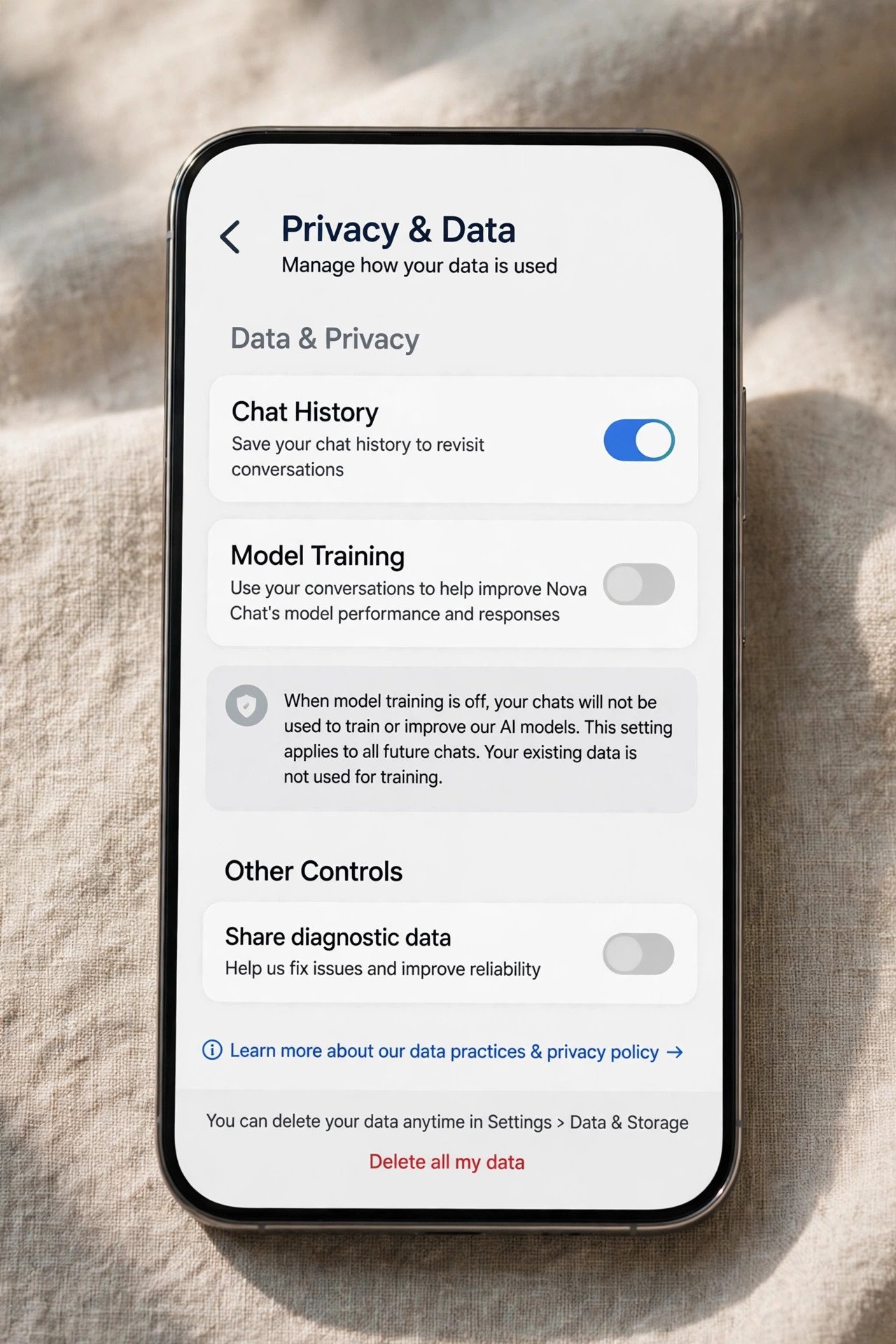
Most confusion about uploads comes from mixing up two questions: training — will your document be used to improve future models? — and retention — how long will the provider keep a copy? Training is controlled by a setting on personal accounts: “Improve the model for everyone” in ChatGPT, “Help improve our AI models” in Claude, and Keep Activity in Gemini. Turn it off, and future uploads are not used for training. The setting only looks forward: it does not pull back anything already used in a training run, and it does not delete your files.
Retention is about time. Even with training switched off, your document is still stored. ChatGPT keeps deleted chats for up to 30 days. Claude keeps consumer conversations for 30 days when training is off, and up to five years in de-identified form when training is on. Gemini keeps chats for 72 hours even with Keep Activity off, and chats selected for human review can be kept for up to three years. Switching off training stops your document feeding future models, but it does not make it disappear.
How the main chatbots treat your documents
The account you use matters more than the tool. Business plans are generally excluded from training by default; personal plans usually train on your uploads unless you opt out. Check the provider’s current privacy page before relying on any row for a business decision.
| Tool and plan | Used for model training? | Retention note |
|---|---|---|
| ChatGPT, personal | Yes, unless opted out | Deleted chats removed within 30 days |
| ChatGPT Business, Enterprise, Edu | No, by default | Business agreement |
| Claude, personal | Yes, if the improvement setting is on | 30 days if off; up to 5 years, de-identified, if on |
| Claude Team, Enterprise, API | No, by default | 30 days standard |
| Gemini, personal | Yes, if Keep Activity is on | Auto-deleted after 18 months; reviewed chats up to 3 years |
| Gemini, Workspace | No, without prior permission | Set by the administrator |
| NotebookLM | No, in normal use | Feedback may be kept up to 3 years |
| Microsoft 365 Copilot | No | Stored under Microsoft 365 commitments |
For step-by-step instructions, see our guide on how to turn off AI training on ChatGPT, Claude and Gemini.
Best for: a business account if you have one; otherwise a personal account with training switched off and strict redaction before every upload.
What to never upload to a personal chatbot
Some documents should never go into a personal AI account, even with training switched off.
Identity documents
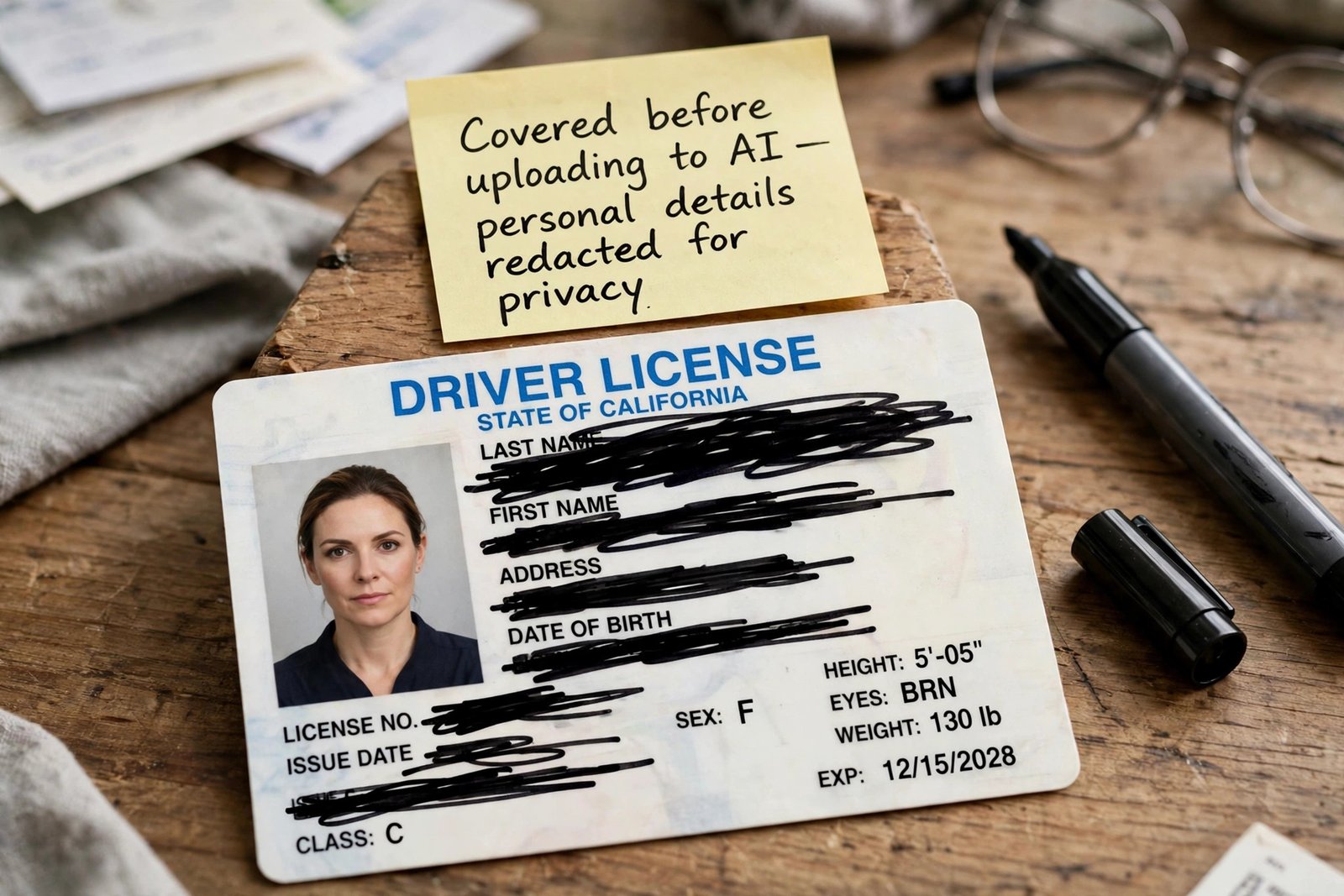
Never upload passports, driving licences or ID cards. A passport scan holds your name, date of birth, photograph, document number and signature — everything needed for identity theft.
Contracts and legal documents
Never upload full contracts or non-disclosure agreements containing other people’s confidential information. A contract also holds the other party’s terms and prices, and sharing it may breach the agreement.
Medical and financial records
Never upload medical records, test results, financial statements, tax returns or bank statements. Health data is sensitive by definition, and on some services it may be read by human reviewers. To ask about a bill or tax form, describe the question in your own words.
Passwords and secrets
Never upload files that contain passwords, API keys, tokens or private keys. A chatbot does not need your credentials to explain how something works, and credentials in a chat can end up stored and reviewed.
Confidential work documents
Never upload anything your employer has marked confidential, or anything covered by a client confidentiality agreement. Work documents belong in the work-approved tool — see our guide on how to use AI safely at work without sharing private data.
The middle ground: documents to check first
Not every document is a flat no. Public documents are usually fine: published reports, press releases, government guidance and academic papers. Your own drafts are fine too, once personal details are removed. The documents that need a pause are the ones in between. A CV is safe to summarise, but remove your address, phone number and date of birth first. A lease can be explained, but upload only the clause you are asking about. An invoice is fine as a question — “what does this line mean?” — but not as a full scan with your bank details. The test: would you email this document to a stranger? If not, redact it until the answer changes.
How to redact a document before you upload
Redaction takes a few minutes and it is the single most useful habit in this guide. A PDF editor or a word processor will do. First, remove direct identifiers. Replace names with roles, such as “the tenant” or “Customer A”, and email addresses, phone numbers and account numbers with placeholders. Second, replace exact figures with ranges where the exact number does not change the answer. “Around £4,000” gives the same answer as the precise figure, with far less exposure. Third, upload only the pages you need. A chatbot explaining one clause does not need the other forty pages of a contract. Fourth, strip metadata: author names, tracked changes, comments and revision history. In Word, use the Document Inspector; in a PDF, remove metadata or print to a fresh PDF. Fifth, check the file before you send it. Read it as a stranger would.
Safer ways to get the same help
You do not have to give up AI summaries. Just match the tool to the document. For a document that is sensitive but not secret, use a temporary chat. ChatGPT’s Temporary Chat is not used for training, does not appear in your history and does not create memories; Claude has a similar option. It is not anonymous — the provider may keep a copy for up to 30 days — but it is the cleanest option for a one-off question.
For long documents, NotebookLM (now called Gemini Notebook) is a strong choice. Google states its content is not used to train its foundational AI models in normal use. The exception is feedback: if you click thumbs up or thumbs down, the associated content may be reviewed and kept for up to three years. Skip the feedback buttons on sensitive notebooks.
For work documents, use the business account. ChatGPT Business, Claude Team, Gemini in Google Workspace and Microsoft 365 Copilot are all excluded from training by default. If your employer provides one, use it.
For the most sensitive material, use a tool that runs on your own machine. Offline document tools and local AI models process the file without sending it anywhere. They are slower, but nothing uploaded means nothing to retain, review or train on. Our guide on how to use AI to summarise long PDFs and research papers covers which pages to upload.
A five-question check before you upload
Run this check before every upload. A “no” means change the file or change the tool.
- Is this the right account? Am I using a business account, or a personal account with training off?
- Have I removed the identifiers? Are names, account numbers and secrets replaced or deleted?
- Do I need the whole document? Could one page or paragraph give the same answer?
- Would I email this to a stranger? If not, why send it to a chatbot provider?
- Can I check the result? Is there a source or the original document I can compare the answer against?
This check works because it is short. It fits into the pause before you press Enter.
Frequently asked questions
Is it safe to upload a PDF to ChatGPT?
Usually, yes, if the PDF is not sensitive and training is off. The risk comes from the contents, not the format.
Can AI chatbots see my documents after I delete them?
Deleting a chat removes it from your history, but the provider may keep a copy. ChatGPT removes deleted chats within 30 days. Claude keeps consumer data for 30 days when training is off. Gemini can keep chats selected for human review for up to three years.
Does uploading a document to Gemini train Google’s models?
On a personal account, yes, if Keep Activity is on. Google states your activity can then be used to improve its services, including training generative AI models, and that a subset of chats is reviewed by human reviewers. With Keep Activity off, future chats are not used to train models, although Google keeps them for 72 hours.
What is the safest way to summarise a long document with AI?
Upload the smallest extract that answers your question, after redacting names, numbers and secrets. Use a business account, or a temporary chat on a personal account with training switched off. For research papers, NotebookLM is a good fit: Google states its content is not used to train its models in normal use. Check the summary against the original before you rely on it.
The bottom line
Uploading documents to AI chatbots is safe for most everyday files, and unsafe for the small group that can identify you, harm someone else, or breach a confidence. The line is between uploading the whole file as it stands and uploading a redacted extract through the right account. Start with one change this week: open the chatbot you use most, turn off model training if it is a personal account, and redact the next document before you upload it.