Amazon sold its first Kindle on November 19, 2007, for $399. Nearly two decades later, the e-reader market has a genuine two-horse race, and the question of Kindle vs Kobo is no longer a niche debate among gadget lovers. It matters to anyone who reads more than a handful of books a year, borrows from a library, or has ever finished a 900-page novel on a phone screen and regretted it.
The short answer, which will annoy people on both sides: it depends on how you read, not how much. Kindle wins on catalog depth and convenience. Kobo wins on openness and library borrowing. The longer answer needs a closer look at hardware, stores, file formats, and the small frustrations that only show up after a few months of daily use.
The Core Difference: A Walled Garden vs an Open Door
Amazon built the Kindle as a closed ecosystem. Books come from Amazon in Amazon’s formats (AZW and KFX), protected by DRM, tied to your Amazon account. That tight integration is why buying a book takes about four seconds and why your library syncs across every device you own. It is also why leaving is mildly painful. (Amazon Kindle)
Kobo, owned by Japanese e-commerce giant Rakuten since 2011, takes a looser approach. Its devices read EPUB, the most widely used open e-book format, along with PDF, and comics in CBZ and CBR. You can buy from Kobo’s store, borrow from a public library, or drag files onto the device from a laptop without jumping through hoops.
Neither philosophy is wrong. A walled garden is comfortable if you never want to leave. An open door is valuable if you like to wander.
Hardware Lineups Side by Side
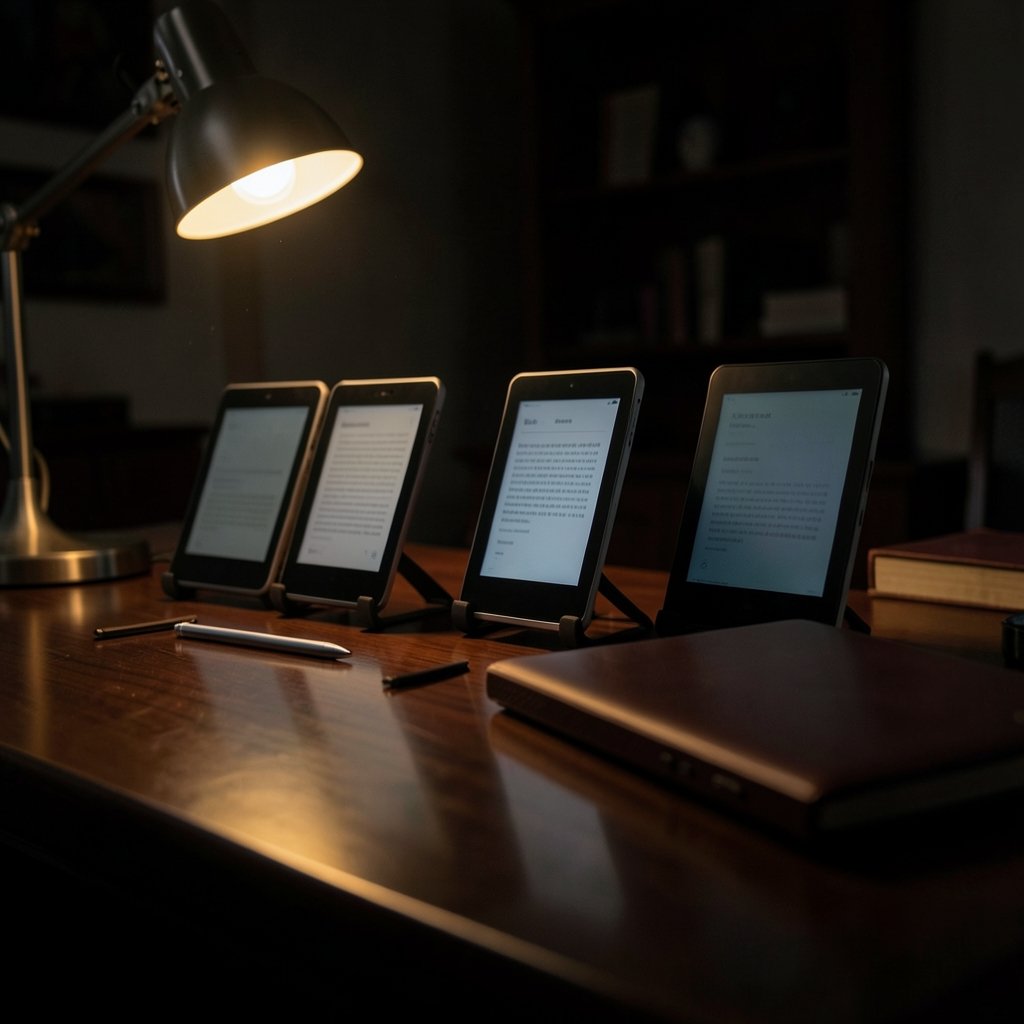
Both companies refresh their hardware often, so treat any specific model list as a snapshot rather than gospel. Still, the broad shape of each lineup has been stable for years.
| Feature | Kindle | Kobo |
|---|---|---|
| Entry model | Kindle (base) | Kobo Clara |
| Mid-range | Kindle Paperwhite, Paperwhite Signature Edition | Kobo Libra |
| Large-screen note-taking | Kindle Scribe | Kobo Elipsa |
| Color screen | Kindle Colorsoft | Kobo Clara Colour, Libra Colour |
| Waterproofing | Paperwhite and above | Libra and above |
| Stylus support | Scribe only | Elipsa and Sage |
| Typical store strength | Deep catalog, frequent discounts | Strong in Canada, UK, Europe, Japan |
The practical takeaway: both brands cover every screen size and price bracket a normal reader would want. If you want a color screen for comics, both now offer one. If you want a big screen for PDFs and note-taking, both have an answer. The hardware gap has narrowed to the point where software and store policy decide more purchases than specs do. For a deeper look at how color e-ink has matured, a comparison of the Kindle vs Kobo Paperwhite vs Libra Colour breaks down the tradeoffs in detail.
Library Borrowing: Kobo’s Quiet Superpower
Here is the factor that decides the question for a lot of readers. Kobo devices support OverDrive and Libby borrowing natively in supported markets, including the US, Canada, and the UK. You link your library card, browse the library’s collection, and borrowed titles appear on your device. No cable, no conversion software, no workaround.
Kindle borrowing exists, but it routes through a clunkier path that has changed repeatedly over the years. The mechanics shift often enough that any article describing them in step-by-step detail risks being out of date within months. Check the current process before you buy if library borrowing is your main use case.
If you borrow more than you buy, this single difference may outweigh every spec on the box. If you mostly buy new releases, it barely registers.
Store, Selection, and Price Reality
Amazon’s catalog is enormous, and its discounting is aggressive. Kindle daily deals, monthly sales, and Prime Reading give buyers a steady drip of cheap books. Best-seller prices often undercut competitors, and Amazon’s self-publishing arm means an enormous pool of indie titles live only in the Kindle store.
Kobo’s store is smaller but respectable, with particular strength in Canada, the UK, Europe, and Japan. Its Kobo Plus subscription offers unlimited reading for a monthly fee in supported markets, which appeals to heavy readers who burn through several books a month. Amazon counters with Kindle Unlimited, a much larger subscription catalog.
One practical tip from people who have owned both: check the price of the five books you most want to read before choosing a device. Store loyalty is cheap to switch; hardware is not. A reader who saves $60 a year on purchases has effectively paid for a chunk of the device.
File Formats, Sideloading, and the DRM Question
This is where the philosophies show most clearly.
Kindle prefers its own formats. Sending a personal document to a Kindle works through Amazon’s Send to Kindle service, which converts files and syncs them across devices. It is convenient, but it means your reading life passes through Amazon’s servers. Sideloading EPUBs directly is not the native path.
Kobo reads EPUB natively and accepts PDFs and comic archives without conversion. It also supports Adobe DRM for library and purchased titles that use it. For readers with a folder of out-of-copyright classics, technical manuals, or DRM-free indie books, Kobo is simply less friction.
A common mistake: assuming “EPUB support” means every EPUB will look perfect. Complex layouts, fixed-page PDFs, and heavily formatted textbooks render poorly on any small e-ink screen. If your reading is mostly dense PDFs, a large-screen model from either brand beats a standard six-inch reader.
Battery, Screen, and the Daily Reading Experience
Both ecosystems use the same underlying E Ink display technology, so contrast and glare performance are broadly similar at the same price point. Front lighting with adjustable color temperature is now standard on mid-range models from both brands. Waterproofing appears on the mid and upper tiers of each lineup.
Battery life claims from both companies tend to assume about half an hour of reading a day with wireless off. Real-world results vary with brightness and Bluetooth use, but weeks rather than days is a fair expectation from either brand.
The differences that actually shape daily use are smaller and more human. Page-turn buttons, which many readers swear by and others find unnecessary. How easy it is to organize a large library into collections. Whether the home screen shows you your own books or a storefront. None of these appear on a spec sheet, and all of them matter more after month three than they do on day one.
Software, Apps, and Ecosystem Lock-In
Amazon’s advantage here is real. The Kindle app runs on phones, tablets, and computers, and Whispersync keeps your page position, highlights, and notes aligned across all of them. Start a chapter on the train, finish it on the sofa. That seamlessness is genuinely hard to match.
Kobo has a mobile app too, and syncing works, but the polish and cross-device reach are thinner. Kobo’s bigger software asset is its reading stats and its integration with independent bookstores, which appeals to readers who care where their money goes.
If you already live inside Amazon’s world (Prime, Alexa, Audible), the Kindle slots in without friction. If you actively avoid that, Kobo is a clean exit. Neither choice says anything about your character, whatever the forums suggest.
Practical Tips Before You Buy
- Check your library first. Confirm your local library uses Libby or OverDrive and has a decent e-book catalog. This single check resolves the decision for many readers.
- Audit your existing purchases. If you already own 200 Kindle books, switching brands means leaving them behind or reading them in an app.
- Hold one if you can. Weight and button placement are personal. A device that feels wrong in your hand will gather dust regardless of its review scores.
- Buy the screen size you need, not the biggest one. A seven-inch screen is lovely until you try to fit it in a coat pocket.
- Wait for a sale. Both brands discount hardware regularly, and the difference between full price and sale price often covers a year of books.
Readers weighing other tech purchases often run into the same pattern: the spec sheet matters less than the ecosystem you already live in. That logic applies to phones and laptops too, as a comparison of the iPhone 18 vs Galaxy S26 makes clear. (The Verge)
Who Should Buy Which
Buy a Kindle if you buy most of your books new, want the widest catalog, value cross-device syncing, and already use Amazon services. The base Kindle and Paperwhite remain the safest defaults for casual readers, and the ecosystem rewards you for staying put.
Buy a Kobo if you borrow from libraries, read DRM-free or sideloaded files, live in Canada, the UK, or Europe where Kobo’s store is strongest, or simply prefer not to have your reading tied to one company’s account system.
There is also a third option worth naming: many people own a Kindle and read on their phone. If that describes you, the device is a comfort purchase, not a lock-in decision. Choose the one that feels better to hold.
Conclusion
The Kindle vs Kobo question has no universal winner, and anyone who tells you otherwise is selling something. Kindle offers the deepest catalog, the smoothest syncing, and the most aggressive discounting. Kobo offers native EPUB support, simpler sideloading, and library borrowing that actually works without a workaround. Both build solid hardware across every size and price bracket.
The deciding factor is rarely the device. It is the reader’s habits. Borrow more than you buy? Kobo. Buy more than you borrow, and want everything in one place? Kindle. Care about open formats and independence? Kobo. Want the path of least resistance? Kindle.
Pick the ecosystem that matches how you already read, check the price of ten books you want on both stores, and buy the model that fits your bag. Then stop researching and start reading. That part is the same on both devices.
Frequently Asked Questions
Can I read Kindle books on a Kobo?
Not directly. Kindle books use Amazon’s proprietary formats and DRM, which Kobo devices do not support. You would need to remove the DRM, which may violate Amazon’s terms of service, or read the books in the Kindle app on a phone or tablet instead. (Free vpn vs paid vpn which is better)
Can I read library books on a Kindle?
Yes, but the process is more involved than on Kobo. Borrowing routes through a workflow that has changed several times, so check the current steps before relying on it. Kobo’s native library integration is generally the smoother experience.
Is Kobo better than Kindle for PDFs?
Kobo handles PDFs and EPUBs more flexibly on the software side, but screen size matters more than brand. Dense, fixed-layout PDFs render poorly on any six-inch e-reader. If PDFs are your main reading, choose a large-screen model from either brand.
Do Kindle and Kobo use the same screen technology?
Yes. Both use E Ink displays, so contrast, glare, and front lighting are broadly comparable at the same price point. Differences in color temperature control, waterproofing, and button placement are what separate models within each lineup.
Which has better battery life?
Both brands deliver battery life measured in weeks under normal use, assuming moderate brightness and wireless turned off. Heavy Bluetooth use or maximum brightness will shorten that on either device. Neither brand has a decisive advantage here.
Can I switch from Kindle to Kobo later?
You can switch hardware easily, but your purchased Kindle books stay tied to Amazon’s ecosystem. You would read them through the Kindle app rather than on the Kobo device. If you own a large Kindle library, factor that into the decision before switching.