

What do a bank teller in Ohio, a nurse pulling up patient records in Manchester, and a solo game developer pushing code at midnight all have in common? They are all one stolen password away from a very bad day. That shared risk is exactly why multi factor authentication (MFA) has moved from a niche security checkbox to a baseline expectation across nearly every industry. But here is the part most guides skip: MFA is not one product. It is a toolbox, and the tool you pick should match the threat you face.
This article walks through the practical use cases where MFA earns its keep, where it quietly fails, and what experienced security teams have learned from rolling it out at scale.
Why MFA Use Cases Differ So Much
Before diving into specific scenarios, it helps to separate the layers. Authentication generally combines something you know (a password), something you have (a phone, a security key), and something you are (a fingerprint or face). The basics of multi factor authentication explain why combining two different categories matters more than stacking two of the same type. (Multi-factor authentication)
The threat model changes everything. A phishing-resistant authenticator such as a FIDO2 security key stops an attacker who has tricked a user into typing credentials into a fake page. A one-time code sent by text message does not, because the user can simply read the code to the attacker. NIST’s Digital Identity Guidelines formalize this by requiring phishing-resistant authenticators at the highest assurance level, which is why government and defense use cases look so different from a small retail business.
Consumer Banking and Financial Services
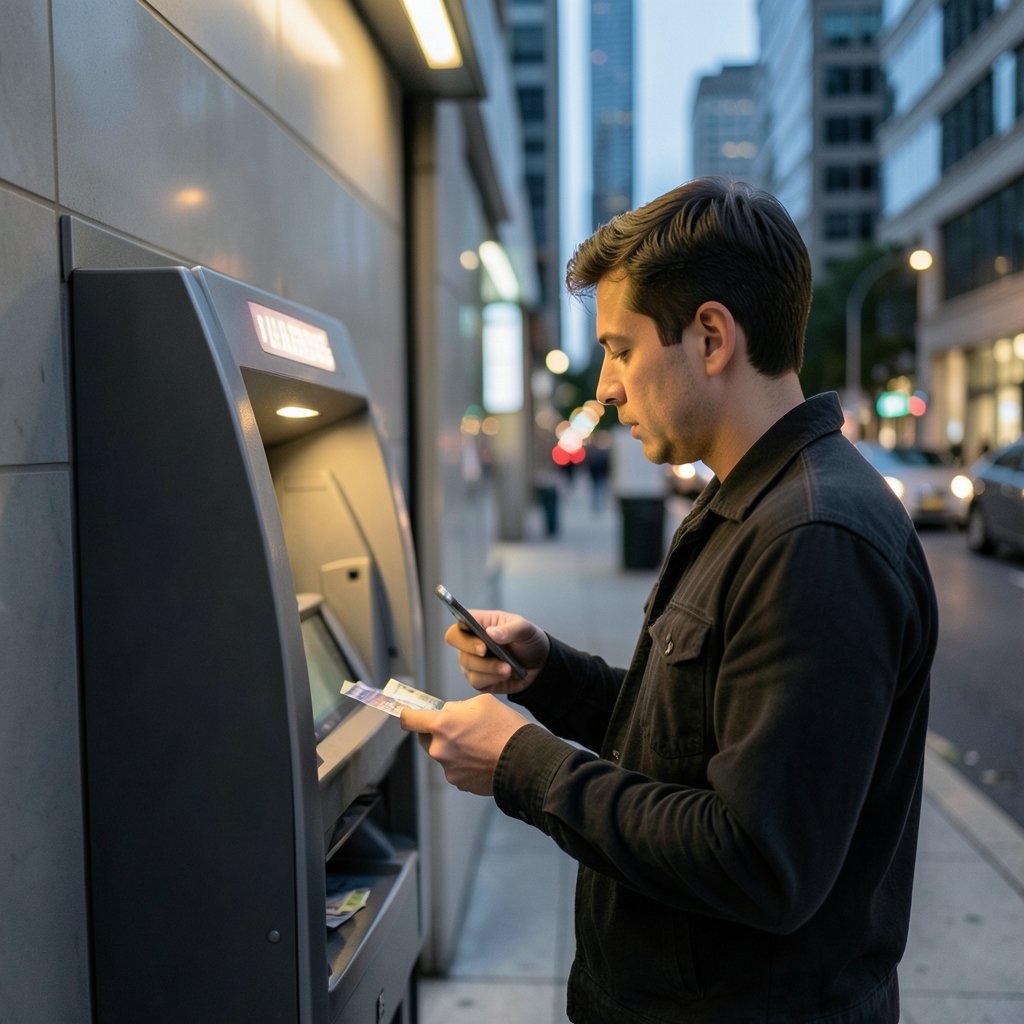
Banking is the classic MFA use case, and for good reason. Account takeover directly translates to stolen money, and regulators in many jurisdictions require strong customer authentication for online payments.
In practice, banks layer methods:
| Scenario | Typical Method | Why It Fits |
|---|---|---|
| Mobile app login | Device binding plus biometrics | Low friction, high assurance on a known device |
| New payee setup | Out-of-band push or hardware token | Blocks session hijacking on high-value actions |
| Call center identity check | Knowledge-based questions plus OTP | Staff cannot see the customer’s face |
| High-value wire transfer | Hardware security key or in-person verification | Highest loss potential |
The lesson from banking that other sectors often miss is step-up authentication. Instead of demanding a second factor for every click, banks require it only when risk rises: a new device, an unusual location, or a payment above a threshold. That pattern is now spreading to healthcare portals and enterprise software.
Healthcare: Protecting Patient Records Under HIPAA
Healthcare is a frequent target because medical records sell for far more than credit card numbers on underground markets. The HIPAA Security Rule at 45 CFR 164.312 requires “addressable” authentication controls, and many compliance teams now interpret that as MFA for remote access to systems holding electronic protected health information.
One common mistake: assuming HIPAA mandates MFA by name. It does not. That nuance matters, because a clinic can technically comply without MFA and still be badly exposed. Practical deployments usually focus on:
- Remote access to EHR systems and imaging archives
- Privileged accounts used by IT administrators
- Email, which remains the top entry point for ransomware
- Third-party vendors connecting into clinical networks
Nurses working on shared workstations create a real tension between security and speed. The workable answer is usually fast re-authentication (badge tap or proximity card) rather than repeated password prompts that push staff toward workarounds.
Enterprise and Cloud Identity
For most organizations, the cloud is where MFA use cases multiply fastest. A single identity provider now fronts email, file storage, HR systems, and code repositories. That concentration is efficient, but it also means one compromised account can cascade.
The practical steps to enable two factor authentication on major platforms are straightforward, but enterprise rollouts fail for human reasons, not technical ones. Common mistakes include:
- Enabling MFA without enrolling backup methods, locking users out during travel
- Rolling out push notifications without number matching, which invites MFA fatigue attacks where users approve prompts out of habit
- Exempting executives and contractors, creating exactly the high-value gap attackers hunt for
- Skipping legacy protocols that bypass modern authentication entirely
A useful first-hand observation from many rollouts: the biggest predictor of success is a clear enrollment deadline and a help desk that is staffed and ready, not the choice of vendor.
Privileged Access and Insider Risk
Administrators, database owners, and cloud root accounts deserve their own category. These accounts can disable logging, create new users, or exfiltrate data at scale. For them, MFA should be mandatory and phishing-resistant, ideally with hardware keys stored physically separate from the laptop.
Insider risk adds a twist. If an employee is the threat, a second factor on their own phone offers limited protection. Organizations increasingly pair MFA with session recording and approval workflows for sensitive actions. Recent reporting on insider risk at AI labs shows how quickly a trusted internal account can become the weakest link when access controls are loose.
Biometrics and Passkeys in Everyday Apps
Biometric authentication is now the default second factor on most phones, and it has reshaped consumer expectations. A fingerprint or face scan is fast, hard to phish remotely, and requires no typing. The tradeoffs are worth understanding: biometrics cannot be revoked like a password, and a compromised device changes the risk picture. A solid primer on what biometric authentication is covers the difference between on-device matching and server-side templates.
Passkeys, built on the W3C WebAuthn standard, push this further by binding credentials to a specific website origin. That origin binding is what makes them phishing-resistant. For consumer apps, passkeys are arguably the most important MFA development of the decade.
Remote Work and VPN Access
When employees connect from home networks, coffee shops, and airports, the perimeter dissolves. MFA on VPN and zero-trust network access is now table stakes. The pattern that works: device posture checks plus a phishing-resistant factor, with conditional access rules that block legacy protocols outright.
A frequent pitfall is treating MFA as a substitute for network segmentation. It is not. MFA verifies who is connecting; it does not limit what they can reach once inside.
Regulated and Government Environments
Public-sector use cases sit at the strict end of the spectrum. U.S. federal guidance, including Executive Order 14028 and OMB memorandum M-22-09, pushed agencies toward phishing-resistant MFA and zero-trust architecture with firm deadlines. Payment card environments face similar pressure: PCI DSS v4.0 expanded MFA requirements to all access into the cardholder data environment, beyond remote connections, with the future-dated requirements becoming mandatory in March 2025.
If an organization sells to governments or processes card payments, MFA stops being optional and starts being a contract term.
High-Risk Consumer Accounts
Not every user is an enterprise. Journalists, activists, developers with publishing rights to popular packages, and social media influencers all face targeted attacks. Free tools exist: hardware keys are cheap, authenticator apps are free, and platform support for passkeys is now broad. The practical advice is to prioritize the accounts that can be used to reset everything else, starting with primary email.
Gaming, Social, and Community Platforms
Account theft in gaming is often financial: valuable inventories, linked payment methods, and resale markets. Platforms have responded with app-based authenticators and, increasingly, passkeys. Interestingly, the security habits players build here transfer to work life. Guides on top multiplayer games across genres rarely mention it, but the account protection culture around competitive games has normalized MFA for millions of younger users. (Cybersecurity Best Practices)
Where MFA Quietly Fails
Honesty matters here. MFA reduces risk; it does not eliminate it. Real-world bypasses include:
- Real-time phishing proxies that relay codes faster than a user can react
- Push bombing, where attackers spam approval prompts until someone taps yes
- SIM swapping, which defeats SMS-based codes
- Help desk social engineering, where an attacker convinces support to reset enrollment
- Session token theft, which sidesteps the login step entirely
The pattern across all five: the weakness is rarely the cryptography. It is the process around it.
Choosing the Right Method for the Right Use Case
| Use Case | Recommended Method | Avoid |
|---|---|---|
| Consumer banking app | Passkey or device-bound biometric | SMS-only |
| Healthcare remote access | App push with number matching | Email codes |
| Enterprise admin accounts | Hardware security key | Push-only |
| Field workers | Badge tap or app push | Complex hardware |
| Public-facing accounts | Passkey plus recovery codes | Security questions |
Conclusion
The most useful way to think about MFA use cases is not by industry but by consequence. Ask what happens if this specific account falls: money lost, records exposed, code tampered with, or a whole identity provider compromised. Then match the strength of the second factor to that answer. A passkey on a personal email account and a hardware key on a cloud root account are both rational choices, just for different reasons.
Organizations that treat MFA as a one-time project tend to regret it. The ones that succeed treat it as an ongoing practice: enroll backup methods, watch for push fatigue, retire SMS where feasible, and review privileged access every quarter. The technology is mature. The discipline is what separates a real defense from a compliance checkbox.
Frequently Asked Questions
What are the most common multi factor authentication use cases?
The most common are banking and payment logins, remote access to corporate systems, healthcare records, cloud productivity suites, privileged administrator accounts, and consumer accounts like email and social media. Each uses a different second factor depending on how much damage a compromise would cause.
Is SMS-based MFA still acceptable in 2026?
It is better than a password alone, but it is widely considered the weakest common form. SMS codes are vulnerable to SIM swapping and real-time phishing. Regulated sectors and high-value accounts should prefer app-based push with number matching, passkeys, or hardware security keys.
Which MFA method is most resistant to phishing?
Passkeys and FIDO2 hardware security keys are the strongest mainstream options because they are bound to a specific website origin. An attacker on a fake domain cannot use the credential even if the user is tricked into visiting the page. NIST’s highest assurance level requires this class of authenticator.
Does HIPAA require MFA by name?
No. The HIPAA Security Rule requires addressable authentication controls but does not name MFA specifically. Most compliance advisors still recommend MFA for any remote access to systems holding patient data, because it addresses the underlying risk the rule targets.
Can MFA be bypassed?
Yes. Attackers use real-time phishing proxies, push notification fatigue, SIM swapping, session token theft, and help desk social engineering. Most successful bypasses exploit human process gaps rather than breaking the cryptography, which is why user training and enrollment controls matter as much as the technology.
How should a small business start with MFA?
Start with the accounts that can reset everything else: primary email, the identity provider admin console, and financial systems. Turn on app-based authentication with number matching, enroll backup methods before enforcing, and set a clear deadline. Expand to remaining staff once the help desk process is stable.
A final word on measurement: track enrollment percentage, the share of logins using phishing-resistant factors, and the time it takes to restore access after a lost device. Those three numbers tell you more about real resilience than any audit certificate. Revisit the list of use cases annually, because the accounts that matter shift as tools, vendors, and staff change. MFA is a control, not a destination, and the organizations that keep refining it stay ahead of the attackers who keep refining their bypasses.



