

What if the best way to judge a game streaming setup had almost nothing to do with the spec sheet? That is the trap most people fall into when comparing Stardesk vs Moonlight vs Steam Link. They read a list of supported resolutions, nod at the word “low latency,” and then discover on a Tuesday night that their controller disconnects every twenty minutes or the picture stutters whenever a fan spins up.
The everyday experience is where these tools live or die. Not the launch-day demo, not the marketing trailer, but the quiet hour after dinner when someone just wants to play. This guide walks through how to judge that experience honestly, including the uncomfortable fact that one of these three names is much harder to pin down than the other two.
First, a Reality Check on the Names
Before comparing anything, it helps to know what is actually being compared.
Moonlight is an open-source client built around NVIDIA’s GameStream protocol. It started life as Limelight and was renamed Moonlight in the mid-2010s. For years it streamed from a PC running NVIDIA GameStream, but NVIDIA wound that service down in early 2023, which pushed most users toward an open-source host replacement. Today the practical setup is Moonlight on the client side and a community host on the PC side.
Steam Link is Valve’s streaming system. It exists as a free app on phones, tablets, TVs, and small computers, and it once existed as a dedicated box that was discontinued in 2018. It streams from a PC running Steam, and Valve has folded remote streaming into its broader Remote Play features over time.
Stardesk is the wildcard. There is no reliable public documentation confirming what it is, who makes it, or whether it is a streaming product at all. That is not a knock. It is simply a warning: anyone who writes a confident three-way comparison including Stardesk is probably filling gaps with imagination. Treat unverified claims about it with suspicion until primary documentation appears.
The Criteria That Actually Predict a Good Evening
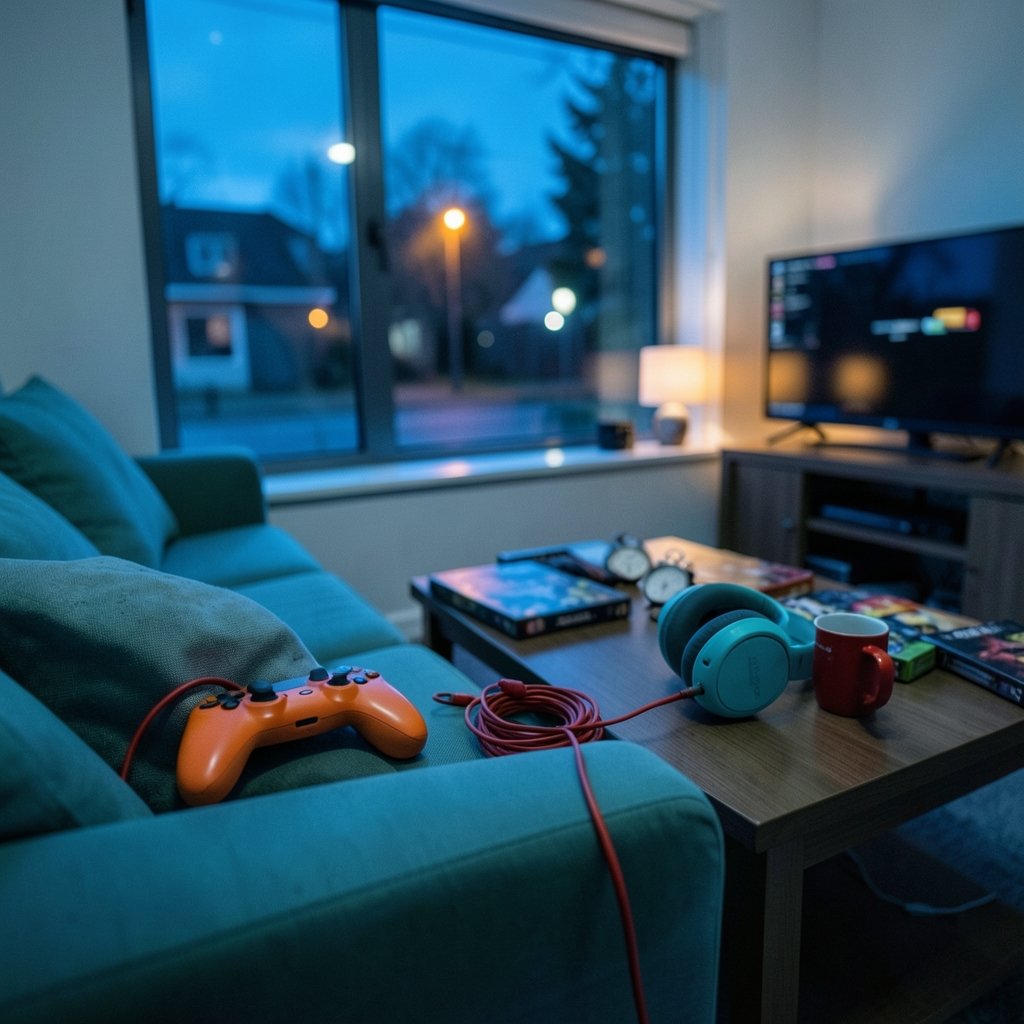
Specs describe potential. Habits describe reality. Here is what separates a setup that gets used from one that gets abandoned.
Time to first frame
How long does it take from “I want to play” to actually playing? A setup that needs three launcher updates, a driver check, and a manual host restart before every session will lose to one that connects in fifteen seconds, even if the slower one looks sharper.
Input latency you can feel
Milliseconds on a chart are abstract. What players notice is whether a jump feels immediate or slightly late. Anything above roughly 30 to 40 milliseconds of added round-trip delay starts to feel off in fast games, and fighting games or precision platformers expose it fastest. Test with the genre you actually play, not a slow-paced showcase title.
Stability over a two-hour session
A five-minute demo proves nothing. The real test is whether the stream holds up after the host has been running for two hours, the room has warmed up, and the Wi-Fi has picked up neighbor traffic. Stutter that appears only in long sessions is the single most common complaint in everyday use.
Controller and peripheral handling
Does the controller reconnect cleanly after sleep? Do rumble and gyro work? Does the host see the right device? These small things generate more frustration than any codec debate.
HDR and refresh-rate handoff
HDR that switches on and off mid-session, or a display that drops from a high refresh rate to a lower one when the stream starts, breaks immersion fast. Consistency beats peak numbers.
Moonlight: Power With a Learning Curve
Moonlight rewards people who like knobs. Its host-and-client model exposes encoder choice, bitrate, frame pacing, and resolution scaling in a way that few mainstream tools do. That control is genuinely useful when something misbehaves, because you can isolate the cause instead of guessing.
The cost is setup friction. Moonlight is community-maintained, which means features arrive quickly but documentation and support quality vary. The first session often involves pairing, firewall rules, and a bit of trial and error. Once configured, though, it tends to be reliable, and the ability to tune bitrate down for a weaker network is a real everyday advantage.
A practical tip: change one setting at a time. People who adjust bitrate, codec, and resolution together have no idea which change fixed or broke things. Start with the default, run a ten-minute session in a game you know well, then adjust.
Common mistake: chasing maximum bitrate on Wi-Fi. A wired connection or a clean 5 GHz channel usually matters more than raw bandwidth, and pushing bitrate too high on a congested network produces exactly the stutter people blame on the software.
Steam Link: Frictionless, With Fewer Levers
Steam Link wins on convenience. If the game is in a Steam library and the host is awake, the path from couch to gameplay is short. Controller support is handled well, and the app is available on a wide range of devices, which makes it the easiest recommendation for someone who does not want a project.
The trade-off is tuning depth. When something goes wrong, there are fewer exposed settings to fix it with, and the experience depends more heavily on Valve’s defaults and your network behaving. For most casual setups that is fine. For someone streaming across a busy household network at high resolution, the lack of granular control can be limiting.
If you are weighing hardware on the receiving end, the same logic applies as with any streaming device: the screen and the network matter more than the badge. A sensible starting point is understanding what a gaming monitor worth buying for beginners actually adds, because a stream can only look as good as the panel displaying it.
Stardesk: What Can Honestly Be Said
Very little, and that is the honest answer. Without primary documentation, any claim about Stardesk’s protocol, latency, supported platforms, or pricing is speculation. The responsible approach for a reader in 2027 is straightforward:
- Look for an official documentation page, not a review aggregator.
- Check whether the project publishes release notes and a changelog.
- Confirm which host software it requires and whether that host is maintained.
- Test it yourself for a week before trusting any comparison, including this one.
If none of those exist, the product is not ready for a buying decision, regardless of how often it appears in comparison articles.
A Side-by-Side View of the Practical Differences
| Criterion | Moonlight | Steam Link | Stardesk |
|---|---|---|---|
| Setup effort | Moderate to high | Low | Unknown |
| Tuning depth | High | Limited | Unknown |
| Maintenance model | Community, open source | Valve-maintained | Unverified |
| Best fit | Tinkerers and LAN setups | Casual, Steam-centric players | Cannot be assessed |
| Main everyday risk | Misconfiguration | Fewer fixes when things break | Unverified claims |
The pattern is clear. The real choice is between control and convenience, and that choice depends on temperament more than hardware.
The Network Is the Real Variable
Almost every “this software is bad” complaint traces back to the network. A few habits fix more problems than any setting:
- Prefer wired Ethernet on the host. It removes one source of jitter entirely.
- Keep the client on a clean 5 GHz or 6 GHz channel, away from microwave ovens and crowded bands.
- Avoid powerline adapters for streaming if you can. They are convenient and inconsistent.
- Test at the same time of evening you actually play. A network that is fine at 10 a.m. can be crowded at 8 p.m.
Household traffic counts too. Someone streaming video in another room competes for the same airtime, and that shows up as periodic stutter that looks like a software bug.
Hardware Choices That Shape the Experience
Streaming does not erase hardware differences. The host GPU determines which encoders are available, and the client device determines how well the stream is decoded and displayed. Handhelds are a popular client choice, and the differences between them are real: a comparison of the Legion Go S vs Steam Deck shows how screen, controls, and decoding support change what a stream feels like in the hand.
Memory on the host matters less than people assume for streaming, since the encoding work is light. The nuance is worth understanding: a breakdown of 16GB vs 32GB RAM in gaming explains where extra memory helps and where it is wasted, which keeps you from overspending on the wrong part of the chain.
If a handheld is the plan, availability is its own everyday problem. Knowing the Steam Deck out-of-stock alternatives ahead of time saves weeks of waiting, and it is worth asking early whether a Steam Deck is worth buying for beginners at all if most of your play happens on a TV.
Testing a Setup in One Week
A structured week beats a single afternoon of fiddling. Here is a routine that surfaces real problems: (FCC Broadband Speed Guide)
- Day one: install, connect, and play for thirty minutes without changing any settings. Note anything that feels off.
- Day two: play the fastest game you own. Judge input feel, not visuals.
- Day three: run a two-hour session. Watch for stutter that appears late.
- Day four: test controller sleep and reconnect at least five times.
- Day five: stream at your busiest household hour.
- Day six: try HDR and your highest refresh rate, then switch back.
- Day seven: decide whether you would still use it next month.
Most people skip straight to day seven and guess. The week is what turns a guess into a judgment.
Mistakes That Ruin Otherwise Good Setups
A short list of things that go wrong again and again:
- Judging on a demo title. Slow games hide latency problems completely.
- Changing five settings at once. You learn nothing about which one mattered.
- Ignoring the host. An overloaded PC with background updates will stutter no matter which client you use.
- Trusting a single review. Especially for a product with no verifiable documentation.
- Forgetting the display. A stream cannot exceed the panel’s refresh rate or color handling.
There is also a quieter mistake: assuming more expensive means smoother. A modest setup on a wired network regularly beats a premium one on congested Wi-Fi.
Where the Comparison Lands
Moonlight suits people who want control and do not mind earning it. Steam Link suits people who want to press play and get on with the evening. Stardesk cannot be placed on that map without verifiable documentation, and pretending otherwise would be a disservice.
The broader lesson is that the everyday gaming experience is a habit, not a benchmark. A setup that connects fast, holds steady for two hours, and handles controllers without drama will always beat one with better numbers and worse manners. If a tool cannot be documented, it cannot be recommended, and that standard applies to every name in this comparison, including the ones with the loudest marketing.
Frequently Asked Questions
Is Stardesk a real game streaming product?
There is no reliable public documentation confirming what Stardesk is or who makes it. Until an official documentation page and release notes exist, any comparison involving it should be treated as unverified. Readers should test it directly rather than relying on secondhand claims.
Is Moonlight still usable after NVIDIA ended GameStream?
Yes. Moonlight is an open-source client, and the community moved to alternative host software after NVIDIA wound down GameStream in early 2023. Setup now involves pairing Moonlight with a maintained host on the gaming PC, which adds a step but keeps the ecosystem alive.
Which is easier for a beginner, Moonlight or Steam Link?
Steam Link is generally easier. It integrates tightly with Steam, handles controllers well, and exposes fewer settings to get wrong. Moonlight offers more control but usually requires more setup before the first smooth session.
What latency is noticeable in everyday play?
Roughly 30 to 40 milliseconds of added round-trip delay starts to feel off in fast games. Slow-paced titles can tolerate more. The practical test is to play the fastest game you own rather than a showcase demo, because that is where delay becomes obvious.
Does a wired connection really matter that much?
It usually matters more than any software setting. Wired Ethernet on the host removes a major source of jitter, and a clean 5 GHz channel on the client prevents most periodic stutter. Many “software problems” disappear once the network is sorted.
How long should I test before deciding?
A week is a reasonable minimum. Short sessions hide late-appearing stutter, controller reconnect issues, and HDR handoff problems. Testing at your busiest household hour is especially revealing, since network congestion is the most common cause of a stream that feels unreliable.



