Estimating software is a tool that helps service businesses build accurate quotes and estimates for jobs — adding up labour, materials, travel and overheads, then turning the total into a professional quote a customer can accept. Instead of working out prices on paper or in a spreadsheet, a plumber, electrician, builder or cleaner enters the job details once, and the software does the maths, applies the right markups, and produces a tidy document in minutes. Most tools also connect to scheduling and invoicing, so a quote becomes a booked job and then an invoice without retyping anything.
The problem it solves is simple: bad estimates cost money. Quote too low and the business loses money on every job; quote too high and the customer goes elsewhere. Many small firms still price jobs from memory or from a rough hourly rate, which means two similar jobs can end up with very different prices. Estimating software replaces that guesswork with a repeatable process, so the price reflects the real cost of the work.
This article explains what estimating software is, how it works, the main types available, and what to look for when choosing one. Prices here are approximate starting prices — check current pricing before buying.
Key takeaways
- Estimating software turns job details into accurate, professional quotes by calculating labour, materials, travel and overheads.
- It saves time, reduces pricing mistakes, and makes quotes consistent from one job to the next.
- Most tools in 2027 connect estimating to scheduling, invoicing and customer records.
- Standalone estimators suit one-person firms; full job-management platforms suit growing teams.
- An estimate is only as good as the prices and labour rates entered into the system, so those must be kept up to date.
What estimating software is
At its simplest, estimating software is a calculator built for service work. You describe the job — say, replacing a bathroom suite or rewiring a kitchen — and the software adds up the parts, the hours of labour, the travel time, and the business overheads, then adds a profit margin and presents the total as a quote. The difference from a spreadsheet is that the price lists, labour rates and templates are built in and updated, so the person writing the quote does not have to look everything up each time.
Most products go further than that. They store customer details, keep a history of past quotes, and show whether a quote was accepted, rejected or is still waiting. Some include digital signatures, so a customer can accept a quote on their phone, and the job then moves straight into the schedule.
Estimating software is used across the trades and services: builders, plumbers, electricians, roofers, painters, landscapers, cleaners, HVAC engineers and pest controllers. Our guide to the best software for trucking companies in 2027 covers a similar kind of operational tool for firms that price and schedule work across a fleet.
How estimating software works
The core of any estimating tool is a price book: a list of the materials, parts and labour rates the business uses, with a price attached to each. When a new job comes in, the estimator picks the items the job needs — ten metres of pipe, two hours of labour, a call-out fee — and the software totals them, applies tax, and produces the quote.
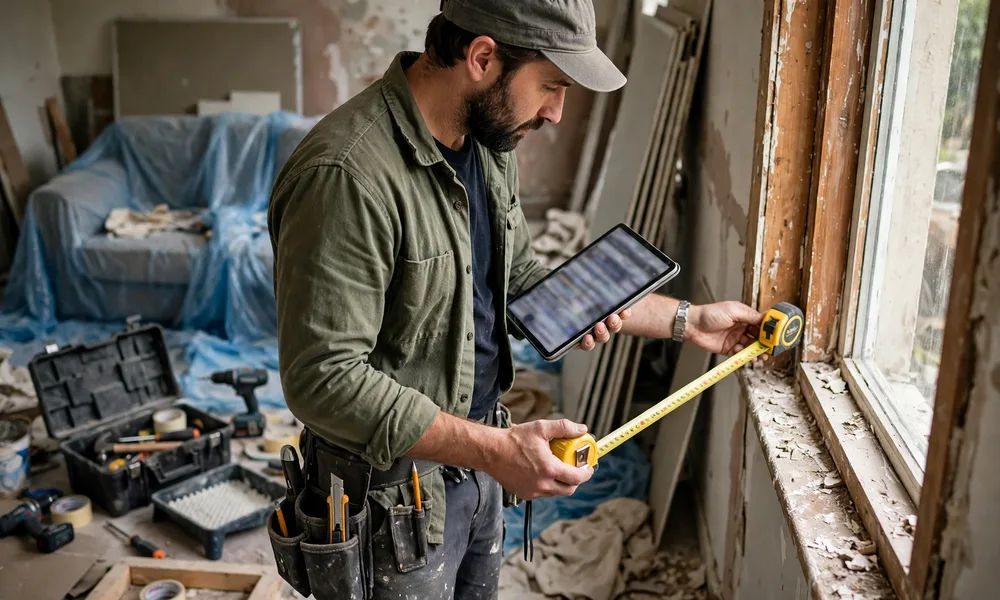
Many tools also work from measurements and photos. An estimator can measure a room on site, enter the dimensions, and let the software calculate how much paint, flooring or cable the job needs. Some tools use AI to suggest prices based on similar past jobs.
Behind the scenes, the software tracks the status of every quote. A dashboard shows what is waiting for a reply, what was accepted, and what was lost to a competitor, which helps a business see where its pricing is working and where it is not.
Types of estimating software
Standalone estimators do one job: build quotes. They are usually simple, cheap, and aimed at one-person firms or very small teams that just want professional-looking quotes without a bigger system. Prices often start at around $20 to $40 per month. For a sole trader, that is often enough.
Job-management platforms bundle estimating with scheduling, dispatch, invoicing and customer records. These suit firms with several engineers, because the quote, the job card and the invoice all live in one place. Prices typically start at around $50 to $100 per user per month. Two leading platforms are compared in our Jobber vs ServiceTitan comparison for 2027.
Industry-specific estimators are built for one trade, such as construction, roofing or HVAC, and include price books and templates for that trade. Construction estimators, for example, handle takeoffs — measuring quantities from plans — and multi-stage project quotes, which general tools do not. They often start at around $100 per month.
Finally, some accounting and invoicing tools include a basic estimating feature. These suit businesses that mainly need invoices and only quote occasionally.
Benefits of using estimating software
The biggest benefit is accuracy. Because prices come from a maintained price book rather than from memory, quotes are consistent, and the business is less likely to undercharge.
Speed is the second benefit. A quote that took an evening with a calculator and a word processor can take fifteen minutes, which means quotes go out while the customer is still deciding, not three days later when they have already chosen someone else.
The third benefit is the record it creates. Every quote, every accepted job and every actual cost is stored, so the business can see which types of work are profitable and which are not. That information is hard to get from a drawer full of paper quotes, and it is what turns estimating from a chore into a way of running the business better.
Risks and limitations to know
Estimating software does not remove the need for judgement. A price book that has not been updated for a year will produce quotes based on last year’s material prices, and in a trade where timber or copper prices move quickly, that can mean quoting a job at a loss.
There is also a learning curve. Staff who are used to paper quotes may resist a new system, and a tool that is too complicated for the team will simply not be used. Pick a simple tool the whole team will use, and test it with real jobs during the trial period.
Finally, software cannot measure a job for you. If the measurements are wrong, or the site has hidden problems — rotten joists under a floor, asbestos in a ceiling — the estimate will be wrong too. Good estimators visit the site, note the risks, and add a contingency line rather than trusting the software to catch what a person did not see.
Real-world uses
A plumbing firm might use estimating software to quote a boiler replacement: the price book holds the boiler model, the flue, the fittings and the labour hours, so the engineer can produce a quote on site and email it before leaving the house. A landscaping firm might use it to price a garden redesign, adding plants, turf, paving and labour in one document the customer can accept on their phone.
For larger firms, estimating software connects to the rest of the business. A field service company can link quotes to its scheduling system, so an accepted estimate becomes a booked job with the right engineer and the right parts. That wider picture is covered in our explainer on what field service management software is and how it works, which shows where estimating sits inside a full service operation.
Construction firms use estimating software differently again: they measure quantities from architects’ plans, price each stage of a build, and track how the estimate changes as the design changes. For them, the software is less about sending a quick quote and more about controlling the cost of a project that may run for months.
Estimating software compared with spreadsheets and pen and paper
| Detail | What is known |
|---|---|
| What it does | Builds quotes from a price book of labour, materials, travel and overheads |
| Typical starting price | About $20 to $40 per month for standalone tools; $50 to $100 per user per month for full platforms |
| Best for | Trades and service firms that quote regularly and want consistent pricing |
| Speed | A quote in minutes on site, rather than an evening at a desk |
| Main risk | Outdated price books produce quotes based on old material costs |
| Key integrations | Scheduling, invoicing, customer records, payments and digital signatures |
| Compared with spreadsheets | Price books and templates are built in; less manual copying and fewer errors |
| Compared with pen and paper | Professional quotes, stored history, and quotes that convert to jobs and invoices |
Spreadsheets still work for a business that quotes rarely, and pen and paper still work for a one-off job. The case for software grows with volume: the more quotes a firm sends, the more time and money a price book, templates and a quote history save.
Frequently asked questions
What is the difference between an estimate and a quote?
An estimate is an approximate price that may change once the work is inspected in detail, while a quote is usually a fixed price the business commits to. Estimating software can produce either, but the document should say clearly which one it is.
How much does estimating software cost?
Standalone estimators often start at around $20 to $40 per month, while full job-management platforms typically start at around $50 to $100 per user per month. Check current pricing before buying, as plans and per-user fees change often.
Do I need estimating software if I only do a few jobs a month?
Probably not. A spreadsheet or a simple template is fine at low volume. The software pays for itself when quoting becomes a daily task, or when inconsistent pricing starts costing the business money.
Can estimating software work on a phone or tablet?
Yes, most tools in 2027 have mobile apps, so an estimator can build and send a quote from the customer’s home. That is one of the main reasons firms switch from desktop-only tools.
Does estimating software handle tax and discounts?
Most tools apply tax automatically and can add discounts, deposits and payment terms to a quote. Check that the tool supports your local tax rules before choosing it, as support varies by country.
What should I look for when choosing estimating software?
Look for a price book you can update easily, templates that match your trade, mobile access, and a connection to your invoicing and scheduling tools. Take a free trial and test it with real jobs before committing.
The bottom line
Estimating software is a practical tool for any service business that quotes regularly: it turns the cost of a job into a clear, professional quote, keeps pricing consistent, and connects the quote to the rest of the business. The software itself is straightforward; the value comes from the price book behind it and the habit of keeping it up to date.
For a sole trader doing a handful of jobs a month, a spreadsheet may still be enough. For a growing firm, or any business that has lost money on a badly priced job, estimating software is one of the cheapest ways to protect margins — provided someone owns the price book and the team actually uses the tool.