
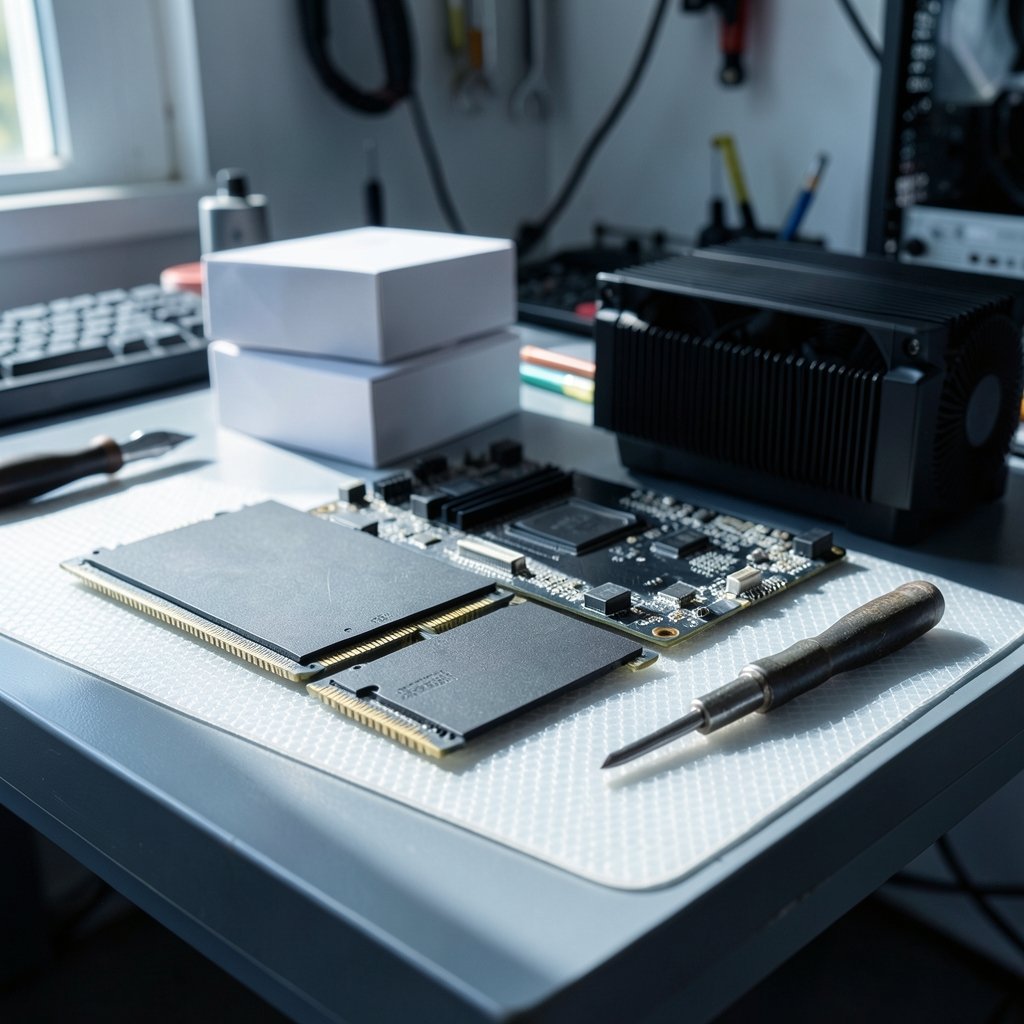
Quick Answer: Which budget gaming RAM kits are worth buying?
The budget gaming RAM kits worth buying are 32 GB DDR5-6000 CL30 to CL36 dual-channel kits from established brands with EXPO or XMP profiles, provided they appear on your motherboard’s qualified vendor list. For older AM4 or DDR4 boards, a 32 GB DDR4-3200 CL16 kit remains the sensible pick. Buyers can act on this by checking capacity first, then rated speed, then QVL compatibility before spending a cent.
The main distinction is platform: DDR5 kits suit Intel 12th gen and newer plus AMD AM5, while DDR4 kits only make sense on older boards. Single-rank versus dual-rank and die type matter less at these speeds than most shoppers assume. Before buying, compare capacity, rated speed, primary timings, QVL listing, heat spreader height, and warranty length.
Why RAM Is the Easiest Part to Overspend On
Ever noticed how a $70 RAM kit and a $200 RAM kit can produce nearly identical frame rates in the games you actually play? That gap is where budget shoppers win or lose. Memory is one of the few components where the sensible choice is often the cheaper one, and where the expensive choice mostly buys bragging rights.
The trick is knowing which numbers on the box matter. Marketing leans hard on big speed figures, but a gaming build cares about a narrow band of specifications. Get those right and the rest is noise. Get them wrong and you either overspend or end up with a machine that refuses to boot at its rated speed.
This guide walks through what actually earns a place in a budget build, what to skip, and the mistakes that catch people after checkout.
The Real Baseline: Capacity Beats Speed
Before comparing clock speeds, settle the capacity question. 16 GB (2×8 GB) is the practical floor for modern AAA titles. It runs most games fine today, but it leaves little room for a browser with thirty tabs, a Discord call, and a game launcher running in the background.
32 GB (2×16 GB) is the safer recommendation as games and background apps keep growing. The price gap between 16 GB and 32 GB kits is usually modest, and the headroom lasts years longer. For a build meant to survive several upgrade cycles, 32 GB is the better spend.
Two sticks, always. Dual-channel operation matters far more than raw speed for gaming performance, and a single 16 GB stick leaves real performance on the table. Four sticks on a budget board can also stress the memory controller and make higher speeds harder to reach.
DDR5 or DDR4? Let the Motherboard Decide
This is not really a choice. The platform picks for you.
| Platform | Memory Type | Sensible Budget Pick |
|---|---|---|
| AMD AM5 (Ryzen 7000/8000/9000) | DDR5 only | 32 GB DDR5-6000 CL30–CL36, EXPO |
| Intel 12th–14th gen (DDR5 board) | DDR5 | 32 GB DDR5-6000 CL30–CL36, XMP 3.0 |
| Intel 12th–14th gen (DDR4 board) | DDR4 | 32 GB DDR4-3200 CL16, XMP 2.0 |
| AMD AM4 (Ryzen 5000 and older) | DDR4 only | 32 GB DDR4-3200 CL16, XMP 2.0 |
DDR5 became the mainstream standard for new builds after JEDEC published the specification in July 2020, and platforms have supported it since 2021–2022. DDR4 kits remain on shelves for older boards and are still perfectly capable. Buying DDR4 for a new AM5 build is impossible, and buying DDR5 for an AM4 board is equally impossible, so check the board first and stop worrying about the rest.
One DDR5 detail worth knowing: the standard moved the power management circuitry onto the module itself and added error correction on the die. That changed how modules are designed compared with DDR4 and explains some early compatibility teething troubles. Modern kits have largely moved past that.
The DDR5 Sweet Spot and Why Higher Numbers Disappear
Enthusiast testing consistently points to DDR5-6000 with CL30 to CL36 timings as the value sweet spot for gaming, on both AMD EXPO and Intel XMP 3.0 platforms. Beyond that, frame rate gains shrink fast while prices and stability risk climb.
Here is the uncomfortable truth about very fast budget kits: the rated speed is a best-case figure. Whether your specific CPU sample and motherboard can hold it depends on the memory controller and board design. A DDR5-7200 kit that will not run stably above 6400 on your board is worse value than a DDR5-6000 kit that runs exactly as advertised, every time.
Budget boards in particular tend to struggle with high-speed kits. The money saved on a cheaper motherboard can vanish into hours of troubleshooting a kit that refuses to POST at its rated profile.
Timings, Dies, and the Part-Number Lottery
Primary timings matter, but mostly as a rough quality signal. A CL30 kit at 6000 MT/s is generally a better bin than a CL40 kit at the same speed, and the price difference is often small. Secondary and tertiary timings are where budget kits cut corners, which is why two kits with identical primary specs can behave differently.
The awkward part is the die lottery. Memory chips inside a kit can come from different manufacturers, and vendors have been known to swap dies under an identical model number over time. A kit praised in a review from eighteen months ago may ship with different internals today. This is a known, ongoing uncertainty in the enthusiast community, not a scandal, but it means “best kit” lists age badly.
Practical takeaway: buy on specifications and warranty, not on a specific die. If overclocking headroom beyond the rated profile matters to you, that is a hobbyist concern, not a budget gaming one.
Check the QVL Before You Click Buy
XMP and EXPO profiles are not guaranteed to work on every motherboard and CPU combination. The qualified vendor list is a compatibility list published by the motherboard maker, and it is the single most underused tool in PC building.
The process is simple. Find the exact motherboard model on the manufacturer’s support page, open the memory QVL, and search for the kit’s model number. A kit that appears there has been tested by the board maker. A kit that does not appear is not necessarily broken, but you are volunteering to be the tester.
A few habits that save real headaches:
- Match the exact model number, including any suffix letters. Kits that look identical often differ.
- Choose kits rated at the speed you plan to run, rather than only at JEDEC defaults.
- Update the BIOS before installing new memory. Early BIOS revisions on new platforms often cause failed profiles.
- Test stability after enabling the profile; booting once is not enough.
That last point matters more than people expect. A machine that boots at 6000 MT/s but crashes twenty minutes into a game is not stable, and the fix is usually dropping to a lower profile rather than returning the kit.
Fitment, Cooling, and the Height Problem
Tall heat spreaders look impressive in photos and cause genuine problems in real builds. Large air coolers frequently overhang the first memory slot, and a 45 mm tall kit can force you to raise the cooler or remove the spreader entirely.
For DDR5 running at JEDEC or XMP speeds, elaborate heat spreaders are largely cosmetic. Memory chips at these speeds do not need dramatic cooling, and low-profile kits fit under almost any cooler. If a build plan includes a big tower air cooler, check memory clearance before buying anything with a tall heatsink.
Where Budget RAM Fits in a Full Build
Memory decisions rarely happen in isolation. A budget build is a set of compromises, and RAM is one of the cheapest places to get genuine value. Spending an extra $40 on memory usually returns more than spending it on a marginally faster CPU tier.
The same logic applies across peripherals and portables. A sensible gaming monitor worth buying for beginners affects the experience far more than 400 extra MT/s ever will, and anyone weighing a laptop against a desktop should look at the best gaming laptops under 1000 that actually fit a budget before locking in a memory spend. If the machine is for mixed work and play, everyday-use guidance on picking a gaming monitor is worth a read too.
Capacity planning also interacts with the rest of the system. The 16 GB versus 32 GB RAM gaming comparison digs into exactly where the extra memory earns its keep and where it sits idle, which is the single most useful thing to understand before choosing a kit.
Common Mistakes That Cost Money
A handful of errors show up again and again in budget builds.
Buying four sticks instead of two. Four modules load the memory controller harder and often force lower speeds. Two larger sticks beat four smaller ones almost every time.
Chasing speed over capacity. A 16 GB DDR5-7200 kit is worse for gaming than a 32 GB DDR5-6000 kit in most modern titles.
Ignoring the QVL. Five minutes of checking prevents an evening of troubleshooting.
Assuming a failed profile means faulty RAM. Usually it means the board or CPU cannot handle that speed, and dropping one step fixes it.
Skipping the BIOS update. New platforms ship with immature firmware, and memory compatibility is one of the first things patched.
Forgetting the return window. Memory prices fluctuate heavily, and a kit bought at a bad moment can look overpriced a month later. Buy when needed, not when a sale banner appears.
What Actually Works in Practice
The pattern that holds up across budget builds is unglamorous: 32 GB, two sticks, DDR5-6000 CL30–CL36 on modern platforms or DDR4-3200 CL16 on older ones, from a brand with a long warranty, listed on the board’s QVL, with a heat spreader short enough to clear the cooler.
That combination is boring, affordable, and stable. It leaves money for the parts that visibly change the experience, like a better GPU or a decent display. For anyone assembling a full setup, pairing sensible memory with the right Nintendo Switch 2 buying considerations for everyday use or a tablet worth buying for everyday use shows the same principle: match the spend to the actual job.
Warranty length is a quietly useful tiebreaker. Lifetime warranties are common on memory, and a brand that stands behind a kit for life is signaling something about its confidence. When two kits are otherwise identical, that is a reasonable final filter.
Conclusion
Budget gaming RAM rewards restraint. The kits worth buying are not the fastest or the flashiest. They are 32 GB dual-channel DDR5-6000 CL30–CL36 kits on modern platforms, or DDR4-3200 CL16 on older ones, verified against the motherboard’s QVL and short enough to fit under a real cooler. Everything beyond that is diminishing returns dressed up as performance. Check capacity, confirm the platform, verify the QVL, update the BIOS, and spend the savings where they show up on screen.
FAQ
Is 16 GB of RAM still enough for gaming?
It is enough for most titles today, but it leaves little headroom once a browser, voice chat, and a game launcher are running. For a build meant to last several years, 32 GB is the safer choice and usually costs only a little more.
Does RAM speed actually matter for gaming?
It matters up to a point. Moving from slow DDR4 to DDR5-6000 produces a noticeable gain on modern platforms. Beyond roughly 6000 MT/s, frame rate improvements shrink quickly while price and stability risk rise.
What happens if my RAM will not run at its rated speed?
Usually the motherboard or CPU memory controller cannot handle that profile, not a faulty module. Update the BIOS, try the second XMP or EXPO profile, or step down one speed tier. If it still fails at default settings, then consider a return.
Is it bad to mix two RAM kits?
Mixing kits is a gamble. Even identical model numbers bought at different times can contain different memory chips, and mismatched modules often refuse to run at rated speed together. Buy one matched kit in the capacity you need.
Do I need a heatsink on budget DDR5?
No. At JEDEC and XMP speeds, heat spreaders are largely cosmetic. Low-profile modules run fine and avoid clearance conflicts with large air coolers, which is a more practical concern than temperature.
How often do RAM prices change?
Frequently. Memory pricing swings with supply conditions, and a kit can look very different in price a few weeks later. Buy when the build needs it rather than waiting for a perfect moment that may not arrive.



