

You flip the wall switch, the room goes dark, and your smart bulb vanishes from the app. Ten minutes later you switch it back on and wait. Sometimes the bulb reconnects. Sometimes it doesn’t. What’s going on?
This is one of the most common complaints in smart lighting, and the explanation is refreshingly simple: most smart bulbs are not designed to have their power cut. They are tiny computers that need constant electricity to keep their radio alive. The wall switch doesn’t dim them or pause them. It kills them.
Understanding exactly why this happens, what it costs you in reliability, and how to fix it turns a frustrating quirk into a manageable design decision. Here’s the full picture, including the fixes that actually work and the ones that waste money.
The Physical Reason: A Smart Bulb Is a Computer With a Light Attached
A traditional bulb is a dumb load. Electricity in, light out. A smart bulb contains a microcontroller, a radio (Wi-Fi, Zigbee, Bluetooth, Thread, or a combination), memory for its settings and schedules, and firmware that manages all of it. That circuitry draws a small but continuous amount of power.
When the wall switch is off, that power disappears. The radio goes silent. The bulb stops responding to the hub, the app, and voice assistants. From the network’s point of view, the device hasn’t dimmed or paused. It has simply ceased to exist.
This is why the app shows the bulb as offline or unreachable rather than “off.” The platform isn’t reporting a light state at all. It’s reporting that a device it expects to hear from has gone quiet. Some apps display a last-known state instead, which is why you sometimes see a bulb marked “on” in the app while the physical switch is clearly off. That mismatch confuses people, but it’s a reporting artifact, not a malfunction.
The key insight: cutting power to a smart bulb is not the same as turning it off. The correct way to turn a smart bulb off is through the app, a voice command, a schedule, or a smart switch that sends a command rather than severing the circuit.
Why Some Bulbs Recover and Others Don’t
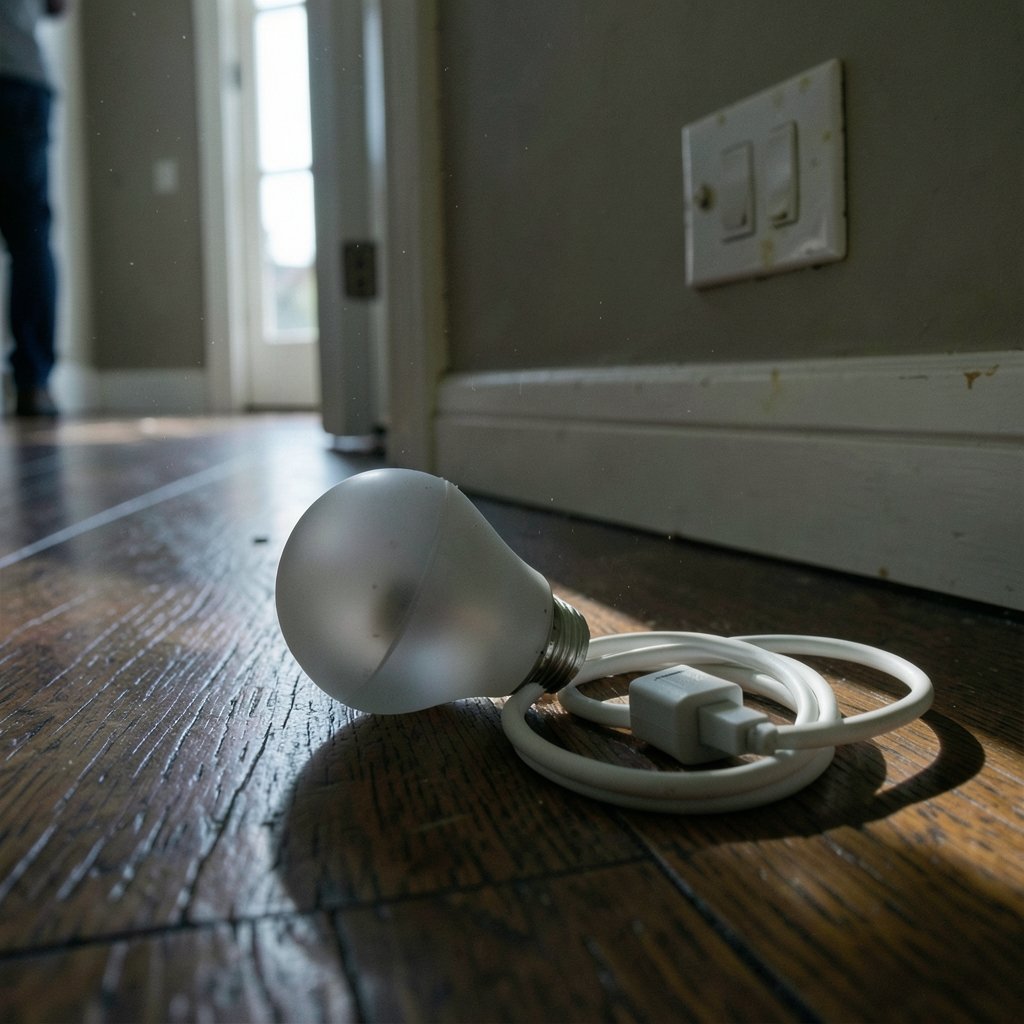
Reconnection behavior after power returns varies widely by model, protocol, and firmware. There’s no universal rule, and anyone who tells you otherwise is generalizing from one product.
| Behavior after power returns | What it means | Typical cause |
|---|---|---|
| Reconnects automatically within seconds | Bulb rejoins the network on its own | Stable network, saved credentials intact |
| Reconnects but takes minutes | Slow rejoin, mesh rebuilding | Weak signal, many devices rejoining at once |
| Comes back at full brightness | Power-loss memory set to “default on” | Factory default or misconfigured setting |
| Comes back at last state | Power-loss memory set to “restore” | Correctly configured setting |
| Needs re-pairing | Credentials lost or firmware reset | Long outage, repeated power cycling, or a glitch |
That last row is the painful one. Repeatedly cutting power, especially in quick succession, can push a bulb into a reset state. Some models treat a specific flick pattern as a factory reset command. Others simply lose their network credentials after enough unclean shutdowns. Either way, you end up re-adding the bulb, renaming it, and rebuilding every automation that referenced it.
The practical lesson is to avoid power cycling as a troubleshooting habit. It’s the first thing many people try when a bulb misbehaves, and it’s the thing most likely to make the situation worse.
The Real Cost: Automations Break Silently
A bulb that drops offline doesn’t just fail to respond. It takes its automations with it.
Consider a typical setup: a hallway bulb scheduled to turn on at sunset, a bedroom bulb tied to a morning routine, a porch light linked to a motion sensor. If any of those bulbs sit on switched circuits that get flipped, the schedules and triggers have nothing to talk to. The automation fires, the platform sends the command, and nothing happens. No error appears on your phone. The light just stays dark.
Over time this erodes trust in the whole system. People conclude that smart lighting is unreliable, when in reality the reliability problem is a wiring problem. The bulbs are fine. The switch is sabotaging them.
This matters more as households add devices. If you’re already comparing platforms and wondering whether to consolidate, the same power-reliability logic applies across ecosystems. A switch 2 vs steam deck comparison is a different kind of decision entirely, but the underlying principle is identical: match the hardware to how you’ll actually use it, not to how the marketing says you will.
The Fixes That Actually Work
There are four legitimate solutions, ranked roughly by how well they solve the problem versus how much they cost.
1. Replace the switch with a smart switch or relay
This is the cleanest fix. A smart switch keeps constant power flowing to the bulb and controls the light by sending a command instead of cutting the circuit. A smart relay hides behind the existing switch and does the same job.
The trade-off is cost and installation. Relays often require a neutral wire, which older homes may not have. Switches vary in whether they need one. Check before buying.
One important caveat: if you put a smart bulb behind a smart switch, you now have two smart devices controlling one light. That can work, but it creates confusion about which one owns the state. The cleaner pattern is smart switch plus ordinary bulb, or constant power plus smart bulb. (NIST Cybersecurity)
2. Guard the switch so nobody flips it
A switch guard is a small plastic cover that sits over the toggle. It’s cheap, reversible, and effective in households where guests or family members instinctively hit the switch out of habit. The downside is obvious: you lose the ability to cut power manually in an emergency, and some people find the covers ugly.
This works best as a temporary measure while you plan a permanent fix.
3. Use bulbs with power-loss memory configured correctly
Many smart bulbs let you choose what happens when power returns. Setting this to restore last state means a brief outage doesn’t blast the room with full brightness at 3 a.m. It doesn’t stop the bulb from going offline during the outage, but it makes recovery far less disruptive.
Check your bulb’s settings menu for terms like power-on behavior, power loss recovery, or memory function. The naming varies by vendor, so you may need to dig.
4. Accept the limitation on low-priority circuits
For a closet, a guest room, or a lamp that’s rarely used, none of this may be worth the effort. Leaving a smart bulb on a switched circuit and accepting that it drops offline is a legitimate choice. Just don’t build critical automations around it.
Common Mistakes People Make
A few habits make this problem worse than it needs to be.
Using the wall switch as the primary control. This is the root mistake. Every flip is a hard shutdown. Train the household to use the app, voice, or a wireless remote instead.
Power cycling to fix a connection issue. It’s the go-to move and it’s usually counterproductive. If a bulb is offline, check the switch first, then the router or hub, then the app. Only power cycle as a last resort.
Mixing smart bulbs and smart switches on the same circuit without a plan. Two controllers, one light, endless confusion about which one is authoritative.
Ignoring the neutral wire question. Buying a smart switch before confirming your wiring supports it is a common and expensive mistake. Look inside the box or consult an electrician first.
Assuming a protocol upgrade solves it. Matter and Thread improve interoperability, not physics. A Thread bulb still needs mains power to stay reachable. The protocol doesn’t change the fact that a switch cuts the circuit.
When the Problem Isn’t the Switch
Not every dropout is a power issue. Before you rewire anything, rule out the alternatives.
Weak signal. A bulb at the far end of the house may drop offline intermittently regardless of switch state. Test by watching whether it disconnects at random times or only after the switch is flipped.
Router or hub overload. Too many devices on one access point can cause drops. This shows up as multiple devices failing at once.
Firmware bugs. Some bulbs have known reconnect issues fixed in later firmware. Check for updates.
IP address conflicts. Rare but real on busy networks. A DHCP reservation for each bulb eliminates it.
The diagnostic is simple: note the time and circumstances of each dropout for a week. If they cluster around switch use, you have your answer. If they’re random, look at the network.
A Note on Broader Smart Home Reliability
The switch problem is a specific case of a general principle: smart home devices fail in ways that are invisible until you need them. A bulb that’s offline doesn’t announce itself. You discover it when the automation doesn’t fire.
The same pattern shows up elsewhere. A speaker that loses its Wi-Fi connection mid-command fails silently. A hub that reboots during a schedule leaves the house dark. If you’re building out a system, it’s worth reading up on best smart speakers for home automation to understand how these devices handle connectivity, because the failure modes rhyme across categories.
For anyone weighing a bigger platform decision, the same reliability thinking applies to gaming hardware. A switch 2 vs steam deck comparison comes down to how each device handles power, portability, and connectivity in real use, not spec sheets. And if you’re planning a purchase around a new console, it helps to know how much is a nintendo switch 2 before you commit, just as it helps to know the true cost of a smart lighting retrofit before you start pulling switches off the wall.
The Bottom Line
A smart bulb loses connection when the switch is off because the switch removes the power its radio needs to stay alive. That’s not a bug, a defective unit, or a sign that smart lighting is overhyped. It’s a wiring mismatch between a device designed for constant power and a switch designed to cut it.
The fix depends on your budget and your patience. A smart switch or relay solves it properly. A switch guard solves it cheaply. Configuring power-loss memory makes recovery gentler. And accepting the limitation on a low-priority circuit is a perfectly reasonable choice.
What doesn’t work is fighting the physics. Once you understand that the wall switch is a kill switch, not a light switch, the whole system starts making sense.
Frequently Asked Questions
Why does my smart bulb show as offline instead of off?
Because the bulb isn’t reporting a state at all. When the wall switch cuts power, the radio goes silent and the platform stops hearing from the device. “Offline” means the app can’t reach it. “Off” would mean the bulb is powered and responding, just not emitting light. Some apps show a stale last-known state instead, which is why you sometimes see a bulb marked “on” while the room is dark.
Will my smart bulb reconnect automatically when I turn the switch back on?
Usually yes, but not always and not instantly. Most bulbs save their network credentials and rejoin when power returns. Reconnection can take seconds to minutes depending on signal strength and how many devices are rejoining at once. Repeated power cycling or long outages can occasionally force a re-pair, which is why you shouldn’t use the switch as a reset button.
Can I stop people from flipping the switch?
Yes. A switch guard is the cheapest option. It’s a plastic cover that blocks the toggle while leaving the switch in place. The better long-term fix is replacing the switch with a smart switch or relay that keeps constant power to the bulb and controls it with a command instead of cutting the circuit.
Do Matter or Thread bulbs solve this problem?
No. Matter and Thread improve interoperability between ecosystems, but they don’t change the physics. A Thread bulb still needs mains power to keep its radio running. Cutting the circuit takes it offline exactly like a Wi-Fi or Zigbee bulb. The protocol affects how devices talk, not whether they have electricity.
What is power-loss memory and should I enable it?
Power-loss memory controls what a bulb does when electricity returns. Set to “restore last state,” the bulb comes back exactly as it was. Set to “default on,” it blasts full brightness the moment power returns, which is unpleasant at 3 a.m. after a brief outage. Enable restore-last-state if your bulb supports it. The menu name varies by vendor.
Is it safe to leave a smart bulb powered constantly?
Yes. Smart bulbs are designed for continuous power. That’s their normal operating mode. The small standby draw is negligible compared to the convenience of keeping schedules and automations working. The real risk isn’t constant power. It’s the repeated hard shutdowns caused by switch flipping, which can eventually corrupt settings or force a re-pair.



