

Quick Answer: What is a yubikey and do you need one?
A YubiKey is a small hardware security key made by Yubico that plugs into a USB port or taps against your phone to prove it’s really you when you log in. You likely need one if you protect high-value accounts like email, banking, or a password manager, and you’re a strong candidate if you’ve ever worried about phishing. (YubiKey)
There are alternatives worth knowing about. Passkeys stored in your phone or browser do a similar job but sync across devices, while a YubiKey stays a separate physical object you keep on your keyring. App-based codes and text messages are weaker because they can be intercepted or tricked out of you.
Before buying, weigh cost, how many accounts support security keys, whether you need NFC or USB-C, how many backup keys you want, and what recovery options exist if a key is lost.
A single phishing email can cost a company millions, and stolen credentials remain one of the most common ways attackers break in. That’s the backdrop for a question more people are asking: what is a YubiKey, and is it worth buying for ordinary life? The short version is that it’s a physical key that makes remote attackers’ jobs much harder, but it isn’t magic, and it isn’t for everyone. This guide walks through how it works, where it shines, and how to decide whether it belongs in your pocket.
What a YubiKey Actually Is
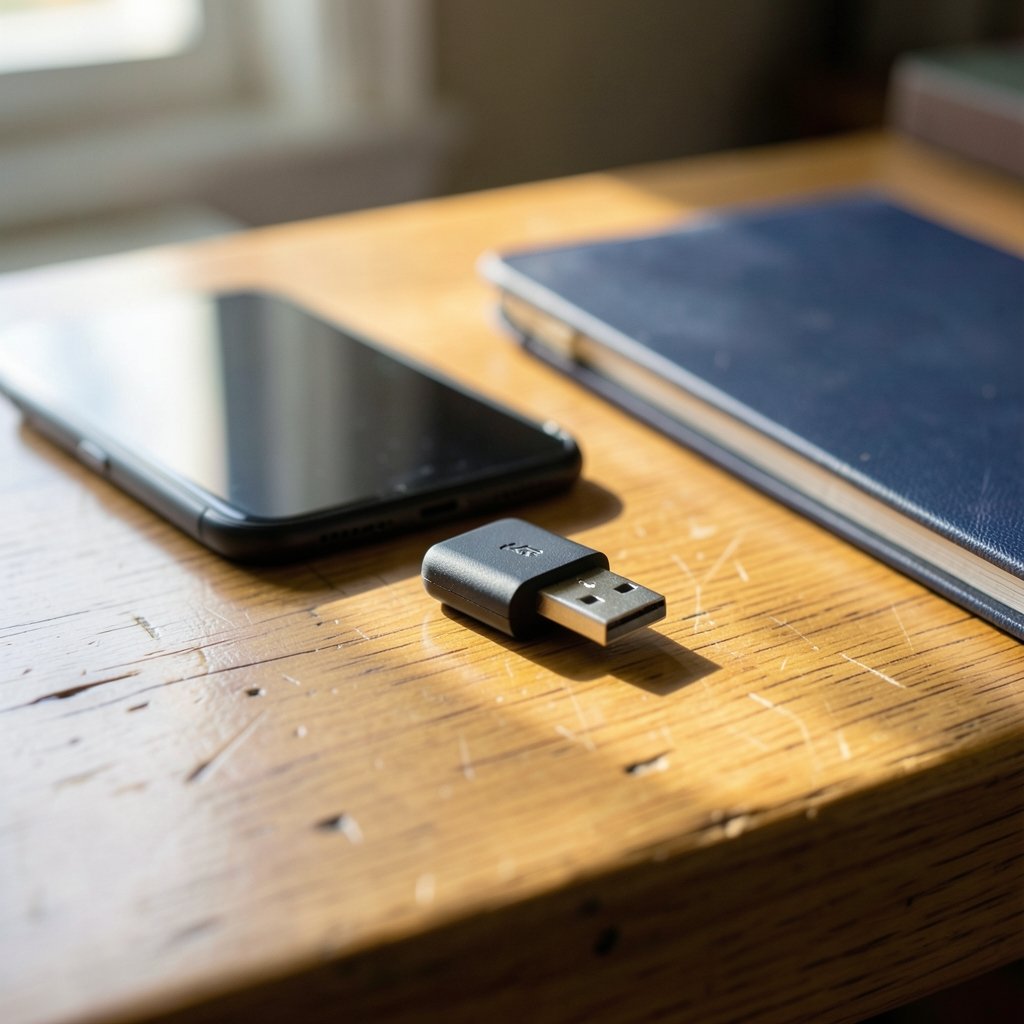
A YubiKey is a hardware authenticator made by Yubico, a company that has been building security hardware for well over a decade. It looks like a small USB stick, roughly the size of a thumb drive, and it does one core job extremely well: it proves your identity to a website or app using cryptography rather than a password you type. (Yubico Products Overview)
The key part is that the secret inside the device never leaves it. When you log in, the website sends a challenge, the YubiKey signs it with a private key stored in tamper-resistant hardware, and the site verifies the signature. There’s no code to read aloud, no number to copy, and nothing a phishing page can steal, because the key checks that it’s talking to the real site before it responds.
YubiKeys support several protocols depending on the model, including FIDO2/WebAuthn (the modern standard for passwordless and second-factor logins), U2F (the older but still widely used second-factor standard), smart card (PIV), one-time passwords, and OpenPGP. For most people, only FIDO2 and U2F matter. The WebAuthn specification published by the W3C is the technical backbone behind these logins, and it’s what lets a browser and a key talk to each other securely.
How a YubiKey Works in Daily Use
The everyday experience is refreshingly simple. You register the key once with a service, usually by plugging it in and tapping a gold contact when prompted. From then on, logging in means entering your username and password, then tapping the key when the browser asks. Some services let you skip the password entirely and use the key as your only factor.
There are three connection styles to know about:
| Type | Best for | Notes |
|---|---|---|
| USB-A | Desktop PCs, older laptops | The classic stick shape |
| USB-C | Modern laptops, phones | Fits most current ports |
| NFC | Phones and tablets | Tap the key to the back of the device |
In practice, the friction is small but real. You have to have the key with you, and you have to plug it in or tap it. That’s the whole point, of course: an attacker who has your password but not your key gets nowhere. The trade-off is that you can’t log in from a borrowed computer on vacation unless you brought the key along.
A common mistake is registering only one key and then leaving it plugged into a laptop permanently. That defeats much of the purpose, since a stolen laptop takes the key with it. The better habit is to keep the primary key on your keyring and store a backup somewhere secure, like a home safe.
The Case for Buying One
The strongest argument for a hardware key is phishing resistance. Text-message codes and authenticator apps can both be tricked: a convincing fake login page collects your password and your code in real time, and the attacker walks in behind you. A security key bound to the real domain simply won’t respond to the fake one. U.S. government identity guidance, NIST Special Publication 800-63B, treats these phishing-resistant authenticators as the highest assurance level for a reason.
The second argument is account value. If someone takes over your email, they can reset the password on almost everything else you own. If they take over your password manager, they get all of it at once. Locking down a handful of accounts with a physical key creates a bottleneck that’s very hard to get around remotely.
The third is durability. A YubiKey has no battery to charge and no screen to crack. It just works, year after year, until it doesn’t. Many models are designed to survive being carried on a keyring, which is more than can be said for most gadgets.
The Case Against, and Who Can Skip It
Hardware keys aren’t a universal upgrade. For a lot of people, the practical answer to “do you need one” is no, and that’s fine.
Passkeys now cover much of the same ground. These are FIDO credentials stored in your phone, browser, or password manager and synced across devices. They’re phishing-resistant too, and they don’t require carrying anything extra. If your main goal is to stop phishing without buying hardware, passkeys get you most of the way there.
Cost and hassle matter as well. Keys typically run from about $25 to $90 depending on features, and you really should buy two so a lost key doesn’t lock you out of your own life. That’s a real expense for a family, and it comes with the ongoing job of registering both keys everywhere.
There’s also the recovery problem. If you lose every key and haven’t set up backup codes or a second method, you can be locked out of accounts permanently. Some services are stricter than others about this. Before committing, check what recovery options each account offers, and store recovery codes somewhere offline.
Finally, not every service supports security keys. Banks in particular are often slow to adopt them. A key is only useful where it’s accepted, so it’s worth checking your most important accounts first.
YubiKey vs. the Alternatives
It helps to see the options side by side, because “better” depends on your threat model.
| Method | Phishing-resistant? | Needs a device? | Typical cost |
|---|---|---|---|
| SMS codes | No | Phone | Free |
| Authenticator app | No | Phone | Free |
| Passkeys | Yes | No (synced) | Free |
| Hardware key | Yes | Yes | $25–$90 each |
SMS and app codes are better than nothing, and for low-stakes accounts they’re perfectly reasonable. The gap opens when an account is valuable enough that a determined attacker would bother building a fake login page. That’s where the hardware key pulls ahead, because there’s simply nothing to phish.
A key also has limits. It won’t stop malware already running on your machine, it won’t fix a weak password on an account that doesn’t support keys, and it won’t protect you if you hand your phone to a stranger while it is open. Security is a stack, not a single purchase. To shore up the rest of that stack, it helps to know what a keylogger is and how to detect one, since keyloggers target exactly the passwords a hardware key is meant to make less valuable.
Practical Setup Tips That Actually Work
People who buy a key and then abandon it usually stumble on the same few steps. Here’s what tends to work.
- Buy two keys at once. Register both everywhere. Keep one on your keyring and one in a drawer or safe at home.
- Start with your email account. It’s the master key to everything else. Then do your password manager, then banking, then social media.
- Print your recovery codes. Store them somewhere physically secure. Don’t leave them in a cloud note.
- Label your keys. A strip of tape with “primary” and “backup” saves confusion later.
- Test the backup. Log out, log in with the spare key once, and confirm it works before you need it.
- Keep the key somewhere you’ll actually have it. A key at home is useless when you’re traveling and need to log in.
One underrated tip: register the key on a desktop browser first, where plugging in a USB device is easy, then add phone access later if your key supports NFC. Trying to set everything up on a phone in one sitting is where most frustration happens. And if you regularly use public Wi-Fi while traveling, pairing the key with a reputable encrypted connection is a sensible extra layer; this explainer on what a VPN is and when you should use one covers when that’s genuinely worth it.
Who Benefits Most
Some people get outsized value from a hardware key. Journalists, activists, and executives face targeted phishing and often handle sensitive communications. IT administrators hold credentials that give access to entire organizations. Small business owners frequently have one person managing finances, payroll, and email, which makes that single account a likely target. Anyone who has already been phished once should strongly consider one.
On the other side, someone whose digital life is mostly social media and streaming, who already uses passkeys and an authenticator app, and who has never been targeted, can reasonably wait. The marginal benefit is real but small. The honest framing is that a YubiKey is insurance: you buy it hoping never to need it, and the premium is modest.
Conclusion
A YubiKey is a small, durable piece of hardware that turns your login into something an attacker can’t replicate from another continent. It’s the strongest consumer-grade defense against phishing available today, and for high-value accounts it’s close to a no-brainer. But it’s not a universal requirement. Passkeys cover a lot of the same ground for free, recovery mistakes can lock you out, and the cost of doing it properly means buying two keys rather than one.
The practical path for most people is to secure email and a password manager first, add a backup key, print recovery codes, and test the whole setup before trusting it. If you run a business with shared logins or a fleet of work devices, the same logic applies at a larger scale, and it pairs well with getting your operational house in order, whether that means a used truck dealer matching work trucks to your needs or tightening up the accounts that run the company. Start with the accounts you’d panic about losing, and let the rest follow.
FAQ
Does a YubiKey work with every website?
No. Support varies widely. Major platforms like Google, Microsoft, and GitHub support security keys, but many banks and smaller services don’t yet. Check your most important accounts before buying, and treat the key as protection for the services that accept it rather than a blanket solution.
What happens if I lose my YubiKey?
If you registered a backup key, you log in with that one and remove the lost key from each account. If you didn’t, you’ll rely on recovery codes or account recovery processes, which vary by service and can be slow. This is exactly why buying two keys and printing recovery codes is the standard advice.
Is a YubiKey better than a passkey?
They solve overlapping problems. Both are phishing-resistant. A passkey is typically synced across your devices, which is convenient and free. A YubiKey is a separate physical object, which some people prefer because it can’t be copied off a device or accessed remotely. Many security-conscious users rely on both.
Can I use a YubiKey on my phone?
Yes, if the model supports NFC or your phone has a compatible port. You tap the key to the back of the phone when prompted. Setup is usually easier on a computer first, then you add the phone afterward.
Do I need a different key for each account?
No. One key can be registered with many services at once. The key stores separate credentials for each site, so the same device protects your email, your password manager, and your social accounts simultaneously.
How much should I budget for a security key?
Plan on roughly $50 to $180 total, since the sensible approach is two keys rather than one. Prices vary by model and features like NFC or USB-C. Compared with the cost of a single account takeover, it’s a modest one-time expense.



