

What if the backup you trust most is the first thing an attacker deletes? That single question exposes the biggest flaw in most ransomware defenses: people protect against the attack they imagine, not the one that actually arrives. Ransomware crews have spent years refining their playbook, and they now target the exact gaps that defenders leave open again and again. The mistakes below are not exotic. They are ordinary, repeatable, and painfully common. Fixing even a few of them shifts the odds dramatically in your favor. (Stop Ransomware)
Treating Backups as a Checkbox Instead of a Lifeline
The most expensive mistake is assuming that “we have backups” means “we can recover.” In practice, many organizations store backups on the same network, under the same credentials, as the systems they are meant to protect. When ransomware lands, it spreads to those backups and encrypts or wipes them along with everything else.
What actually works is the 3-2-1 rule pushed further: at least three copies of data, on two different media types, with one copy offline or immutable. The offline copy is the critical piece. It should be disconnected from the production network by default, not merely protected by permissions that an attacker with domain admin rights can override.
A second, quieter failure is the untested restore. Teams discover during a crisis that their backup software version is incompatible, their recovery keys are stored on an encrypted server, or a full restore takes four days rather than four hours. The fix is unglamorous but decisive: schedule real restore drills, restore to clean hardware, and time them. If the drill has never happened, the backup is a hope, not a plan. For a broader grounding in how these attacks unfold, see what ransomware is and how you can prevent it.
Leaving the Network Flat and Privileges Wide Open
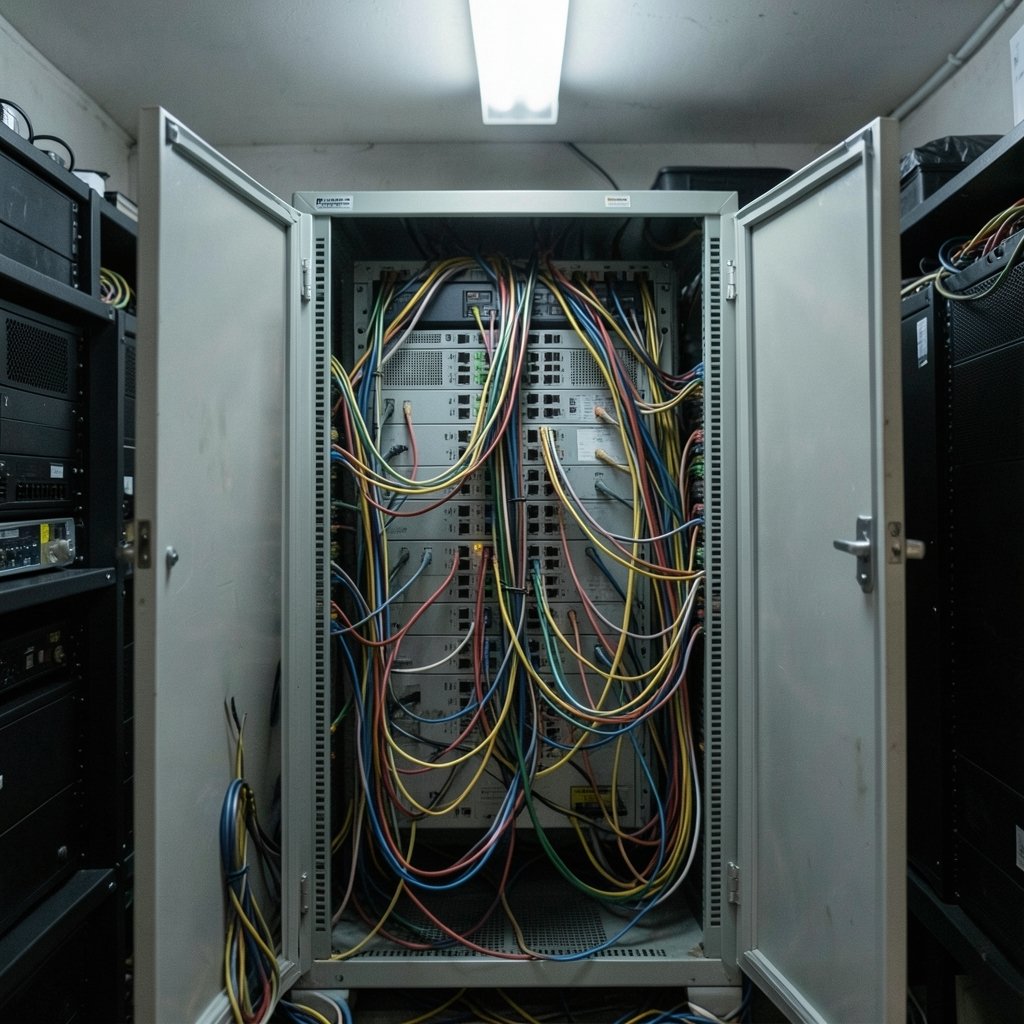
Ransomware rarely encrypts a single machine and stops. Modern operators land on one workstation, escalate privileges, and move laterally until they control the domain. A flat network with no segmentation makes that journey trivial.
Common mistakes here include:
- Standing administrator rights for everyday accounts, so a single phished session hands over the keys.
- Shared local administrator passwords across endpoints, letting one compromised machine reach the rest.
- No network segmentation, so file shares, domain controllers, and backup servers all sit within easy reach.
- Service accounts with excessive permissions and passwords that never rotate.
The practical remedy is least privilege enforced ruthlessly: just-in-time admin access, unique local admin passwords, and segmentation that puts backups and critical systems behind their own boundary. None of this is glamorous, but it is precisely what blunts lateral movement.
Skipping Multi-Factor Authentication on the Doors That Matter
Attackers overwhelmingly prefer logging in over breaking in. Stolen credentials, purchased from initial access brokers or harvested through phishing, turn a perimeter into an open door. Multi-factor authentication on remote access, email, and privileged accounts closes that door cheaply.
The mistake is partial coverage. Organizations enable MFA for the workforce but leave it off for VPN appliances, service accounts, or third-party vendor access. Those exceptions are exactly where attackers aim. Push MFA everywhere, and prefer phishing-resistant methods such as hardware security keys or passkeys over SMS codes, which are vulnerable to interception and SIM swapping.
Ignoring the Human Layer While Blaming It
It is tempting to treat every incident as a user error and respond with another annual slideshow. That approach fails because modern ransomware often arrives without a malicious attachment at all, through valid accounts, remote monitoring tools, or exploited edge devices. Blaming users while ignoring technical controls is a category error.
Effective awareness training is short, frequent, and specific. It teaches people to recognize urgency and authority pressure, to verify unusual payment or credential requests through a second channel, and to report suspicious messages without fear of punishment. A culture where reporting is rewarded rather than ridiculed shortens detection time more than any poster campaign. Pair that with technical guardrails, such as attachment sandboxing and macro blocking, so a single click is not catastrophic.
Neglecting Patching on Internet-Facing Systems
Edge devices, VPN concentrators, and remote access gateways are favorite entry points because they sit exposed to the internet and often run outdated firmware. A patch released on Tuesday becomes a weapon by the weekend. Organizations that treat patching as a monthly ritual rather than a risk-based priority leave known holes open for months.
The workable approach is to inventory every internet-facing asset, rank patches by exploitability rather than convenience, and maintain an emergency patching path for critical vulnerabilities. If a system cannot be patched quickly, isolate it or retire it. An unpatched appliance is not a small risk; it is an invitation. For a concrete example of how quickly these gaps get exploited, the Warlock ransomware SharePoint ToolShell 2026 case shows how a single unpatched surface can become a launchpad.
Overlooking Detection and Assuming Antivirus Is Enough
Signature-based antivirus catches known malware and misses almost everything else. Ransomware operators test their payloads against common security tools before deployment, and they increasingly use living-off-the-land techniques that look like normal administration.
What actually helps is behavioral detection: alerts on mass file encryption, unusual credential dumping, sudden spikes in remote desktop connections, or backup deletion commands. Endpoint detection and response tools, centralized logging, and someone watching the alerts matter far more than a green checkmark on a dashboard. A useful primer on hardening devices sits in malware protection: how to protect your devices.
Failing to Plan for the Worst Day
Many organizations have an incident response plan that lives in a binder nobody has opened since it was written. When ransomware hits, the first hours are chaos: nobody knows who calls legal, who talks to the press, or which systems to shut down first.
A plan that works is short, tested, and printed. It names decision-makers, includes an offline contact list, and defines the order of operations for isolation, investigation, and recovery. Run tabletop exercises at least annually, ideally with leadership in the room. The goal is not a perfect document but practiced muscle memory.
Underestimating the Value of Privacy and Identity Hygiene
Ransomware crews frequently combine stolen data with double extortion, threatening to publish what they took. That makes everyday privacy practices a security control, not a lifestyle preference. Reused passwords, overshared personal data, and unmanaged shadow accounts all feed the attacker’s leverage. Understanding what internet privacy is and how you can protect it is a practical step, not a philosophical one.
Paying Without Engaging Anyone
When the screen goes dark, pressure mounts to pay. Yet payment funds criminal operations, does not guarantee recovery, and can carry legal and sanctions risk depending on jurisdiction. Organizations that pay without contacting law enforcement or counsel forfeit investigative help and may inadvertently fund sanctioned entities.
The better path is to engage law enforcement early, bring in outside counsel, and work from a rehearsed plan. Decision-makers should agree in advance under what conditions, if any, payment would be considered, rather than making that call in the middle of a crisis.
Comparing Common Mistakes and Their Fixes
| Mistake | What It Looks Like | Practical Fix |
|---|---|---|
| Reachable backups | Backups on the same network | Offline or immutable copy, tested restores |
| Flat network | No segmentation, shared admin passwords | Least privilege, JIT admin, segmentation |
| Partial MFA | VPN and vendors excluded | MFA everywhere, phishing-resistant methods |
| Patch lag | Outdated edge devices | Inventory, risk-based patching, isolation |
| Detection gaps | Antivirus only, no monitoring | EDR, centralized logs, alert triage |
| Untested plan | Binder on a shelf | Annual tabletop exercises, offline contacts |
Common Mistakes People Make When Responding Mid-Attack
Protection failures get most of the attention, but response errors compound the damage. A few recurring ones:
- Rebooting infected machines, which can trigger encryption routines or destroy forensic evidence.
- Restoring from backups before confirming they are clean, reintroducing the attacker.
- Communicating over compromised email, tipping off the intruder to your plans.
- Shutting everything down at once, including systems needed to investigate.
- Rushing public statements, which can create legal and reputational problems later.
The antidote is a rehearsed sequence: isolate, preserve evidence, verify backups, and coordinate through out-of-band channels. For a sense of how rapidly these events escalate, the Rhysida ransomware Berlin government breach 2026 illustrates how public institutions grapple with the same pressures. Similar lessons appear in The Gentlemen ransomware 2026: what victims should know, where victim guidance emphasizes containment over heroics. (Ransomware)
What Actually Works in Practice
Strip away the marketing and the durable practices are unremarkable:
- Assume compromise and design so that one failure is not fatal.
- Keep an offline copy of critical data and prove it restores.
- Enforce least privilege and segment the network.
- Patch exposed systems fast and retire what cannot be patched.
- Watch for behavior as well as signatures.
- Rehearse the response until it is boring.
None of these require a huge budget. They require consistency, and consistency is where most organizations quietly fall short.
Conclusion
Ransomware protection fails less often because of sophisticated attacks and more often because of ordinary gaps left open for years. Reachable backups, partial MFA, flat networks, stale patches, and untested plans form a predictable checklist that attackers know by heart. Each item on that list is fixable, and fixing even a handful raises the cost of an attack. Start with the backup you can restore and the door you left open. Then continue, because the mistakes that hurt most are the ones everyone assumed someone else had already handled.
Frequently Asked Questions
What is the single most common ransomware protection mistake?
The most common mistake is assuming backups are safe when they are actually reachable from the production network. Attackers routinely target connected backups first, so an offline or immutable copy is essential.
How often should backup restores be tested?
At least quarterly for critical systems, and always after major infrastructure changes. A restore that has never been timed and verified is an assumption, not a recovery capability.
Is antivirus enough to stop ransomware?
No. Signature-based antivirus misses new variants and living-off-the-land techniques. Behavioral detection, endpoint detection and response, and active monitoring are needed alongside traditional tools.
Should organizations ever pay a ransom?
Official guidance generally discourages payment because it funds criminal activity, does not guarantee recovery, and can carry legal or sanctions risk. Engaging law enforcement and counsel early is the safer path.
How quickly do attackers move after initial access?
Timelines vary widely, but many intrusions escalate within days or even hours once credentials are obtained. Fast detection and segmentation matter more than perfect prevention.
What is the cheapest high-impact improvement most organizations can make?
Enforcing multi-factor authentication on remote access and privileged accounts delivers outsized protection for relatively little cost and effort.
The pattern across all these mistakes is the same: each one is a small, ordinary shortcut that feels reasonable on a busy Tuesday and becomes catastrophic on the worst Wednesday. Nobody deliberately leaves a VPN appliance unpatched or excludes the vendor account from MFA; those gaps accumulate quietly because ownership is diffuse and no one is accountable for the whole. Assigning clear ownership for backups, patching, identity, and detection, then reviewing that ownership quarterly, converts good intentions into a standing habit. Pair it with a simple metric set — restore test results, patch latency on exposed systems, MFA coverage by account type, and mean time to detect — so drift becomes visible before an attacker finds it. None of this is glamorous, and that is precisely the point. The organizations that survive ransomware are rarely the ones with the largest budgets; they are the ones that treated the boring checklist as non-negotiable and kept at it long after the last scare faded.



