
Quick Answer: Which gaming PC cases are best for competitive gaming?
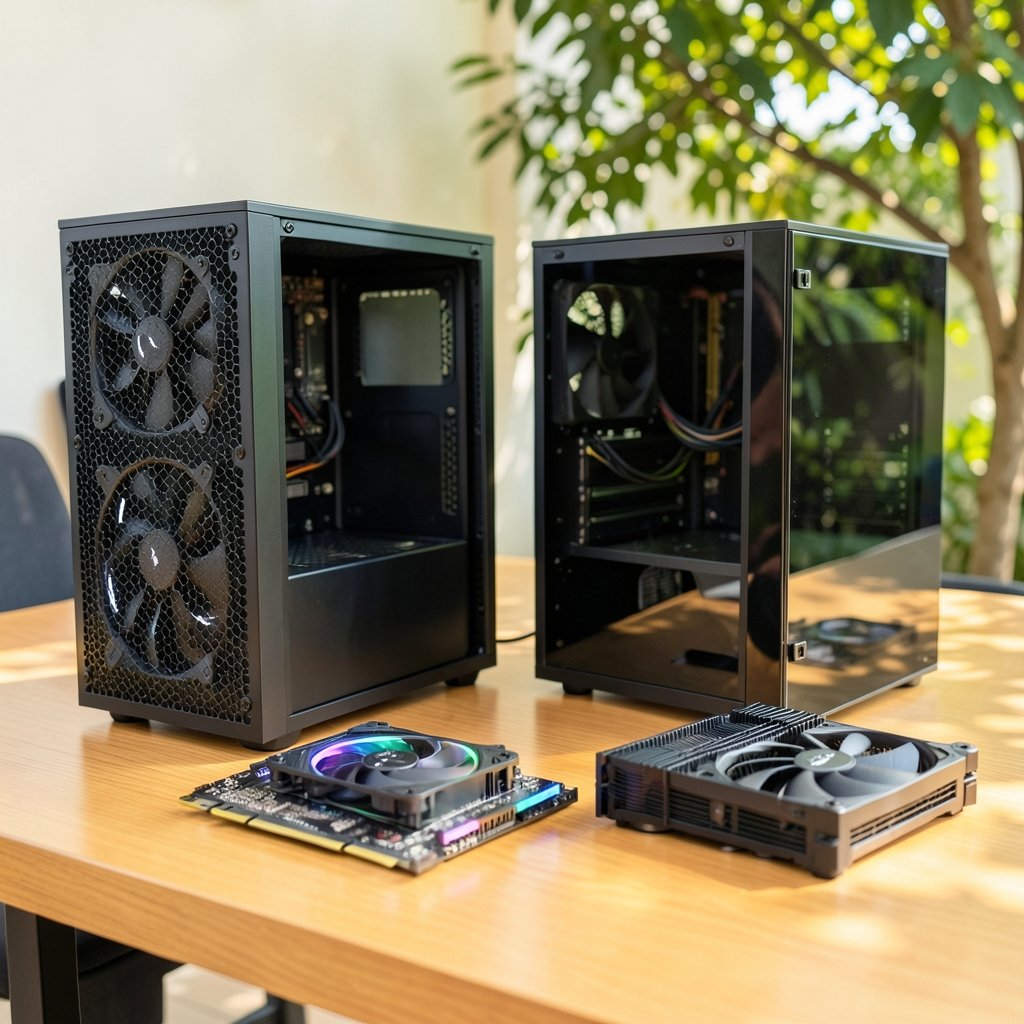
The best gaming PC cases for competitive gaming are mesh-front airflow cases with enough clearance for your GPU, CPU cooler, and radiators. They keep temperatures steady during long sessions, which protects frame rates when every millisecond counts. Mid-tower ATX and Micro-ATX models usually offer the best balance of airflow, space, and desk-friendly size, while small-form-factor cases trade expansion room for a smaller footprint.
Solid glass-front cases and heavily sound-dampened designs look great but often run hotter. They can work well if your parts are efficient and your room stays cool, though they leave less headroom for upgrades.
Before buying, compare front-panel airflow, maximum GPU length, CPU cooler height, radiator support by position, motherboard form factor, dust filtering, and front I/O needs.
Why Case Choice Actually Matters in Competitive Play
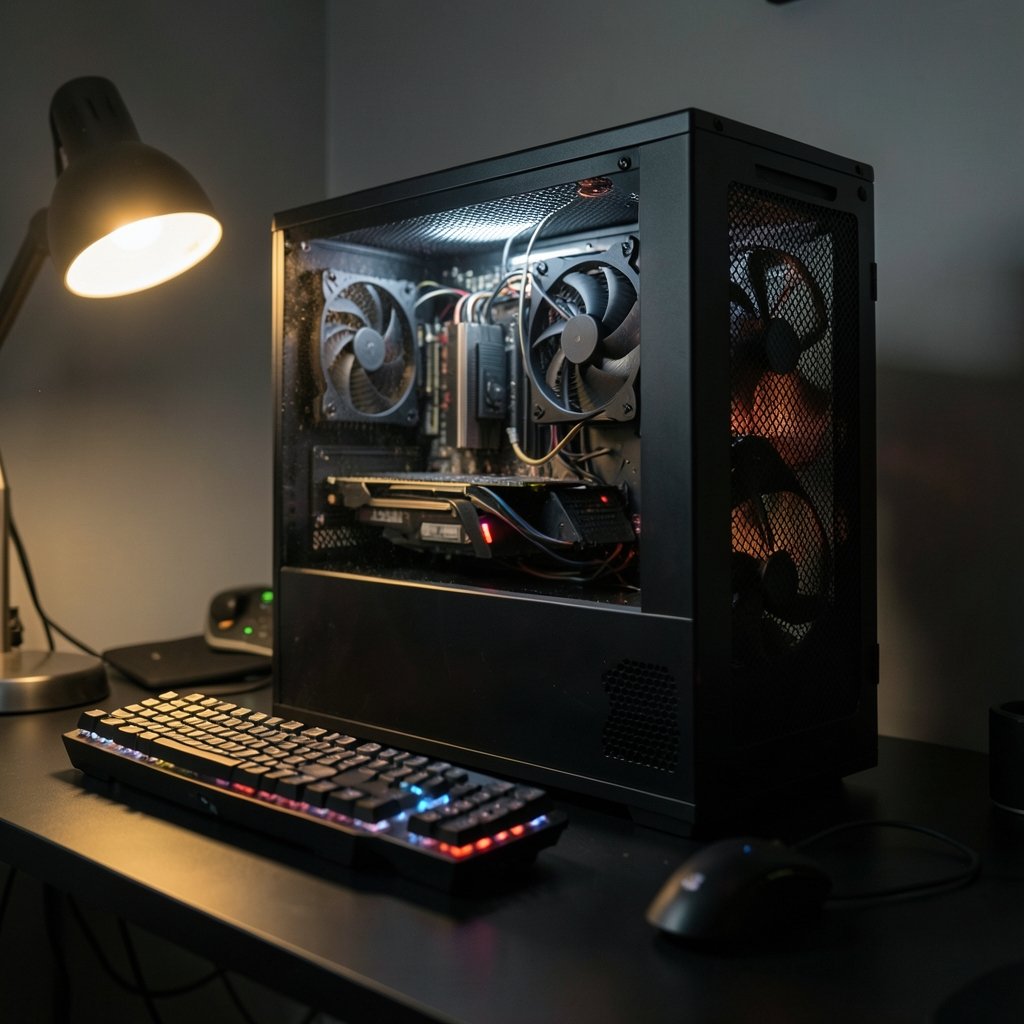
Ever lost a clutch round because your PC stuttered at the worst possible moment? It happens, and heat is often the quiet culprit. Competitive gaming means long sessions at high refresh rates, and a case that traps warm air forces your components to run hotter and sometimes slower.
Here is the honest part: for esports titles like CS2, Valorant, or League of Legends at 1080p with low settings, the GPU is often lightly loaded. The CPU does most of the heavy lifting. So a case affects GPU temperatures far more than CPU temperatures, and your CPU cooler choice matters more than your chassis. Still, case intake feeds the CPU air cooler, and a choked case hurts everything eventually.
The practical takeaway is simple. A good case will not make you faster. A bad case can make your machine slower, louder, and less stable over a three-hour grind. That is the real stakes.
The One Feature That Separates Good Cases From Bad
If you remember nothing else, remember this: front-panel airflow is the single most important spec for competitive builds. Mesh fronts with a high percentage of open surface let cool air in with minimal restriction. Solid glass or plastic fronts look stunning in photos and starve your fans in practice.
A few practical notes from real builds:
- Mesh passes more dust and slightly more noise. Filters cut dust but add restriction, so clean them monthly.
- Positive pressure (more intake than exhaust) generally reduces dust buildup. It is a widely used building guideline rather than a formal standard, but it works.
- Three mediocre fans in the right places beat six fans fighting each other. Two or three front intakes plus one rear exhaust covers most builds.
A common mistake is buying a gorgeous glass box, then wondering why the GPU fans scream during ranked matches. Another is stuffing a mesh case into a closed desk cubby, which defeats the entire design. Give the case breathing room on all sides, especially the front.
If you are still deciding what hardware goes inside the box, the debate over a PS5 Pro vs a gaming PC shapes your case needs before you buy anything.
Clearance: The Spec Sheet Nobody Reads Until It Is Too Late
The most common fitment failure in PC building is GPU length. Modern high-end graphics cards commonly exceed 300 mm, and many run past 330 to 360 mm. Case spec sheets list a maximum GPU length, but front fans or a front-mounted radiator can eat 25 to 60 mm of that space. Always check the manufacturer’s spec sheet, not the marketing photos.
CPU cooler height is the second trap. Large tower air coolers often need 160 mm or more of clearance, while many compact cases list only 150 to 160 mm. A cooler that is 2 mm too tall means a side panel that will not close.
Radiator support is size- and position-specific. A case may advertise 360 mm support only in front, while top mounting is limited by motherboard VRM heatsinks and tall RAM. The manual, not the product page, gives the definitive matrix.
Here is a quick reference for matching cases to builds:
| Case Type | Best For | Main Trade-Off |
|---|---|---|
| Mid-tower ATX, mesh front | Most competitive builds | Takes up desk or floor space |
| Micro-ATX, mesh front | Smaller desks, cleaner setups | Fewer expansion slots |
| Mini-ITX | Tiny footprints, LAN-ready builds | Tight cooler and GPU limits |
| Full tower | Heavy cooling, big radiators | Large and heavy |
| Glass-front showcase | Aesthetics-first builds | Restricted intake airflow |
Form Factor: How Much Case Do You Really Need?
Competitive players usually run one GPU, one or two drives, and maybe a capture card. That means ATX is often more case than necessary. Micro-ATX hits a sweet spot: full-size GPU support, decent airflow, and a smaller footprint that frees up desk space for a mouse arm sweep.
Mini-ITX is tempting for tidy setups, but it constrains cooler height and GPU length severely, and cable management becomes a puzzle. It can absolutely work for competitive gaming, especially with efficient mid-range parts, but plan every millimeter before buying.
One more compatibility check: front-panel USB-C headers require motherboard support, and many budget boards lack the right header. Verify before you fall in love with a case’s front I/O.
If your desk setup is still coming together, pair your case choice with a display that matches your frame rates. A guide to the best gaming monitors for competitive gaming covers what actually wins you rounds.
Airflow Setups That Work in Practice
Fancy fan curves are fun, but the fundamentals do the work. A proven layout for a mesh mid-tower looks like this:
- Mount two or three intake fans at the front, pulling through the filter.
- Place one exhaust fan at the rear, behind the CPU cooler.
- Add a top exhaust only if temperatures demand it, and watch for dust settling on top.
- Set intake fans slightly faster than exhaust to maintain positive pressure.
- Keep the case off carpet and out of enclosed cabinets.
- Clean front filters every few weeks; clogged mesh is a solid panel in disguise.
A common mistake is maxing every fan to 100 percent. That adds noise without meaningfully lowering temperatures once airflow is adequate. Another is mounting a radiator as intake right in front of the GPU, feeding it warm air. It works, but front-to-back airflow with the radiator up top often treats the GPU more kindly.
Noise versus airflow is the eternal trade-off. Sound-dampened cases reduce noise but restrict airflow. Competitive players wearing headsets usually prioritize temperatures, and a well-tuned fan curve handles the noise side.
The Rest of Your Setup Affects the Case Decision Too
A case is one piece of a system, and the pieces interact. Your network connection, for example, matters as much as your frame rate. Wired versus wireless is a debate worth settling before you blame your rig; the case for ethernet vs Wi-Fi for gaming explains why cable still wins on stability. If you are weighing cloud options, a comparison of Xbox cloud gaming vs PS Plus Premium shows where local hardware still pulls ahead, which affects how much case and cooling you need.
Where you buy parts matters too. Key resellers differ in price and reliability, and a breakdown of Eneba vs CDkeys vs Green Man Gaming helps you spend savings on a better chassis instead of full-price games. And if you are choosing between a console and a PC entirely, the guide to the best gaming consoles for 2026 frames the trade-offs honestly.
Cases to Avoid for Competitive Builds
Not every popular case suits competitive play. Watch out for these patterns:
- Sealed glass fronts with tiny side vents. They look premium and choke intake.
- Cases with no dust filters. Fine for a showroom, rough for a bedroom that collects dust.
- Oversized full towers for a single-GPU build. You pay in space and money for empty room.
- Ultra-budget cases with thin panels and no cable routing. They vibrate, rattle, and trap heat.
- Cases whose GPU clearance barely matches your card. Zero margin means zero upgrade path.
None of these are bad products. They are simply mismatched to the goal: steady temperatures during long, high-refresh sessions.
How to Choose in Five Minutes
Walk through this checklist before checkout:
- Measure your GPU length and add 30 mm of buffer.
- Check CPU cooler height against the case spec.
- Confirm radiator sizes and mounting positions in the manual.
- Verify motherboard form factor and front-panel header support.
- Read at least one independent thermal review, and do not rely only on product photos.
That five-step routine catches nearly every fitment disaster before it ships.
Conclusion
The best gaming PC cases for competitive gaming are not the flashiest ones. They are mesh-front, well-filtered boxes with real clearance for your GPU, cooler, and radiators, sized to your desk and your build. Airflow keeps temperatures steady, steady temperatures keep frame rates predictable, and predictable frame rates keep your aim honest. Pick a case that breathes, measure twice, and spend the savings on the parts that actually render frames.
FAQ
Do I need a mesh front case for competitive gaming?
Not strictly, but it helps. Mesh fronts generally deliver lower component temperatures than solid fronts, and cooler parts hold clocks better during long sessions. If you love a glass-front design, choose one with generous side intake and efficient components.
Is a mid-tower or Mini-ITX case better for esports?
Mid-tower and Micro-ATX cases are easier to cool and upgrade, which suits most competitive players. Mini-ITX works well if you accept tighter cooler and GPU limits and plan clearances carefully before buying.
How much GPU clearance should I leave in a case?
Leave at least 25 to 30 mm beyond your card’s length. Front fans and radiators can reduce the listed maximum, so check the manual’s clearance figures rather than the marketing page.
Does case airflow improve my CPU temperatures in games?
Less than you might expect. Esports titles at low settings are mostly CPU-bound, so cooler choice matters more than the case. Case intake still feeds the CPU air cooler, so a choked case eventually hurts everything.
How many case fans do I actually need?
Two or three front intakes plus one rear exhaust cover most competitive builds. More fans help only if airflow is restricted; beyond that, they mostly add noise.
Do dust filters hurt cooling performance?
They add a little restriction, but the dust they stop is worse for long-term cooling. Clean the filters every few weeks so mesh does not slowly turn into a solid panel.
One last practical note on fan headers and controllers: a case with three or four included fans often ships with a hub, and hubs vary in quality. Some connect to a single motherboard header and run all fans at one speed; others support PWM control per channel. For competitive builds, PWM control matters more than raw fan count, because it lets you tune noise and airflow independently. Check whether the included hub needs SATA power and whether your motherboard has enough headers for the fans you plan to add later. If you are buying a case purely for its bundled fans, verify they are PWM and not voltage-controlled three-pin units, which are harder to tune smoothly. Also confirm whether the front panel uses a USB 3.2 Gen 2 Type-C header or the older Gen 1 connector, since the two are not interchangeable and adapters are awkward. None of this is glamorous, but it is the difference between a case that quietly supports your build for years and one that forces compromises the first time you upgrade a GPU or add a radiator. Measure, read the manual, and let airflow and clearance decide, not the marketing render.



