What if the one gadget sitting on your kitchen counter could run every light, lock, thermostat, and camera in the house without a single app switch? That is the promise of a smart speaker built for multi-device homes. The catch is that not every speaker can do it, and the wrong pick leaves you juggling three apps to dim one lamp.
This roundup cuts to the shortlist. Each pick below is a specific, named speaker that handles a crowd of devices well, with a clear note on who it suits, what it nails, and where it stumbles. The through-line across every recommendation is simple: buy the speaker that matches the platform your devices already speak, and check that it acts as both a Matter controller and, where you need it, a Thread border router.
The Shortlist at a Glance
| Speaker | Best for | Matter controller | Thread border router | Standout strength |
|---|---|---|---|---|
| Apple HomePod mini | Apple Home households | Yes | Yes | Cheap entry into Apple’s ecosystem |
| Apple HomePod (2nd gen) | Apple Home + music lovers | Yes | Yes | Room-filling sound with Siri control |
| Amazon Echo (4th gen) | Alexa-first homes | Yes | Yes | Balanced audio and broad device support |
| Amazon Echo Show 8 (3rd gen, 2023) | Alexa homes wanting a screen | Yes | Yes | Visual confirmation of device states |
| Google Nest Hub (2nd gen) | Google Home households | Yes | Yes | Compact display with Google Assistant |
| Google Nest Hub Max | Google homes, bigger rooms | Yes | Yes | Larger screen for camera feeds |
| SmartThings Station | SmartThings users | Yes | Yes | Dedicated hub that doubles as a charger |
That table is the whole answer in miniature. The longer version explains why each one earns its slot.
Apple HomePod mini: The Cheapest Way Into Apple’s Smart Home
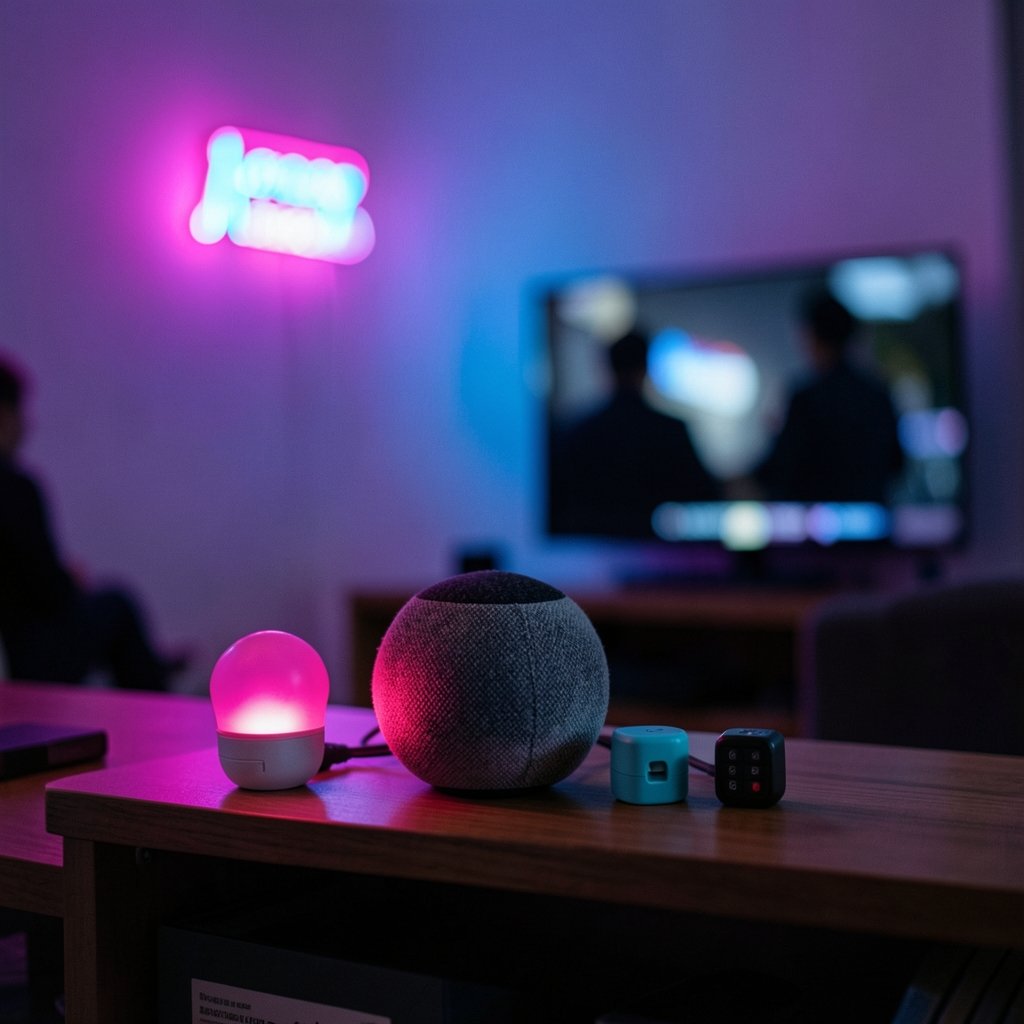
For anyone already living in Apple’s world, the HomePod mini is the obvious starting point. It is Apple’s smallest and least expensive smart speaker, and it offers hands-free Siri voice control plus tight integration with the Apple Home app. Reviewers consistently praise its audio for the size: rich bass and bright highs, with the ability to group multiple units into stereo pairs.
The multi-device story is where it matters. The HomePod mini is both a Matter controller and a Thread border router, which means it can command Matter gadgets directly and give Thread-based devices a route onto your network. If you have been putting off Thread sensors because you lacked a border router, this little speaker quietly solves that problem.
The limitation is the ecosystem wall. Siri plays nicest with Apple devices and services, and households split between iPhone and Android will feel the friction. If your family is mixed, this may not be the peacekeeper you hoped for.
Apple HomePod (2nd Generation): Same Brain, Bigger Sound
The full-size HomePod (2nd generation) carries the same Matter controller and Thread border router roles as the mini, so everything said above about multi-device coordination applies. What changes is the listening experience. It is the pick for a living room where music quality and voice control share equal billing.
Who it suits: Apple households that want one speaker to anchor the main room, control the whole device list, and sound good doing it. The limitation is price and platform lock-in. You are paying a premium for audio, and you are still inside Apple’s garden. For a bedroom or a hallway, the mini does the job for far less. For the room where everyone gathers, the bigger model earns its keep.
Amazon Echo (4th Generation): The Alexa Workhorse
If your home runs on Alexa, the Echo (4th generation) is the balanced default. It delivers solid audio and broad smart-home control, and it is a Matter controller with Thread border router duties built in. Amazon’s ecosystem is the widest of the big three, which matters when you are stitching together devices from a dozen brands.
Practical guidance from device comparisons is worth repeating: plan your Thread border router hardware first, then choose your Echo based on whether you want audio or a display. Do not assume every Echo is a Thread router; support depends on the model and generation. The Echo (4th gen) is the safe audio-first choice for a living room that doubles as the family command center.
The limitation is familiar to anyone who has used Alexa long-term: the assistant is capable but occasionally over-eager, and some routines with many steps can trip partway through. Test your most important automation before you rely on it.
Amazon Echo Show 8 (3rd Generation, 2023): When You Want to See the House
The Echo Show 8 (3rd generation, 2023) adds a screen, and that changes how you manage multiple devices. Instead of asking whether the garage door is closed, you glance at it. Camera feeds, timers, and device states all become visual, which reduces the friction of voice-only control.
It suits busy households and anyone who manages cameras or a video doorbell. The comparison logic is straightforward: if your living room is a camera and timer command center, a Show model cuts steps because you can confirm states at a glance. The limitation is that you pay more for the display, and a screen in a central room invites more idle interaction than a plain speaker. If you mostly play music, the audio-first Echo is the better spend.
Google Nest Hub (2nd Generation): Google’s Compact Command Center
For Google Home users, the Nest Hub (2nd generation) is the compact pick. It pairs Google Assistant with a small display for everyday voice control and audio. It is a Matter controller and a Thread border router, so it coordinates Matter devices and gives Thread gadgets a path onto your network.
Here is the trap worth flagging: check the exact generation before buying. The first-generation Nest Hub controls Matter over Wi-Fi but has no built-in Thread radio. That single difference decides whether the speaker can serve as your Thread border router or not. Buy the second generation if Thread matters to you.
The limitation is the display size. It is fine for quick glances and device toggles, but cramped for camera feeds compared with the Max.
Google Nest Hub Max: The Big-Screen Google Option
The Nest Hub Max scales up the same formula: Google Assistant, a larger display, and the same Matter controller and Thread border router roles. It suits kitchens and living rooms where the screen is a shared household tool rather than a personal one, and where camera feeds and video calls need room to breathe.
The limitation is cost and footprint. It takes up counter space and costs more than the compact Hub, so it only makes sense if the display genuinely gets used. A household that mostly issues voice commands will not extract the extra value.
SmartThings Station: The Dedicated Hub That Also Charges Your Phone
Samsung households have a clean answer. The SmartThings Station is a dedicated hub that fills both the Matter controller and Thread border router roles, and it doubles as a wireless charger. For anyone who has wrestled with whether a speaker is truly a hub, this removes the ambiguity.
It suits SmartThings users who want one device to anchor their setup and top up a phone overnight. The limitation is that it is not a music-first speaker in the way the others are. If rich audio is a priority, pair it with a separate speaker. If reliable coordination is the priority, it is the tidy choice.
How to Choose Without Overthinking It
Start with the platform you already use, not the spec sheet. The single most useful rule from the research: pick the speaker for the ecosystem your phone and devices live in, as long as it is both a Matter controller and a Thread border router. That combination is what lets one speaker command a mixed crowd of gadgets.
Then check the exact model and generation. This is where most buyers go wrong. A name like “Nest Hub” or “Echo” covers several generations, and Thread support varies between them. Confirm the specific model number before you pay.
Finally, think about the room. A display belongs where the household gathers and where cameras and timers matter. A plain speaker belongs where music and quick commands dominate. If you are still mapping out the brain of your setup, a guide to the best smart home hubs for 2026 helps you see where the speaker fits alongside a dedicated hub.
Common Mistakes That Break Multi-Device Setups
The most frequent error is buying a speaker that is a Matter controller but not a Thread border router, then wondering why Thread sensors will not join. Check both roles before checkout.
The second mistake is mixing platforms and expecting them to cooperate seamlessly. A Siri speaker will not natively command an Alexa-only routine. Choose one primary assistant and let the others be secondary.
The third is network neglect. A crowded Wi-Fi network with dozens of devices can make voice commands feel sluggish. If your smart devices misbehave after a network change, a look at VPN split tunneling for smart homes explains why some gadgets drop off and how to fix it without unplugging everything.
A fourth, quieter mistake: ignoring message reliability on the backend. If you run local automation through a broker, the guide to MQTT QoS levels for smart homes explains how to pick a setting that does not drop commands. Most buyers never touch this, but tinkerers will thank themselves later.
Matching the Speaker to the Rest of the House
A speaker is the voice of your system, but it is not the whole system. Thermostats, locks, and sensors all need to cooperate, and the speaker is often the piece that ties them together. If energy bills are on your mind, pairing your speaker with a smart thermostat that cuts bills and fits your home gives voice control real financial value.
For households weighing platforms, the comparison of Home Assistant vs SmartThings is worth reading before you commit, because the platform you choose determines which speaker makes sense. And if you are building out rooms on a budget, a list of inexpensive smart home products that actually work well helps you spend where it counts.
One more practical tip: place the speaker centrally. Voice pickup degrades with distance and walls, and a speaker tucked in a corner will miss commands from the sofa. Central placement matters more than raw microphone count.
Conclusion
The best smart speaker for a home full of devices is the one that matches your platform and does double duty as a Matter controller and Thread border router. Apple households should look at the HomePod mini for value or the full-size HomePod for sound. Alexa homes have the Echo (4th gen) for audio and the Echo Show 8 for a screen. Google users get the Nest Hub (2nd gen) for compact control or the Nest Hub Max for a bigger display. SmartThings users have the tidy SmartThings Station.
Check the generation, confirm the Thread radio, and place the speaker where the household actually lives. Do that, and one speaker really can run the whole house.
Frequently Asked Questions
Which smart speaker has the best Matter smart home integration?
The one for the platform you already use, as long as it is both a Matter controller and a Thread border router. That means the HomePod mini or HomePod (2nd generation) for Apple Home, the Echo (4th generation) or Echo Show 8 (3rd generation, 2023) for Alexa, and the Nest Hub (2nd generation) or Nest Hub Max for Google Home. SmartThings users can use the SmartThings Station, which fills both roles.
Do all Echo and Nest speakers support Thread?
No. Thread support depends on the model and generation. The first-generation Nest Hub, for example, controls Matter over Wi-Fi but has no built-in Thread radio. Check the exact generation before buying, because the name alone does not guarantee a Thread border router.
Can one speaker control devices from different brands?
Yes, if those devices support Matter and the speaker is a Matter controller. Matter is the common language that lets a single assistant command gadgets from many manufacturers. Devices that only work through a proprietary app may still need their own hub or bridge.
Is a smart display better than a plain speaker for multiple devices?
It depends on how you use your home. A display helps when you manage cameras, timers, and device states, because you can confirm things at a glance instead of asking. A plain speaker is the better spend if music and quick voice commands are the main job.
What should I check before buying a smart speaker for a busy home?
Confirm three things: that it is a Matter controller, that it is a Thread border router if you own or plan to buy Thread devices, and that it matches the platform your phone and existing gadgets use. Also check the exact model generation, since support varies within the same product family.
Will a smart speaker work with my existing thermostat and lights?
Usually yes, provided those devices are compatible with your chosen assistant or support Matter. Voice control is only as good as the devices behind it, so verify compatibility for each gadget before you add it to the system.