

What do you actually get when a company announces a new PC fan? More often than not, the press release leads with lighting, and the useful part, the part about bearings, frame thickness, and static pressure, sits three paragraphs down. That gap matters, because fans are one of the few PC parts you can swap without touching anything else. A new fan launch is a real upgrade path, but only if you read past the headline.
This guide walks through the recent wave of fan launches the way a builder would ask about them: what was announced, what the numbers mean, which variants matter for which setup, and where people go wrong when they buy.
Why fan launches are worth paying attention to
A fan is a simple device, and that simplicity is exactly why small design changes show up clearly in daily use. Blade shape, frame thickness, and the gap between blade tips and frame all affect how much air moves and how much noise it makes. When a manufacturer redesigns a blade or adds a thicker frame, the result is measurable, not marketing fluff.
The recent launch cycle has leaned hard in two directions at once. One camp pushes static pressure and airflow, aimed at radiators and dense mesh fronts. The other pushes low noise and cable simplification, aimed at people who are tired of a fan hub, five cables, and a software app that fights with the motherboard. A few launches try to do both.
There is also a practical reason to care: fan standards have quietly converged. Most new 120 mm and 140 mm models run on PWM control, use standard 4-pin headers, and support ARGB through the motherboard’s own lighting software. That means a fan launched this season will almost certainly work in a case you bought three years ago. Upgrades are easier than they have ever been, which makes the buying decision mostly about matching the fan to the job.
What actually launched, and what each line is for
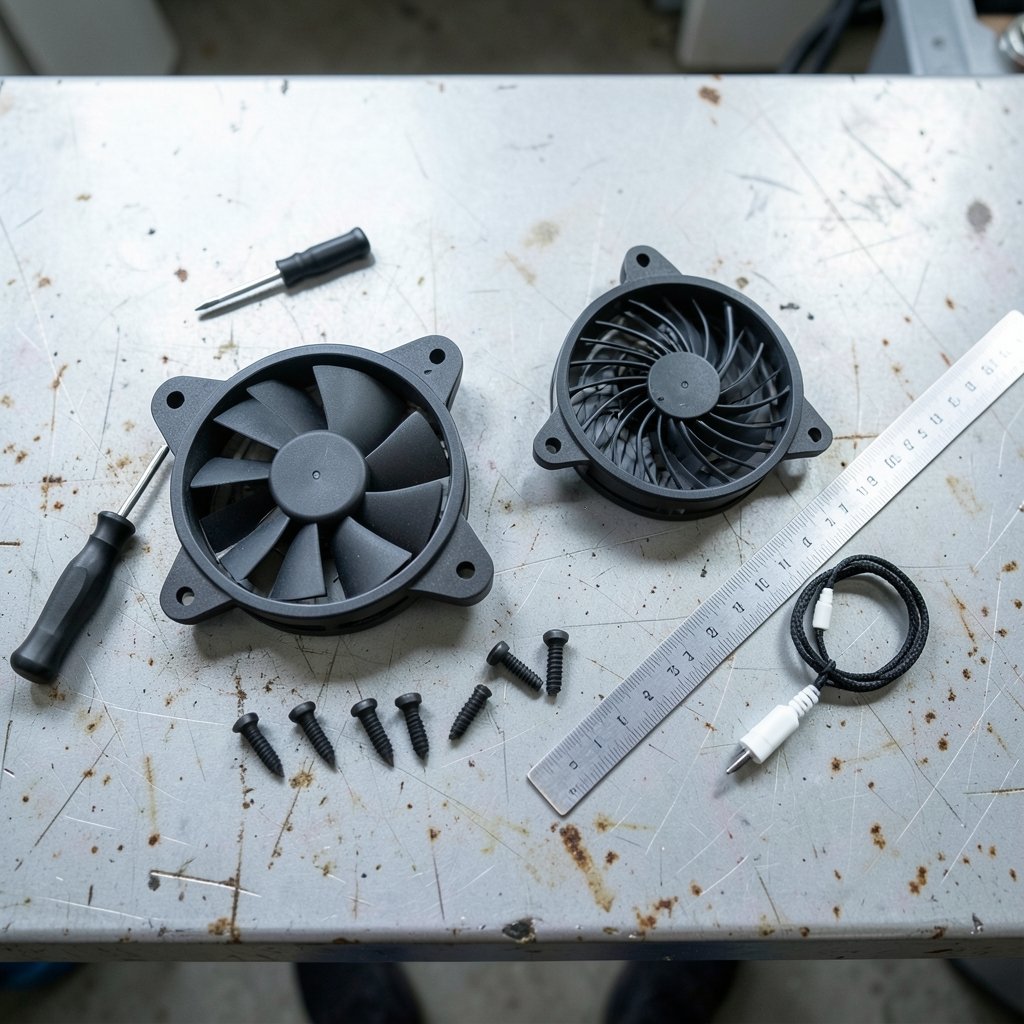
The launches below come from press coverage of the announcements, and the specs are the ones the companies published. Treat them as a starting point for comparison rather than a final verdict, since independent noise and airflow testing often tells a slightly different story than a spec sheet.
| Fan line | Size and speed | Key specs | Best fit |
|---|---|---|---|
| Arctic P12 Pro LN Series | 120 x 120 x 25 mm, 450–2000 RPM | Up to 49 CFM, 3.5 mmH2O, seven blades, 184 g, 6-year warranty | Budget-conscious builds that want quiet and a long warranty |
| ENDORFY Corona 120 | 120 mm | Launched alongside Aquarius 8000 showcase cases | New builds where the case and fans are chosen together |
| Lian Li UNI FAN FLEX | 120 mm class | Wireless, USB, or motherboard sync; select models with a 1.8-inch LCD | Builders who want display and lighting control without cable clutter |
| NZXT Performance Fans | 120 mm and 140 mm class | Company claims its highest airflow and static pressure to date | Radiators and high-restriction front panels |
| Fractal Design Dynamic 3 | 120 mm up to 2200 RPM, 140 mm up to 1800 RPM | Sweep blade design, rifle bearing rated to 90,000 hours, daisy-chain, rubber corner bushings, 120 mm reverse model | Airflow-focused builds and reverse-flow setups |
| Geometric Future Squama Ultimate 3003-14 | 140 mm, 800–2400 RPM | 30 mm frame, up to 106.27 CFM, 4.72 mmH2O, daisy-chain, frame ARGB | 420 mm radiators and thick-frame airflow builds |
| Thermal Grizzly DeltaMate | Not fully detailed at announcement | Positioned around engineering quality rather than RGB | Enthusiasts who prioritize build quality |
| InWin Mercury AM120S | 120 mm, 20 mm thick | Rated 17 dBA, over 60 CFM, 2.72 mmH2O | Slim clearances and small-form-factor builds |
A few things stand out when you put these side by side. First, the reverse-airflow option is no longer a niche extra. Fractal Design ships a reverse 120 mm model in its Dynamic 3 line, and Geometric Future offers its 140 mm fans in both standard and reverse configurations. That matters because reverse fans let a build pull air through a side or bottom intake without showing the fan’s back frame, which is the usual aesthetic complaint in showcase cases.
Second, daisy-chaining has become standard on mid-range and premium fans. Fractal Design, Geometric Future, and Arctic’s PST variant all let you link fans in series, which cuts the cable count and makes cable management far less annoying. If you have ever stuffed six fan cables behind a motherboard tray, you know why this is the most underrated feature on the list.
Third, the spread in static pressure is enormous. Arctic’s P12 Pro LN tops out at 3.5 mmH2O, while Geometric Future rates its 140 mm fan at 4.72 mmH2O. That gap is not a knock on either fan. It reflects different jobs. Low static pressure with a quiet motor suits open airflow positions; high static pressure suits radiators and filters.
Reading the spec sheet without getting fooled
Fan specs are easy to misread, and a few habits will keep you from buying the wrong thing.
Airflow and static pressure are a trade-off, not a score. CFM tells you how much air moves in free space. mmH2O tells you how hard the fan can push against resistance. A radiator, a dust filter, or a fine mesh front panel all add resistance, so a high-CFM, low-pressure fan can underperform there. Match the number to the obstacle.
Noise ratings are taken in ideal conditions. A 17 dBA rating, like the one on the InWin Mercury AM120S, is measured in a controlled setup. In a real case, turbulence against a grille or a nearby panel raises the noise floor. Slim fans in tight spots are especially prone to this.
Maximum RPM is not the same as usable RPM. A fan that spins to 2400 RPM will rarely be pleasant at full speed. What matters is how quiet it is at the speed you will actually set. Look for the minimum speed too, since the ability to drop to 450 or 800 RPM is what makes a fan livable at idle.
Bearing type predicts lifespan more than blade design does. Rifle bearings, fluid dynamic bearings, and magnetic designs all behave differently over years of use. Fractal Design rates its rifle bearing at up to 90,000 hours, and Arctic backs its P12 Pro LN Series with a six-year warranty. Those are the numbers to compare when you plan to keep a build for five years.
Frame thickness changes clearance. A 30 mm frame, like the one on Geometric Future’s 140 mm fan, moves more air but can foul a top-mounted radiator or a tight GPU shroud. Measure before you buy, not after.
Matching fan direction and control to your case
Getting the fans right is only half the job. Direction and control decide whether the effort pays off. Intake should feed the components that run hottest, and exhaust should sit where hot air naturally collects, usually the rear and top. Getting this backwards turns a good fan into a space heater with extra steps. There is a detailed walkthrough of intake and exhaust placement in this guide to PC fan airflow direction, which is worth reading before you commit to a layout.
Control is the other half. Modern motherboards handle PWM curves well, but the fan header count is often the limiting factor. A cheap splitter solves it, though daisy-chained fans make the wiring cleaner. If your case is older and the headers are already spoken for, a smart relay ceiling fan retrofit without rewiring is a different problem entirely, but the underlying lesson is the same: control hardware is usually the bottleneck, not the fan itself.
One more practical note. Fans are often the loudest part of a PC not because they are bad, but because they are fighting something. A projector in the same room is a classic example, and the fixes for cutting projector fan noise apply to PC fans too: reduce obstruction, lower the speed, and isolate vibration with rubber mounts.
Common mistakes when buying into a fan launch
The most frequent error is buying a full set of one model for every position in the case. Front intakes, radiator fans, and rear exhausts face different resistance, so a mixed set often beats a uniform one. If you want the full picture on matching fans to positions, the breakdown of PC fan airflow direction covers the layout side in more depth.
The second mistake is chasing RGB at the cost of everything else. Lighting is fine, but a fan with a mediocre bearing and a loud motor will still be a mediocre fan in two years, when the novelty has worn off. Prioritize bearing, noise floor, and pressure rating, then pick the lighting variant you like.
The third is ignoring the ecosystem. Some fan lines want their own controller, some sync through the motherboard, and some offer both. Lian Li’s UNI FAN FLEX, for example, supports wireless, USB, or motherboard sync, which is unusually flexible. Read the control method before you buy, because a fan that needs a proprietary hub you do not have is a fan you cannot fully use.
The fourth is forgetting the case. ENDORFY launched its Corona 120 fans alongside the Aquarius 8000 case series, and that pairing is not accidental. Case and fan design increasingly ship as a package, with support for up to 10 fans and radiators up to 420 mm in that lineup. If you are building new, choosing the case first and the fans second usually produces a cleaner result than the reverse.
Finally, do not assume a launch price holds. Fan pricing moves with stock and bundles, and the announcement coverage rarely includes retail pricing. Check the current listing before you commit, and remember that a three-pack often costs less per fan than buying singles.
Where the launches are heading
The direction of travel is clear enough. Fans are getting more integrated, with daisy-chain wiring, frame-mounted lighting, and in some cases small displays. They are also getting more specialized, with reverse-flow models and thick-frame designs aimed at specific positions rather than one model for everything.
For builders, that is good news. The choice is wider, the standards are stable, and the practical difference between a good fan and a great one is now mostly about matching the fan to the job. A launch announcement is a starting point, not a verdict. Read the specs, check the bearing and the pressure rating, confirm the control method, and measure your clearance. Do that, and a new fan launch becomes what it should be: a cheap, low-risk way to make a PC quieter and cooler at the same time.
FAQ
What does ARGB mean on a new PC fan?
ARGB stands for addressable RGB. Each LED on the fan can be controlled separately, so you get effects like gradients and per-LED patterns rather than one solid color. Most new ARGB fans sync with the motherboard’s lighting software, which means one app controls the whole build.
Is higher static pressure always better?
No. Static pressure measures how hard a fan pushes against resistance, which helps on radiators and dust filters. In an open airflow position with little resistance, a high-pressure fan can be louder without moving much more air. Match the rating to the obstacle in front of the fan.
Do I need a separate controller for daisy-chained fans?
Usually not, but it depends on the model. Daisy-chained fans still need one connection to a PWM header and, for lighting, one connection to an ARGB header or the maker’s hub. Check the control method before buying, since some lines offer motherboard sync while others require a proprietary controller.
Are reverse-blade fans worth it?
They are worth it in specific builds. Reverse-flow fans pull air through an intake without showing the fan’s back frame, which looks cleaner in showcase cases with glass side panels. If your case has a solid panel over the intake, a standard fan does the same job for less money.
How long should a good PC fan last?
Bearing type is the main factor. Rifle and fluid dynamic bearings are commonly rated in the tens of thousands of hours, with some models rated up to 90,000 hours. Warranties vary widely, from two years on some lines to six years on Arctic’s P12 Pro LN Series.
Should I replace all my fans at once?
Not necessarily. Replace the fans that are loudest or that sit in the most restrictive positions first, usually the front intakes and radiator fans. A mixed set matched to each position often performs better than a uniform set chosen for looks alone.



