Learning how small businesses can use AI for customer service starts with a simple rule: let the AI do the repeating, and let people do the caring. The question every small business owner asks is whether AI will make service feel colder, and the answer is that it only does when the bot is asked to do a person’s job.
Most customer questions are not conversations at all. They are the same five queries in different words: where is my order, how do I return this, what are your opening hours, does this fit, and can I change my booking. An AI agent can answer those in seconds, at midnight, without a queue. The human touch is not lost when a machine answers a delivery question. It is lost when a frustrated customer cannot reach a person after the machine fails. This guide shows how to draw that line.
Key takeaways:
- Automate repeatable questions first: delivery, returns, hours, pricing, order status.
- Keep complaints and disputes with people.
- 87% of customers say a route to a human agent is essential when a company uses generative AI — the handover is the feature, not an afterthought.
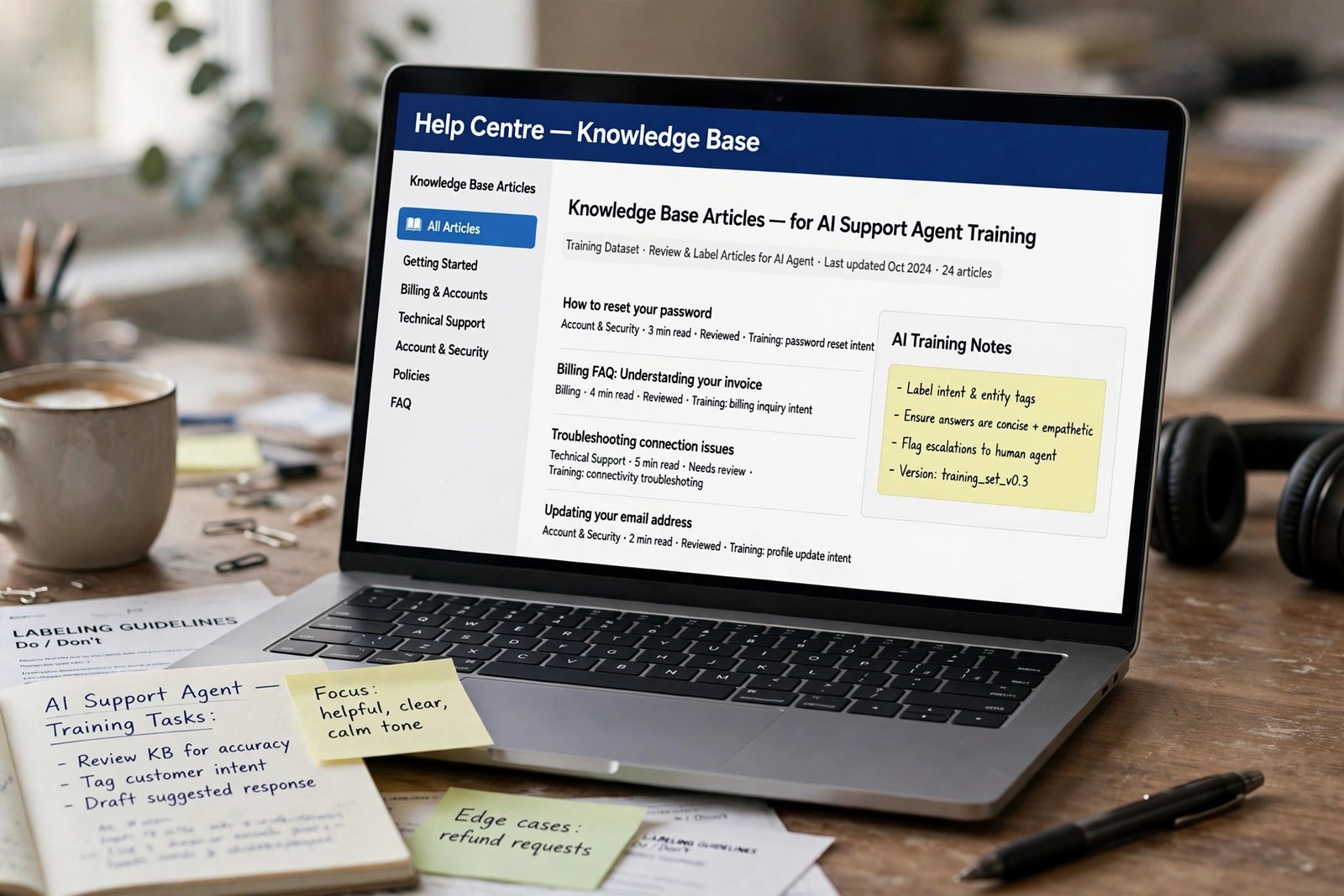
- Your help centre decides your results. AI agents answer from your documentation, so thin help pages mean low resolution rates.
- Start with one channel, usually website chat, and add others only once it works.
- Measure resolution, satisfaction and handover quality weekly, and fix the worst answers first.
Why customers accept AI — and where they draw the line
Customers are not opposed to AI in customer service. They are opposed to being trapped by it. In a 2026 Gartner survey of 3,566 customers, only 7% had used a company chatbot in their most recent service interaction, yet 49% said they would have been willing to. The gap is not reluctance: too many bots have failed people before, and only 27% said they would try a chatbot again after a negative experience. The same survey found 87% consider a route to a human agent essential when companies use generative AI, while half said their interactions are easier with it. Customers will use a fast, accurate bot and forgive one that admits its limits. They will not forgive a business that hides the human behind it. That is good news for a small business. You do not need a bot that pretends to be human — just one that is honest about being a bot, fast on simple questions, and quick to bring in a person when the question matters.
What AI should handle, and what it should never touch
Before choosing a tool, sort your incoming questions into three groups.
Let AI handle it
Delivery and order tracking, opening hours, prices and availability, returns, booking changes that follow a fixed rule, password resets, and questions with a written answer. These are high-volume, low-emotion questions where speed is the service.
Let AI draft, a human send
Replies to reviews, unusual complaints, quotes and bespoke orders, and anything where the customer has already explained the problem twice. The AI drafts; a person reads, edits and takes responsibility.
Keep with people, always
Refund disputes, complaints about a mistake your business made, customers who are upset, confused or vulnerable, health and safety questions, legal matters, and any message where the customer asks for a human. No efficiency gain is worth getting these wrong. Ask whether a wrong answer would cost you a customer. If yes, a person should be in the loop. If no, automation is safe to try.
The tools that fit a small business budget
Most small businesses do not need an enterprise platform. They need a tool that connects to their website, reads their help pages, and hands over cleanly. Four options cover most cases.
| Tool | Best for | AI and handover | Pricing note |
|---|---|---|---|
| Intercom Fin | Teams wanting AI to resolve conversations end to end | Fin resolves queries across chat, email and social, and hands over with full context | Essential from $29 per seat a month; Fin costs $0.99 per resolved conversation |
| Zendesk AI Agents | Businesses already running Zendesk tickets and routing | AI agents work inside Zendesk routing; handoff passes first response to a live agent | $1.50 per verified automated resolution on committed volume, or $2.00 pay as you go |
| Tidio Lyro | Smaller and ecommerce teams starting out | AI answers from your help content, with live transfer to a person | Plan plus AI usage; check current pricing |
| Freshdesk Freddy AI | Teams wanting a helpdesk with AI built in | Freddy AI Agent answers from your knowledge base; Copilot drafts replies for agents | On paid Freshdesk plans; check which tier includes AI |
AI customer service tools for small businesses, compared on resolution style, handover and pricing.
Intercom publishes a 76% average resolution rate for Fin across 12,000+ customers, but independent reviews put realistic rates lower: roughly 40–60% with thorough documentation, under 25% with thin help pages. The model is rarely the limiting factor. Your documentation is. So the cheapest first step is often not a new tool. Write or update ten help articles answering your ten most common questions before you pay for an AI agent, and check your existing help centre as a customer would.
How the handover should work
A good handover is easy to reach, preserves context, and sets an expectation. Most bad bot experiences fail on at least one.
Make the human option visible. Put a “Talk to a person” button in the chat, and teach the bot to offer it the moment a customer types “human”, “agent” or “person”, or when it detects frustration. Customers who cannot reach a human do not become loyal; they become ex-customers.
Pass the whole conversation. The human agent should see everything the customer already said, plus the order number. In Zendesk, handoff means the AI stops replying and a live agent takes over as first responder. Test this yourself: if the agent has to ask “Can you repeat that?”, the handover is broken.
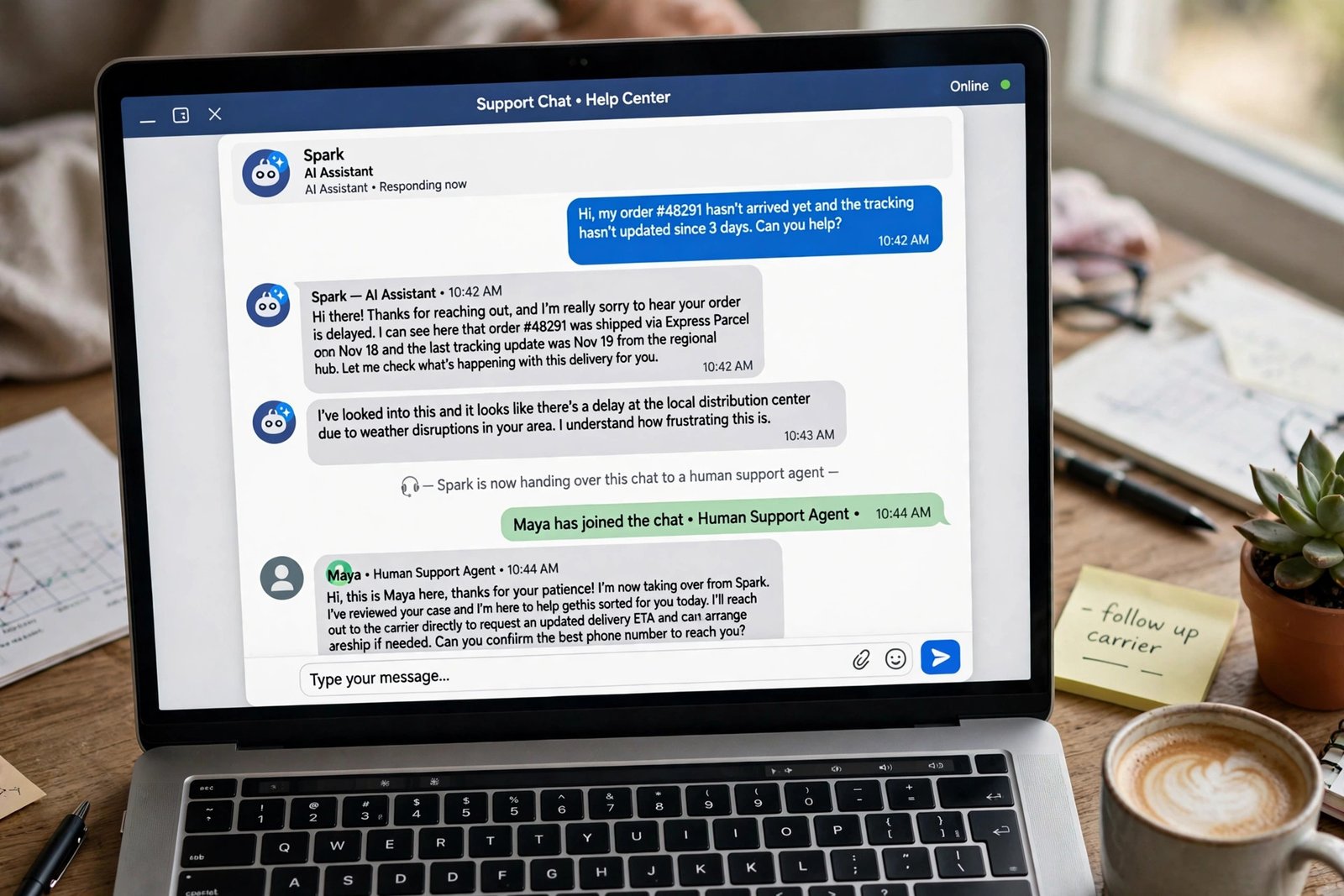
Say what happens next. “I’m passing you to Sarah on our support team now — she can see everything we’ve discussed, and she’ll reply within a few minutes.” Outside working hours, say so plainly and give a real reply time.
Set a written rule for when the bot must hand over: the customer asks for a person; the bot cannot answer after two attempts; the message mentions a refund, complaint or charge dispute; the customer sounds upset; or the question involves health, safety or a legal matter. Review handed-over conversations weekly and add any question the bot got wrong.
Write the bot in your voice
An AI agent trained on your help pages will still sound generic unless you tell it how your business speaks. Small businesses win on tone, so this step matters more for you. Write a short style note: how you greet customers, whether you use first names, how formal you are, and which phrases you never use. Give it five example answers taken from real replies. Then test it with the ten questions your customers actually ask. If it sounds like a call centre script, rewrite the source help article, not just the bot’s reply.
Be honest that customers are talking to AI. “Hi, I’m the shop’s AI assistant. I can help with orders, deliveries and returns, and I can bring in a person any time.” Customers forgive a bot for being a bot. They do not forgive being misled. The same rule applies beyond support: the AI drafts, a person owns the reply. Freelancers face the same challenge when they use AI to write client proposals faster — the tool speeds up the first draft, but the person’s judgement wins the work.
Set the rules before you switch it on
AI customer service needs a few written rules, and writing them takes an afternoon. Decide who owns the bot, which questions it may answer, what it must never promise, and how customer data is handled. Decide who apologises when the bot makes a mistake. Check the tool’s data and retention settings before you connect it: an AI agent that reads your help pages and past conversations will also see customer names, order details and addresses. If you are writing these rules for the first time, our guide to how to write an AI policy for a small business walks through the same process step by step.
A seven-step launch checklist
Use this framework to launch in two weeks. Each step is small enough to finish in a day.
- List your top ten questions. Pull them from your inbox, chat history and phone notes.
- Write or fix ten help articles. One clear page per question, prices and times checked.
- Choose one channel. Start with website chat; add email or social later.
- Pick the tool that fits your inbox. If you already run Zendesk or Intercom, use its built-in AI.
- Write the handover rules. List the five triggers above, and test each one with a real conversation.
- Test with ten real questions. Ask the exact questions customers ask, including the awkward ones. Fix the failures.
- Go live quietly, then review weekly. Watch the first fifty conversations and fix the worst answers before announcing anything.
After launch, track three numbers weekly: the share of conversations the AI resolves, satisfaction on AI-handled conversations, and handovers where the customer had to repeat themselves. If resolution climbs but satisfaction falls, narrow what the bot may do.
Frequently asked questions
Will customers know they are talking to AI?
They should. Say so at the start of the chat. Customers accept AI when it is transparent and fast; they resent it when it pretends to be a person and then fails.
How much does AI customer service cost for a small business?
Intercom charges $0.99 per conversation Fin resolves, on top of a seat plan from $29 a month. Zendesk charges $1.50 per verified automated resolution on committed volume, or $2.00 pay as you go.
What happens when the AI cannot help?
A good setup hands the conversation to a human with the full history attached. Set clear triggers — the customer asks for a person, the bot fails twice, or the topic is a refund or complaint — and test them before launch.
Can AI handle refunds and order changes?
Yes, with guardrails. Intercom Fin can process refunds and change orders when connected to your shop. Limit what the bot can do without approval at first — refunds under a set amount, for example — and raise the limit after a month of clean results.
Do I need a help centre before I buy an AI agent?
Yes. AI agents answer from your documentation, so a thin help centre means low resolution rates. Write ten clear help articles first. It is the cheapest way to improve any AI customer service tool.
The bottom line
How small businesses can use AI for customer service without losing the human touch comes down to one decision: the AI handles the questions that are the same every day, and people handle the moments that matter. Start small this week. List your ten most common questions, write the help articles that answer them, and choose one channel to automate. Then set the handover rules and go live quietly. For more ideas, browse the AI Atlas for the rest of the series. The human touch was never about answering every message yourself. It was about being there when it counts, and AI used well gives you more time to do exactly that.