
It is 9.40pm on a Sunday, and Monday’s lesson plan is still blank. AI tools for teachers for lesson planning and marking promise to change that — not by teaching for you, but by taking the repetitive drafting off your desk. Which tools actually save time?
The best AI tools for teachers work best as a small stack: one all-round planner, one feedback tool inside the documents you already use, and one tool for adapting reading to different levels. Used that way, an hour of first-draft work becomes fifteen minutes of editing. Used carelessly, they produce generic lessons.
Key takeaways:
- Start free: MagicSchool, Brisk Teaching, Khanmigo, Eduaide and Diffit all offer free teacher plans.
- MagicSchool is the broadest all-round choice, with more than 80 teacher tools on its free plan; Brisk Teaching is strongest for feedback inside Google Docs.
- Khanmigo is free for teachers and is the most useful option for standards-aligned planning linked to Khan Academy content.
- AI can draft feedback and suggest marks. It should not decide a final grade on its own.
- Check your school’s rules on pupil data before you paste student work into any AI tool.
What AI Tools for Teachers Actually Do
AI tools for teachers use generative AI to help with planning, teaching, feedback and admin work. Most fall into four clear jobs. Lesson planning turns a topic and year group into a plan, worksheet or slides. Quiz tools write questions, rubrics and exit tickets. Marking tools score work against your rubric, or draft comments you edit. Differentiation tools rewrite a passage at a different reading level, so one text works for a mixed-ability class. A general chatbot such as ChatGPT, Claude or Gemini can do a version of all four jobs. A purpose-built tool is usually faster, because it asks for subject, year group and objective in a form.
How to Choose in Five Minutes
First, where does your time actually go? If planning eats your evenings, start with a planner. If marking eats your weekends, start with a feedback tool. Second, where does your work already live? A tool inside Google Docs will save more time than a better tool on a separate website you forget to open. Third, what does your school allow? Ask first. The cheapest useful stack is often free. MagicSchool, Brisk, Khanmigo, Eduaide, Diffit and Curipod all have free plans. You can run a two-week trial at no cost and keep only what earns its place.
The Best AI Tools for Teachers, Compared
| Tool | Best for | Free plan | Paid plan, per teacher |
|---|---|---|---|
| MagicSchool AI | All-round planning, quizzes, feedback and admin | Yes — 80+ teacher tools | Plus: $12.99 a month, or $8.33 a month billed yearly |
| Brisk Teaching | Feedback inside Google Docs and Slides | Yes — 20+ tools, free for teachers | School plans by quote; Educator Pro reported at $99.99 a year |
| Khanmigo | Standards-aligned planning and Socratic tutoring | Yes — free for teachers | Free for teachers; learners pay $4 a month |
| Eduaide | Low-cost lesson plans and worksheets | Yes — up to 8 resources a month | Pro: $5.99 a month, or $49.99 a year |
| Diffit | Adapting one text to several reading levels | Yes — Basic, 90 days of history | $14.99 a month, or $149.99 a year |
| Curipod | Interactive live lessons with instant feedback | Yes — limited plan | Premium reported at $228 a year |
| ChatGPT for Teachers | Open-ended planning when you steer the draft | Free for verified US K-12 educators | ChatGPT Plus is $20 a month for others |
1. MagicSchool AI
Best for: Teachers who want one toolkit for lesson plans, quizzes, feedback and admin, without juggling five accounts. MagicSchool is the broadest platform here. Its free plan includes more than 80 teacher tools, covering lesson plans, rubrics, worksheets, quizzes, IEP goal drafts and parent emails, plus a chatbot called Raina. Plus, at $12.99 a month or $8.33 a month billed yearly, adds unlimited generations and more than 50 student tools.
2. Brisk Teaching
Best for: Teachers whose students write in Google Docs, Slides or Microsoft 365, and who want feedback where the work already lives. Brisk Teaching is a browser extension for Chrome and Edge, not a separate website. It works inside Google Docs, Slides, YouTube and platforms such as Google Classroom and Canvas. Teachers can create quizzes, change reading levels, generate materials in more than 50 languages and leave rubric feedback on student writing. The teacher plan is free, with more than 20 tools.

3. Khanmigo
Best for: Teachers who want free, standards-aligned planning tied to Khan Academy content, and a tutor that guides students rather than handing them answers. Khanmigo is the AI tutor and teaching assistant from Khan Academy. For teachers it is free, with more than 25 tools including standards-aligned lesson plans, lesson hooks, exit tickets and rubrics. Its tutoring style is Socratic: it guides a student toward an answer instead of giving it away. Learners and parents pay $4 a month, so a free teacher account does not automatically give every pupil a free tutor.
4. Eduaide
Best for: Teachers who mainly need lesson plans, worksheets and assessments, at the lowest published paid price. Eduaide uses form-based workflows: pick a topic, objective or standard, and it generates lesson drafts, quizzes and worksheets that export to PDF, Google Docs, Google Forms or Microsoft Word. Its free plan allows up to 8 resources a month. Pro costs $5.99 a month, or $49.99 a year, the cheapest paid option with a published price here.
5. Diffit
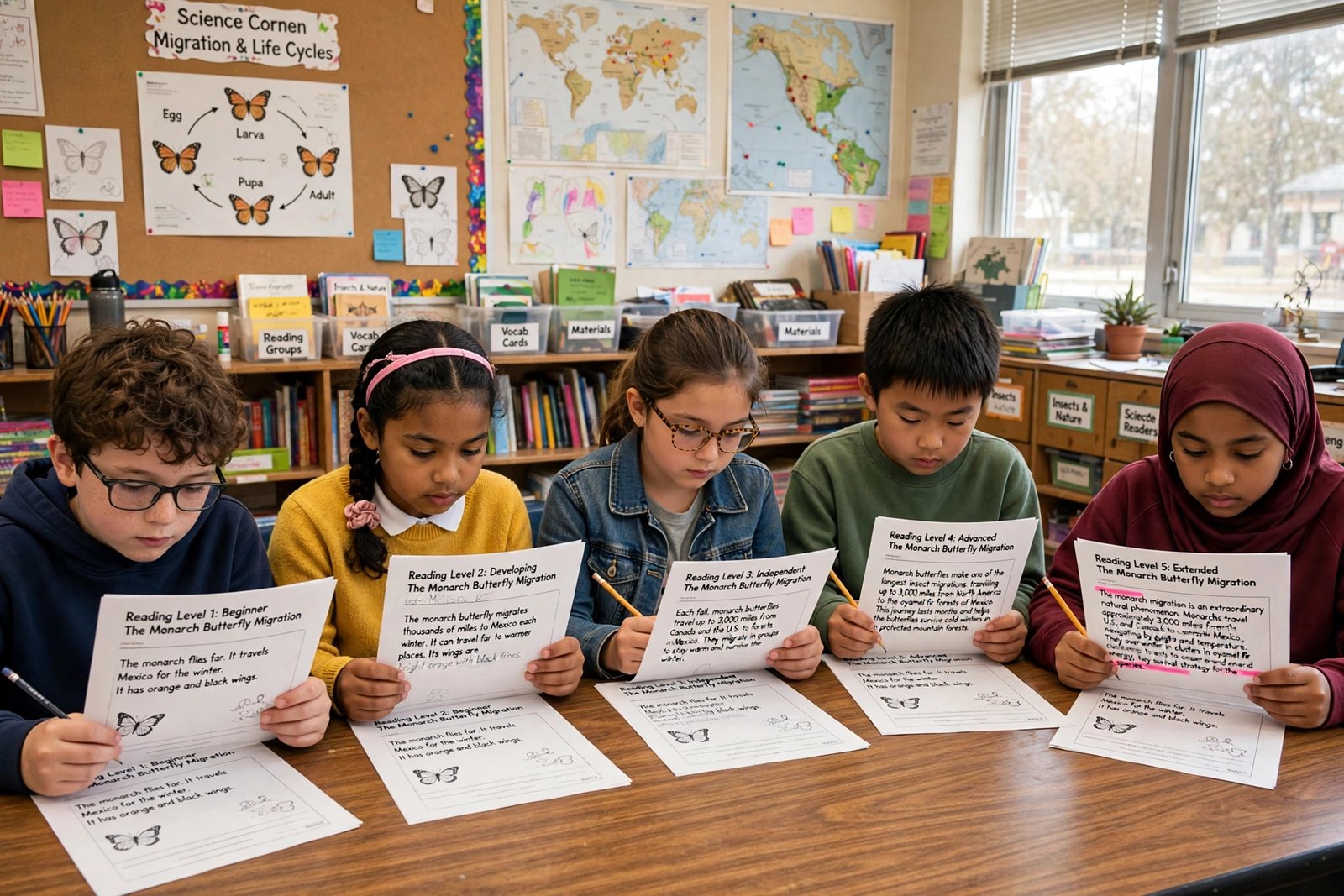
Best for: Adapting one text, article, PDF or video to different reading levels for a mixed-ability class. Diffit rewrites any text at the reading level you choose, with vocabulary and comprehension questions alongside. It can generate resources in more than 70 languages, and it is designed for teachers only, with no student logins. The free Basic plan keeps 90 days of history. The individual plan costs $14.99 a month, or $149.99 a year.
6. Curipod
Best for: Interactive live lessons that get pupils responding, writing and discussing in the lesson itself. Curipod turns a topic into an interactive slide lesson with polls, word clouds and daily writing practice with instant AI feedback. The free plan is limited, and Premium is reported at $228 a year. Prices vary between sources, so check the vendor’s own pricing page before you commit.
7. ChatGPT for Teachers and Gemini
Best for: Open-ended planning, brainstorming and rewording when you want to steer the draft yourself. A general chatbot remains the most flexible option beyond a template: discussion questions, project ideas, or researching a topic before you plan. Verified US K-12 educators can access ChatGPT for Teachers free, with reports in November 2026 putting that access through June 2027 or June 2028, so confirm the current end date on OpenAI’s own page. Otherwise ChatGPT Plus costs $20 a month. A blank chat box can invent facts, so treat every output as a first draft and check names, dates and claims.
How to Use AI for Marking Without Losing Trust
Marking is where these tools need the most care. An AI can draft feedback quickly and spot patterns across essays. It cannot know what a pupil meant, or whether a sudden improvement is real progress or copied work. That judgement is yours. Use AI marking as a first pass, not a final decision — see how teachers can detect AI-written homework fairly. Let the tool draft comments against your rubric, then read the work yourself and edit every comment before it reaches a pupil. Gradescope is worth knowing for high-volume marking, especially in maths and science, and is generally accessed through a school licence. CoGrader scores typed essays against a rubric and was reported to offer around 100 free submissions a month in 2026. Both need the same rule: the teacher decides the grade.
A Practical Checklist Before You Use Any AI Tool With Pupils
- Check your school’s approved list and data policy before you paste pupil work anywhere.
- Never paste pupil names, photos, medical information or other sensitive details into an AI tool — see how to use AI safely at work.
- Use a school account where one is available, not a personal account.
- Read every AI-generated lesson, question and comment before you use it, and correct errors.
- Start with one tool for two weeks, measure the time it saves, and only then add another.
What AI Tools for Teachers Cannot Do
AI tools cannot replace subject knowledge, classroom relationships or professional judgement. They cannot tell whether a pupil understood a concept or merely copied a fluent answer, or decide what a fair grade is for honest but imperfect work — see how students can use AI to study without cheating. They also make confident mistakes. A lesson plan can include a wrong fact, and a quiz can include a question with no correct answer. Read polished output carefully, and keep a teacher in charge of every decision that reaches a child.
The Sunday Night Test
Pick one tool, use it for two weeks on the job that costs you the most time, and judge it on one question: did it give you your evening back? The best tools are the ones that survive a real school week and leave you with more time to teach.
Frequently Asked Questions
What is the best AI tool for teachers?
There is no single best tool. MagicSchool is the broadest all-round choice, Brisk Teaching is strongest for feedback inside Google Docs, and Khanmigo is the best free option for standards-aligned planning.
Are there free AI tools for teachers?
Yes. MagicSchool, Brisk Teaching, Khanmigo, Eduaide, Diffit and Curipod all offer free plans. A free stack can cover planning, quizzes, feedback and differentiation.
Can AI mark student work accurately?
AI can draft feedback and suggest marks against a rubric, but it should not decide a final grade. Read the work yourself and edit every comment first.
Is it safe to put student work into AI tools?
Only if your school allows it. Never paste pupil names, photos or sensitive information, and use a school account where possible.
How much does MagicSchool AI cost?
MagicSchool’s free plan includes more than 80 teacher tools. Plus costs $12.99 a month, or $8.33 a month billed yearly, as listed in November 2026.
What is the best AI tool for lesson planning?
MagicSchool and Eduaide are the usual first choices, because they use forms rather than prompts. ChatGPT, Claude or Gemini are better when you want to steer the draft yourself.