
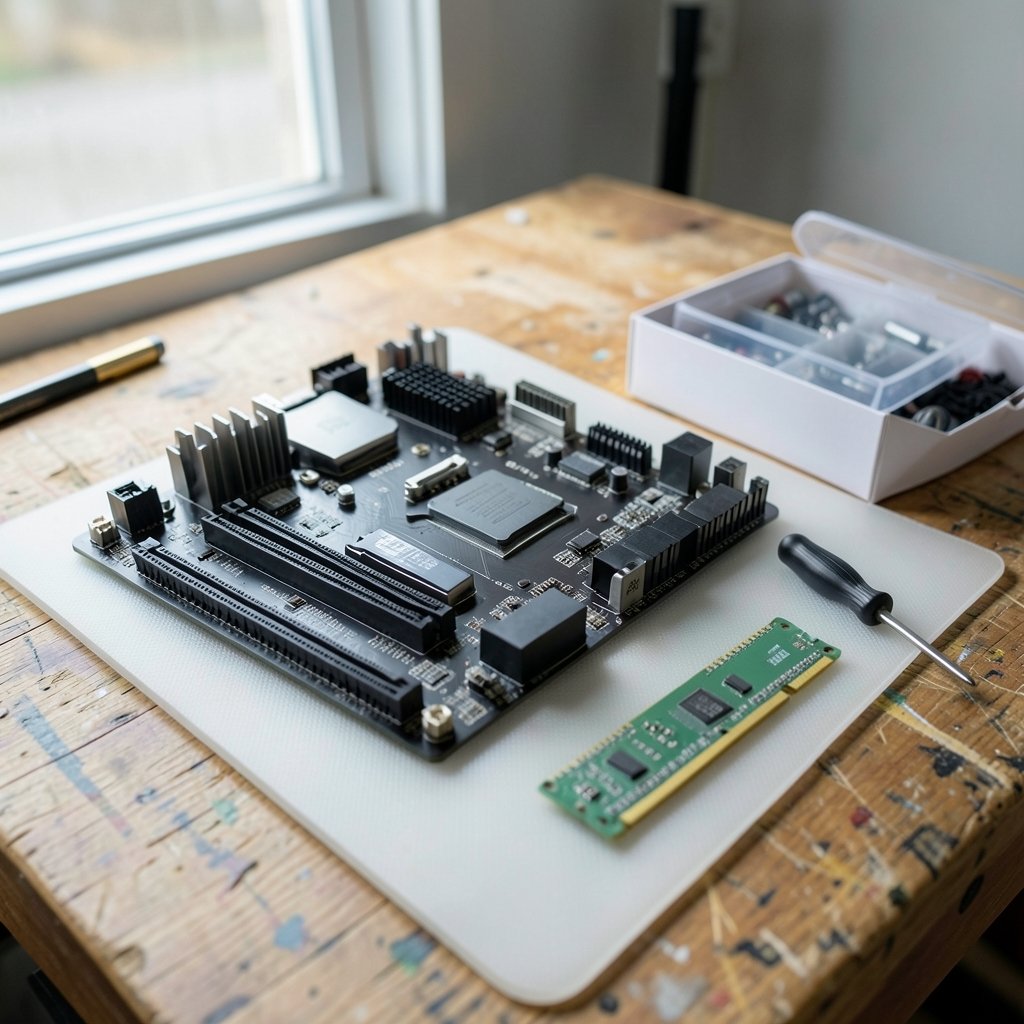
Quick Answer: What are the best gaming motherboards for beginners?
The best gaming motherboard for a beginner is a mainstream B-series board in the right socket for the chosen CPU, in the right form factor for the case. For AMD builds that means a B650 board on the AM5 socket; for Intel builds it means a B760 board on LGA 1700. Both give full gaming performance without paying for overclocking features most new builders never touch.
Step-up options exist. Enthusiast chipsets like X670 or Z790 add more lanes and tuning headroom, while budget tiers like A620 or H610 cut features to hit a price. The differences rarely show up in frame rates.
Before buying, compare socket, chipset tier, memory type (DDR4 versus DDR5), form factor, M.2 slot count, built-in Wi-Fi, fan headers, and whether the board can update its BIOS without a CPU installed.
Why the Motherboard Decision Feels So Hard
Walk into any PC parts store, physical or online, and the motherboard aisle looks like a wall of near-identical rectangles with unreadable names. B650E versus B650. DDR4 versus DDR5. ATX versus Micro-ATX. It is enough to make a first-time builder close the tab and buy a console instead.
Here is the good news: the motherboard is the least exciting part of a gaming PC, and that is exactly why it is easy to get right. It does not render frames. It does not store games. It is the foundation everything else plugs into, and a sensible choice costs far less than beginners fear. The trick is filtering in the right order so the noise drops away.
Start With the Socket, Not the Brand
Every CPU fits exactly one socket, and the motherboard must match it. This single fact eliminates half the market in ten seconds. AMD’s current desktop socket is AM5, launched alongside Ryzen 7000 chips in 2022. Intel’s recent mainstream socket is LGA 1700, home to 12th through 14th Gen Core processors, with the newer LGA 1851 arriving for Core Ultra 200S chips in late 2024.
The practical rule: pick the CPU first, then buy a board for its socket. Beginners who shop for a motherboard first often fall in love with a model that fits nothing on their parts list. If the CPU choice is still open, a full walkthrough of the build gaming pc beginners step by step first build process shows how the parts lock together before any money changes hands.
Chipsets Explained Without the Jargon
Within each socket, the chipset sets the feature floor. Think of it as a trim level on a car: same engine bay, different extras. Here is how the mainstream tiers compare.
| Platform | Budget tier | Mainstream tier | Enthusiast tier |
|---|---|---|---|
| AMD AM5 | A620 | B650 / B650E | X670 / X670E |
| Intel LGA 1700 | H610 | B760 | Z790 |
Budget chipsets usually drop CPU overclocking and trim PCIe lanes. Enthusiast chipsets add connectivity and tuning headroom. The mainstream B-series sits in the sweet spot, and for a beginner it is almost always the right call. A B650 or B760 board runs any current gaming CPU at full speed, supports fast memory, and includes the slots and ports a normal build needs.
One caveat worth knowing: AMD’s B650E guarantees a PCIe 5.0 graphics slot, while plain B650 does not. For a beginner build, PCIe 4.0 is plenty, so this distinction matters less than the price gap suggests. PCIe 4.0 was standardized back in 2017, and current graphics cards barely saturate it.
Memory: DDR5 Is the Default, But Check Carefully
AM5 boards use DDR5 only. LGA 1700 is messier: some boards take DDR4, some take DDR5, and the two are not interchangeable. The DDR5 standard was published in July 2020, and mainstream adoption arrived with Intel’s Alder Lake generation in late 2021.
For a new build in 2026, DDR5 is the sensible default. It costs little more than DDR4 now and leaves room to grow. The classic beginner mistake is buying a DDR4 board and DDR5 memory, or the reverse, then discovering the sticks will not seat. Check the board’s spec sheet for the exact memory type, and confirm the kit appears on the vendor’s qualified memory list if possible.
Form Factor: Match the Board to the Case
Motherboards come in three common sizes, and the case spec sheet dictates which ones fit.
ATX measures 305 by 244 mm and offers the most slots and headers. The standard dates back to Intel in 1995 and remains the default for full-size builds. Micro-ATX (244 by 244 mm) usually fits the same cases and saves money with almost no gaming penalty. Mini-ITX (170 by 170 mm) suits small cases but charges a premium and limits expansion.
Beginners building in a mid-tower case should feel no pressure to go ATX. A Micro-ATX board with two M.2 slots and built-in Wi-Fi covers a gaming build comfortably. Just confirm the case lists the form factor as supported before ordering, because a return shipping label is a sad way to learn about millimeters.
The Specs That Actually Matter Day to Day
Spec sheets bury beginners in numbers, but only a handful change daily life. These are the ones worth checking.
M.2 slots. Each NVMe drive needs one. Two slots is a comfortable baseline; one is workable but leaves no room to add storage later without pulling a drive.
Built-in Wi-Fi. Wi-Fi 7 was certified in January 2024, and many current boards ship with it. If the desk has no ethernet drop, onboard Wi-Fi saves buying an add-in card. Wi-Fi 6E boards are also fine for gaming.
Fan headers. Each case fan needs a place to plug in. Four or more headers keep cable splitters out of the build.
BIOS flashback. Some boards update firmware from a USB stick without a CPU installed. This matters when a newer CPU needs a newer BIOS than the board shipped with, a genuinely common beginner pitfall.
Rear USB and audio. Count the ports for the headset, mouse, keyboard, and anything else. It is a small thing that becomes annoying fast.
VRM quality, the circuitry that feeds the CPU, is the spec beginners obsess over and rarely need to. Phase counts on a reputable B-series board from a major vendor are almost always adequate for gaming loads. Chasing VRM numbers is how a $150 board becomes a $300 board for no frames gained.
What Beginners Get Wrong Most Often
A few mistakes show up again and again in first builds.
Buying the cheapest board and the most expensive CPU, then discovering the board needs a BIOS update to boot at all. Buying a DDR4 board with DDR5 memory. Choosing Mini-ITX for a first build because it looks tidy, then fighting cable routing in a cramped case. Paying extra for overclocking features, then never opening the BIOS again after the first boot.
The fix is unglamorous: read the CPU support list on the board’s product page, match memory type, match form factor, and put the savings toward a better graphics card or a faster SSD. A balanced build beats a lopsided one every time. The same logic applies to displays, where a sensible panel matters more than a spec-sheet monster; this guide to a gaming monitor worth buying beginners practical buying guide covers that side of the desk.
How to Compare Two Boards in Five Minutes
When two boards sit at similar prices, run this quick checklist.
- Confirm the socket matches the chosen CPU.
- Confirm the chipset tier (B-series over A-series or H-series for gaming).
- Confirm the memory type and that the planned kit is compatible.
- Confirm the form factor fits the case.
- Count M.2 slots and fan headers.
- Check for built-in Wi-Fi if the room has no ethernet.
- Look for BIOS flashback if the CPU is newer than the board’s launch.
- Read the CPU support list on the vendor page.
Whichever board wins that list at the lower price is the one to buy. Everything else is marketing.
Where the Motherboard Fits in the Whole Build
The board is one decision among several, and it interacts with the rest. A board with weak power delivery limits a future CPU upgrade. A board with one M.2 slot limits storage. A board without Wi-Fi forces an add-in card. None of these are disasters, but they are the small frictions that make a build feel dated sooner than it should.
It helps to sketch the whole machine before buying anything. A guide to the best motherboard for gaming covers the broader selection logic, while a look at the best gaming laptops under 1000 actually fits budget helps anyone still deciding whether to build at all. For readers weighing a desk setup, a comparison of gaming monitor vs tv room lighting changes viewing explains how the display choice reshapes the room.
Budget Reality and Timing
Prices and model lineups shift constantly, so any specific board recommendation ages quickly. What does not change is the shape of the market: mainstream B-series boards cluster in the affordable middle, budget chipsets sit below, and enthusiast boards sit above with features beginners rarely use.
The practical advice is to buy the current mainstream tier rather than last generation’s clearance stock, unless the discount is steep and the CPU support is confirmed. A board is the hardest part to upgrade later because replacing it means rebuilding the whole machine.
Conclusion
The best gaming motherboard for a beginner is not the most expensive one or the one with the longest spec sheet. It is a mainstream B-series board in the correct socket, with the right memory type, a form factor that fits the case, and enough M.2 slots and fan headers to grow into. Get those basics right and the motherboard quietly does its job for years, which is exactly what a foundation should do. Pick the CPU first, filter by socket, choose the B-series tier, and spend the savings where frames actually come from.
Frequently Asked Questions
Is a B650 board enough for a beginner gaming build?
Yes, for almost every beginner. B650 supports current AM5 processors at full speed, takes DDR5 memory, and includes the slots and ports a gaming build needs. The step-up X670 tier adds connectivity and tuning headroom that most first-time builders never use.
Do I need to buy a motherboard with built-in Wi-Fi?
Only if the desk has no reliable ethernet connection. Onboard Wi-Fi 6E or Wi-Fi 7 saves buying an add-in card and keeps the case tidier. If a cable can reach the desk, ethernet is still faster and more stable, and a board without Wi-Fi usually costs less.
What is BIOS flashback and why does it matter?
BIOS flashback lets a board update its firmware from a USB stick without a CPU installed. It matters because a newer processor sometimes needs a newer BIOS than the board shipped with. Without the feature, a beginner may need an older compatible CPU just to boot and update.
Can I use DDR4 memory in a DDR5 motherboard?
No. The two memory types are physically different and not interchangeable. Some LGA 1700 boards take DDR4 and some take DDR5, so the board’s spec sheet decides which kit to buy. AM5 boards use DDR5 only.
Is Micro-ATX worse than ATX for gaming?
Not in any way that shows up in frame rates. Micro-ATX boards usually cost less and fit the same mid-tower cases, with slightly fewer expansion slots. The trade-off is expansion room, not performance, and most gaming builds never fill an ATX board’s slots anyway.
How often should a beginner plan to replace a motherboard?
Rarely. Most builders replace the board only when changing CPU sockets or after a failure, because swapping it means rebuilding the machine. Buying a mainstream board with a couple of spare M.2 slots and adequate fan headers at the start is the cheapest way to avoid an early replacement.



