For most U.S. households seeking a licensed live-TV package, YouTube TV is a strong starting point, while Plex is the clearest free option to try first. The term IPTV describes how TV reaches you online, not whether every subscription has the right to carry its content. That difference matters when you are comparing plans or considering a box that promises a huge channel list.
This 2026 roundup focuses on U.S. home viewing and authorized ways to watch. You can start with free apps, compare paid live-TV replacements, or choose an on-demand subscription for movies and series. Hardware can help you use those services, but it cannot grant access to programming on its own.
Key Takeaways
- Plex offers a clear free starting point for live and on-demand viewing.
- YouTube TV and Fubo are paid live-TV services with different channel lineups.
- Compare the actual channels you need, not only a provider’s total.
- A streaming box and a content subscription do separate jobs.
- Check rights, device support, billing terms, and renewal details before paying.
A service that suits one household may leave another without a local station, sports network, or favorite show. The best IPTV choice depends on what you watch, how you watch, and what you want to spend. Start by listing the channels and shows your household actually watches, then match a service to that list.
What Does IPTV Include, and What Does a Box Do?
IPTV describes how television reaches a screen over an internet connection, while the device and subscription do different jobs. The box is not the program: it runs an app or player, while a service supplies the content.
An IPTV box sold in the United States does not include licensed content out of the box. You need a separate subscription to an authorized service for the channels or shows you want. A device, app, or player alone does not prove that the content source has permission to distribute its programs.
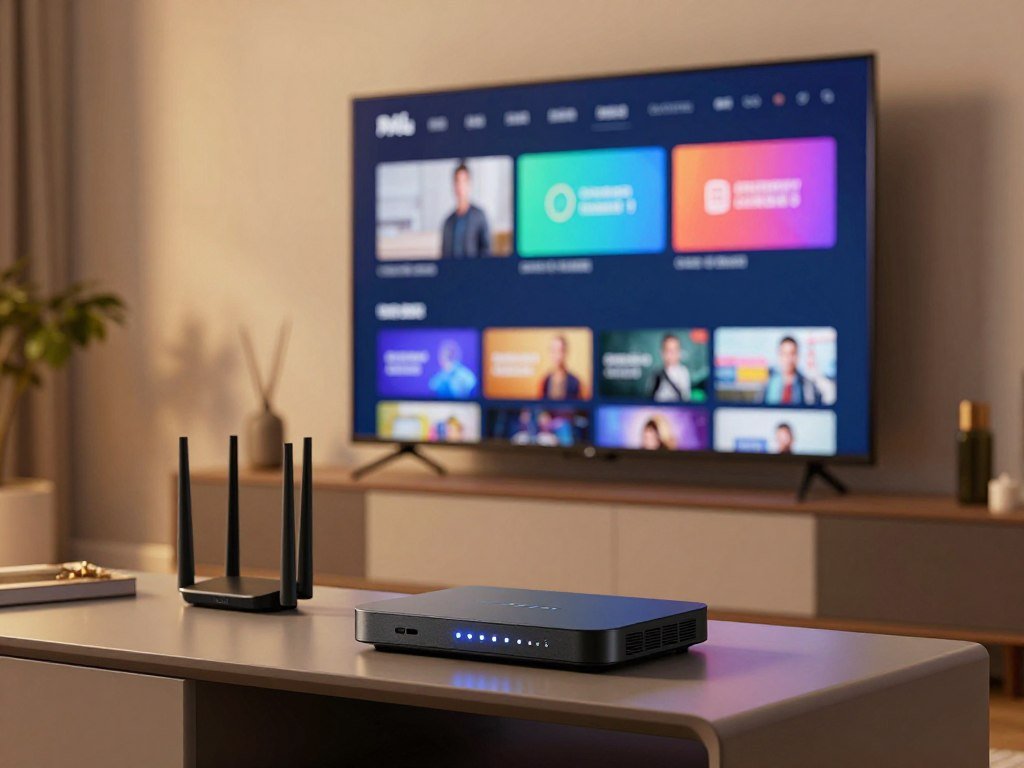
A typical IPTV setup has four parts. Each one has a distinct role, so a missing piece can stop a stream even when the others work.
- Internet connection: carries the video to your home.
- Screen or TV: displays the live channels or on-demand content.
- Compatible device or app: opens the service and plays its streams.
- Authorized service: provides the programming under its distribution rights.
The word “subscription” can describe access to a service, but it does not tell you what the plan includes. Some apps are players that accept login details from a separate provider. Other apps are the service itself, with content and playback in one place.
Check that the service itself has distribution rights before treating an app or box as proof of authorization.
Best IPTV Services in the USA by Viewing Need
Plex is the best first stop for free live and on-demand viewing, while YouTube TV is a strong paid live-TV starting point. For a sports-heavy home, Fubo may fit if its channel mix carries what you watch.
The best IPTV in the USA for licensed live TV depends on your wanted channels and viewing needs. Plex is the free pick; YouTube TV suits a broad live-TV bundle, while Fubo works for households whose preferred sports and channels match its lineup.

| Service | Price or cost basis | Included live-TV detail | Useful viewing feature |
|---|---|---|---|
| Plex | Free | 600+ free live channels in the United States | 50,000+ free on-demand titles |
| YouTube TV | $83 per month | 100+ channels | Unlimited DVR, recordings expire after 9 months |
| Fubo | $74 per month and up | 213 channels | Unlimited DVR, recordings expire after 9 months |
Plex works on phones, tablets, smart TVs, gaming consoles, and PCs. Its free catalog makes it a simple way to test streaming without starting a paid live-TV plan. Ads and the available schedule may not match a cable package.
For free viewing: Plex
Plex offers 600+ free live TV channels in the United States in 2026, plus more than 50,000 free on-demand titles. That mix can cover casual viewing, but it does not promise a specific local station or premium channel.
Choose Plex when your main goal is free access to a range of shows and live programming. Check its app on the device you use most, then search for any must-watch title or channel before you plan around it.
For live channel bundles: YouTube TV and Fubo
YouTube TV includes 100+ channels, three simultaneous at-home streams, multiview for select programming, and no contract. Unlimited DVR recordings expire after nine months.
Fubo includes 213 channels, 10 simultaneous at-home streams, unlimited DVR recordings that expire after nine months, and no contract. Its channel total still cannot tell you whether a specific local affiliate or network is included.
Channel count alone does not show whether the channels your household needs are included. Compare the actual channel names you watch, not only a provider’s total channel count.
Which Free IPTV Options Are Worth Trying?
A legitimate free streaming app is a better first test than a playlist promising every premium channel at no cost. Start with a named service, such as Plex, or try free ad-supported streaming TV and public-broadcaster apps.
The best free IPTV option for a U.S. viewer is a legitimate free streaming service such as Plex. Free ad-supported streaming TV and public-broadcaster apps offer other routes, though they are not the same as a paid cable-replacement bundle.
Free viewing usually comes with tradeoffs. Ads may interrupt programs, live schedules can be narrower, and a paid on-demand catalog may carry newer or different shows.
A free app does not make every playlist or channel source authorized. An app store can host a player that opens content from another provider, so check who supplies the programming and whether that service has the rights to distribute it.
Before you install an app, search its own catalog for one named channel or program you plan to watch. A familiar logo on a screen does not confirm that the channel will play in your area or remain available.
Public-broadcaster apps can be useful when you mainly watch local or public programming. Free ad-supported services may offer a wider mix of scheduled channels, while paid on-demand plans focus more on selected shows and films.
Use official app stores and the service’s own site to confirm what a free offer actually includes.
Which Live-TV Replacement Fits Sports and Cable Channels?
A sports-focused bundle can still be a poor fit if it drops a local affiliate or the cable network your household watches most. Check each type of channel separately: sports rights, local stations, and entertainment networks are different needs.
Fubo’s 2026 lineup lacks NBCUniversal properties, including local NBC affiliates, Bravo, USA Network, and Telemundo. It also lacks HGTV, Discovery, Food Network, TNT, and TBS, so a large lineup does not ensure that your favorites are present.

Make a short must-have list before comparing YouTube TV, Fubo, or another live-TV service. Include the local news station, the leagues you follow, the sports networks that carry them, and the cable channels your household watches often.
A league’s games may appear on different networks during the season. Check the channel that carries the event you want, rather than assuming one sports package includes every game.
Local affiliates deserve their own check. A service may carry a network in some markets but not the local station you receive at home. Enter your ZIP code in the provider’s lineup tool and confirm the station name.
Multiview can help you follow select programming on one screen. It does not replace checking whether the service carries a channel in the first place.
If one person watches sports and another relies on cable news or home shows, compare the whole household’s list. A bundle that works for one viewer can leave another reaching for a separate app.
Confirm the exact local affiliate by ZIP code before cancelling a current TV plan.
How Much Do On-Demand Streaming Subscriptions Cost?
For an on-demand budget, compare the full billing period and ad tier, not just the lowest monthly figure. Monthly and annual billing differ, and ad-free options can raise the cost.
In 2026, the listed prices range from $9 a month for Prime Video alone to $55 a month for some Disney+ bundle configurations. Your total depends on the service, billing term, ads, and bundle you choose.

| Service or plan | Monthly price | Annual price when listed | Key condition |
|---|---|---|---|
| Amazon Prime Video | $15 | $139 | With ads |
| Prime Video only | $9 | Not listed | Video-only subscription |
| Prime Video Ultra | $5 extra | Not listed | Add-on for ad-free viewing |
| Apple TV | $13 | $100 | Monthly or annual billing |
| Disney+ | $12.50-$55 | Not listed | Price varies by bundle and ads |
| Disney+ with Hulu | $13 with ads, $22 ad-free | Not listed | Bundle prices shown per month |
Prime Video and video-only pricing
Amazon Prime Video costs $15 per month with ads or $139 per year in 2026. A video-only subscription costs $9 per month, while Prime Video Ultra adds $5 per month for ad-free access.
The yearly price and monthly price are different billing choices, not two charges to combine. Compare how long you expect to keep the service before choosing a billing term.
Apple TV and Disney+ bundles
Apple TV costs $13 per month or $100 per year in 2026. Disney+ plans range from $12.50 to $55 per month, depending on bundle setup and ads.
Disney+ with Hulu costs $13 per month with ads or $22 per month for the ad-free Premium version. A bundle changes the total, so compare its full price with the separate plans you would otherwise use.
A low headline price matters less if the catalog does not include the movies or series you want. Check the current library, ad setting, and billing period before you choose.
Check the selected plan’s ad setting and billing term before confirming payment.
Is USTVNow a Fit for Viewers Overseas?
USTVNow is most relevant to a narrow group of Americans overseas, not as a default U.S. household cable replacement. Its main audience is abroad, including some American expats, State Department employees, and military employees.
USTVNow plans range from free to paid premium in 2026, depending on the content available in your area. That regional limit can affect which channels or plan options you can use.
For viewers in the continental United States, USTVNow offers TV-everywhere access combined with a regular cable subscription from its place-shifting cable partners. That is different from a stand-alone cable-replacement plan.
Its browser-compatible service works on internet-connected smart TVs, smartphones, PCs, and laptops. You can use a supported browser on several kinds of screen without treating a streaming box as the service itself.
Before you count on the service, consider where you will watch and what subscription supports that access. A plan that works for an American viewer overseas may have different conditions for someone at home.
Check regional availability and whether a regular cable subscription is required for the access you intend to use.
What Should You Check Before Buying an IPTV Subscription?
The strongest first filter is whether the provider can clearly explain its content rights and the channels it actually supplies. Clear terms matter more than a large headline number.
A provider’s advertised channel count does not prove that every listed channel is licensed or available. The U.S. Copyright Office administers federal copyright law, and distribution rights depend on the content a service provides. Its Title 17 copyright law text sets out the federal law behind those rights.
A top 10 best IPTV services ranking should separate licensed platforms from unverified offers. It should not treat a claimed channel count, trial, resolution, or service quality as a confirmed fact.
Verify content rights and the channel list
Use this five-part checklist before paying for an IPTV subscription. A responsible IPTV provider should give you enough detail to make each check.
- Verify distribution rights and the actual channels you want.
- Confirm that your devices and player are compatible.
- Check how many simultaneous connections the plan includes.
- Read the free trial, refund policy, and renewal terms.
- Find the support contact and cancellation route.
A promotional claim does not prove licensing, reliability, or actual resolution. Be wary when a service lists premium channels but will not explain who operates it or how it gets the right to carry them.
Compare plans, devices and terms
Write down the channel names you care about and compare them with the provider’s current lineup. A list of broad categories such as “sports” or “news” does not tell you which networks play.
Then check the player and device you plan to use. A service may support one app on a smart TV but require a different login method on a phone or streaming box.
Compare the trial and renewal terms with the monthly cost you can accept. A long channel list is not a good deal if the channels are unclear, the app does not work, or cancellation terms are hard to find.
If licensing or the operator’s identity remains unclear, do not pay until you can verify both.
Which Streaming Box Fits Your Setup?
The Nvidia Shield TV Pro is the premium general-purpose pick, while the Fire TV Stick 4K is the lower-cost compact choice. Pick for your setup, not for a promise that a box will supply programming.
The Shield TV Pro lists AI-enhanced upscaling and verified Widevine L1, with a 2026 price range of $149-$169. Those features can matter for playback, but the service and app still need to support your chosen streams.
| Model | Listed price range | Distinguishing hardware or feature | Best fit |
|---|---|---|---|
| Nvidia Shield TV Pro | $149-$169 | AI-enhanced upscaling, verified Widevine L1 | Premium general-purpose use |
| Formuler Z12 Ultra | $129-$149 | 4GB RAM, 128GB storage, Wi-Fi 6, Gigabit Ethernet | More storage and wired networking |
| Fire TV Stick 4K | $49-$59 | Compact streaming stick | Lower-cost general streaming |
| MAG540w3 | $89-$109 | Native multicast support | Native multicast use |
High-end playback: Nvidia Shield TV Pro
The Shield TV Pro suits viewers who want a premium general-purpose box. AI-enhanced upscaling can improve the look of some content, but it does not turn every stream into a native high-resolution feed.
Widevine is a digital rights management system used by some streaming services. A device’s Widevine level can affect what resolution a supported app allows, so check the service’s own device needs too.
Compact and purpose-built alternatives
The Fire TV Stick 4K is a compact, lower-cost pick for common streaming use. PCMag’s 2026 device reviews compare media streamers, including Fire TV models and other platforms.
Choose the Formuler Z12 Ultra if extra storage and Gigabit Ethernet matter to you. Its listed specifications include 4GB RAM, 128GB storage, and dual-band Wi-Fi 6.
The MAG540w3 is aimed at native multicast use. Confirm that the service and player you plan to use support that feature before choosing a receiver for it.
Confirm that the model supports the player and DRM level required by the streams you plan to watch.
How Does a Purpose-Built IPTV Box Differ From a Streaming Device?
Choose a general-purpose device for flexibility across streaming apps, or a dedicated receiver for a more focused TV setup. The operating system matters because it shapes which apps you can install.
General-purpose devices run a broader range of apps, while dedicated receivers prioritize a focused TV interface. Your IPTV service also affects app availability, so the device category alone does not settle compatibility.
| Device type | Examples | Main advantage | Main tradeoff |
|---|---|---|---|
| Android TV/Google TV | Nvidia Shield TV Pro | Broad app choice | App support varies by service |
| Fire OS | Fire TV Stick 4K | Access to Fire TV apps | Not every IPTV player is available |
| MAG | MAG540w3 | Focused receiver interface | Fewer general-purpose apps |
| Formuler | Formuler Z12 Ultra | Receiver features for TV use | Service and app support can vary |
General-purpose Android TV, Google TV and Fire OS
Android TV, Google TV, and Fire OS are designed for broader app use. The Nvidia Shield TV Pro and Fire TV Stick are examples of general-purpose devices, though they use different operating systems.
This flexibility helps if you switch between on-demand apps and live-TV services. Still, a player may not appear in every device’s app store, and an available player may not support every service.
Purpose-built MAG and Formuler receivers
MAG and Formuler receivers focus more closely on a TV interface. MAG540w3 is a MAG receiver, while Formuler makes receivers built for IPTV use.
A focused menu can feel simpler when you mainly watch through one supported service. It can also offer fewer choices for unrelated streaming apps than a general-purpose device.
Check the exact device model and operating system against the player’s current compatibility requirements.
Which Hardware Specs Matter for IPTV?
A capable processor and enough memory help an IPTV app navigate menus and keep background tasks from crowding playback. For most apps, a quad-core Cortex-A73 processor or better with 2GB RAM is a useful rule of thumb.
Four gigabytes of RAM can help when multiple background services run. Extra memory does not fix a weak stream, but it can give the device more room to handle apps and tasks at once.
Widevine L1 enables HD+ playback, while Widevine L3 limits playback to SD. The service and app must support the same level, and the device must have it enabled for that content.
Do not assume that a 4K label guarantees a 4K stream. The device, app, service, and specific video all affect the resolution you can watch.
Check the specification for the exact device model, not just the product family name. A maker may sell several versions with different playback support.
If you plan to use an IPTV app alongside other services, consider whether the device can run those tasks without slowing down. A basic setup may need less memory than one that keeps several apps active.
Verify the DRM level on the exact device before paying for a plan that promises HD or higher resolution.
Which IPTV Apps and Setup Methods Work?
The simplest setup starts with the player the service explicitly supports, then uses the login method it provides. Start with compatibility, because an app cannot supply a subscription’s programming by itself.
M3U playlists and Xtream Codes are common IPTV login methods. IPTV Smarters Pro, TiviMate, and Smart IPTV are examples of player apps, not endorsements or content providers.
Choose a player and login method
An IPTV subscription and player app may be separate. The subscription supplies access to content; the player opens the stream using the details the service gives you.
Use the app named in the service’s support instructions when possible. A different player may not accept the same login details or offer the same guide features.
Add the playlist and check the EPG
An EPG is an on-screen program schedule that shows listings for supported live channels. It can help you find a show and see what is on next.
- Confirm the provider’s supported app and login method.
- Enter the M3U playlist or Xtream Codes details in the supported player.
- Refresh the playlist and check the EPG for supported channel schedules.
Some channel listings may not have guide information, even when the stream plays. A player can show the schedule only when it receives usable EPG data.
Test a few wanted channels and the program guide before relying on the setup for a live event.
How Can You Reduce Buffering and Protect Picture Quality?
A wired Ethernet connection is usually the first practical change to try when Wi-Fi playback falters. A steady link helps with sustained streams of 20+ Mbps, especially when the wireless network gets busy.
Wi-Fi congestion, household traffic, device capability, and stream bitrate can all affect playback. A speed test gives one snapshot of the connection, not a promise that every stream will stay smooth.
Use Ethernet for a steadier connection
When you can, connect the streaming device to the router with Ethernet. A wired link avoids some of the interference and shared air time that can affect Wi-Fi.
Other people using the home network can also compete for bandwidth. Video calls, downloads, and other streams may affect the connection available to your live channels.
If you use a VPN, remember that it encrypts traffic between your device and a VPN server, but does not ensure anonymity or block every online threat. A VPN service comparison can help you review device support and plan limits, but a VPN cannot fix every network problem.
Match video quality to the network and device
Stream bitrate is the amount of data a video uses over time. A higher bitrate can need a steadier connection, while a device may struggle with a stream it cannot handle well.
Test the same stream on the device and connection you plan to use. A video that plays well on a phone over Wi-Fi may behave differently on a TV in another room.
A fast speed test alone cannot guarantee an uninterrupted stream. Playback also depends on the service, stream, device, and network conditions at that moment.
Test the stream during the time and on the device you normally watch, since network conditions can change.
What Should You Check About Trials, Refunds and Payment?
A short paid plan is not a free trial, so check the charge and duration before entering payment details. Know what starts today, not just what the offer calls itself.
Subscription terms should state the duration, renewal, refund eligibility, and payment method. The Federal Trade Commission provides consumer guidance on billing practices, but each provider’s offer has its own terms.
Test with a short commitment
A free trial lets you test service access without the same upfront charge as a paid introductory subscription. A paid short-term plan still costs money, even if its first term is brief.
Use this checklist before ordering:
- Confirm whether the trial is free or paid.
- Check the trial length and what happens when it ends.
- Read the refund and cancellation conditions.
- Confirm the total, renewal terms, and payment route before paying.
Review payment and refund terms
A refund policy is not the same as a guaranteed refund after activation. Read the conditions for eligibility, including any time limit or service-use rule.
Look for the total charge and the renewal price, not only an introductory rate. Check when the next payment will happen and how to cancel before that date.
Use the provider’s official checkout and keep the order confirmation. If the payment route or terms do not match the offer, stop before submitting payment.
Save the terms and confirmation shown at checkout in case a billing question comes up.
How Do You Troubleshoot Common IPTV Problems?
If a stream freezes, first test another channel to separate a single-stream fault from a wider connection problem. One failing channel can point to a service-side issue even when other internet apps work.
Buffering can involve the network, Wi-Fi, device, stream, or service. Work through simple checks in order and note what changes before you contact support.
Buffering, freezing and channels that will not load
Try these five steps to narrow down a playback fault. Avoid changing several things at once, so you can tell which check helped.
- Check the connection and restart the player.
- Test another channel.
- Re-enter M3U or Xtream Codes details carefully.
- Refresh the playlist and EPG.
- Record the device, player, affected stream, and error before contacting support.
EPG, login and app errors
A mistyped or expired M3U playlist or Xtream Codes credential can block access. Enter each detail as supplied and check for extra spaces or missing characters.
EPG data may be incomplete or unavailable for some channels. If the stream works but listings do not, the issue may be the guide data rather than playback.
If one channel fails while others play, record its name and the time of the fault. That information helps separate a single stream issue from a general player problem.
Send support the device model, player name, and exact error instead of sharing access credentials publicly.
What Is Replacing Traditional IPTV Subscriptions?
IPTV is not one product that is disappearing; viewers can instead choose among licensed live-TV apps, on-demand subscriptions, free ad-supported channels, and antenna TV. Each format serves a different habit, from scheduled shows to a library you browse anytime.
IPTV remains a delivery method, not a single subscription category. Free ad-supported streaming TV, licensed live-TV services, on-demand apps, and over-the-air television are separate ways to watch.
Free ad-supported apps such as Plex suit viewers who want to watch without a paid plan and accept ads. A licensed live-TV service such as YouTube TV is built around live channels and scheduled programming.
On-demand services such as Apple TV focus on shows and movies that you choose when to play. They do not work like a traditional channel schedule, so they may not replace local news or live sports.
An over-the-air antenna can receive broadcast TV when local signals reach your home. It is a separate option from internet streaming and does not provide a full catalog of paid cable networks.
Each choice has different rights and content. A familiar label does not tell you whether a service carries a specific program or channel.
When comparing alternatives, consider what your household watches together and what each person watches alone. A mix of formats may fit better than one large subscription.
A VPN does not grant permission to access or distribute content unlawfully. You can review VPN privacy and streaming limits, while keeping service terms and content rights in mind.
Pick the format that matches your must-watch programs and the way your household actually watches.
Conclusion
The right choice is the authorized service that covers what you watch on the devices you already own. A free service is a sensible first test when your budget is tight, while paid live-TV or on-demand plans make sense when their specific catalogs fit your household.
Before you subscribe, check distribution rights, channel names, device support, and billing terms. Those details matter more than a large promotional channel count or a promise of premium picture quality.
Write down your must-have channels, test the service on your usual connection, and choose the shortest commitment that meets your needs.
FAQ
Which IPTV is best in the USA?
YouTube TV is a strong licensed live-TV choice, while Plex is a free option for live and on-demand viewing. Compare YouTube TV and Fubo against the channels your household needs before choosing a paid bundle. Check local stations and sports networks by name, since a large channel total does not guarantee your preferred lineup.
Who is the best provider for IPTV?
Plex is a practical pick for free viewing, and YouTube TV is a strong starting point for a broad live-TV bundle. Fubo can suit you if its lineup matches your sports and channel needs. Its missing networks may matter to some households, so compare the current channel list with your must-watch programs before switching.
Is there any legal IPTV in the USA?
Yes, legal IPTV services are available in the United States. IPTV describes television delivered over internet protocol, and legality depends on whether a service has rights to distribute its content. A device or player does not establish those rights. Choose a named service with clear terms, an identifiable operator, and channels it can explain.
What is replacing IPTV?
No single technology is replacing IPTV because IPTV is a delivery method, not one product. Licensed live-TV apps serve viewers who want scheduled channels, while on-demand subscriptions focus on shows and movies. Free ad-supported apps and antennas offer other choices. Pick based on the content your household watches, rather than a changing label.
Where is the best place to get IPTV?
The safest place to start is an authorized service’s official website or its official app-store listing. Check the operator, content rights, plan details, and device support before paying. An app listing can help you find the service’s software, but it does not prove that a separate playlist or channel source is authorized.
What is the best way to pay for IPTV?
Use the provider’s official checkout, confirm the full charge and renewal terms, and keep the receipt. Check whether the offer is a free trial or a paid introductory plan before entering payment details. Avoid payment instructions that you cannot verify through the service’s own site or support channel, and save the terms shown at checkout.
Is IPTV worth paying for?
It can be worthwhile when an authorized service carries the channels or shows you watch and works on your devices. Compare the full plan cost with free apps, on-demand subscriptions, and other ways to watch. A bundle with many channels may not be good value if it lacks the local station or sports network your household needs.
What is the best free IPTV website?
Plex is a free streaming option for live channels and on-demand viewing. Check its current catalog through the official site or app, especially if you need a particular channel or program. Avoid unverified playlists that promise every premium channel at no cost, since a free player does not prove that its content source has distribution rights.



