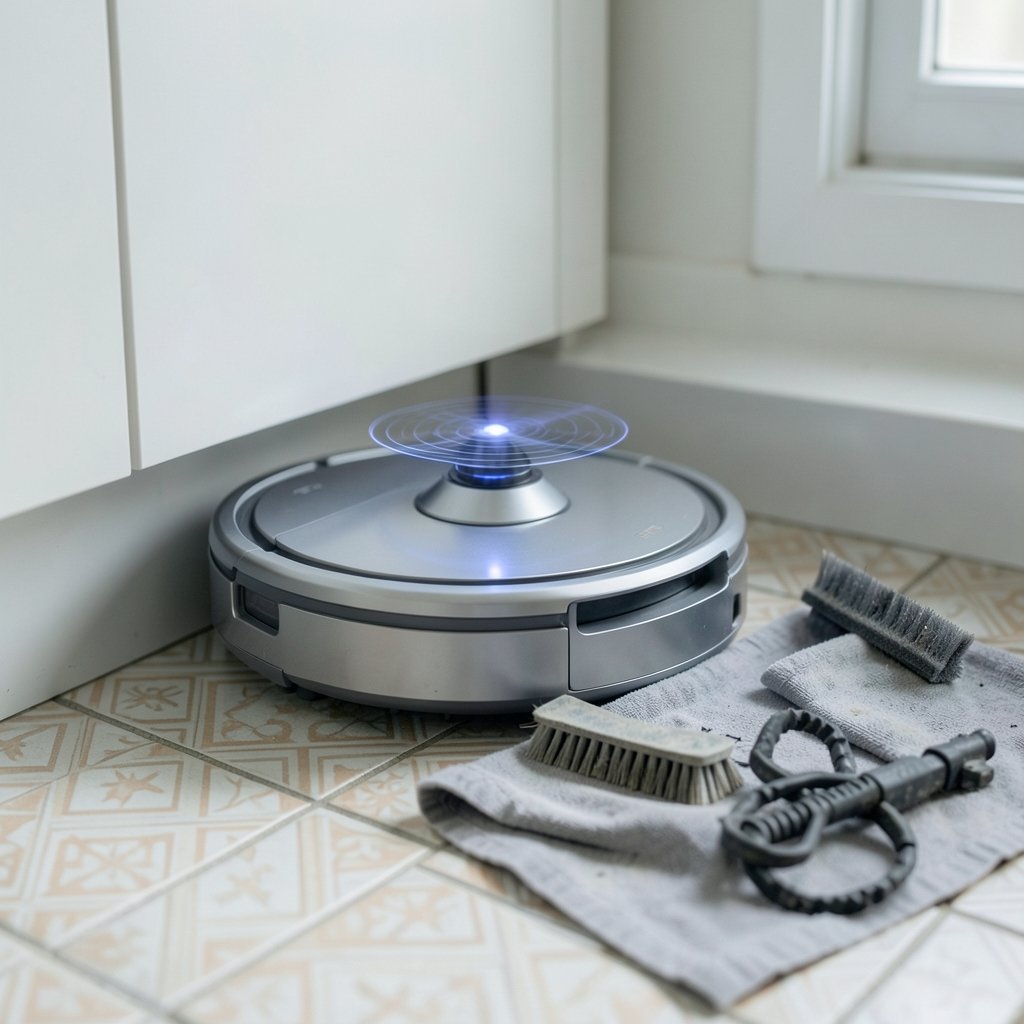
What if the robot vacuum that looks like a bargain on the shelf ends up costing more than the premium model two years down the line? That question sits behind every “best value” shopping decision, and most buyers skip it. Value is not the lowest sticker price. It is the total of what you pay, what the machine actually cleans, and what it quietly drains from your wallet in filters, brushes, and replacement parts.
This guide breaks down the factors that separate genuine value from marketing fluff, so the next robot you buy earns its place in the corner of your kitchen rather than gathering dust beside the bin.
Why “Cheapest” and “Best Value” Rarely Mean the Same Thing
A budget robot that bounces around randomly and misses half the room is not a value. Neither is a flagship model loaded with features you will never use. Real value lives in the overlap between price, cleaning performance, reliability, and running costs.
The trap most shoppers fall into is comparing spec sheets line by line. A higher number always looks better, so the model with the biggest suction figure or the longest runtime wins the mental comparison. The problem is that those numbers are not measured the same way across brands, which makes the comparison close to meaningless.
Value rankings are also sensitive to how you weight things. A model that wins on price per feature may lose badly on parts cost or app quality. Two reviewers can look at the same machine and reach opposite conclusions simply because one cares about pet hair and the other cares about mopping. Knowing your own priorities before you shop is half the battle.
Navigation Is the Feature That Matters Most

If you only pay attention to one specification, make it navigation. A robot that maps your home and cleans in organized rows will outperform a more powerful machine that wanders blindly, almost every time. It finishes faster, covers the floor more evenly, and returns to its dock instead of dying under the sofa.
LiDAR navigation, which uses a spinning laser to build a map, became affordable in the mid-2010s and shifted the whole market. Before that, “value” meant a random-bounce robot with a remote control. After it, value meant a mapped, app-controlled machine that knew where it had been. Camera-based navigation is the other common approach, and the trade-offs between the two are worth understanding before you buy. If you want the full breakdown, this comparison of robot vacuum lidar vs camera navigation key differences explains which suits dark rooms, cluttered floors, and multi-level homes.
Here is the practical version:
| Navigation type | Strengths | Weaknesses |
|---|---|---|
| LiDAR | Accurate maps, works in the dark, efficient routes | Struggles with low obstacles and mirror reflections |
| Camera (vSLAM) | Cheaper, recognizes objects and obstacles | Needs light, privacy questions, slower mapping |
| Gyroscope only | Very cheap, better than random bounce | Map drifts over time, no true room mapping |
| Random bounce | Lowest price | Poor coverage, long runtimes, frequent rescues |
A mid-priced LiDAR robot usually beats a premium random-bounce model on real floors. That single insight reshuffles most “best value” lists.
Suction Ratings Are Not Comparable Across Brands
Pascal ratings have become the horsepower wars of the robot vacuum world. You will see figures from roughly 2,000 Pa up to 10,000 Pa and beyond. Bigger sounds better, and brands know it.
The catch is that there is no shared test standard. One brand measures at the nozzle, another at the brush, another in a lab with a specific surface. A 4,000 Pa robot from one company can outperform a 6,000 Pa robot from another on the same carpet. Treat suction numbers as a rough hint about the model’s class, not as a precise measurement you can line up side by side.
What matters more in practice is the brush design and the airflow path. A well-sealed machine with a decent brush roll picks up more than a leaky one with a giant motor. On deep pile, the wrong robot can also bog down entirely, which is why checking how a model handles robot vacuum shag rugs that actually works deep pile before you buy saves a lot of disappointment.
Filtration: Read the Label Carefully
HEPA filtration is one of the most abused terms in vacuum marketing. True HEPA filters, rated H13 or H14 under the EN 1822 standard, capture at least 99.95 percent of particles at the most penetrating particle size, around 0.3 micrometres. Many robot filters sold as “HEPA-style” or “HEPA-type” do not meet that bar at all.
For most homes this is a minor issue. For allergy sufferers, pet owners, or anyone with asthma in the household, it matters a great deal. A genuine sealed HEPA filter on a mid-range robot is worth more than a fancy model with a loose mesh filter and a marketing badge.
The practical test is simple: look for a stated filter class, not a logo. If the box says H13 or H14, you know what you are getting. If it says “HEPA technology,” you know you are getting a word.
Battery Runtime Claims Need a Reality Check
Manufacturers typically quote runtime on low-power mode over hard floors, which is the easiest possible scenario. Switch to max power on carpet and the same robot may run for a fraction of the quoted time. There is no universal test standard here either, so the number on the box is closer to a best case than an average.
For a small apartment, runtime barely matters because the robot finishes before the battery drains. For a large home, it matters enormously. A robot that needs to recharge mid-clean and resume is fine, but one that dies in the hallway and never finds its way back is a daily annoyance.
Energy use, by contrast, is a non-issue. Typical robots draw roughly 30 to 60 watts while cleaning, so the annual electricity cost is small compared with the purchase price. Do not let power consumption sway your decision.
The Hidden Costs That Decide Long-Term Value
This is where budget models quietly lose their crown. Filters, brushes, mop pads, and dust bags are consumables, and they need replacing every few months depending on use and pets. Over two to three years, the total cost of ownership on a cheap robot can rival its purchase price.
Self-emptying docks, which became common from around 2018 onward, add convenience but also add bag costs. The base means you empty the robot far less often, which is genuinely useful in a busy home, but the bags are a recurring expense that varies by brand and region.
Before buying, price out a year of consumables. Add up filters, a brush roll, and mop pads. If the total is high, the bargain is less of a bargain. If the parts are cheap and widely available, the value case strengthens considerably.
Matching the Machine to Your Actual Home
The single biggest mistake buyers make is shopping for features instead of problems. A robot is a solution to a specific set of floor conditions, and the right answer changes dramatically from home to home.
Hard floors with light debris
Almost any mapped robot handles this well. Spend your money on navigation and app quality rather than suction. A basic LiDAR model will do the job, and the savings are real.
Carpet and pet hair
This is where brush design and tangle resistance matter. Long hair wraps around brush rolls and kills performance fast, so look for models designed to cope. This guide to robot vacuum long human hair that actually works covers the brush types and maintenance habits that keep a machine cleaning instead of clogging.
Homes that need mopping
Combination mop-and-vacuum units have improved a lot, but the cheap ones often just drag a damp cloth around. If mopping is a priority, it is worth reading up on which best robot vacuum mop combos actually clean floors rather than trusting the marketing copy.
Large or multi-floor homes
Mapping quality and battery life dominate here. Multi-floor maps and virtual no-go zones are software features, and they are sometimes paywalled or region-limited. Check that the app supports what you need before you commit, because firmware updates can change the rules after purchase.
Maintenance Habits That Protect Your Investment
A robot vacuum is a small appliance with a lot of moving parts, and neglect is what turns a good value into a bad one. The habits below take minutes a week and extend the machine’s useful life considerably.
- Empty the dustbin after every clean. A full bin strangles airflow and forces the motor to work harder.
- Rinse or replace the filter monthly. A clogged filter is the most common cause of weak suction.
- Clear hair from the brush roll weekly. Scissors and the provided cleaning tool handle most tangles.
- Wipe the sensors and camera lens. Dust on the navigation sensors causes mapping errors and strange routes.
- Check the wheels for trapped debris. A wheel that jams mid-clean is one of the most common failure modes, and this guide to robot vacuum wheel stuck error fixes walks through the quick checks.
A little upkeep goes a long way. Most “my robot stopped working” complaints trace back to a blocked filter, a hair-wrapped brush, or a dirty sensor rather than an actual hardware failure.
When the App Is the Weak Link
Software is the part of a robot vacuum that reviewers underrate and owners come to hate. A machine with excellent hardware and a buggy app is a daily frustration. Mapping glitches, dropped connections, and lost floor plans are common complaints, and they are not always fixable by the user.
If your robot keeps forgetting your home layout, that is usually a software or sensor issue rather than a hardware failure. This guide to what to do when your robot vacuum keeps deleting its map covers the usual causes and fixes. Before buying, check that the app is actively maintained, that it supports your phone, and that reviews mention reliable mapping rather than constant resets.
Reliability and Parts Availability
A cheap robot from a brand that vanishes in a year is a false economy. Parts availability is a genuine value factor. If you cannot buy a replacement brush or filter in eighteen months, the machine is effectively disposable.
Stick with brands that have a track record of supporting older models. Check whether consumables are easy to find and reasonably priced. Read reviews that mention long-term use rather than first-week impressions. A slightly more expensive robot from an established brand often beats a rock-bottom model from an unknown one, purely because it can be maintained.
Conclusion
The best value robot vacuum is not the cheapest one on the shelf, and it is not the most expensive one either. It is the machine whose navigation suits your floor plan, whose filtration matches your household’s needs, whose consumables you can afford to keep buying, and whose app does not fight you every week.
Start with navigation, then filtration, then running costs, and treat suction figures as a rough guide rather than a ranking. Match the robot to the problems in your home instead of the features on the box. Do that, and the bargain you bring home will still look like a bargain two years from now.
Frequently Asked Questions
Is a cheap robot vacuum ever genuinely good value?
Yes, in the right home. On hard floors with light debris, a basic mapped robot with LiDAR navigation handles the job well and costs far less than a flagship. The value collapses when the cheap model has poor navigation, expensive consumables, or no parts availability. Price alone tells you nothing.
How many pascals of suction do I actually need?
There is no reliable answer, because suction ratings are not measured to a shared standard across brands. A well-designed robot with modest suction can outperform a higher-rated competitor on real carpets. Focus on brush design, airflow, and reviews from owners with similar floors rather than chasing the biggest number.
Do self-emptying docks save money or cost more?
They cost more over time. The dock itself adds to the purchase price, and the dust bags are a recurring expense. What you get in return is convenience, since you empty the robot far less often. For busy households with pets, that trade is often worth it. For small apartments, it rarely is.
How often should I replace filters and brushes?
Most manufacturers suggest replacing filters every few months and brush rolls when they show visible wear, though intervals depend heavily on use and whether you have pets. Rinsing the filter monthly between replacements keeps suction strong. Budget for a full year of consumables before you buy so the running cost is not a surprise.
Does a robot vacuum work on thick carpet?
Some do, many struggle. Deep pile can bog down the brush and trigger errors, and the wrong model may give up entirely. Check reviews from owners with similar carpet before buying, and look for adjustable suction and a brush design suited to pile height.
Why does my robot keep losing its map?
Lost maps usually trace back to software bugs, dirty sensors, or the robot being moved while docked. Cleaning the navigation sensors and checking for app updates fixes many cases. If the problem persists, the machine may need a factory reset or a firmware update from the manufacturer.