If you want to explore different generative models in one creative platform, start with Leonardo AI; if you want to revise and restyle an existing composition, try Midjourney. Your tool choice can shape how easily you test ideas, refine images, and finish a creative workflow.
Fast Tokens are Leonardo AI usage credits spent on eligible generation tasks. Neither platform is best for every task, so use your project needs to set the direction. One brings model choice and creation together; the other offers a focused way to change an image.
Key Takeaways
- Leonardo AI combines model choice, image generation, and editing.
- Midjourney suits projects centered on revising or restyling images.
- Your choice should reflect the task you need to finish.
- Try the access route and tools you expect to use most.
- Compare plans by looking at your likely monthly use.
Treat your first choice as a workflow test, not a permanent commitment.
How do Leonardo AI and Midjourney differ at a glance?
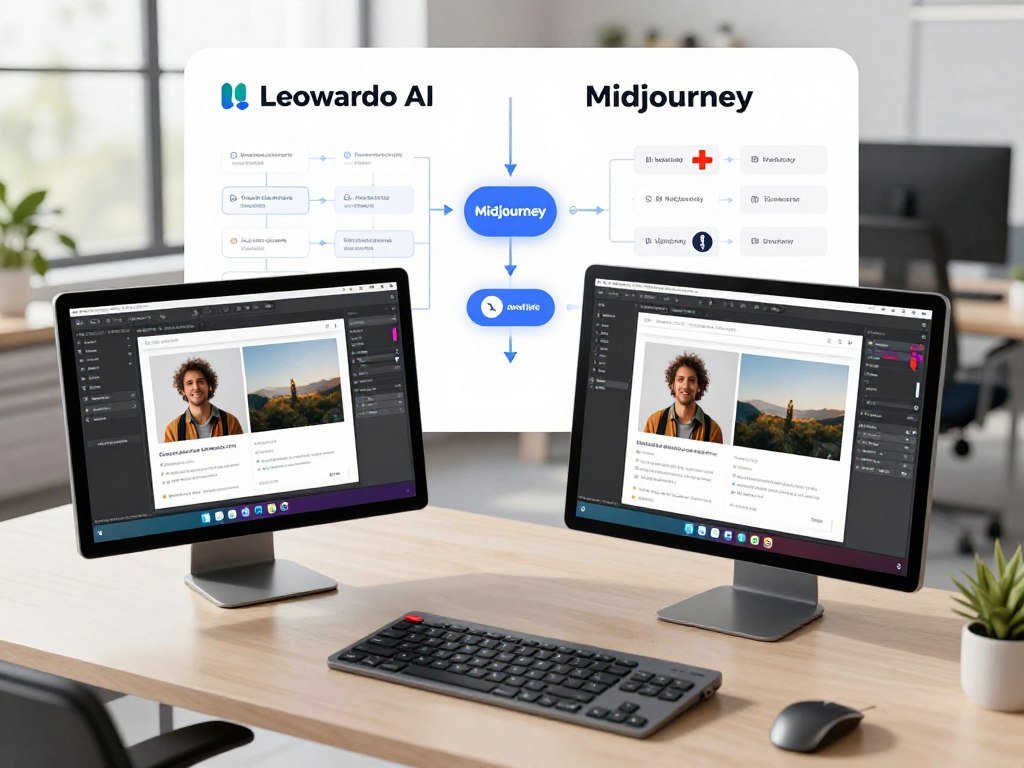
The key difference is where you want control: Leonardo AI puts model selection and refinement together, while Midjourney offers a distinct web editing workflow. Leonardo AI combines text-to-image generation, model choice, and editing in one creative platform.
Midjourney lets you create images, then edit them in its web Editor or start with an uploaded image. The table shows the practical split without ranking either platform’s results.
| Workflow question | Leonardo AI | Midjourney |
|---|---|---|
| Creation workflow | Text-to-image, model choice, and editing | Image creation, then web editing |
| Editing starting point | Integrated creative platform | Generated images or user uploads |
| Best fit | Explore models and refine work | Edit or restyle a composition |
| First decision | Need model choice? | Need focused image adjustments? |
Pick the workflow that supports the next image you need to make, not the one with the longest feature list.
That choice can change with the project. A poster may call for several model options, while a near-finished image may need careful edits.
Use the workflow that matches your next real project as the deciding factor.
How do their models shape image creation?
Leonardo AI gives you several named model families and partner options to consider before settling on a visual direction. Model choice can affect styles, text, and how closely an image follows prompts.
Choose a model for the task, not from a universal quality ranking. A typography test needs different strengths than a fast art draft or character training.

Leonardo AI’s model families and partners
In 2026, Leonardo AI offers its Lucid, Phoenix, and Lightning model families. Partner options include FLUX, GPT Image, Nano Banana, Ideogram, and Seedream.
Lucid Origin supports native Full HD output. Phoenix 1.0’s plan access includes every web plan, even Free, and the model is described as following detailed prompts and rendering coherent text.
Leonardo’s own families and partner models give you different options in one platform. You can compare free text-to-image tools by use case when deciding which model suits your kind of art.
Choosing a model for a specific task
Start with the image’s purpose, then test prompts and styles that match it. A model that fits a book cover may not fit a quick concept sketch.
Midjourney uses its own model versions rather than offering the same mix of partner models. Its approach gives you a separate route for making images and then refining a composition.
For a wider view of image generators, compare how tools handle prompt control, text, realism, and editing. Those traits describe a task better than a single label for quality.
Try one model against a specific brief before changing several prompt or style variables at once.
Which editing and video tools does each include?
If you need to revise an existing composition, Midjourney names specific actions for changing a region, extending the frame, or restyling the whole image. Focused edits can help when the base image already works.
Leonardo AI and Midjourney both support image refinement, but their editing routes differ. Video access also depends on the plan and generation mode.
Editing and restyling images
Midjourney’s web Editor supports Remix, Vary Region for inpainting, Pan, and Zoom Out. You can use these tools separately or together to change a selected area or the image’s frame.
Retexture changes an image’s style while keeping its structure and composition. That can suit a project where the layout works but its visual treatment needs to change.
Leonardo AI Omni models can generate from scratch or edit with image and text inputs. Its Inline Editor accepts up to six reference images on supported models.
For more creator tools across image and video work, see this comparison of AI tools for creators. The best fit depends on whether you need a local change, a new style, or a new image.
Generating video from images
In 2026, Leonardo AI Premium includes relaxed image generation on selected models. Ultimate adds relaxed generation on selected image and video models, while other models can remain token-metered.
Midjourney Standard, Pro, and Mega include unlimited Relax image generation. Pro and Mega also include unlimited Relax-mode SD video, and Standard, Pro, and Mega support HD video generation in Fast mode.
Leonardo’s relaxed generation does not cover every model. Midjourney’s relaxed image and video access also depends on the plan and mode, so unlimited use applies only to the listed features.
Before relying on relaxed generation, check whether the model you plan to use is among those covered.
Which interface suits your learning style?
Leonardo AI centers access on a web app, while Midjourney offers both web and Discord routes. Your daily setup can affect how naturally image generation fits your work.
Choose the route that feels clear for your first real task. Midjourney returns four images per prompt, which may help when you want several options for each round of iteration.

Both platforms give you ways to work with images, but the entry points differ. Discord may suit users who already keep creative conversations there, while a web app keeps the work in a browser.
Community and community support can matter as you learn. The platforms’ web and Discord routes shape where you interact, but your own task is the clearest test of the learning curve.
- Choose whether you want a web app or Discord in your workflow.
- Test whether the platform’s controls are clear for your first task.
- Decide whether four images per Midjourney prompt help your iteration process.
For details on access and subscription basics, read this guide to Midjourney access and costs. Try the access route you expect to use most before building it into a regular workflow.
Leonardo AI vs Midjourney: Features and Differences in Pricing
Leonardo AI has a free entry tier, while Midjourney starts with a paid Basic plan at $10 per month. Allowance types differ: Leonardo AI uses Fast Tokens, and Midjourney measures Fast GPU time.
Compare the amount you expect to generate, not just the monthly price. Leonardo’s free daily tokens do not carry over to the next day.
| Platform and plan | Monthly price | Included allowance | Relevant limit |
|---|---|---|---|
| Leonardo Free | $0 | 150 Fast Tokens per day | Daily tokens do not carry over |
| Leonardo Essential | $12 | 8,500 Fast Tokens monthly | Two concurrent generations |
| Leonardo Premium | $30 | 25,000 Fast Tokens monthly | Three concurrent generations |
| Midjourney Basic | $10 monthly, or $96 yearly | 3.3 Fast GPU hours monthly | Three Fast image jobs |
| Midjourney Standard | $30 monthly, or $288 yearly | 15 Fast GPU hours monthly | Three Fast or Relax image jobs |
Leonardo AI plans and token allowances
In 2026, Leonardo AI Essential costs $12 per month, Premium costs $30, and Ultimate costs $60. Their monthly Fast Token allowances are 8,500, 25,000, and 60,000, respectively.
Token banks hold up to 25,500 on Essential, 75,000 on Premium, and 180,000 on Ultimate. Premium allows three concurrent generations, while Ultimate allows six; Essential allows two.
Leonardo Free provides 150 Fast Tokens per day, and its token bank holds up to 150. Team Starter costs $72 per month for three seats and 75,000 shared tokens. Team Growth costs $144 for three seats and 180,000 shared tokens.
Midjourney plans and GPU time
Midjourney Standard includes 15 Fast GPU hours, Pro includes 30 for $60 monthly or $576 yearly, and Mega includes 60 for $120 monthly or $1,152 yearly. Yearly billing costs 20% less when paid upfront.
Extra Fast GPU time costs $4 per hour on every plan. Unused time resets at renewal and does not roll over.
A typical image prompt uses about one GPU minute. A four-video batch uses about eight Fast minutes at SD or 26 at HD, though settings and generation affect use.
Pro and Mega allow up to 12 Fast or three Relax image jobs. Video concurrency is one Fast job on Basic, three on Standard, six Fast or three Relax on Pro, and 12 Fast or three Relax on Mega.
Estimate your likely monthly prompts and revision rounds before choosing between token credits and GPU time.
How do privacy and commercial terms compare?
For private work, Leonardo AI adds private generation on paid individual plans, while Midjourney’s Stealth Mode is limited to Pro and Mega. Public posting remains a separate issue from private generation.
Midjourney creations posted in public Discord channels remain visible, even with Stealth Mode. Its General Commercial Terms apply to every plan.
In 2026, Leonardo AI Free generations are public, while paid individual plans add private generation. Midjourney’s Pro and Mega plans include Stealth Mode, but it does not hide work posted in public Discord channels.
Midjourney requires companies with more than $1 million in gross annual revenue to subscribe to Pro or Mega. That rule concerns the plan choice for company use, not a general guarantee about ownership or privacy.
- Check whether your plan provides private generation or Stealth Mode.
- Decide whether any work will appear in a public Discord channel.
- Check whether company revenue triggers Midjourney’s Pro-or-Mega requirement.
A summary of Midjourney commercial terms and Stealth Mode explains the difference between plan features and public posting. Check the applicable commercial terms before using either platform for business work.
Which platform fits your creative workflow?
Choose Leonardo AI when model choice is central to your work, and choose Midjourney when your main task is reshaping an existing composition. Project needs give you a more useful test than a broad claim about image quality.
Leonardo AI offers specific model options for drafts, typography, and custom training. Midjourney suits image-focused editing, extending, or restyling.
- Choose Leonardo AI to explore multiple models within one platform.
- Consider FLUX Schnell for quick drafts rather than final renders.
- Consider Ideogram for typography-led posters, logos, T-shirts, and book covers.
- Consider FLUX Dev when training custom characters or styles is central.
These options can help you make content, art, and design assets with a clear purpose. For other AI image generator choices by use case, compare the tools against the same kind of brief.
Do not treat model training or a platform’s reputation as a substitute for testing the image you need.
Match the first test to the asset you need to deliver, not to a general reputation for quality.
Conclusion
Start with Leonardo AI if you want to explore models in one creative platform, or Midjourney if you expect to spend more time reshaping images. The practical split is model exploration and integrated creation versus focused image editing and restyling.
Test one real project brief and plan one revision. That gives you a concrete way to judge whether the workflow makes your next step clear.
Use the same brief in your preferred workflow, then make the planned change. Run the same practical brief through your preferred workflow and keep the platform that makes the next revision clearer.
FAQ
What is Leonardo.Ai mainly used for?
Leonardo AI is mainly used for text-to-image generation, model selection, editing, and visual refinement. You can start with a written prompt, choose from available models, then adjust an image with editing tools. That range makes it useful when you want creation and refinement in one platform. Your best results will depend on the model and the task you choose.
Is Leonardo a good AI?
Leonardo AI can be a good fit when you want model choice and integrated image creation. It brings several model options and editing features into one platform, which may suit people who like testing visual directions. It may not be your first choice if your main task is focused editing of an existing composition. Suitability depends on your project and preferred workflow.
What models does Leonardo.Ai have?
Leonardo AI offers its Lucid, Phoenix, and Lightning model families, along with partner models such as FLUX, GPT Image, Nano Banana, Ideogram, and Seedream. The options support different creative tasks, from text-led designs to image drafts. Lucid Origin supports native Full HD output. You can compare models against a specific brief instead of expecting one option to fit every style.
What are the big 3 AI models?
There is no fixed “big three” across AI, because the phrase can refer to different tools or model types. Leonardo AI has its own named families, including Lucid, Phoenix, and Lightning, plus partner models such as FLUX and Ideogram. Those are not a universal ranking. The right group to compare depends on whether you need image generation, text, or another kind of AI task.
Which AI image generator is best?
Leonardo AI is a good choice for exploring models and creating or refining images in one platform. Midjourney is a good fit when your main work involves focused editing, extending, or restyling an existing composition. Neither platform is objectively best for every image task. Test both with the same prompt and planned revision if you need to compare their workflows.
What’s the most realistic AI image creator?
No single AI image creator is the most realistic for every subject, prompt, and setting. Compare results by using the same brief and settings, then check which image fits your needs. Leonardo AI’s Lucid Origin supports native Full HD output, though resolution alone does not decide realism. Look closely at the details that matter in your final image, such as faces, materials, or text.



