

What if you could hand cash to a relative in another state before dinner, without a bank account, an app, or a debit card? That is the basic promise of a Walmart to Walmart money transfer (often written “Walmart2Walmart”). You walk into one store with cash, and the person you’re sending to walks out of another store with cash. Simple idea. But the details, the fees, the limits, and the traps, are where people get surprised.
This guide walks through how the service works, what it costs, who it suits, and what to watch for before you send a dollar.
What Walmart to Walmart Money Transfer Actually Is
Walmart does not run its own money transmission network. Its domestic transfer service has been operated by MoneyGram, which took over the program in 2014 after Walmart ended an earlier arrangement with another provider. MoneyGram supplies the payment rails, the compliance system, and the agent network; Walmart supplies the storefronts.
The practical result is a hybrid product. It looks like a store service, but legally it is a remittance transfer subject to federal consumer protection rules. That matters more than most customers realize, because those rules give you specific rights around pricing disclosure and errors.
There are generally two ways to send:
| Option | How the receiver gets money | Typical trade-off |
|---|---|---|
| Standard Walmart2Walmart | Cash pickup at a Walmart MoneyCenter | Higher fee, works for anyone with ID |
| MoneyCard load | Funds loaded to a Walmart MoneyCard | Lower fee, but receiver needs the card |
The MoneyCard route is cheaper mainly because it skips the cash-handling step. If your recipient already has a Walmart MoneyCard, this is usually the better deal. If they don’t, the standard cash pickup is the realistic choice.
One thing worth flagging up front: fee tiers and even the branding have shifted over the years. Anyone quoting exact prices should check current terms at a store or on Walmart’s money services page before relying on them.
How the Process Works, Step by Step
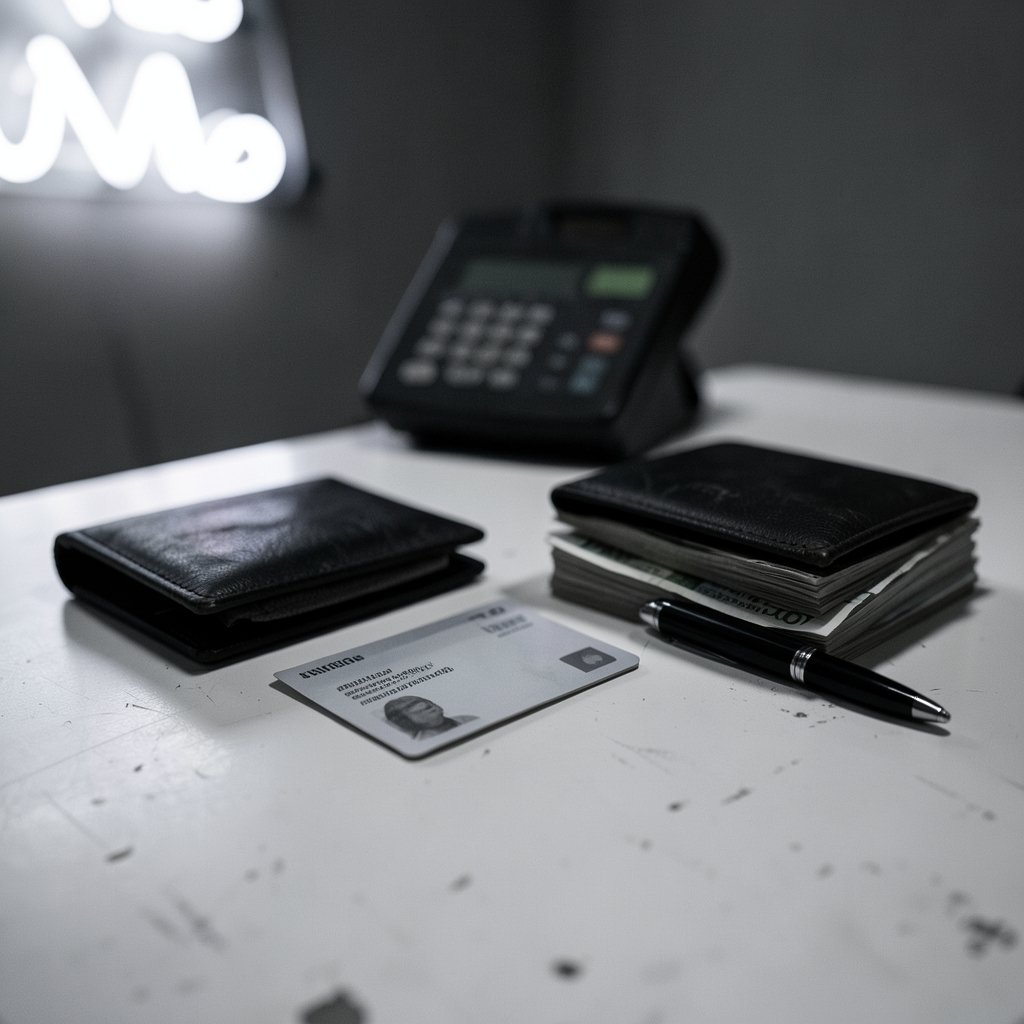
The mechanics are deliberately low-tech, which is exactly why people use it.
- Go to the Money Services desk inside a participating Walmart. Not the regular checkout lane.
- Provide the receiver’s details. Full legal name as it appears on their ID, plus their address in most cases.
- Choose the payout method. Cash pickup or MoneyCard load.
- Pay the transfer amount plus the fee in cash. Some flows allow card payment, but cash is the norm.
- Get the reference number. This is the single most important thing you’ll receive. The receiver cannot collect without it.
- Tell the receiver the reference number and the exact amount through a separate channel, ideally not the same message thread.
- Receiver goes to a Walmart MoneyCenter, presents valid government ID and the reference number, and collects.
A few practical notes that save headaches:
- Names must match exactly. A middle initial missing or a nickname used can stall a pickup. Use the name on the ID, not the name you call them.
- The reference number is not a password to share publicly. Treat it like a claim ticket.
- Pickup windows exist. Money typically needs to be collected within a set period, often around 30 days, or it gets returned. Ask at the desk.
- Store hours matter. MoneyCenter hours are often shorter than the store’s general hours.
If you’re also moving money between bank accounts and wondering whether a store transfer is cheaper than a bank wire, it helps to compare the actual fee structures side by side. A breakdown of how to transfer money between banks covers the speed and cost trade-offs that store-based transfers compete with. (Money transfer)
What It Costs and Why the Price Feels Inconsistent
Walmart’s transfer pricing has historically been flat per tier rather than the variable percentage fees common at other MoneyGram agent locations. In practice that means a fixed fee up to a dollar cap, then a percentage above that cap. For a mid-sized transfer, the flat structure can be genuinely cheaper than a bank wire or a traditional agent.
But here’s the honest caveat: exact fee schedules change, and the numbers you find in older articles are frequently stale. Before you commit, do three things:
- Ask the clerk for the total cost including the fee before you hand over cash.
- Confirm the maximum send amount for the day and per transfer.
- Check whether the MoneyCard option is available for your recipient.
Under federal rules, you are entitled to clear disclosure of the fees, the amount that will be received, and your error-resolution rights before you pay. The Consumer Financial Protection Bureau’s remittance transfer rule explains those disclosure and cancellation protections in detail. If a clerk can’t tell you the total cost up front, that’s a red flag worth pushing on.
There’s also a licensing layer. Money transmission is licensed state by state, and you can look up a provider’s licenses in the NMLS Consumer Access registry. It’s a dull step, but it’s the difference between a regulated service and an unregulated one.
Sending Limits and the Identity Question
Walmart and MoneyGram apply limits that vary by destination, payout method, and your verification status. Domestic transfers generally have higher caps than international ones, and new senders may face lower limits until a transaction history exists.
The identity piece trips people up. Even for a domestic cash-to-cash transfer, the sender typically provides ID and the receiver must present government-issued ID at pickup. This is not Walmart being difficult; it’s federal anti-money-laundering and know-your-customer requirements baked into the service. Expect to be asked for:
- Government-issued photo ID
- Full legal name and address
- Sometimes a phone number for confirmation
If the receiver shows up without ID, they will be turned away. No exceptions, and no amount of explaining fixes it.
Common Mistakes People Actually Make
Having watched how these transfers go wrong, the failure modes are remarkably consistent.
Sending to a nickname. The most common reason a pickup fails. The name must match the ID exactly.
Sharing the reference number in a group chat. Anyone with the reference number and a plausible story can attempt collection. Send it privately.
Assuming the receiver can collect at any register. They can’t. It has to be a MoneyCenter or the designated money services area.
Forgetting the fee is separate from the amount. If you want the receiver to get $200, you pay $200 plus the fee. Sending $200 total means they receive less.
Not checking the pickup deadline. Uncollected funds get reversed, and the sender may have to chase the refund.
Using it for anything urgent that requires proof of delivery. Cash pickup gives you a reference number, not a delivery receipt with a signature.
When This Service Makes Sense, and When It Doesn’t
The Walmart-to-Walmart route shines in a specific set of situations:
- The receiver has no bank account or can’t easily access one.
- Speed matters and a bank wire is too slow or too expensive.
- The amount is modest, where a flat fee beats a percentage.
- Both parties live near a Walmart, which covers a lot of the country.
It’s a weaker fit when:
- You’re sending large sums, where percentage-based services or bank transfers win.
- The receiver needs the money in a bank account, not cash.
- You want digital records for reimbursement or accounting.
- You’re sending internationally, where the fee and exchange-rate picture gets more complicated.
For cross-border comparisons, it’s worth understanding how digital money is changing. A primer on CBDC digital currency and central bank money going digital explains the infrastructure that may eventually reshape how cheap cross-border transfers become. (CFPB: Sending money and money transfers)
The Fraud Problem Nobody Should Skip
Here is the part that deserves your full attention. Money transfers are irreversible. Once the receiver collects, the money is gone. There is no chargeback, no dispute window, no reversal because you changed your mind or realized you were tricked.
That irreversibility is precisely why scammers demand money transfers. The FTC’s guidance on scams involving money transfer apps makes the core point plainly: no legitimate business or government agency asks to be paid by money transfer. Not the IRS, not a utility, not a court, not a grandchild in trouble, not a tech support line.
The gift card version of this scam is closely related and equally brutal, with victims rarely recovering funds. If you want to understand the mechanics, this explanation of how the gift card scam works and why victims rarely get their money back is uncomfortable but useful reading.
A few rules that actually protect people:
- Never send money to someone you haven’t met in person or verified independently.
- Hang up and call back on a number you looked up yourself, never one the caller gave you.
- Slow down. Urgency is the scammer’s main tool.
- Tell a family member before sending anything unusual. A second brain catches what panic misses.
Fraud detection systems exist on the provider side, but they are imperfect. A primer on identity threat detection and where the money actually goes explains why recovery after the fact is so rare.
Practical Tips That Save Time and Money
A short list worth keeping on your phone:
- Call the store first to confirm MoneyCenter hours and that the service is running that day.
- Write the receiver’s name exactly as it appears on their ID before you get to the desk.
- Bring your own ID and expect to be asked for it.
- Send the reference number separately from the amount, through a different channel.
- Keep the receipt. It’s your only proof if something goes wrong.
- Ask about the reversal timeline if the money isn’t collected.
If you’re handling other kinds of transfers too, like moving data between devices, the same principle applies: verify the receiving end before you start. A guide on transferring files from Android to PC and one on transferring contacts to a new phone both follow that logic. And if an external drive keeps cutting out mid-copy, this piece on why an external SSD keeps disconnecting during a file transfer covers the fixes.
Conclusion
Walmart to Walmart money transfer is a genuinely useful tool for a specific job: getting cash from one person to another quickly, without a bank account, at a predictable flat fee. It is not the cheapest option for every amount, and it is not reversible. Treat the reference number like cash, match names exactly, confirm the total cost before paying, and be deeply suspicious of anyone who insists on urgency. Do those four things and the service does what it promises.
Frequently Asked Questions
Does Walmart to Walmart money transfer require a bank account?
No. Neither the sender nor the receiver needs a bank account for the standard cash pickup option. The sender pays cash at a Money Services desk, and the receiver collects cash at a MoneyCenter with valid government ID and the reference number. The MoneyCard option does involve a prepaid card, but that is still not a traditional bank account.
How long does a Walmart to Walmart transfer take?
Domestic transfers are typically available for pickup within minutes of the sender completing the transaction, though timing can vary by store and by how busy the MoneyCenter is. The receiver should wait for confirmation that the transfer is ready before heading to the store. Ask the clerk for an expected availability time when you send.
What identification does the receiver need?
The receiver must present a valid government-issued photo ID, such as a driver’s license or passport, and the reference number. The name on the ID must match the name the sender provided exactly. If the names don’t match, the pickup will be refused and the sender will need to correct the details.
What happens if the money is never picked up?
Uncollected transfers are typically returned to the sender after a set holding period, often around 30 days, though the exact window varies. The sender usually needs to return to a store or contact the provider to arrange the refund, and a fee may or may not be refunded depending on the terms. Ask about the reversal process at the time of sending.
Can I cancel a transfer after sending it?
Cancellation rights depend on whether the money has already been collected. Before pickup, you generally have a window to cancel and get a refund, and federal remittance rules give you specific cancellation and error-resolution rights that should be disclosed to you at the time of the transaction. Once the receiver collects the cash, the transfer cannot be reversed.
Is Walmart to Walmart money transfer safe?
The service itself is a regulated money transmission operated through a licensed provider, so the mechanics are legitimate. The real risk is fraud: transfers are irreversible, and scammers specifically request them because of that. Never send money to someone you haven’t independently verified, and remember that no legitimate business or government agency demands payment by money transfer.



