
Quick Answer: Which budget flight sticks are worth buying?
The budget flight sticks worth buying are the ones built around Hall-effect sensors, a standard USB HID connection, and a design you can actually repair or clamp to your desk. In plain terms, shoppers should focus on a small set of entry-level models from Thrustmaster, Logitech, Turtle Beach, and 8BitDo, then compare them on sensor type, HOTAS versus single-stick layout, and console support. (State quarters worth money which ones actually hold value)
A HOTAS bundle adds a separate throttle and suits twin-engine and combat sims, while a single stick is cheaper and fine for arcade flying. Force feedback is essentially missing from this price tier, so anyone chasing it is shopping the used market for discontinued gear instead.
Before buying, compare sensor type, HID compatibility, HOTAS or single-stick layout, desk mounting, repairability, warranty, and console support.
Why Budget Flight Sticks Are a Minefield
Ever bought a cheap joystick, flown for three months, and watched the plane drift left while your hands were nowhere near it? That slow creep is called stick drift, and it is the single most common reason budget flight sticks end up in a drawer. The cause is usually the sensor inside the gimbal, and it is the first thing a smart buyer checks.
The budget tier has quietly changed. Magnetic Hall-effect sensors, which measure movement without physical contact between parts, have trickled down from premium gear into entry-level sticks. That matters because the older potentiometer design wears out through friction. Hall-effect parts resist that wear, so the stick keeps centering properly for far longer. Not every cheap model uses them, and manufacturers sometimes swap parts between production runs, so the spec sheet for the exact model and revision you are buying is the one that counts.
The second thing worth knowing is that most budget sticks present themselves as a standard USB HID joystick. In practice, that means plugging in and flying in most simulators without installing vendor software. The manufacturer’s app usually only adds remapping and macros. For a first stick, plug-and-play compatibility beats a fancy control panel you will open twice.
The Shortlist: What Actually Earns a Place on Your Desk
There is no single winner, because the right stick depends on whether you fly airliners, warbirds, or arcade space combat. Still, a few models keep surfacing in budget conversations for the right reasons.
| Model | Layout | Sensor type | Best for | Main trade-off |
|---|---|---|---|---|
| Thrustmaster T.16000M | Single stick (HOTAS version available) | Hall-effect | Precision flying on a budget | Light base can lift under spring tension |
| Thrustmaster T.Flight HOTAS | Stick plus throttle | Potentiometer | Combat sims needing a throttle | Build quality feels plasticky |
| Logitech Extreme 3D Pro | Single stick with twist rudder | Potentiometer | Casual and arcade flying | Drift risk rises with heavy use |
| Turtle Beach VelocityOne Flightstick | Single stick | Hall-effect | Buyers wanting modern sensors | Pricier end of “budget” |
| 8BitDo-style compact sticks | Single stick | Varies by model | Desk-light setups and retro flying | Fewer buttons and axes |
The pattern is clear. If precision and longevity matter most, the Hall-effect single sticks win. If you need a throttle for combat sims, a budget HOTAS bundle gets you flying for less, at the cost of feel and durability. The T.16000M is the usual recommendation for a reason: it uses magnetic sensing, it has a documented teardown and repair community, and its HOTAS variant covers both camps. Repairability is a better long-term value signal than the sticker price, because a stick you can fix is a stick you keep.
One honest caveat: sensor type can vary between SKUs and revisions. A model that shipped with Hall-effect gimbals two years ago may not today. Check the current listing, not a review from 2021.
Single Stick or HOTAS? Decide Before You Shop
This choice matters more than brand loyalty, and it is where most first-time buyers get it wrong.
A single stick combines pitch, roll, and usually twist rudder in one unit. It is cheaper, takes less desk space, and is perfectly good for arcade flying, space sims, and casual airliner hops. A HOTAS splits the controls: one hand on the stick, one on a throttle. That layout is not a luxury for combat sims and multi-engine aircraft; it is close to essential, because juggling throttle, radar, and weapons on a single stick means taking your hand off the controls constantly.
The practical rule: if you fly combat sims or anything with meaningful engine management, budget for a HOTAS. If you are testing whether flight sims are even for you, buy the cheapest decent single stick and upgrade later. Spending big on a HOTAS before you know you will stick with the hobby is the most common money-waster in this niche.
The Specs That Actually Matter (and the Ones That Don’t)
Spec sheets love big numbers. Flight sticks are not a numbers game. Here is what deserves your attention.
Sensor type. Hall-effect beats potentiometer for longevity. This is the headline spec.
HID compatibility. A standard USB HID joystick works almost everywhere without drivers. Vendor software is optional. If a stick needs proprietary software to function at all, that is a warning sign for budget buyers.
Axis count and buttons. More is not automatically better, but you want enough hats and buttons to avoid keyboard gymnastics mid-flight. Twist rudder is a budget-friendly substitute for pedals.
Mounting and weight. Lightweight sticks tip or lift when you pull back hard against spring tension. A stable base or a desk clamp solves this, and it is a hidden cost spec sheets never mention.
Console support. Not universal. Many PC sticks are PC-only or need an adapter. Check the official compatibility list for your console rather than assuming, because firmware updates can change it.
What does not matter much at this price: RGB lighting, macro software depth, and marketing language about “military-grade” anything. Those are decoration, not function.
Common Mistakes That Cost Budget Buyers Money
The most expensive mistake is blaming hardware for a software problem. Plenty of “broken” budget sticks are simply mis-calibrated. Before returning anything, run the operating system’s controller calibration tool, then set a small deadzone and a response curve in the simulator itself. Center drift complaints often vanish at that stage, and it costs nothing to try.
The second mistake is skipping the desk setup. A stick that slides around during a landing approach ruins the experience faster than any sensor spec. Clamps and stable bases are cheap compared with a replacement stick.
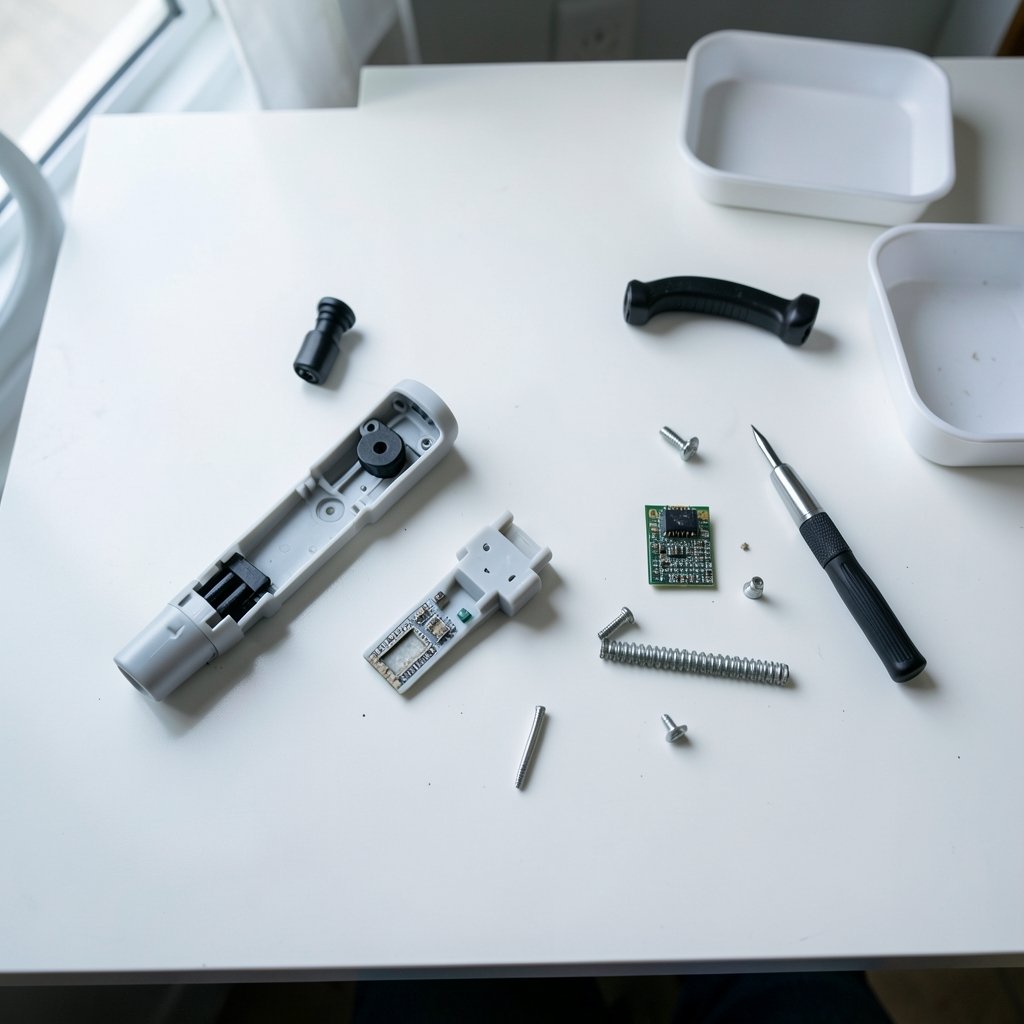
The third is buying without checking repairability. Some budget sticks use sealed potentiometers that cannot be serviced; others have active repair communities and documented teardowns. If you plan to keep flying for years, that difference decides whether a small fault means a five-dollar part or a new purchase.
The fourth is assuming force feedback exists at this price. It does not. New budget sticks are spring-centered. The discontinued Microsoft SideWinder Force Feedback 2 remains the used-market benchmark, but condition and pricing vary wildly, so treat it as a project, not a purchase. And if your hobby budget is spread across gear, it helps to think in the same terms as any other gadget decision, whether you are weighing a beginner-friendly handheld for everyday use or a webcam worth buying for everyday use: match the spend to actual use, not to the fantasy of use.
How Budget Sticks Fit Into a Wider Setup
A flight stick is rarely the only purchase. Simmers usually pair it with a headset, a second screen, or a controller for other games, and the same value logic applies across all of it. A Bluetooth headset worth buying for beginners matters more to immersion than an extra button on your stick, and if you split time between sims and console games, a buying guide for beginners will tell you whether a given console even supports your stick. The principle is the same everywhere: buy for the flying you actually do, not the flying you imagine.
Setting Up a Budget Stick So It Feels Expensive
A well-configured cheap stick outperforms a badly configured expensive one. Follow this order.
- Plug the stick in and confirm the operating system sees it as a game controller. If it does, HID compatibility is working and you can skip vendor software for now.
- Run the system calibration tool and move every axis through its full range, including twist.
- Open your simulator and set a small deadzone, roughly five percent, to mask center noise without dulling response.
- Add a gentle response curve so small inputs near center are less twitchy. This single change transforms precision landing.
- Bind the essentials first: pitch, roll, yaw, throttle, and views. Add weapons and systems only once the basics feel natural.
- Secure the base. Clamp it, weigh it, or mount it. If the stick moves, your landings will too.
- Re-calibrate every few months. Drift that appears slowly is often calibration drift, not hardware failure.
That routine costs nothing and resolves most of the complaints that send budget sticks back to the store.
When to Stretch the Budget (and When Not To)
Stretching makes sense in three cases. First, if you fly combat sims, a HOTAS with a real throttle is worth the extra spend because it changes how the game plays. Second, if you have worn out a cheap potentiometer stick before, paying for Hall-effect sensing now saves a repeat purchase. Third, if you fly on console, buy only from the official compatibility list, even if it costs more.
Do not stretch for force feedback, fancy software, or premium materials on a first stick. Those are upgrades for a pilot who already knows the hobby sticks. And do not stretch simply because a reviewer called something “entry-level.” Entry-level is exactly the right tier for a first purchase.
Conclusion
The budget flight stick market rewards a boring, practical checklist over brand hype. Look for Hall-effect sensors so the stick does not drift, standard USB HID compatibility so it just works, a layout that matches your sims, and a base you can actually keep still. The Thrustmaster T.16000M earns its reputation for precision and repairability, the T.Flight HOTAS is the affordable route into throttle-and-stick flying, and Logitech’s Extreme 3D Pro remains a fine casual option as long as you accept the drift risk that comes with potentiometers. Whatever you choose, calibrate it, clamp it, and set a deadzone before you judge it. Do that, and a stick costing less than a nice dinner out will fly better than most people expect.
FAQ
Do budget flight sticks work with consoles?
Some do, many do not. Console compatibility is model-specific and can change with firmware, so check the manufacturer’s official compatibility list for your exact console before buying. Adapters exist for some PC-only sticks, but they add cost and occasional input lag.
Are Hall-effect sensors really worth paying more for?
For most buyers, yes. Hall-effect gimbals measure movement magnetically with no physical contact, so they resist the wear that causes drift on potentiometer sticks. If you fly regularly, the extra cost usually pays for itself by avoiding a replacement purchase within a couple of years.
Can I fix stick drift on a cheap joystick?
Often, yes. Start with software: run your operating system’s controller calibration, then set a small deadzone and a response curve in the simulator. If drift persists, check whether your model has a documented teardown and repair community. Some sticks use serviceable parts; others are sealed.
Is force feedback available on budget flight sticks?
Not on new ones. Force feedback has effectively disappeared from the budget tier, and new sticks at this price are spring-centered. The discontinued Microsoft SideWinder Force Feedback 2 is the usual used-market benchmark, but condition and pricing vary enormously, so treat it as a restoration project.
Do I need to install the manufacturer’s software?
Usually not. Most budget sticks present as standard USB HID joysticks and work in simulators without any vendor software. The manufacturer’s app typically adds remapping and macros, which are optional. Try plug-and-play first, and only install the software if you need custom button layouts.
How much should a first flight stick cost?
Enough to get Hall-effect sensing and a stable base, and no more. A first stick is a test of whether you enjoy the hobby, so spend modestly, fly for a few months, and upgrade once you know whether you need a throttle, pedals, or a heavier gimbal.



