

Quick Answer: Which gaming laptops are best for competitive gaming?
The best gaming laptops for competitive gaming are high-refresh models built around a fast CPU and a mid-tier discrete GPU, not the most expensive flagship you can find. You want a 240 Hz or faster panel, strong single-core performance, and a chassis that holds its clocks during long sessions, and you can find these traits across several price bands.
Thin-and-light machines and giant desktop replacements both qualify, but they trade off differently. A light 16-inch model travels well and still hits high frame rates, while a bulkier 18-inch unit usually cools better and runs quieter under load.
Before buying, compare refresh rate, panel response time, CPU single-core speed, GPU tier, MUX switch support, sustained thermals, keyboard layout, and port selection.
Why Frame Rate Beats Resolution in Competitive Play
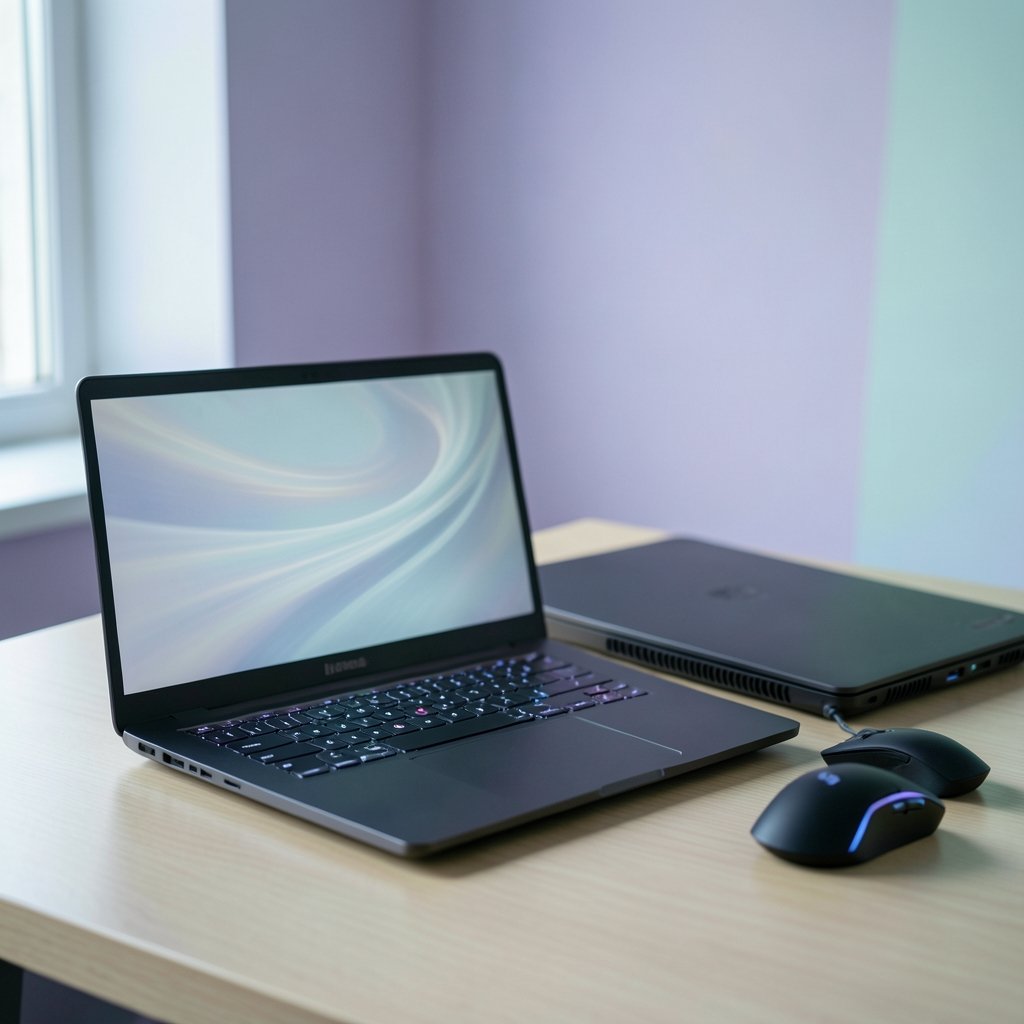
Can a laptop with a gorgeous 4K screen still lose you a duel? Absolutely. In competitive shooters, the number that matters most is how fast a new frame reaches your eyes, not how pretty it looks. A high-refresh panel at 1080p or 1440p gives you smoother motion and lower input lag, and that changes how quickly you react to a peek or a flick.
Refresh rate is the headline spec here. A 60 Hz screen redraws 60 times per second; a 240 Hz panel redraws 240 times. The gap between those two feels enormous in fast titles. Many competitive players describe it as the single biggest upgrade they ever made, bigger than swapping a GPU.
Resolution still matters, but as a secondary concern. Pushing 4K at high frame rates demands a monster GPU and generates heat a laptop chassis struggles to shed. Most esports-focused buyers settle on 1080p or 1440p and spend the savings on refresh rate and cooling. If you are weighing a desktop against a console-style setup, the same logic applies, and our breakdown of the PS5 Pro vs a gaming PC covers how each path handles high frame rates.
Panel technology adds another layer. OLED panels generally switch pixels faster than IPS, which sharpens motion clarity. Early OLED laptops raised burn-in worries, though newer panels and mitigation features have largely addressed them. IPS remains the safe, bright, affordable choice, and it holds up well for most players.
The Specs That Actually Decide Matches
Spec sheets are noisy. Marketing teams love core counts and terabyte numbers, but competitive performance comes down to a handful of parts working together.
CPU: single-core speed is king
Esports titles like CS2, Valorant, and Overwatch 2 are often CPU-bound when you drop settings for maximum frames. That means single-core performance and cache matter more than having sixteen cores. A laptop with a fast six- or eight-core chip will usually outpace a slower chip with more cores in these games.
GPU: mid-tier is often enough
You do not need the top graphics chip for 1080p esports play. A mid-tier discrete GPU handles high-refresh esports comfortably. The flagship GPUs earn their price at higher resolutions and in AAA titles, so ask yourself honestly which games you actually play before paying for headroom you will never use.
The MUX switch: a quiet hero
A MUX switch lets the discrete GPU drive the display directly, bypassing the integrated graphics. That cuts latency and lifts frame rates, sometimes by a noticeable margin. Many laptops ship with one but leave it disabled by default. Check the control software and turn it on. It is one of the most common “free performance” mistakes buyers make.
Thermals: where laptops separate
Two laptops with identical chips can perform very differently after an hour of play. Thin chassis throttle as heat builds, and clocks drop. Look for reviews that measure sustained performance across long sessions rather than only a three-minute benchmark burst. Bigger chassis with more fan headroom usually hold their clocks better.
| Spec | Priority for esports | Why it matters |
|---|---|---|
| Refresh rate | Very high | Lower latency, smoother motion |
| CPU single-core | Very high | Esports titles are CPU-bound at low settings |
| GPU tier | Medium | Mid-tier handles 1080p high-refresh fine |
| MUX switch | High | Bypasses integrated GPU for lower latency |
| Sustained thermals | High | Prevents throttling in long sessions |
| Panel response time | High | Reduces ghosting and smearing |
| Resolution | Medium | 1080p or 1440p is the sweet spot |
Matching the Laptop to Your Game and Budget
Not every competitive player needs the same machine. A Valorant main and a sim-racing enthusiast want different things, and pretending otherwise wastes money.
If your library is mostly esports shooters, prioritize refresh rate and CPU. A 240 Hz 1080p panel paired with a fast mid-range chip beats a 4K 120 Hz flagship for pure competitive advantage. If you mix in AAA campaigns, a stronger GPU and a 1440p high-refresh screen make more sense.
Budget matters too. You do not need to spend flagship money to compete. Our guide to the best gaming laptops under 1000 that actually fit a budget shows how far entry and mid-range machines have come, and many of them hit 144 Hz or higher without breaking a sweat.
Portability is the other axis. A 16-inch laptop slips into a backpack and works for travel tournaments or LAN nights. An 18-inch desktop replacement cools better but stays home. Think about where you actually play before you commit.
Practical Setup Tips That Win More Than Upgrades
Buying the right laptop is half the battle. The other half happens after you unbox it, and plenty of players leave easy performance on the table.
- Enable the MUX switch or discrete GPU mode in the manufacturer’s control panel. This is the first thing to check.
- Set the display to its maximum refresh rate. Windows sometimes defaults to 60 Hz even on a 240 Hz panel. Check display settings immediately.
- Lower in-game settings for frames, not beauty. Competitive shooters look fine on low presets, and the frame gain is real.
- Cap frame rates just below your refresh rate to reduce tearing and keep frame times consistent.
- Use a wired connection when you can. Latency spikes hurt more than a few lost frames, and our comparison of ethernet vs wi-fi for gaming explains why a cable still wins for ranked play.
- Elevate the rear of the laptop so fans breathe. A cheap stand can shave degrees off your temperatures.
- Keep the machine on a hard surface, never a bed or blanket, during long sessions.
A common mistake is chasing maximum settings. Another is ignoring the refresh rate setting entirely. A third is buying a 4K panel for esports and then wondering why frames feel sluggish. Match the hardware to the games, then tune the software.
Peripherals deserve a mention too. A responsive monitor-class panel inside the laptop is great, but if you dock to an external display, that screen’s refresh rate becomes your ceiling. Our roundup of the best gaming monitors for competitive gaming walks through what actually wins you duels.
Laptop, Console, or Handheld: Picking the Right Platform
A gaming laptop is not the only competitive option anymore, and it helps to see the whole landscape before deciding.
Consoles offer fixed hardware and huge player bases, and the current generation handles competitive titles well. Our guide to the best gaming consoles in 2026 and which system fits your setup covers the trade-offs. Handhelds have improved dramatically as well, and the best handheld gaming consoles in 2026 now run many competitive titles at playable frame rates, though none match a dedicated high-refresh laptop panel.
The laptop’s edge is flexibility. It runs your work apps, your stream software, and your games on one machine, and it travels. That versatility is why so many competitive players choose one even when a console would cost less.
Where to Buy and How to Avoid Getting Burned
Once you know your specs, buying smart matters. Key resellers and storefronts vary wildly in price and reliability, and the difference between a great deal and a headache often comes down to the seller. Our comparison of Eneba vs CDKeys vs Green Man Gaming explains how key sites differ, which helps when you are stocking up on games after a big hardware purchase.
A few buying habits pay off:
- Wait for seasonal sales rather than buying at launch.
- Check return windows before you commit, since panel quality varies unit to unit.
- Read reviews that test sustained performance rather than only benchmarks.
- Confirm the panel’s actual refresh rate, because some listings hide a 144 Hz cap behind vague wording.
If you stream your matches, platform choice matters as much as hardware. Our breakdown of Twitch vs Kick vs YouTube Gaming covers which platform suits different creators, and a laptop with a strong CPU handles encoding without choking your game.
Conclusion
The best gaming laptop for competitive play is not the most expensive one on the shelf. It is the one with a fast refresh panel, a CPU that keeps up in esports titles, a mid-tier GPU you will actually use, and cooling that holds steady through a long ranked session. Enable the MUX switch, set your refresh rate correctly, and tune your settings for frames rather than beauty. Do those things and a sensible mid-range machine will outperform a flagship that never got configured properly. Buy for the games you play, not the spec sheet someone else is chasing.
FAQ
Do I need a 360 Hz laptop to compete?
No. A 240 Hz panel covers the vast majority of competitive players, and the jump from 60 Hz to 144 Hz or 240 Hz matters far more than the jump from 240 Hz to 360 Hz. Higher refresh rates help, but returns diminish quickly, and CPU and thermal performance often limit you first.
Is OLED better than IPS for competitive gaming?
OLED generally offers faster pixel response and better motion clarity, which helps in fast titles. IPS is brighter, cheaper, and free of burn-in concerns. Either works well; pick OLED for motion clarity and IPS for value and peace of mind.
How much RAM do competitive gamers need?
16 GB is the practical baseline for gaming plus a browser or stream software running alongside. 32 GB helps if you multitask heavily or stream while playing, but it will not raise your frame rate in most esports titles.
Does a bigger laptop always cool better?
Usually, yes, because larger chassis have more room for heatsinks and airflow. That said, a well-designed 16-inch model can beat a poorly cooled 18-inch one. Look at sustained performance tests rather than assuming size guarantees cooling.
Can a budget laptop hit high frame rates in esports titles?
Often, yes. Esports titles are built to run on modest hardware, and many budget machines with a 144 Hz panel and a decent mid-range chip deliver strong frame rates at low settings. Spend your money on refresh rate and cooling before you spend it on a flagship GPU.
Should I use an external monitor with a gaming laptop?
It depends on the monitor. An external display with a higher refresh rate than your laptop panel raises your ceiling, while a slower one drags it down. If you dock, make sure the external screen matches or beats your laptop’s refresh rate.
Final checklist before you buy
Before you commit, write down the three games you play most and the frame rate you actually need. Then confirm four things on the spec sheet: the panel’s true refresh rate, the CPU’s single-core performance, the presence of a MUX switch, and the chassis’s sustained cooling reputation. If a listing is vague on any of these, treat it as a red flag and look elsewhere. A laptop that meets all four at a mid-range price will serve competitive play better than a flagship with one weak link. Buy deliberately, configure it properly, and spend your savings on the games themselves.



