A photo can look convincing at first glance and still reveal plastic skin or mismatched shadows when you zoom in. The Best AI Image Generators for Realistic Photos depend on what you need to make, from a portrait to a product scene.
That choice matters when an image must look natural to clients, readers, or customers. A polished thumbnail can hide odd hands, strange reflections, or details that do not match your brief.
This roundup compares tools for different creative projects and budgets. You will find options for text-led creation, photo editing, cinematic scenes, and more hands-on model control.
Realistic results take more than a strong first impression. Check skin texture, hands, lighting, and fine detail at full size before you decide an image is ready.
The best starting point is the tool that fits the image you need to make and the amount of control you want.
Key Takeaways
- Judge realism at full size, not only from a thumbnail.
- ChatGPT suits a detailed brief written in everyday language.
- Midjourney fits scenes where mood and art direction matter most.
- Gemini is a strong option for editing an existing photo.
- FLUX gives technical users more model and workflow control.
- Free access can mean credits, tokens, compute units, or limited use.
What Makes an AI-Generated Photo Look Real?
At 100% zoom, a believable photo needs more than a polished first impression. Photorealism depends on five visible signals, not a model’s name or a strong thumbnail alone.
Use the checklist below to judge the details your final image must get right. Elo is a rating that summarizes how often a model wins preference comparisons against other models.
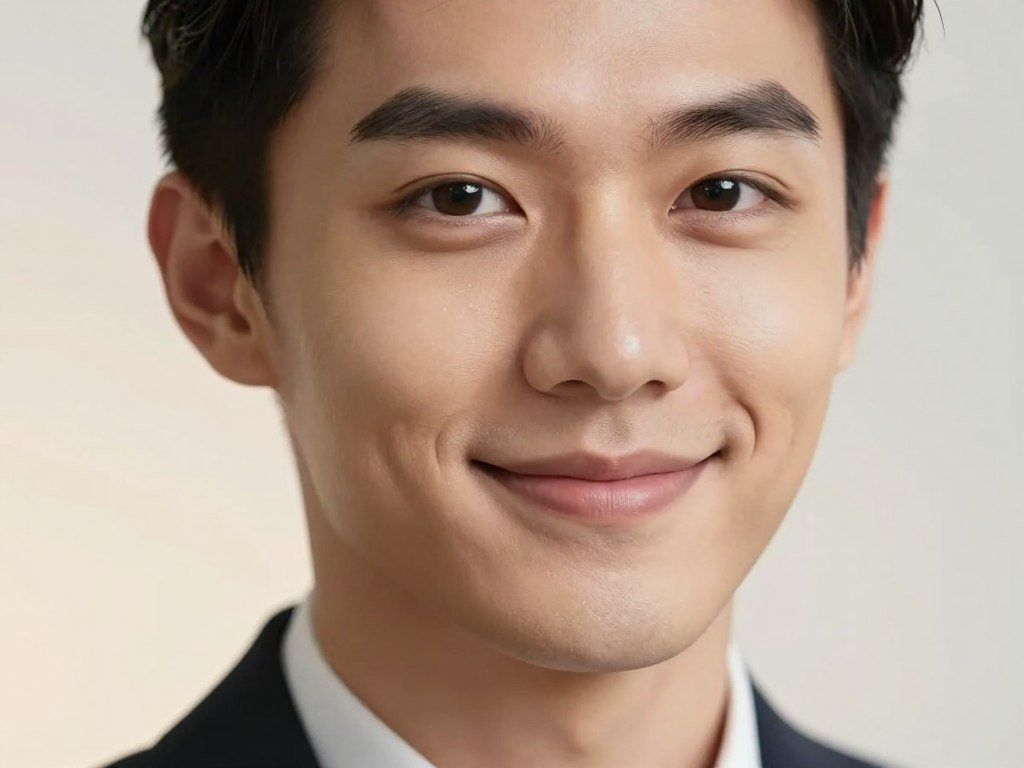
Texture, anatomy, and believable light
Skin and surface texture should suit the subject. Pores, hair, wood grain, and fabric weave help people and objects feel less smooth and synthetic.
Anatomy matters in close views. Check that hands have the right number of fingers and that teeth, ears, and joints look plausible.
Light and shadow should agree across the scene. A face lit from the left should cast a shadow in a matching direction.
- Texture: Look for pores, hair, fabric weave, and natural surface marks.
- Anatomy: Check hands, teeth, eyes, and the shape of body parts.
- Light: Match highlights and shadows to one believable light source.
Judge the details that carry the image, not just the parts that look polished at thumbnail size.
Prompt fidelity and detail at full size
Prompt fidelity means the image follows the request. If you asked for a blue coat and a rainy street, those details should appear clearly.
Resolution and clean detail matter when you enlarge the file. At 100% zoom, inspect edges, small objects, and any text for blur or odd marks.
An Elo score reflects preference votes between models. It does not give separate scores for anatomy, lighting, or resolution.
Check the detail that matters most for your intended use, since a product label and a portrait fail in different ways.
Which Realistic Image Generators Make the Shortlist?
The strongest fit depends on whether your priority is preference ranking, photo editing, cinematic style, or hands-on model control. ChatGPT leads the listed October 2026 preference scores, but each image generator fits a different job.
This shortlist has seven detailed picks, not ten. Recraft, Muse Image, and Stable Diffusion are other names to explore for design, easy access, and local customization.
| Tool | Best fit | Model or approach | Free access | Useful comparison point |
|---|---|---|---|---|
| ChatGPT | Text-led creation | GPT Image 2.5 | Limited image creation | GPT Image 2.5 Sunburst max: 1222 Elo |
| Midjourney | Cinematic scenes | Art-directed image model | No free plan | Atmosphere and composition |
| Gemini | Conversational edits | Nano Banana 2.1 | Usage limits | 1176 Elo, ranked fourth |
| FLUX | Model control | FLUX family | Depends on access route | FLUX 3 Image: 1117 Elo, ranked 13th |
| Adobe Firefly | Creative workflow | First-party and partner models | Daily generations | Standard images are unlimited on paid tiers |
The full seven-pick list also includes Leonardo AI and Ideogram. The tools differ in editing, scene style, and model choice, so a single rank cannot settle every task.
In October 2026, GPT Image 2.5 Sunburst max scored 1222 Elo, Flare max scored 1207, and GPT Image 2 high scored 1186. These scores summarize preference outcomes, not every part of image quality.
Artificial Analysis publishes Image Arena Elo comparisons alongside other model measures. Its scores can help you compare models, but they do not replace a close look at your own images.
For a wider view of image generators and their use cases, see this AI image generator comparison. Treat the table as a shortlist, then compare the specific features that matter to your work.
Is ChatGPT the Best All-Around Pick for Realistic Photos?
For most people who want to describe a photo in plain language and revise it in chat, ChatGPT is the easiest first pick. Its everyday workflow suits text-led image generation and simple edits.
In October 2026, GPT Image 2.5 Sunburst had the highest listed preference score. That result is evidence of user preferences, not proof that every output will look most realistic.
Conversational generation and edits
You can describe a scene in text, then ask ChatGPT to adjust the result in everyday language. You can also upload an image and request a change to its setting or contents.
This makes image editing approachable when you do not want to learn a separate editing panel. A conversational request may still lack pixel-level control over a tiny area.
Read the generated image closely after an edit. A broad instruction can change details beyond the part you meant to alter.
ChatGPT plans and image costs
ChatGPT Free has limited image creation. Paid plans offer different levels of access, but the stated image access differs by tier.
| Plan | Monthly price | Stated image access |
|---|---|---|
| Free | $0 | Limited image creation |
| Go | $8 | Image access included |
| Plus | $20 | Image access included |
| Pro | Starts at $100 | Unlimited, faster image creation |
For a first test, describe the subject, setting, and light in plain terms. Then judge whether the model followed the brief before you spend time refining it.
Try one carefully specified scene before deciding whether the paid access is worth your use.
Is Midjourney Better for Cinematic Realism?
For an editorial portrait or low-light street scene, Midjourney is the pick when atmosphere matters more than literal precision. Its art direction can give a scene a strong visual mood.
Midjourney has no free plan, and the listed plan options start at $10 per month. It is not a fit if you need exact wording or product details without close review.
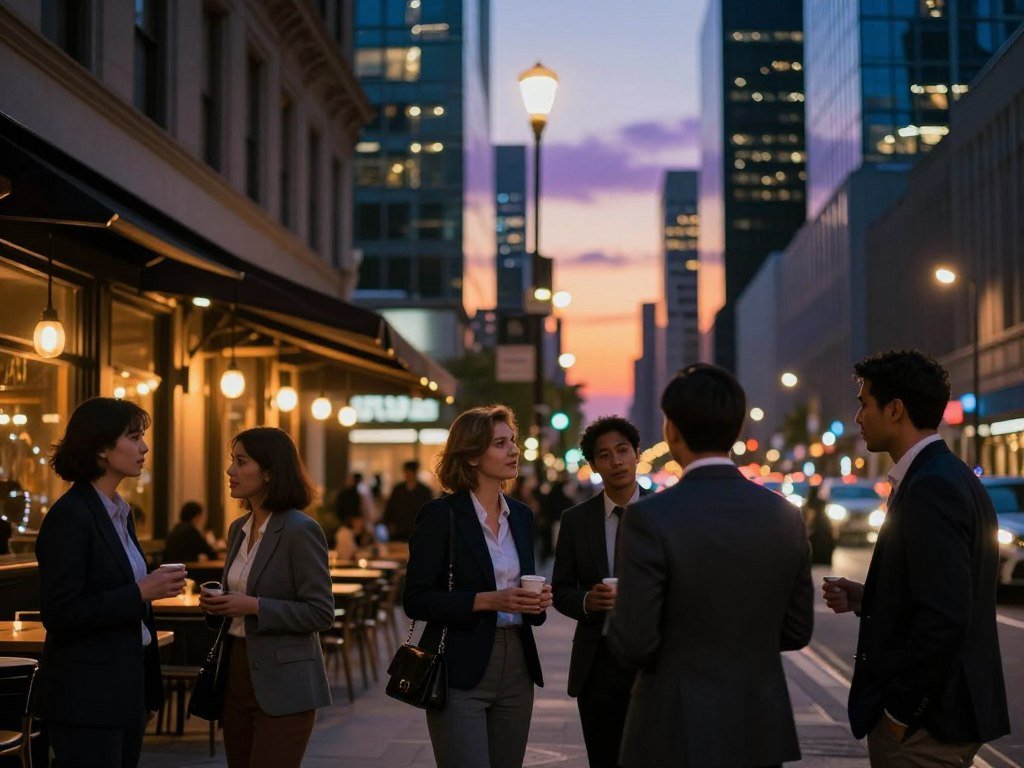
Midjourney can suit dramatic scenes and editorial portraits where composition sets the tone. A prompt with many exact requirements may need careful checking after generation.
Small text and product features can also drift from the brief. That trade-off matters for a labeled package or a specific camera-ready prop.
| Plan | Monthly price | Annual upfront price | Fast GPU hours/month |
|---|---|---|---|
| Basic | $10 | $96 | 3.3 |
| Standard | $30 | $288 | 15 |
| Pro | $60 | $576 | 30 |
| Mega | $120 | $1,152 | 60 |
Annual upfront plans cost 20% less than paying monthly. Extra Fast GPU time costs $4 per hour, and a typical prompt uses about one minute of GPU time.
Fast GPU time starts image generation sooner, while Relax generation waits in a queue. Actual use varies with generation and settings.
Standard, Pro, and Mega include unlimited Relax image generation. Pro and Mega include Stealth Mode, but images made in public Discord channels remain visible.
If your work must stay private, choose a plan with Stealth Mode and avoid public Discord channels.
Is Nano Banana 2.1 Best for Editing Existing Photos?
If you already have a photo and want to change its background or setting through a plain-language instruction, Gemini is a strong choice. Nano Banana 2.1 ranked fourth in October 2026.
Gemini limits use compute and refresh every five hours until a weekly limit is reached. The app does not offer one fixed daily image count for every account.
What conversational photo edits do well
A simple request can place a person in a different setting or change an object in the frame. This can be useful when the original photo already has the subject and pose you want.
After an edit, compare the face, clothing, and nearby objects with the original. A change to the background can also affect details you wanted to keep.
Nano Banana 2.1 scored 1176 Elo in October 2026. That score offers a preference signal, not a guarantee that every edit will preserve a face or match a specific task.
Gemini access limits and plans
Gemini’s access depends on compute use, and account limits can change with capacity. A refreshed allowance does not translate into a set number of images.
AI Plus provides twice the standard limits, while AI Pro provides four times those limits. AI Ultra offers five times or 20 times AI Pro limits, depending on the subscription.
These multipliers describe account limits, not a promise of a certain number of photo edits. A complex task and changing capacity can affect how much access you have.
Check the app’s current limit before planning a batch, because usage rules can change.
Is FLUX the Best Choice for Skin Texture and Control?
FLUX is a better fit for users who value workflow control than for someone seeking the simplest one-click experience. The open-weight model family offers routes that may suit a more hands-on setup.
License terms depend on the exact FLUX model. FLUX.2 [klein] 4B is available under the Apache 2.0 license, but that rule does not apply automatically to every FLUX model.
Hosted FLUX versus local use
A hosted image tool runs a model through a service, so you use its interface and access rules. A local workflow runs a compatible model on hardware you control.
Black Forest Labs offers models in the FLUX family, but each version can have different terms and access methods. Check the model name before choosing a tool or building a workflow.
FLUX 3 Image scored 1117 Elo and ranked 13th in October 2026. The score can inform a model comparison, while local control may matter more to your work.
For a broader comparison of FLUX and other image generators, explore this guide to AI image tools. Hosted access and local use can feel very different even when they offer similar model names.
What FLUX.2 [klein] requires
A reference setup for FLUX.2 [klein] 4B lists roughly 13 GB of VRAM. VRAM is the memory a graphics card uses to work with image models.
That figure describes a setup, not every way to run the model. Hardware needs depend on the software, settings, and hardware you choose.
Local use may appeal when you want to adjust a workflow, but it also asks you to manage the setup. Check the license for the exact model version before building a workflow around it.
Is Leonardo AI Worth Using to Compare Multiple Models?
Leonardo is most useful when you want to compare several realism models without maintaining separate accounts. Its model catalog brings in-house tools and partner models into one platform.
Leonardo’s free plan includes 150 tokens per day, and free creations are public. That allowance can support tests, but it does not make the service’s own model a benchmark leader.
Model variety and image refinement
Leonardo has its own Lucid models and a catalog of partner models. You can compare options in one place rather than keep separate accounts for each tool.
Lucid Origin Ultra scored 877 Elo. That score does not mean every partner model shares the same result or that Leonardo’s in-house models lead preference rankings.
The platform supports text-to-image and image-to-image workflows. Depending on the tool, you can also use reference images, edit a canvas, or upscale an image.
These features help when you want to create a first image, guide a new version, and polish a selected result in one workflow. The best model still depends on the scene and details you need.
Free tokens and public creations
Leonardo’s free allowance uses tokens, not a fixed number of images. The token cost can depend on the selected model and task.
Free creations are public, so keep private or sensitive material out of that tier. Public visibility is a practical limit to consider before testing personal images.
When comparing several models, use a similar brief for each. That makes differences in style and prompt response easier to spot.
Keep a free creation non-sensitive, since the free tier makes creations public.
Does Ideogram Make Realistic Images With Legible Text?
A realistic storefront can still look artificial if the sign or product label contains garbled lettering. Ideogram is a useful pick when readable text belongs inside a photographic scene.
Ideogram 4.5 High scored 1015 Elo, but text handling does not make it the overall realism leader. It is better for scenes where lettering matters than for lifelike faces alone.
A storefront image may need a legible shop name, or a product photo may need a clear label. Ideogram can help with those designs, though small text still needs close review.
Readable lettering and realistic skin are different tests. A clear sign does not guarantee that a face, hand, or shadow will look natural.
Reference-image editing can guide a new image using an existing visual example. Masked inpainting lets you select an area for a targeted change, rather than rebuilding the full frame.
These controls can help when one section needs revision while the rest of the composition works. Check that an edit does not alter nearby text or details by mistake.
Ideogram’s free plan provides about 10 slow credits per day. Free-tier images are public by default, so avoid using private reference material there.
For a poster or storefront, inspect each word against the intended spelling. Check any generated text character by character before using it in a finished design.
Is Adobe Firefly a Good Fit for Commercial Creative Work?
Firefly is worth considering when you want image creation inside a broader creative workflow and care about the model’s stated training-material scope. Its first-party policy may matter to some commercial teams.
Adobe’s training-material claim applies to first-party models trained on licensed Adobe Stock and public-domain content whose copyright has expired. It does not cover partner models.
Firefly’s standard and premium generations
Standard image generations are unlimited on every paid Firefly tier. Premium uses, such as video, audio, and partner models, consume credits.
Monthly credits reset, and unused credits do not roll over. A plan with unlimited standard images does not make every premium feature unlimited.
This distinction matters if your project moves between a first-party image model and a partner model. The two paths may use different rules and access terms.
What its training-material claim covers
Adobe’s claim covers first-party models trained on licensed Adobe Stock and public-domain content after copyright expires. Partner models are separate and do not share that claim by default.
Training material is only one part of a work-use decision. Usage rights depend on the specific tool and its terms, so a policy statement is not a guarantee of legal safety.
Firefly may fit teams that already use Adobe creative tools and want image creation in that setting. Confirm the terms for the exact model you use, especially when a Firefly workflow includes a partner model.
How to Choose the Best AI Image Generators for Realistic Photos
For a first realistic image from a detailed plain-language brief, start with ChatGPT; choose another tool when your job depends on a specialized workflow. The task is a better guide than a general rank.
Match the generator to the hardest requirement in your final image. The five realism signals still matter, since texture, anatomy, light, prompt fidelity, and detail can fail in different ways.
Pick by the image you need
A portrait, a cinematic street scene, and a labeled product photo ask different things from an image generator. Start with the feature that would be hardest to fix later.
- Specific natural-language brief: start with ChatGPT.
- Cinematic mood: try Midjourney.
- Editing an existing photo: use Gemini.
- Readable text in a scene: consider Ideogram.
Pick by the control you want
Control can mean changing a prompt in chat, choosing a model, or running a local workflow. Think about how much setup you can handle before choosing.
- Local model control: explore FLUX.
- Trying several models: compare options in Leonardo.
- Creative-workflow needs: consider Adobe Firefly.
Those recommendations serve different jobs, not one shared definition of realism. A model that excels at mood may not follow product details as closely as another.
For more ways to compare image generation tools by use case, see this AI image generators comparison. A high ranking cannot settle every task because scene needs and editing control also shape the result.
Match your first trial to the hardest requirement in the final image, not the most impressive demo.
Which Realistic AI Image Generators Can You Try for Free?
For a free online start, try Gemini for conversational creation, Firefly for daily generations, or Krea, Leonardo, and Ideogram if their allowance and privacy trade-offs fit. Each free tier measures access differently.
Tokens, credits, compute units, and account usage are not equal measures of image count. Gemini does not promise a fixed daily number of images.
Free access and what each allowance measures
These free options can help you test realistic images online, but the allowance may limit how often you can generate or which tools you can use.
- Krea: 100 compute units daily, Krea 3 and Krea 2 image generation, plus basic upscaling to 2K; 8K-class Enhancer is paid.
- Leonardo: 150 tokens daily; free creations are public.
- Ideogram: about 10 slow credits daily; free images are public by default.
- Gemini: account-based limits, with no fixed daily image allowance.
- Adobe Firefly: daily generations that refresh each day.
Krea’s units, Leonardo’s tokens, Ideogram’s slow credits, and Firefly’s daily generations measure different kinds of access. You cannot compare them as if each unit bought the same output.
Gemini limits depend on account usage rather than a set daily image count. That makes it useful for occasional tests, but less predictable for a planned batch.
Privacy trade-offs on free tiers
Leonardo and Ideogram free images are public by default. Avoid placing private faces, personal documents, or client work into those tiers.
For a broader list of free image tools and their limits, read this free AI text-to-image comparison. Check both the allowance and the visibility setting before choosing an online generator.
Use a non-sensitive test prompt first, then check how the tool handles your subject before relying on a free allowance.
How Much Do Realistic AI Image Generators Cost?
A subscription can be predictable, while an API bill depends on the number of image tokens and the requested output. The billing method changes what you pay for.
Firefly Standard starts at $9.99 per month with 2,000 credits, while ChatGPT API output costs $30 per million image tokens. API cost per image depends on size and quality.
Subscription tiers and included credits
Firefly plans use monthly credits for premium generations. Standard image generation remains unlimited on paid tiers, but video, audio, and partner-model use can consume credits.
| Tier | Monthly price | Monthly credits |
|---|---|---|
| Standard | $9.99 | 2,000 |
| Pro | $19.99 | 4,000 |
| Pro Plus | $49.99 | 10,000 |
| Premium | $199.99 | 50,000 |
Credits do not measure the same output across every tool. A credit balance alone cannot tell you how many images, videos, or partner-model generations a plan will cover.
API pricing and cost per output
ChatGPT API output is priced at $30 per million image tokens. The number of tokens used depends on the requested image size and quality.
In October 2026, GPT Image 2.5 at maximum quality cost about $210 per 1,000 images in Artificial Analysis data. That estimate is specific to maximum quality, not every output setting.
API billing can suit a workflow that generates images through software, while a subscription may feel simpler for regular hands-on use. Compare the kind of output each allowance buys before judging a plan by its headline price.
How Can You Write Prompts for More Photorealistic Results?
A realistic prompt gives the model a subject, a place, a coherent light source, and details a camera could capture. Specific visual facts make results easier to judge.
Start with a short, clear brief instead of piling on conflicting camera terms. Lens language may help in some tools, but it cannot guarantee a realistic result across models.
Describe the scene like a photographer
Name the subject, setting, light direction, viewpoint, and one or two textures. These details give the model a scene it can build rather than a loose mood.
For a practical guide to writing AI image prompts, keep the brief focused on what should appear in the frame. A long string of style terms can pull the image in conflicting directions.
Add texture and constraints without overloading the brief
Use this five-part checklist to draft a prompt:
- Subject: name the person, age range, or object details that matter.
- Setting: choose a real place with clear surroundings.
- Light: state its direction and whether it is soft or hard.
- Framing: describe the viewpoint and how close the subject appears.
- Texture: ask for natural skin, fabric, or surface marks.
For example: “A middle-aged baker sits by a café window on a cloudy morning. Soft window light falls from the left. Frame her from eye level, with natural skin texture and a woven wool sweater.”
The example gives a single light source and a clear viewpoint. It avoids extra camera terms that could distract from the details you want to inspect.
Change one prompt detail at a time so you can tell which instruction improved the result.
How Should You Edit and Refine a Realistic AI Image?
A good refinement keeps the parts that already work and names only the change that is needed. Focused edits make it easier to spot what changed.
Save the first version, make one change per edit, and upscale only after the image looks sound. Enlargement cannot repair every anatomical error.
Use references and conversational edits
ChatGPT supports conversational edits to an uploaded image. Leonardo offers image-to-image, canvas editing, and upscaling tools.
A reference can guide identity or composition, but it does not grant permission to use another person’s likeness. Choose references you have a right to use.
Kling IMAGE 3.0 supports up to 10 reference images. Kling IMAGE 3.0 Omni supports direct 4K output, which can help when the requested file needs that size.
Inspect, upscale, and correct the final image
Use this short workflow to refine an output:
- Save the first version before making changes.
- Ask for one specific change in each edit.
- Add a reference when identity or composition needs guidance.
- Inspect hands, text, and light at full size.
- Upscale only after the image looks sound.
A focused edit might change the wall color while keeping the person and pose fixed. If the result changes more than requested, return to the saved version.
For more beginner steps on creating and refining images, use this AI image creation guide. Inspect the final file at its intended display size before sharing or publishing it.
What Should You Check Before Using an AI Image Commercially or Privately?
There is no dependable promise of unrestricted use, so check the tool’s rules and your intended use before generating or publishing. Allowed uses and available controls vary by platform, and safety policies still apply.
Check consent, privacy settings, the exact model license, and whether your use is commercial. No image generator is automatically private or cleared for every business use.
Privacy, consent, and public visibility
Identifiable people deserve care, whether the image is private or public. Follow platform rules and respect the person’s consent when using a real likeness.
Use this checklist before generating or sharing an image:
- Obtain consent before using an identifiable person’s likeness.
- Inspect whether generations and uploaded images are public or private.
- Verify the license for the exact model and plan.
- Check whether your intended use is commercial.
Do not treat an image tool as restriction-free or assume that a private workflow settles every usage right.
Licenses, local models, and usage terms
ComfyUI can run fully offline, giving you local control over model choice and workflow. Offline use does not settle the license terms for the model you select.
Microsoft Designer requires a Microsoft account, and its consumer license is for personal, non-commercial use. A convenient tool can still have limits on how you use its output.
Adobe’s first-party Firefly training-material claim does not apply to partner models. Read the terms for the specific model and plan, rather than assuming one service rule covers every option.
For client work, save the model name and applicable terms alongside the final asset.
Conclusion
Start with the tool that matches your hardest requirement, not the one with the most features. ChatGPT is a practical first test for a detailed brief written in plain language.
If cinematic mood, editing, open control, or readable text matters more, choose the specialist built for that task. The best image quality is the one that holds up under close review.
Use the same subject and scene in two shortlisted tools, then compare their full-size results. Try the same subject and scene in two tools, then keep the result that looks most convincing at full size.
FAQ
Which AI image generator makes the most realistic photos?
ChatGPT’s GPT Image 2.5 led the October 2026 preference scores listed here. Elo reflects wins in preference comparisons, not every technical part of a photo. Midjourney may suit cinematic style, while FLUX can suit users who want open-model control. Compare images made for your own task, since a portrait and a product shot stress different details.
Are there free AI image generators for realistic photos?
Yes, Gemini, Firefly, Krea, Leonardo, and Ideogram offer free access in different forms. Their limits use different measures, including account usage, daily generations, compute units, tokens, and slow credits. Leonardo and Ideogram free images are public by default. Try a non-sensitive scene first, then see whether the tool handles your subject and detail needs well.
Can I use AI-generated photos for commercial projects?
Yes, but only when the exact platform, model, and plan terms allow your intended use. Firefly’s first-party training-material claim covers its first-party models, not partner models. That claim does not guarantee that every output is legally safe for every project. Save the model name and terms that applied when you made the image.
How do I make AI-generated photos look less artificial?
Describe a real setting, one coherent light source, a clear viewpoint, and natural surface details. Then inspect hands, shadows, and text at full size. A short brief is often easier to judge than a long prompt with conflicting camera terms. Change one detail at a time when you revise the prompt, so you can see what helped.
Why do free AI image tools limit generations?
Free tools can limit generations through tokens, credits, compute units, daily image counts, slow queues, or account usage. These measures do not buy the same number of images, and some tools change access with capacity. A free allowance may also restrict advanced features or output size. Check the measure itself before planning a large batch.
Can I run a realistic AI image generator offline?
Yes, ComfyUI can run fully offline with a compatible model and a local workflow. Your hardware needs depend on the chosen model and setup. Offline use gives you more local control, but it does not remove model license terms or safety duties. Check the exact model’s license before using it for personal or client work.



