
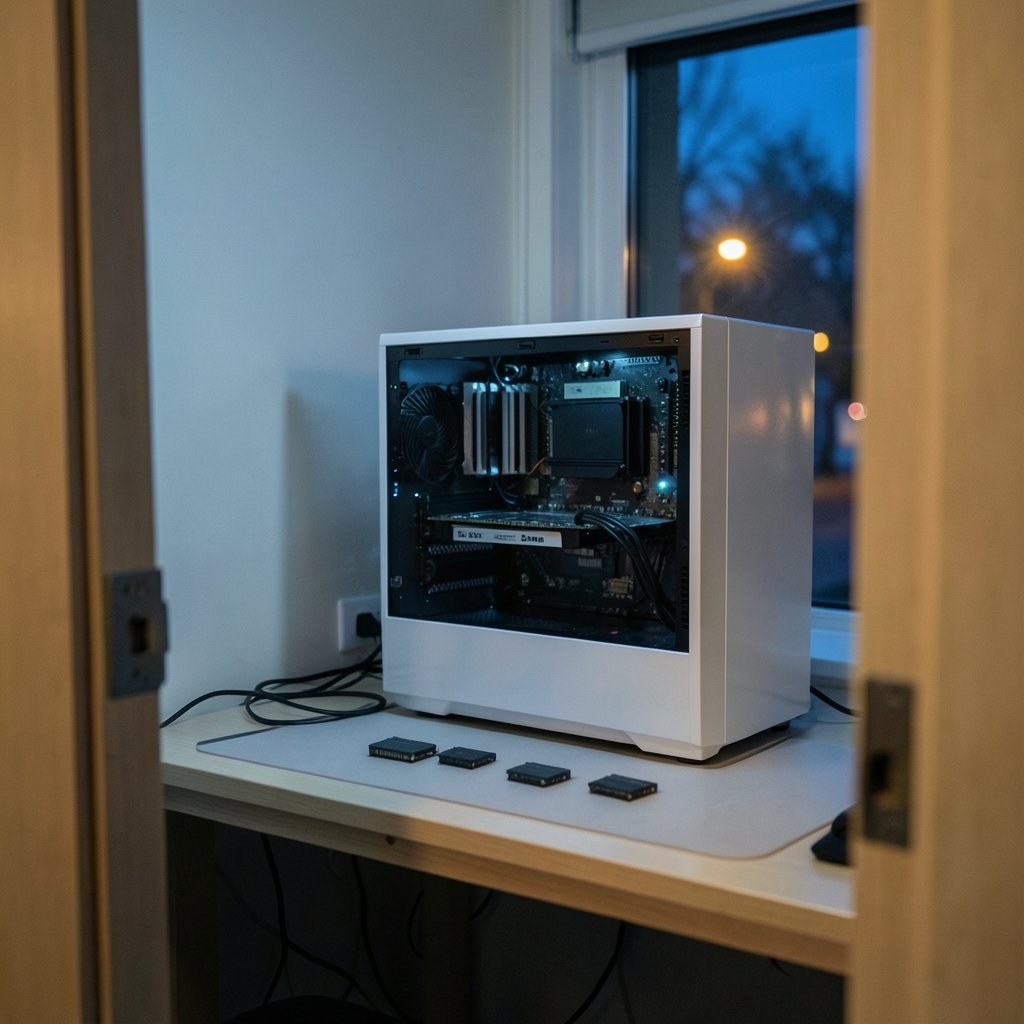
Quick Answer: Which gaming RAM kits are best for competitive gaming?
For most competitive players, the best RAM kit is a dual-channel DDR5 set of 32 GB running at 6000 MT/s with CL30 timings on AMD AM5, or a 6000–6400 MT/s CL30–32 kit on Intel’s current platforms. That combination delivers low latency and enough headroom for modern titles without overspending. Players on older DDR4 systems should target 3600 MT/s CL16 instead.
The differences between good kits are smaller than most buyers expect. A tight 6000 CL30 kit usually beats a loose 7200 CL40 kit in real frame times, even though the second one looks faster on the box. Capacity, channel count, and platform support matter more than the biggest number on the label.
Before buying, compare platform support, DIMM count, CAS latency in nanoseconds, motherboard QVL listing, height clearance under the cooler, and price per gigabyte. Those six checks separate a smart purchase from an expensive mistake.
Why RAM Matters More in Competitive Gaming Than You Think
Can a stick of memory really decide whether you win a firefight? Not directly. But it can decide whether your frame rate stays flat when the action gets loud.
Competitive games are usually run at low settings and high frame rates. That pushes the load onto the processor rather than the graphics card. When the CPU is the bottleneck, memory speed and timings shape how quickly data reaches it. Tighter timings and faster transfers can lift average frames and, more importantly, smooth out the 1% lows that cause visible stutter.
The effect is real but modest. Nobody should expect a RAM upgrade to double their frame rate. What it can do is remove micro-stutters, shorten load times, and make high-refresh displays feel more consistent. In a ranked match, consistency is the whole point.
It also helps to know where RAM sits in the priority list. A fast kit paired with a weak GPU or a 60 Hz panel is money poorly spent. If the display or the graphics card is the limiting factor, sort that out first. The guide on the best gaming monitors for competitive play is a better starting point for anyone whose panel is holding them back.
The Specs That Actually Matter (and the Ones That Don’t)
Memory marketing is loud. Most of it points at numbers that barely move a frame counter.
Speed versus latency
Speed is measured in MT/s (millions of transfers per second). Latency is measured in clock cycles, shown as CAS latency or CL. The two interact, which is why a 6000 CL30 kit can outperform a 7200 CL40 kit.
The honest comparison is true latency in nanoseconds, calculated as CL divided by speed, multiplied by 2000. A 6000 CL30 kit lands around 10 ns. A 7200 CL40 kit lands around 11.1 ns. The “slower” kit is actually quicker to respond, and it costs less.
Dual-channel is non-negotiable
Two matched sticks in the correct slots beat one stick of the same total capacity, every time. Motherboard manuals document which slots to populate, and ignoring that guidance is one of the most common build mistakes. A single 32 GB stick can cost a competitive player 10–20% of their frame rate in CPU-bound scenes, which is a far bigger hit than any timing difference between kits.
Capacity
16 GB remains the practical floor for modern gaming. 32 GB is the sensible target for anyone who streams, keeps a browser open, or plays newer titles that recommend more memory. Going beyond 32 GB rarely helps gaming, and the money is better spent elsewhere. There is a detailed breakdown of where extra capacity pays off in this guide to how much RAM you need for gaming.
What doesn’t matter much
RGB lighting, heatsink size on DDR5, and inflated speed ratings above what the CPU’s memory controller can handle. Buying a 7600 MT/s kit for an AM5 system that realistically runs 6000 MT/s in coupled mode is paying for numbers you will never see.
DDR5 Kits Worth Considering
DDR5 is now the mainstream standard. Both current Intel platforms and AMD’s AM5 socket use it, which means most new competitive builds start here. The table below summarizes the sweet spots by platform rather than naming specific products, since stock and pricing shift constantly.
| Platform | Sweet spot | Why it works | Avoid |
|---|---|---|---|
| AMD AM5 (Ryzen 7000/9000) | 6000 MT/s, CL30, 2×16 GB | Matches the controller’s coupled mode; low true latency | 4-DIMM 7200+ kits |
| Intel current gen | 6000–6400 MT/s, CL30–32, 2×16 GB | Stable with tight timings; headroom for tuning | Overpaying for 8000 MT/s |
| Intel, budget focus | 5600–6000 MT/s, CL36, 2×16 GB | Cheaper, still fast enough for high refresh | Single-stick kits |
| Small form factor | 6000 MT/s, CL30, low-profile | Fits under big air coolers | Tall heatsinks |
The pattern is consistent. Two DIMMs, moderate speed, tight timings. That formula wins across platforms because it keeps the memory controller happy.
For AMD buyers specifically, 6000 CL30 is close to a universal recommendation. It runs in the 1:1 coupled mode that keeps latency low, and it is widely validated on AM5 boards. Pushing to 6400 or 7200 usually forces a divider, which adds latency and can introduce instability. That trade is rarely worth it for competitive play.
Intel buyers have more room. The memory controller tolerates higher speeds, so a 6400 CL32 kit is a reasonable ceiling for most builds. Beyond that, gains shrink fast and stability risk climbs.
One practical tip that saves real money: check the motherboard’s QVL (qualified vendor list) before buying. It is the manufacturer’s tested compatibility list, and it prevents the classic scenario where a kit refuses to run at its rated profile on a particular board.
DDR4 Kits Still Make Sense for Some Builds
Not everyone is building new. Plenty of competitive players are running older Intel or AM4 systems, and DDR4 is the correct choice there.
For DDR4, 3600 MT/s CL16 in a 2×8 GB or 2×16 GB configuration is the sweet spot. It hits a good balance of speed and latency, and it is the profile most AM4 boards handle without drama. A 3200 CL16 kit is a fine budget option that gives up very little in practice.
The trap here is buying a high-speed DDR4 kit that the CPU’s memory controller cannot drive. A 4400 CL19 kit sounds impressive and often runs slower in real games than a 3600 CL16 kit, because the higher speed forces looser timings and a less favorable ratio. On DDR4, tight timings beat big speed numbers almost every time.
Also worth noting: DDR4 and DDR5 are not interchangeable. The notch positions differ, and no board accepts both. Anyone upgrading should confirm which standard their motherboard takes before ordering.
Timings, XMP, and EXPO: What Buyers Get Wrong
Here is where first-hand experience matters, because the spec sheet never tells the full story.
XMP (Intel) and EXPO (AMD) are factory-validated overclocking profiles stored on the memory module. They are not plug-and-play guarantees. They must be enabled in the BIOS, and enabling them is technically overclocking. On some CPU and motherboard combinations, a profile that looks fine on paper will fail to boot or produce errors under load.
The practical routine that works:
- Install the sticks in the correct dual-channel slots, usually the second and fourth from the CPU.
- Boot at default settings first and confirm the system posts.
- Enable XMP or EXPO in the BIOS, save, and reboot.
- Run a memory stability test such as MemTest86 or TestMem5 for at least a couple of hours.
- If errors appear, drop the speed one step or loosen the primary timings slightly.
Skipping step four is the mistake almost everyone makes. A system that boots and plays for twenty minutes can still throw errors an hour in, and those errors show up as random crashes mid-match. Testing takes an evening and saves weeks of frustration.
A second common mistake is mixing kits. Two identical-looking sticks bought months apart can carry different memory chips underneath. They may refuse to run their rated profile together. Buy a matched kit in one box, not two separate sticks.
The third mistake is chasing the last few percent. Manually tuning subtimings can add a small gain, but it takes hours and can destabilize a system. For competitive players, a stable 6000 CL30 profile beats a fragile hand-tuned one. Reliability is a performance feature.
Matching RAM to the Rest of Your Setup
Memory does not exist in a vacuum. The right kit depends on what surrounds it.
A high-refresh monitor is the clearest signal that fast RAM is worth buying. If the display tops out at 60 Hz, the extra frames a tight kit produces will never reach the player’s eyes. If the panel runs at 240 Hz or higher, the CPU-bound gains from fast memory become visible.
The same logic applies to the platform choice itself. Anyone weighing a console against a PC should settle that question before shopping for memory. This comparison of the PS5 Pro versus a gaming PC covers the trade-offs, and the roundup of the best gaming consoles of 2026 is useful for anyone leaning toward a closed box. Handheld players have their own considerations, covered in this look at the best handheld gaming consoles of 2026, where memory is soldered and not upgradeable at all.
For desktop builders, the sensible order is display, then GPU, then CPU, then RAM. Memory is the cheapest of the four to upgrade later, so it rarely needs to be the first decision.
How to Choose Without Overpaying
A short, practical filter for the buying decision:
- Pick the platform first. DDR5 for new builds, DDR4 for older ones.
- Buy two sticks, not one. Dual-channel is the single biggest free win.
- Target 32 GB unless the budget is tight, in which case 16 GB is still workable.
- Aim for 6000 CL30 on AMD, 6000–6400 CL30–32 on Intel, 3600 CL16 on DDR4.
- Check the QVL for the exact motherboard model.
- Measure cooler clearance before buying tall heatsinks.
- Test stability after enabling XMP or EXPO.
That list covers 95% of what matters. Everything beyond it is diminishing returns.
Conclusion
The best RAM kit for competitive gaming is not the fastest one on the shelf. It is a dual-channel 32 GB DDR5 kit at 6000 MT/s with CL30 timings for most current builds, or a 3600 CL16 DDR4 kit for older platforms. Those configurations hit the sweet spot where latency, stability, and price line up.
Competitive play rewards consistency over peak numbers. A stable kit with tight timings and correct slot placement will do more for frame pacing than an expensive high-speed kit that throws errors under load. Buy two matched sticks, check the motherboard’s compatibility list, enable the profile, and test it properly. Then stop worrying about memory and get back to practicing.
Frequently Asked Questions
Is 32 GB of RAM overkill for competitive gaming?
Not really. 16 GB remains workable, but 32 GB gives headroom for a browser, voice chat, and a stream running alongside the game. Many newer titles also recommend more than 16 GB. The price gap between 16 GB and 32 GB kits is small enough that most competitive players should just buy 32 GB and forget about it.
Does faster RAM actually increase FPS?
It can, but the gains are modest and depend on the game. In CPU-bound competitive titles at low settings, faster memory with tight timings can lift average frame rates and improve 1% lows. In GPU-bound games, the difference is often within benchmark noise. RAM is a refinement, not a transformation.
Is 6000 CL30 better than 7200 CL40?
For most systems, yes. True latency is what matters, and 6000 CL30 works out to roughly 10 ns while 7200 CL40 lands near 11.1 ns. The 6000 CL30 kit also runs in the coupled mode that AMD’s memory controller prefers, which keeps things stable. Higher speed numbers look better on the box than they perform in a game.
What happens if I install RAM in the wrong slots?
The system may run in single-channel mode, which can cut frame rates noticeably in CPU-bound scenes. It might also fail to boot at the rated XMP or EXPO profile. Motherboard manuals specify the correct slots, usually the second and fourth counting from the CPU socket. Checking that page takes thirty seconds.
Do I need to test RAM stability after enabling XMP?
Yes, and most people skip it. XMP and EXPO are overclocking profiles, not guarantees. A system can boot fine and still produce memory errors under sustained load, which shows up as random crashes or stutter mid-match. Running a tool like MemTest86 or TestMem5 for a couple of hours confirms the profile is actually stable.
Can I mix two separate RAM kits from different purchases?
It is risky. Two sticks that look identical can use different memory chips underneath, and mixed kits sometimes refuse to run their rated profile together. Buying a single matched kit in one box avoids the problem entirely. If mixing is unavoidable, expect to run at a lower speed or looser timings.



