

What happens when the most famous air-cooling company on earth finally builds a water cooler? That question hung over the cooling world for years, and the answer arrived in the middle of 2026. The wave of liquid CPU cooler launches around Computex 2026 was not just a parade of new radiators and RGB screens. It marked a real shift in how AIO coolers are designed, priced, and positioned. Some launches chased silence, some chased screens, and at least one chased both at once.
This article walks through what actually launched, what each product line changes for buyers, and the practical things to check before you spend money on any of it. It covers the debut of Noctua’s first AIO, Corsair’s second-generation TITAN platform, MSI’s premium MEG push, DeepCool’s display-heavy designs, and the quieter platform work from Asetek that sits underneath several of these coolers.
Why the 2026 Launch Wave Mattered More Than Usual
Most years, a new AIO means a new pump cap, a slightly thicker radiator, and a fresh fan blade shape. The launches clustered around Computex 2026 went further. Three trends ran through almost every announcement.
First, pump noise became a headline spec. For years, reviewers measured it and buyers ignored it until the whine annoyed them at idle. Now manufacturers are building acoustic structures into the pump housing itself.
Second, displays moved from gimmick to product tier. Screens on the pump block are no longer reserved for one flagship. They now define whole product families, from swiveling LCDs to flexible AMOLED panels.
Third, platform sharing became visible. Several coolers launching in the same window sit on the same underlying pump architecture, which means the differences between them come down to fans, tuning, mounting, and software rather than radical engineering.
If you are building or upgrading a system right now, that last point matters. Two coolers can look completely different on a spec sheet and still behave similarly in a case. Knowing which parts are shared helps you judge whether a premium price buys real performance or just a nicer faceplate.
Noctua’s First AIO: The NL-LC1 Finally Arrives
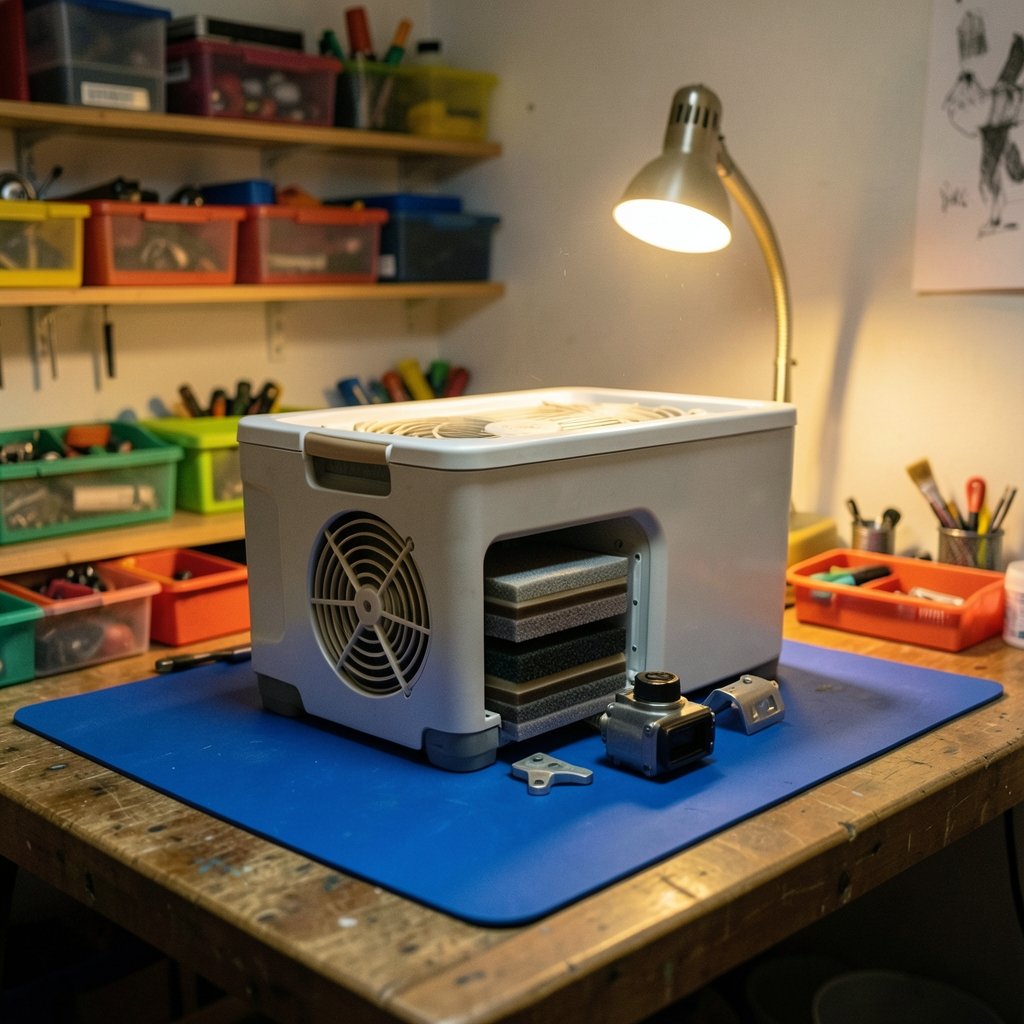
The biggest story of the season was Noctua entering the liquid market. The Austrian company built its reputation on air coolers and fans, so its first all-in-one was always going to be scrutinized.
The NL-LC1 was shown at Computex 2026 and released in June 2026. It comes in 240 mm, 360 mm, and 420 mm radiator sizes, and it ships with Noctua’s NF-A series G2 fans. Mounting uses the company’s SecuFirm 2 system, with offset options for both Intel LGA-1851 and AMD AM5 sockets. Noctua includes its NT-H2 thermal compound in the box, and buyers who want extra VRM airflow can add an auxiliary fan.
The engineering focus is unmistakable. Noctua built a three-layer acoustic structure into the pump: foam, a sound barrier, and foam again. The absorber cover sits on silicone dampers to cut structure-borne vibration. The company claims this reduces pump noise by roughly 1 to 4 dB(A). There is also a physical switch for three pump profiles. The unit ships in quiet mode, balance mode adds performance headroom, and manual mode hands full RPM control to the user.
Pricing starts at $220 for the 240 mm model. That is not cheap for a 240, and it tells you exactly who Noctua is targeting: people who would rather lose a couple of degrees than hear the pump at night.
What the NL-LC1 Means for Buyers
The launch matters beyond one product. It validates the idea that acoustic engineering, not raw cooling capacity, is the next battleground. It also gives air-cooler loyalists a reason to consider liquid without leaving the ecosystem they trust.
The practical caution is the same one that applies to every first-generation product. A new pump design, new mounting hardware, and new fan pairing all need field data. Early adopters should read long-term reports on pump noise after months of use, not just launch-day reviews. If you want a broader framework for weighing the two cooling types, this breakdown of air vs liquid cooling for beginners covers the trade-offs without hype.
Corsair’s iCUE LINK TITAN II: Quieter Pumps and a Bigger Ecosystem
Corsair used the same window to refresh its flagship AIO family. The iCUE LINK TITAN II series launched in two versions, the RX LCD and the RX RGB. The headline change is the FlowDrive 2 pump, an evolution of the motor from the original TITAN line, paired with next-generation iCUE LINK RX II RGB fans. Corsair’s stated goal is better cooling efficiency at lower noise.
The company also widened the ecosystem around the cooler. Standalone RX II RGB fans arrived alongside a new 5-inch LCD screen module for iCUE LINK builds. That last item is quietly significant. It lets builders add a display without buying a new cooler, which is a friendlier approach than forcing a full replacement just to get a screen.
For anyone already inside the iCUE LINK ecosystem, the appeal is obvious: one cable standard, one software layer, and now more ways to configure it. For everyone else, the question is whether the ecosystem lock-in is worth it. That depends on how many LINK devices you plan to run.
MSI’s MEG CoreLiquid E15 and the Premium Screen Race
MSI went in a different direction at Computex 2026. Its most talked-about cooler, the MEG CoreLiquid E15, pairs a large 2K AMOLED screen with a black and gold design meant to match the company’s Maestro 900R case. The 360 mm version was scheduled for Q3 2026 at $419.
That price puts it firmly in halo-product territory. It is less a mainstream cooler and more a statement piece for a flagship build. MSI’s bet is that buyers spending heavily on a case and GPU will pay for a cooler that matches visually and displays system information on a bright panel.
The trade-off is straightforward. At that price, you are paying for design and display area as much as thermal headroom. A cheaper 360 mm cooler will handle a gaming CPU without drama. The E15 makes sense if the build is partly a showpiece, and it makes little sense if it lives under a desk with the side panel facing a wall.
DeepCool’s Display-Heavy Lineup
DeepCool showed up with a broad slate of coolers, and two stand out for different reasons.
The Silentnox 360 Pro is the premium option. It uses an in-house pump design tuned for low noise and adds a 6.67-inch 2K flexible AMOLED display on the pump block. The display ties into DeepCool’s DeepCreative software and can show CPU temperature, power draw, utilization, and pump or fan speed. The pump cover and display rotate in 90-degree steps, so the screen orientation stays readable no matter how the block is mounted.
The LT360 Vision ARGB takes a simpler approach: a 360 mm radiator and a 4.5-inch LCD on a 90-degree swivel mount. It also connects to DeepCool’s software for system readouts.
The rotating and swiveling mounts are the detail worth praising. Anyone who has installed an AIO with a fixed-orientation screen knows the frustration of a display that ends up sideways or upside down because of how the tubes needed to route. Adjustable orientation fixes a real annoyance, not an imaginary one.
Asetek’s Next-Gen Platform: The Foundation Under the Launches
Not every launch is a retail product. Asetek used Computex 2026 to introduce its next-generation liquid cooling platform architecture, aimed at AI workstations and AI PCs. The centerpiece is an optimized 4 mm comprehensive offset cold plate design, with the company positioning it around cooling efficiency and low acoustic performance for high power density systems.
This matters because platform launches ripple outward. When an underlying architecture improves, partner brands can build on it without designing a pump from scratch. That is why several coolers in the same season feel related. It is also why buyers should look past brand names and ask which platform a cooler uses, especially when comparing two products at similar prices.
The offset cold plate detail is worth understanding. On modern CPUs, the hottest area is not always dead center under the integrated heat spreader. Shifting the cold plate slightly can improve contact where it counts. It is a small-sounding change with measurable effects, and it is the kind of thing that separates a thoughtful design from a rebadge.
How to Judge a New Cooler Launch Before You Buy
New launches create a specific problem: enthusiasm outruns evidence. Here is a practical sequence that works for almost any AIO release.
- Check socket support and mounting offsets. Confirm your exact socket is listed, and look for offset mounting options for your platform. A cooler that fits but sits slightly wrong will underperform. This is also why it pays to check CPU compatibility before an upgrade rather than assuming last year’s bracket still applies.
- Measure your case before falling for a radiator size. A 420 mm radiator is wonderful until it collides with your top panel or memory. Clearance failures are the most common self-inflicted wound in liquid builds, and these compatibility checks for liquid vs air coolers walk through the measurements that actually matter.
- Decide whether you are buying silence, performance, or looks. The 2026 launches split cleanly along those lines. Noctua sells silence. Corsair sells an integrated ecosystem. MSI and DeepCool sell visual identity. Pick one priority and judge the product against it.
- Read noise data at idle, not just load. Pump whine shows up when nothing else is running. Launch reviews often focus on full-load thermals and skip this.
- Wait for the first firmware cycle. Display-equipped coolers depend on software. Early software is usually the weakest part of a launch.
If something does go wrong after installation, the fix is often simpler than it looks. Most failures trace back to mounting pressure, air trapped in the pump, or a fan curve that never ramps up. This guide to CPU cooler problems that actually fail and how to fix them fast covers the realistic culprits in order of likelihood.
What These Launches Tell Us About Where AIO Cooling Is Going
Three conclusions stand out from the season’s announcements.
Acoustics are now a design input, not an afterthought. Noctua’s three-layer absorber and switchable pump profiles, plus Corsair’s quieter FlowDrive 2 pump, both point the same direction. The next round of reviews will weigh decibels as heavily as degrees.
Screens are becoming modular. Corsair’s standalone 5-inch LCD module and DeepCool’s rotating mounts treat the display as an accessory that can be added or adjusted, not a fixed feature welded to one SKU. That is healthier for buyers.
Price spread is widening. A 240 mm Noctua at $220 and a 360 mm MSI at $419 sit at very different points on the curve, and both are defensible for different buyers. The middle of the market is where the real competition lives, and that is where budget-focused shoppers should look. If that is you, this roundup of budget gaming CPU coolers worth buying is a better starting point than any flagship launch.
One more practical note: not every cooling bottleneck lives in the cooler. If your system stutters while idle or during light tasks, the culprit may be software. Persistent background processes are a common cause, and this walkthrough on fixing antimalware service executable high CPU usage is worth checking before you blame thermals.
Conclusion
The liquid CPU cooler launches of 2026 were not a single story. Noctua proved it could build a water cooler that lives up to its quiet reputation, with the NL-LC1 arriving in three radiator sizes and a pump designed around acoustic damping. Corsair refined its flagship with the FlowDrive 2 pump and expanded what iCUE LINK can do. MSI pushed toward premium display hardware at a premium price. DeepCool made screens adjustable and genuinely usable. And Asetek quietly improved the platform that underpins much of the category.
For buyers, the lesson is to match the product to the priority. Buy silence if you want silence. Buy a screen if the build is meant to be seen. Buy on platform and mounting support if you want predictable results. And always measure your case first. The launches gave shoppers more real choices than usual, which is a good problem to have as long as you know what you are actually paying for.
FAQ
What was the biggest liquid CPU cooler launch of 2026?
By attention alone, Noctua’s NL-LC1 stands out. It was the company’s first all-in-one liquid cooler after years of air-only products, and it launched in 240 mm, 360 mm, and 420 mm sizes with a three-layer acoustic pump structure and three pump profiles. Corsair’s iCUE LINK TITAN II series was the other major launch, bringing the FlowDrive 2 pump and new RX II fans.
How much does Noctua’s first AIO cost?
Pricing starts at $220 for the 240 mm model. Noctua has not positioned the NL-LC1 as a budget option. The price reflects the acoustic engineering, the included NF-A series G2 fans, and the bundled NT-H2 thermal compound.
Is a screen on a CPU cooler worth paying for?
It depends on what the build is for. A display adds real utility if you monitor temperatures and power draw at a glance, and it adds visual character to a showcase build. If the PC sits under a desk, that money buys nothing you will notice. A cooler at half the price will usually deliver similar thermals.
Do these new coolers fit both Intel and AMD sockets?
The major launches support current mainstream platforms. Noctua’s NL-LC1 ships with SecuFirm 2 mounting and includes offset options for Intel LGA-1851 and AMD AM5. Always confirm your exact socket on the product page before buying, since bracket support can vary by model and region.
Why do several new coolers seem so similar?
Because they often share an underlying platform. Asetek introduced a next-generation architecture at Computex 2026 featuring an optimized 4 mm offset cold plate, and partner brands build on platforms like it. When two coolers share a pump base, the differences come down to fans, tuning, mounting, and software.
What should I check first before buying a newly launched AIO?
Start with socket support and mounting offsets, then measure radiator clearance in your case. After that, decide whether you are buying silence, thermal headroom, or looks, and read noise measurements at idle rather than only at full load. Waiting for the first firmware update is wise for any cooler with a display.



